Build and embed lead capture forms anywhere with the Hoop platform form builder.
The Forms builder lets you create fully custom forms for lead capture, appointment scheduling, event registration, payment collection, and more. Forms can be embedded on funnels, websites, or external sites.
Forms builder — drag-and-drop form canvas with field panel and styling options
Click Sites in the left sidebar, then select Forms. Click + Add Form.
2
Build the form
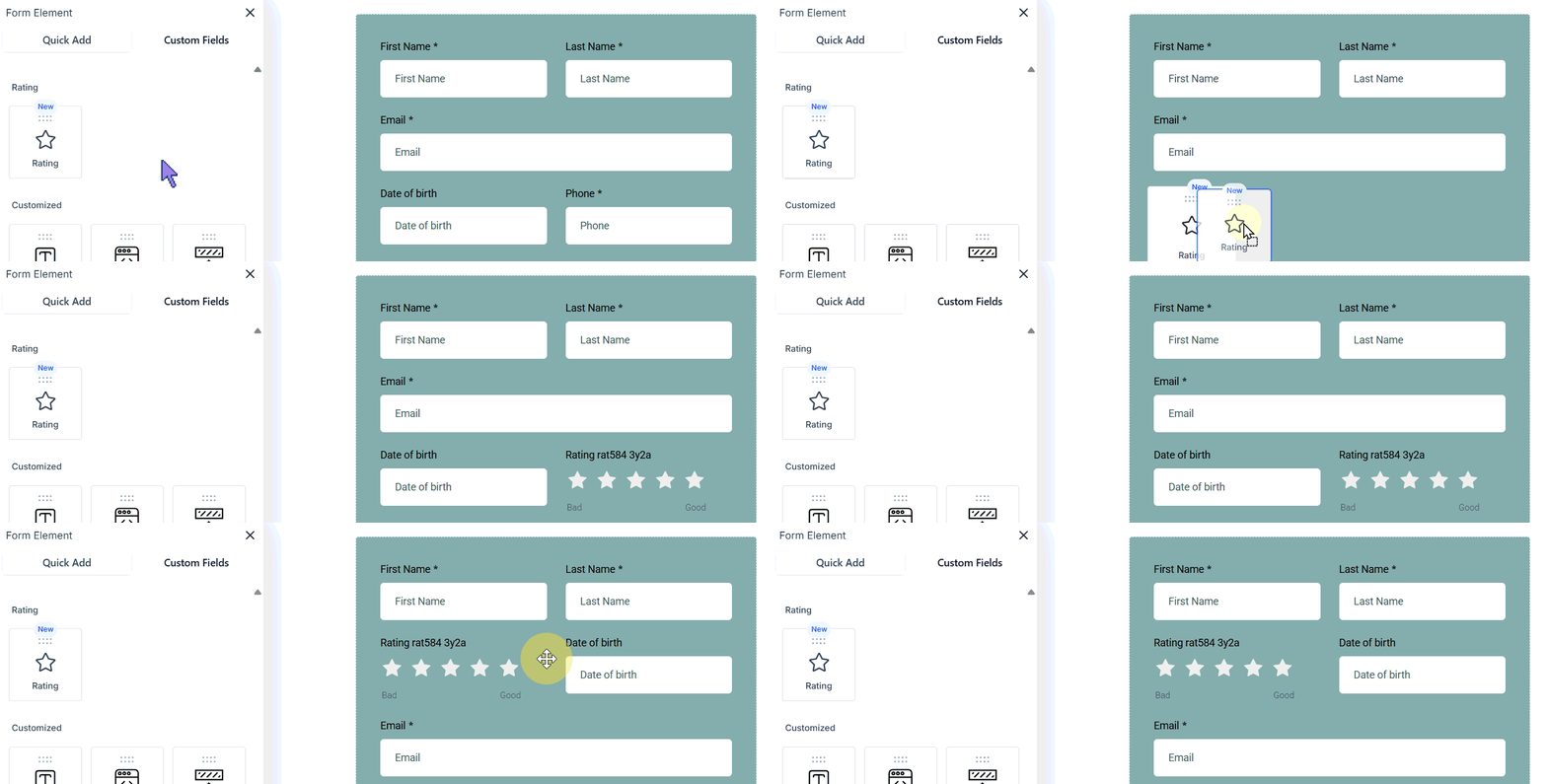
The form editor opens on the Form Element tab. Drag and drop fields from the left panel onto the form canvas. Use:
Quick Add — standard fields like name, email, phone, and message
Custom Fields — fields mapped to contact or opportunity custom fields in your CRM
3
Style the form
Switch to the Styles tab to customize layout (Single Column, Two Column, Single Line), colors, and fonts. Select a field to adjust its width within a multi-column layout.
4
Configure form settings
Switch to the Options / Settings tab to configure:
On Submit — redirect to a URL, show a message, or show an order confirmation
Facebook Pixel ID — track form views and submissions
Sticky Contact — pre-fill fields for returning visitors using browser cookies
Timezone Capturing — collect the contact’s timezone on submission
GDPR Compliance — use GDPR-friendly fonts
5
Save the form
Click Save in the top-right corner.
Form styles — customize layout (single column, two column, single line), colors, and fonts
Click Analyze Forms from the forms list to view submission rates, conversion data, and field completion statistics. Use this data to identify which fields cause drop-off.
Using conditional logic in forms
Show or hide fields based on a visitor’s previous answers. Navigate to the form builder, click a field, and configure conditions under the Conditional Logic tab. This keeps forms short and relevant for each visitor.
Conditional logic in forms — show or hide fields based on previous answers
Integrating payments into forms
Add a Products element to a form to collect payment at submission. Supports one-time and subscription products connected to your payment integration.
URL parameters to pre-fill fields
Pass values via URL query parameters (e.g. ?email=jane@example.com) to pre-fill form fields. Useful for personalized campaign landing pages.
Email notifications for submissions
Go to the form’s Settings tab and configure Notifications to receive an email alert every time a form is submitted.
If you delete a form, it is permanently deleted along with all its submission data. Export submissions before deleting if you need to retain the data.
Use Sticky Contact on customer-facing forms so returning visitors do not need to re-enter their details. Be aware that this feature uses browser cookies, so team members should use incognito mode when entering data for different contacts.