

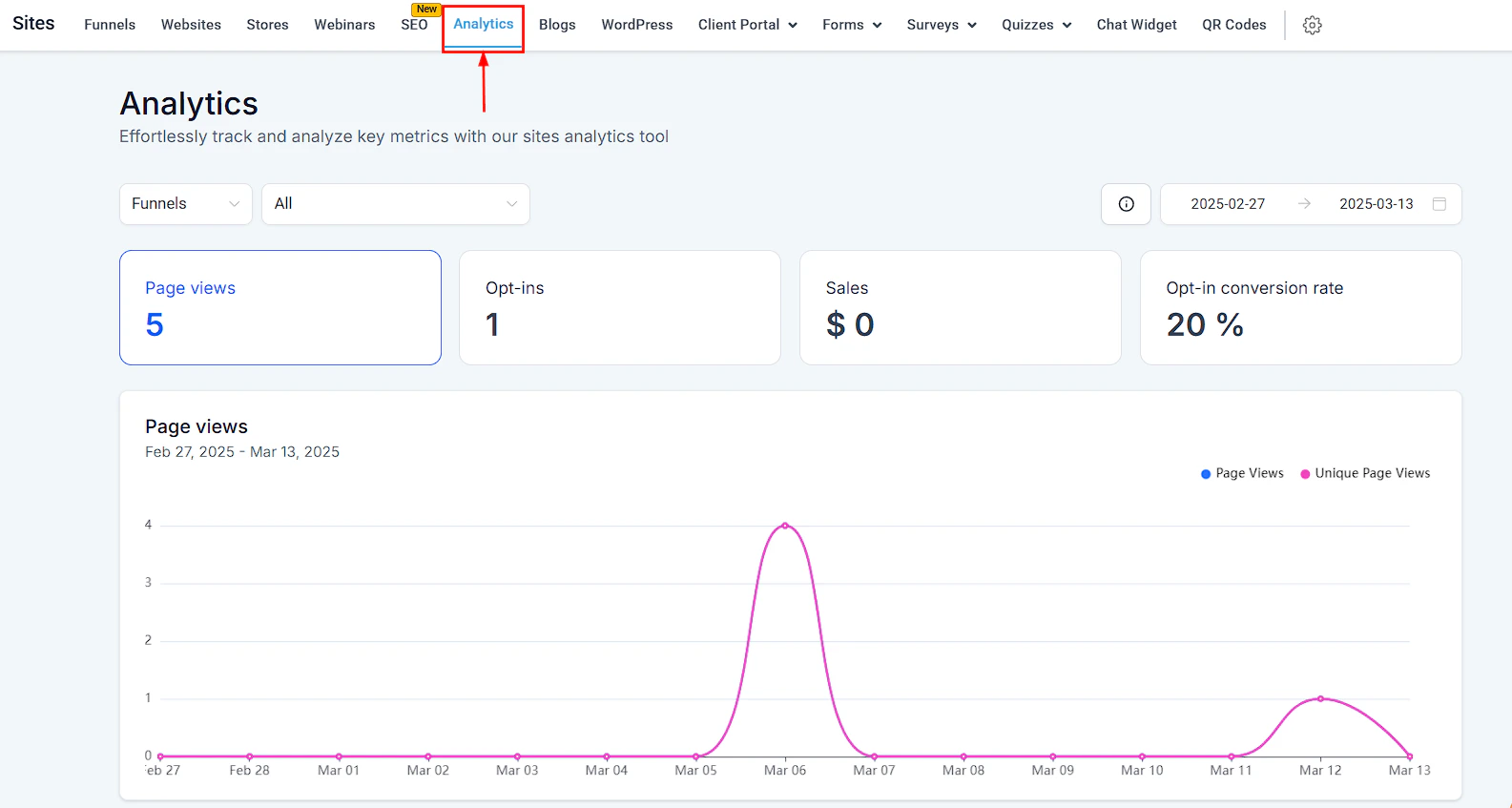
Sites Analytics Dashboard
Accessing the analytics dashboard
Navigate to Sites in the left sidebar, then click Analytics.Filtering the data
- Source — use the dropdown to select the asset type: Funnels, Websites, QR Codes, Forms, Surveys, or Webinars. A second dropdown lets you view all assets of that type or select a specific one.
- Date Range — select a custom date range to filter all metrics to that period.
Metrics for funnels and websites
Page viewing behavior
The charts below the summary metrics show:- Page Views by page — traffic breakdown per funnel step or website page
- Top Browsers — top 10 browsers used by visitors
- Top Client IPs — top 10 IP addresses; useful for spotting bot traffic
- Top Visits — geographic heatmap showing traffic by country, state, and city
- Acquisition Data — which channels are driving new visitors daily
- Traffic By Device Type — split between mobile, desktop, and tablet
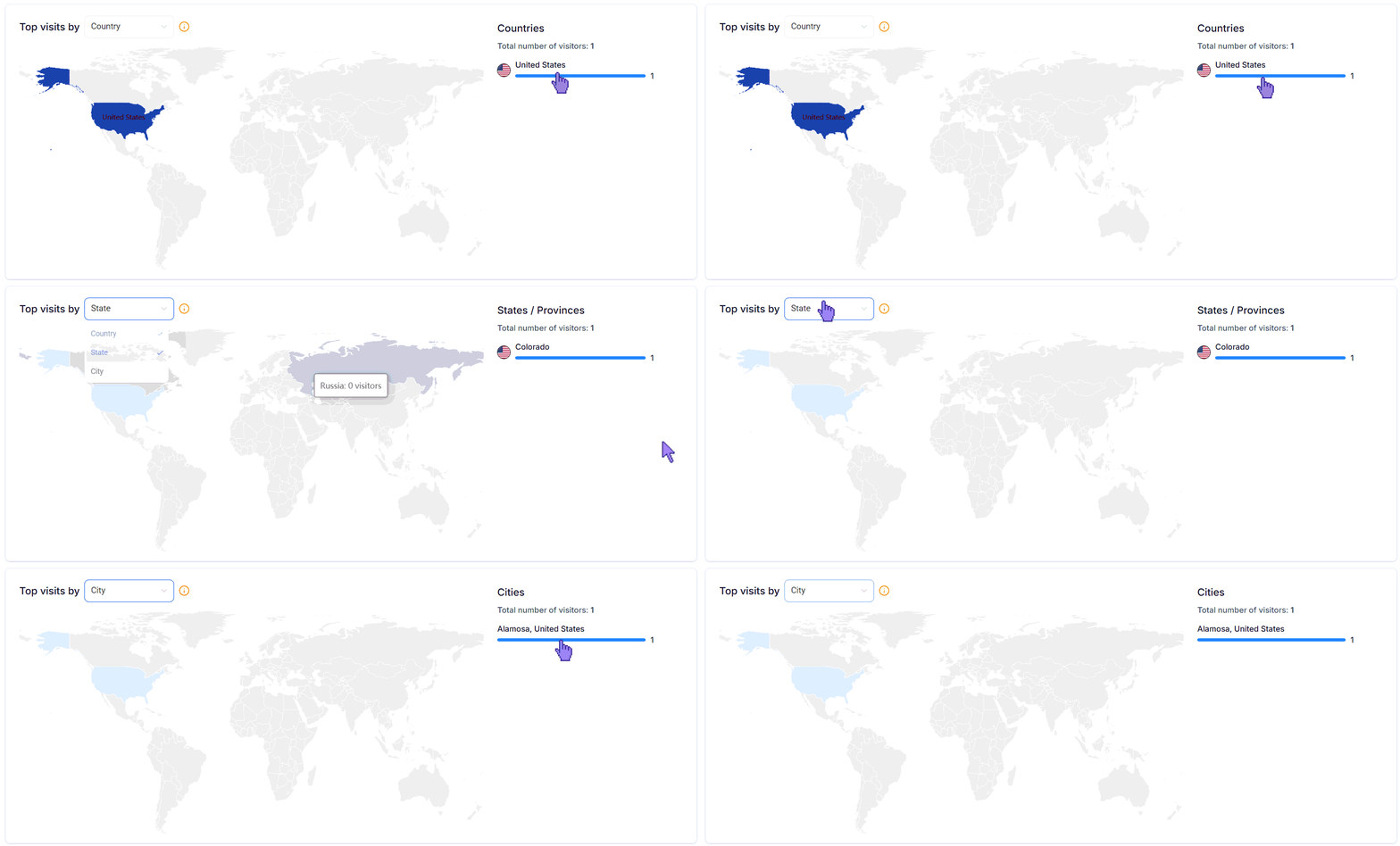
Geographic traffic breakdown — country, state, and city heatmap for funnel and website visitors
Video engagement metrics
If your pages include embedded videos, the dashboard tracks:
Funnels analytics — page views, opt-in rates, bounce rates, and traffic by device type per funnel step
Metrics for QR codes
- Total Scans — all scans of the selected QR code
- Unique Scans — first-time scans only
- Breakdown by individual QR code name, type, and total scan count
Metrics for webinars
Recurring webinar metrics
The Recurring view shows a session-level breakdown for recurring webinars:
QR code analytics — total and unique scan counts with breakdown by code name and type
Metrics for blogs
The blog analytics view also shows a page views graph over time, device breakdown (mobile, desktop, tablet), and a count of manually created versus imported blog posts.
Metrics for forms and surveys
A graph view shows trends over the selected date range, and a table lists each form or survey by name, last-updated date, and total view count.
Metrics for external tracking
If you have external tracking set up, the External Tracking option appears in the Source dropdown. Select it to view data for your external domains, pages, or forms. Navigate the sections the same way as for funnels, websites, and forms.The External Tracking option appears in the Source dropdown only when an external tracking script is connected to your account.