

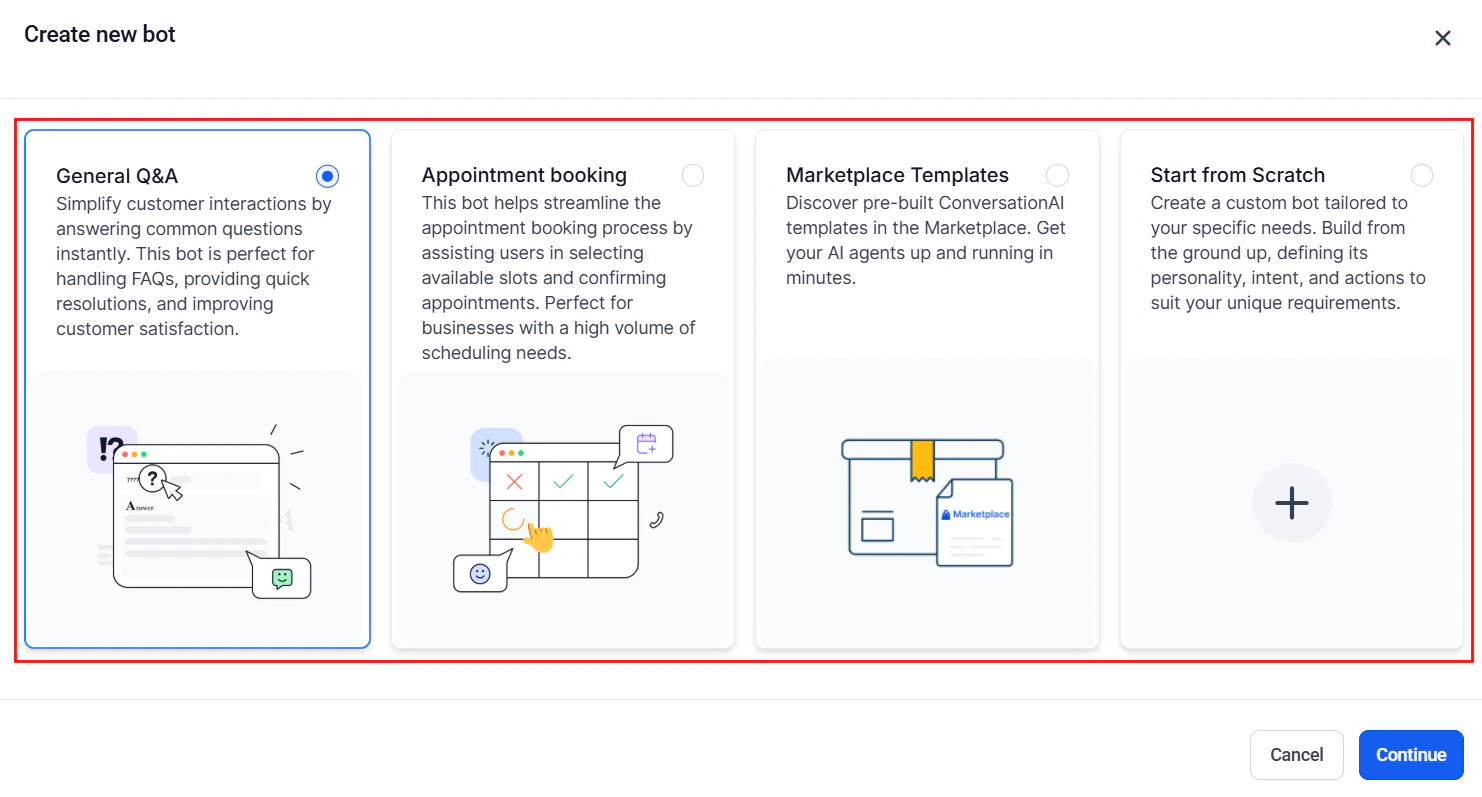
The Create new bot dialog — choosing the right bot type is the first step to avoiding prompt mistakes
Mistake 1: Prompt too vague
The most common mistake is writing a prompt that is too general. Vague prompts produce vague responses.- Before (vague)
- After (specific)
Mistake 2: Prompt too long and unfocused
The opposite extreme — a prompt that tries to cover every possible scenario in exhaustive detail. Overly long prompts dilute the most important instructions and can introduce contradictions.- Before (too long)
- After (focused)
Mistake 3: No escalation rules
Without clear escalation rules, your agent will try to handle every situation on its own — including ones it should not.- Before (no escalation)
- After (clear escalation)
Mistake 4: No personality defined
An agent without a defined personality defaults to a generic, robotic tone that feels impersonal.- Before (no personality)
- After (personality defined)
Mistake 5: Contradictory instructions
When prompts grow organically over time, contradictions creep in. The agent receives conflicting instructions and behaves unpredictably.- Before (contradictory)
- After (consistent)
Mistake 6: Missing edge cases
Your prompt handles the happy path but falls apart when something unexpected happens.- Before (no edge cases)
- After (edge cases covered)
Mistake 7: Not using the knowledge base
Some users try to pack all their business information directly into the prompt. This leads to overly long prompts and makes information hard to update.- Before (everything in prompt)
- After (knowledge base used)
Mistake 8: Overly rigid responses
Scripting every response word-for-word makes the agent sound like a phone tree, not a conversational assistant.- Before (too rigid)
- After (guided flexibility)
Mistake 9: No testing before going live
Launching a prompt without testing leads to embarrassing or damaging interactions with real customers.- Before (no testing)
- After (tested thoroughly)
Mistake 10: Ignoring channel differences
A prompt that works well for web chat may perform poorly over SMS or voice. Each channel has different constraints and user expectations.- Before (one-size-fits-all)
- After (channel-aware)
Troubleshooting checklist
When your AI agent is not performing well, work through this checklist to identify the issue:Agent gives incorrect or made-up information
Agent gives incorrect or made-up information
- Check: Does the prompt include knowledge boundaries? (“Only answer using your knowledge base.”)
- Check: Is the relevant information in the Knowledge Base?
- Check: Are there conflicting facts between the prompt and the knowledge base?
- Fix: Add an explicit rule: “If you do not know the answer, say so. Never guess.”
Agent sounds robotic or generic
Agent sounds robotic or generic
- Check: Does the prompt define a personality, name, and tone?
- Check: Are responses scripted word-for-word instead of guided?
- Check: Are there example conversations showing the desired style?
- Fix: Add 2-3 example conversations that demonstrate the ideal tone.
Agent does not escalate when it should
Agent does not escalate when it should
- Check: Are escalation triggers clearly defined?
- Check: Is the handoff action configured in bot settings?
- Check: Does the agent have a script for the transfer message?
- Fix: Add specific escalation triggers and test each one.
Agent is too wordy
Agent is too wordy
- Check: Does the prompt include response length guidelines?
- Check: Are examples showing concise responses?
- Check: Is the prompt itself too long (possibly causing the agent to mirror verbosity)?
- Fix: Add a rule like “Keep responses to 1-2 sentences unless more detail is needed.”
Agent works on web chat but not SMS
Agent works on web chat but not SMS
- Check: Are there channel-specific guidelines in the prompt?
- Check: Is the agent trying to share links, long lists, or formatted content via SMS?
- Fix: Add SMS-specific rules for brevity and formatting.
Next steps
Prompt engineering 101
Review the foundational framework to make sure your basics are solid
Advanced techniques
Go beyond the basics with conditional logic, tone calibration, and multi-step prompts
Optimization and testing
Systematically test and improve your prompts with data-driven methods
Bot settings
Configure your bot’s channels, status, and escalation actions