

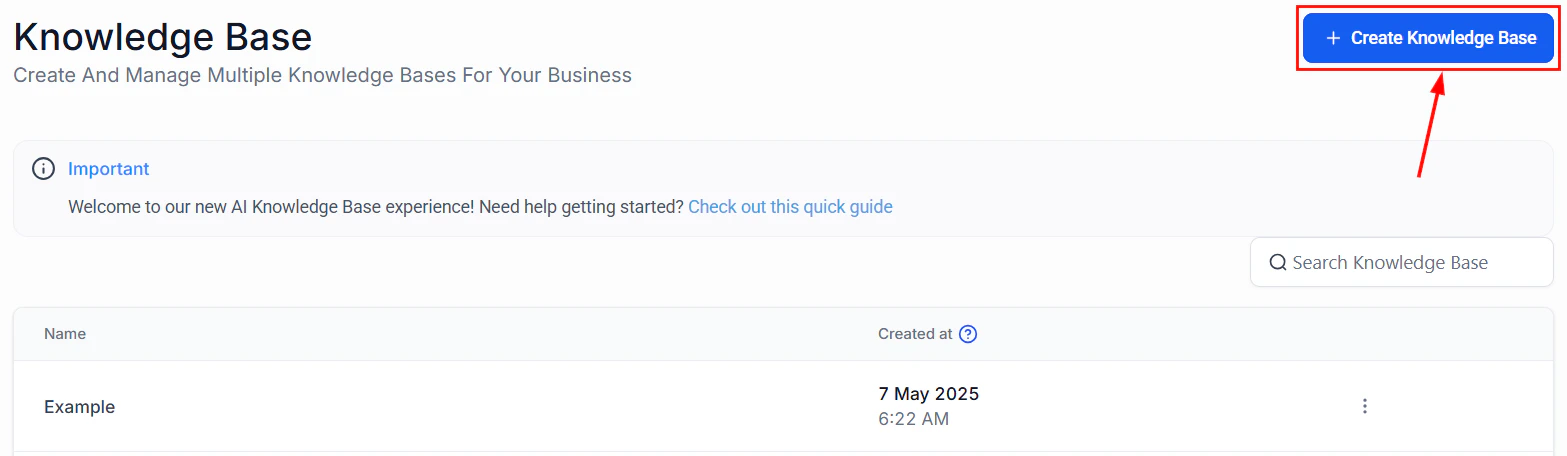
Knowledge base main page with the Create Knowledge Base button
What to include in your knowledge base
- FAQs with answers to common customer questions
- Product or service descriptions with pricing and features
- Business policies for returns, shipping, cancellations
- Troubleshooting guides for common issues
- Team information like hours, locations, and contact details
Managing your knowledge base
The knowledge base list view lets you see all your knowledge bases at a glance, create new ones, and manage existing entries.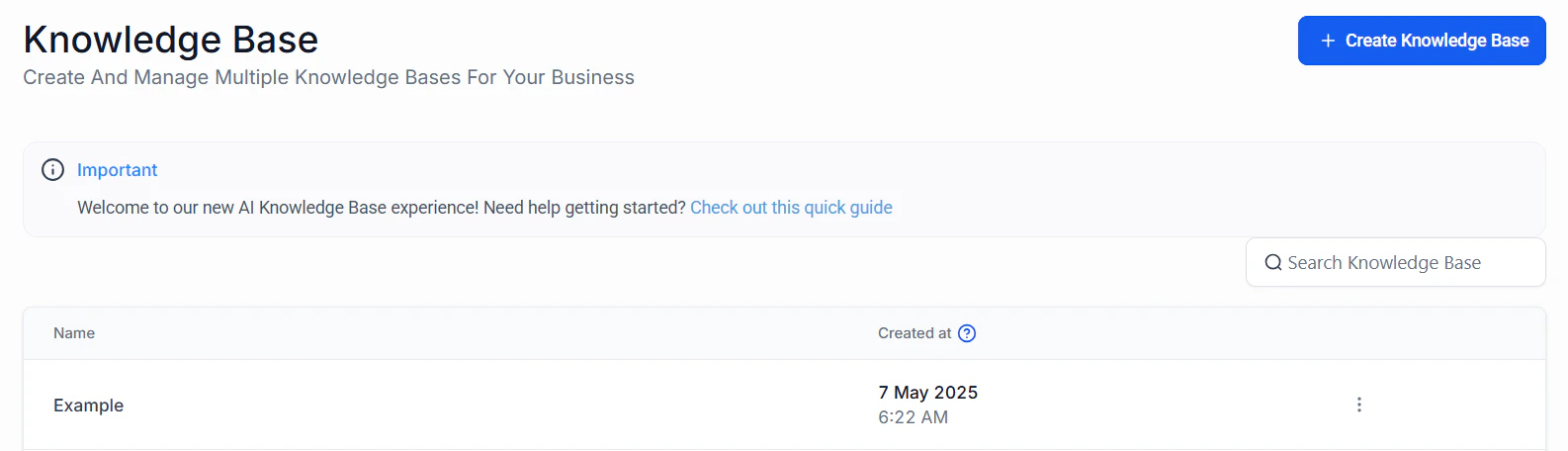
Knowledge base list view with management options
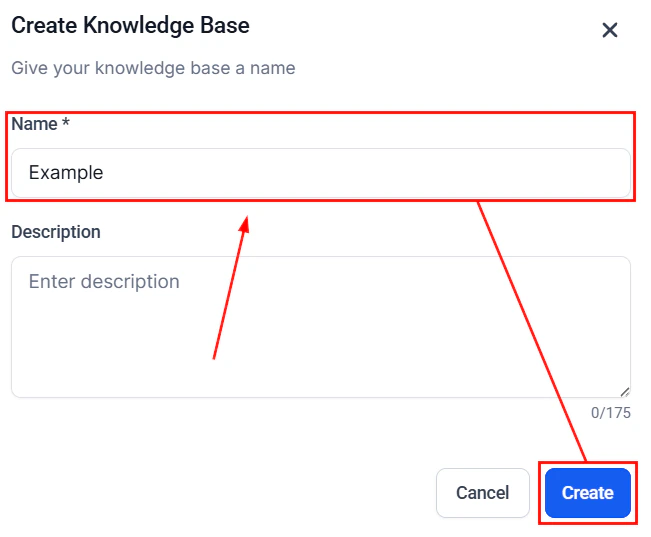
Creating a new knowledge base
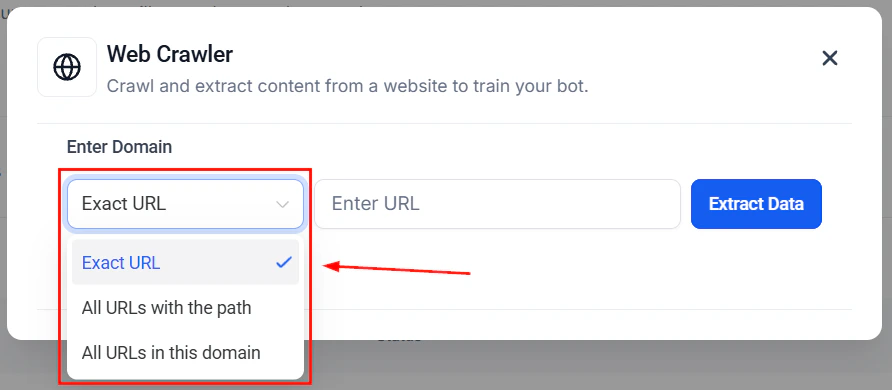
Adding content sources to your knowledge base
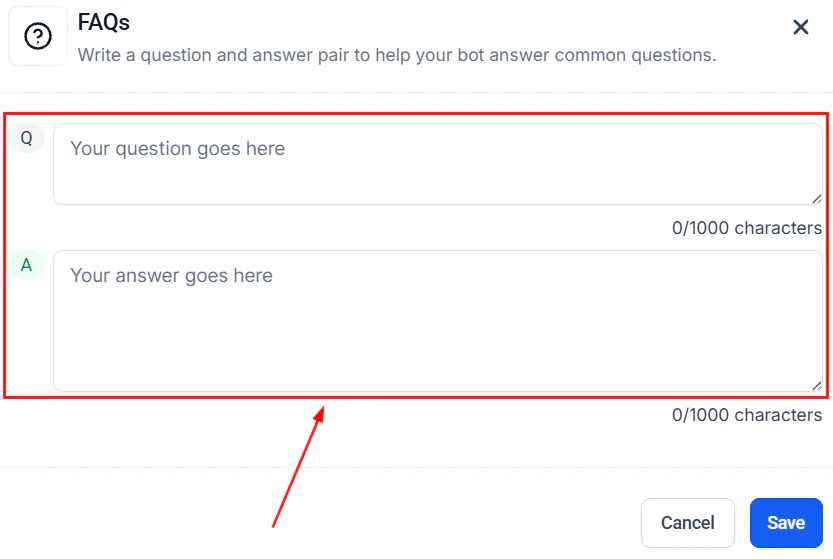
Adding Q&A pairs to your knowledge base
Training your bot
Use the Training tab to add content via the web crawler, manual Q&A pairs, and other sources. After adding content, use the test bot panel to verify your bot responds accurately.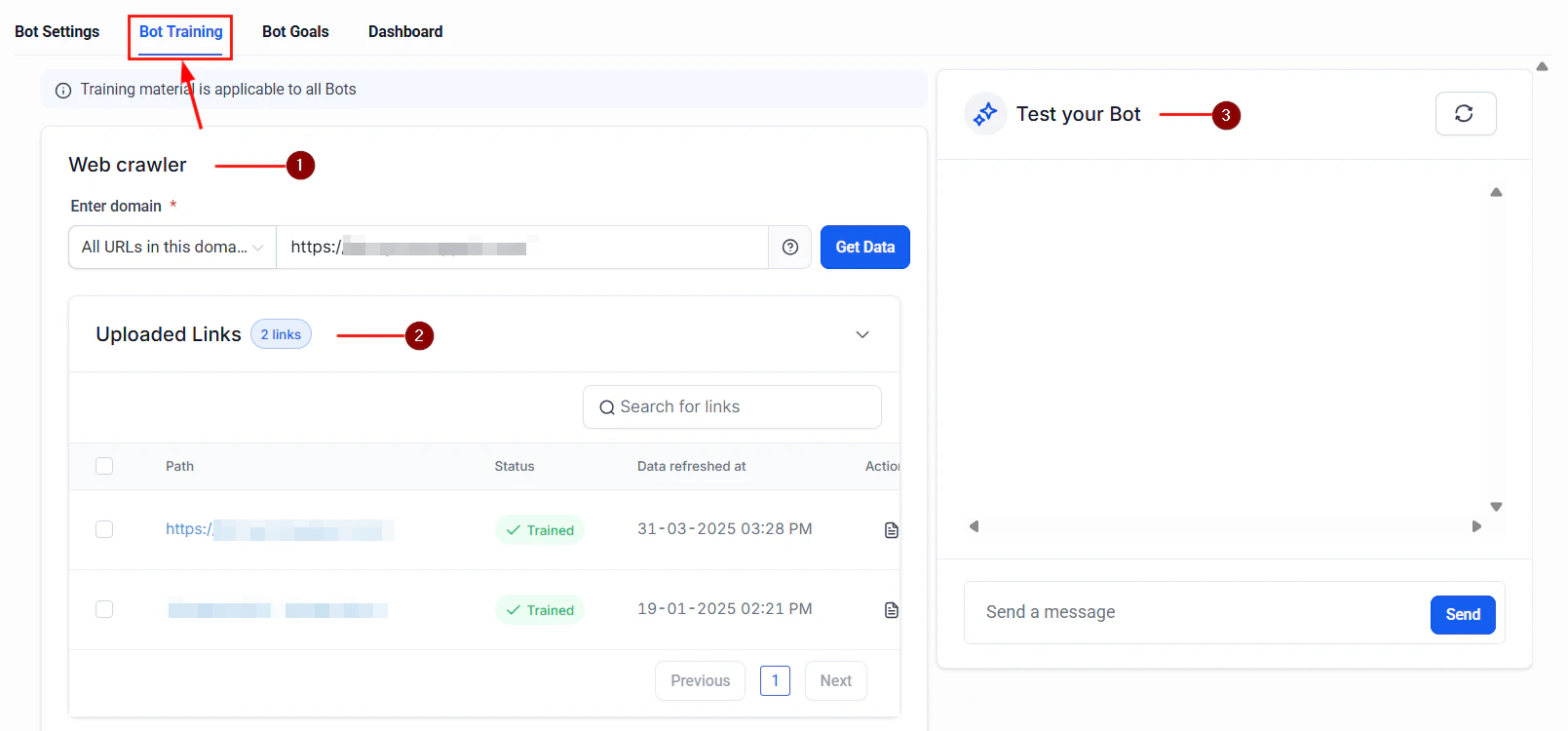
Bot Training tab with web crawler and test bot panel
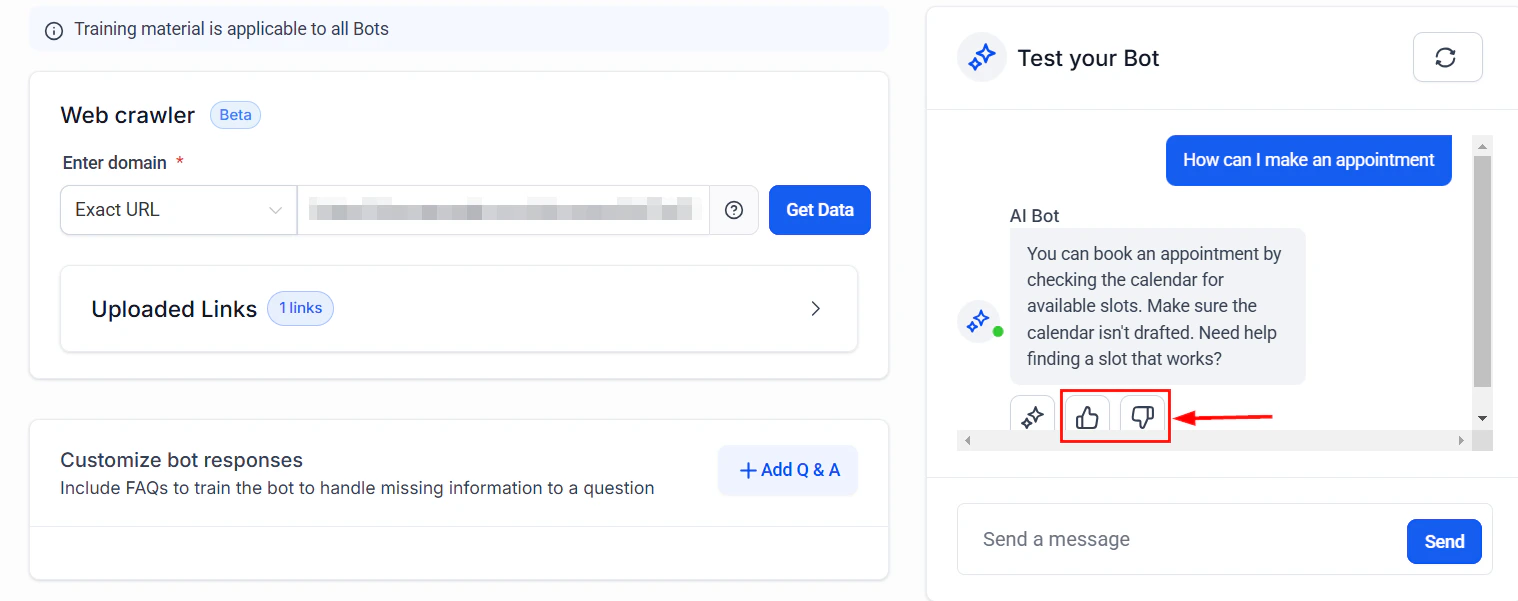
Training workflow with feedback loop
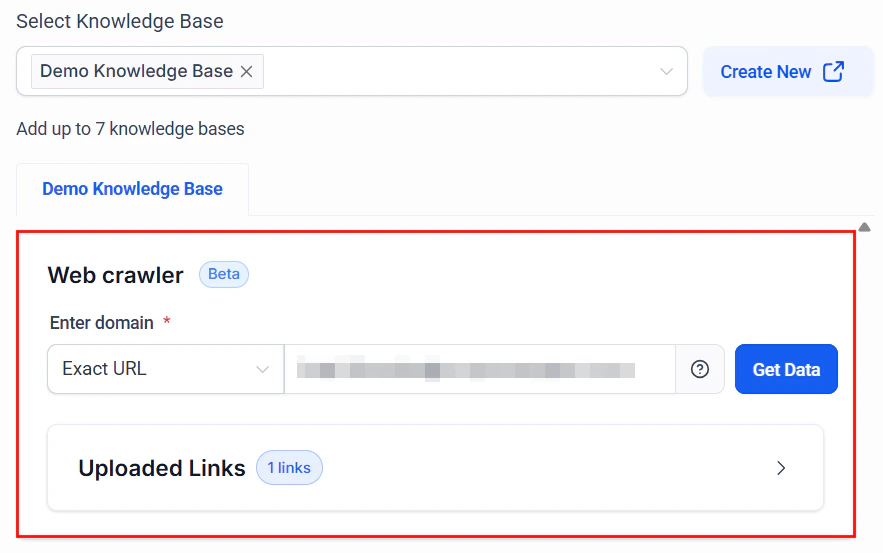
Web crawler configuration for importing content from your website
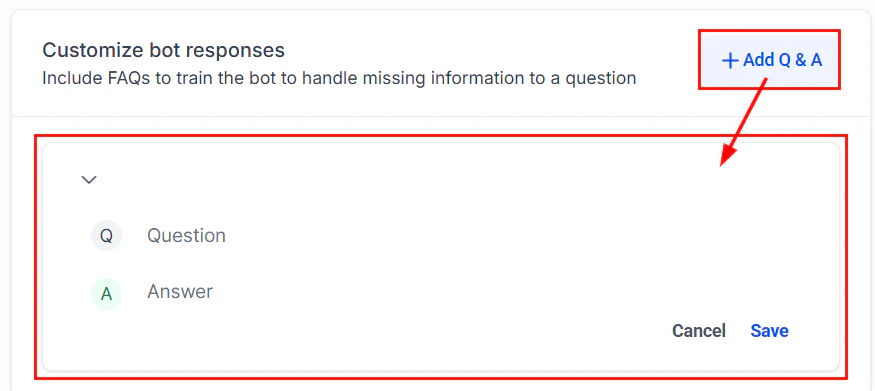
Q&A pairs for training your bot with specific question-answer combinations
Best practices
- Keep entries concise and factual
- Update the knowledge base regularly as your business changes
- Test your bot after adding new entries to verify accuracy
- Use clear headings and structure in uploaded documents
Next steps
Knowledge base setup
Full guide to setting up and managing your knowledge base
Conversation AI overview
Learn about all Conversation AI capabilities