

Start with your goal
The fastest way to find the right AI feature is to identify what you need it to do. Use the cards below to jump directly to the feature that matches your primary goal.I need to handle phone calls
Voice AI answers inbound calls, makes outbound calls, books appointments, and transfers to your team. Ideal if your customers prefer calling over texting.
I need to handle text messages and chat
Conversation AI automates responses across SMS, web chat, Instagram DMs, Facebook Messenger, WhatsApp, and email. Perfect for businesses that receive high volumes of inbound messages.
I need to generate marketing content
Content AI creates emails, social media posts, blog articles, and website copy. Built into HoopAI editors so you can generate content right where you write it.
I need to automate review responses
Reviews AI generates professional, personalized responses to Google and Facebook reviews automatically. Keeps your online reputation active without manual effort.
I need AI in my automations
Workflow AI adds intelligent decision making, text generation, and data extraction to your HoopAI workflows and automations.
I need multiple of these
Most businesses benefit from combining two or more AI features. Start with Conversation AI as your foundation, then add Voice AI, Content AI, or others based on your needs. See the combinations section below.
Feature comparison matrix
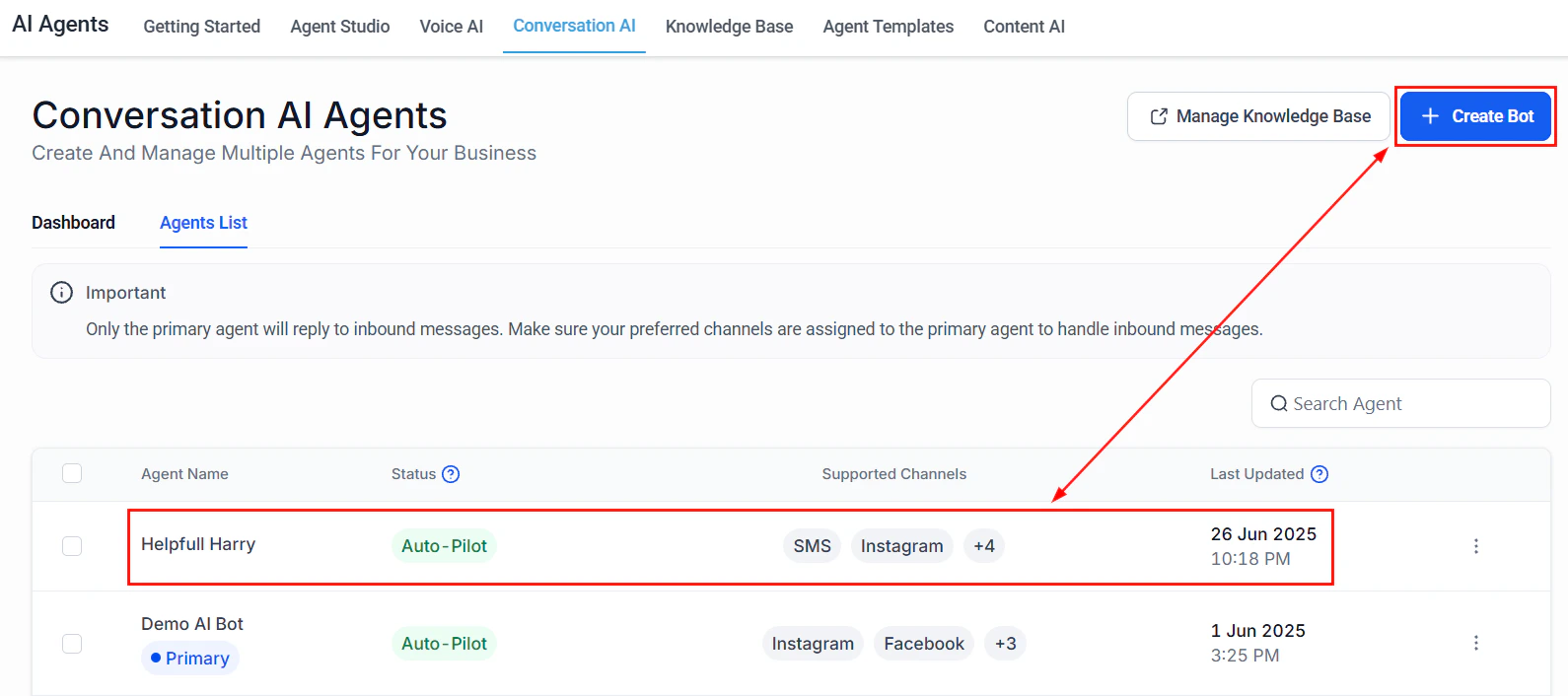
The Conversation AI agents list showing active bots with their status and supported channels
Industry-specific recommendations
Different industries have different communication patterns. The recommendations below are based on how businesses in each sector typically interact with their customers.- Service businesses
- E-commerce
- Healthcare
- Real estate
Service businesses
Recommended: Voice AI + Conversation AIService businesses such as HVAC, plumbing, electrical, landscaping, and cleaning receive a mix of phone calls and text messages from customers who need to schedule appointments, get quotes, or check on service status.- Voice AI handles inbound calls during and after business hours, booking appointments directly into your calendar and answering common questions about services, pricing, and availability.
- Conversation AI handles SMS and web chat inquiries, qualifying leads and collecting job details before a technician follows up.
- Add Reviews AI to keep your Google reviews active and responsive, which directly impacts local search rankings.
Recommended combinations
Most businesses get the best results by combining two or more AI features. Here are the most common and effective combinations.Conversation AI + Voice AI (most popular)
Conversation AI + Voice AI (most popular)
This combination covers both text and phone channels, ensuring every inbound lead gets an instant response regardless of how they reach out. Both features share the same knowledge base, so you only need to train once.Setup path:
- Set up Conversation AI and assign it to SMS and web chat
- Create a Voice AI agent and connect it to your phone number
- Build a shared knowledge base with your FAQs, services, and business details
Conversation AI + Workflow AI
Conversation AI + Workflow AI
Add Workflow AI to your Conversation AI setup to create intelligent post-conversation actions. When a chatbot qualifies a lead, the workflow can automatically add the contact to a pipeline, send a personalized follow-up email, notify your sales team, or trigger a drip sequence.Setup path:
- Set up Conversation AI
- Connect bots to workflows
- Add GPT actions for intelligent content generation within the workflow
All five features
All five features
Teams and larger organizations often deploy all five features to create a fully AI-powered customer experience. Start with Conversation AI, add Voice AI for phone coverage, enable Content AI for marketing production, turn on Reviews AI for reputation management, and use Workflow AI to tie everything together.Recommended order of deployment:
- Conversation AI (text channels)
- Voice AI (phone channels)
- Reviews AI (reputation)
- Content AI (marketing)
- Workflow AI (automation glue)
Budget considerations
AI features in HoopAI are metered based on usage. Your costs depend on which features you enable and how much they are used. Here are general guidelines for budgeting:- Conversation AI — Costs are based on the number of AI-generated messages. High-traffic businesses (100+ conversations per day) should monitor usage closely during the first week.
- Voice AI — Costs include per-minute charges for AI call time plus telephony costs. Outbound calling campaigns can scale up usage quickly.
- Content AI — Usage is based on the number of generation requests. Most businesses find Content AI costs negligible compared to the time saved.
- Reviews AI — Minimal cost per response. Even businesses with dozens of daily reviews see modest AI usage charges.
- Workflow AI — Each GPT action in a workflow counts as one AI request. Costs scale with automation volume.
Still not sure?
If you are still deciding, start with Conversation AI. It is the most versatile feature, has the fastest setup time, and delivers immediate value by responding to customer messages 24/7. You can always add Voice AI, Content AI, and other features later. Use the quick start guide to have your first bot live in under 10 minutes, or review the AI launch checklist to prepare a thorough rollout.Next steps
Quick start: build your first bot
Deploy your first Conversation AI chatbot in under 10 minutes.
AI launch checklist
A comprehensive pre-launch checklist for going live with confidence.
Prompt engineering 101
Learn how to write prompts that get accurate, on-brand responses.
AI models and capabilities
Understand which models power each feature and how they are selected.