Use AI to generate headlines, copy, and SEO-optimized content for your landing pages and websites.
The HoopAI platform’s page builder includes built-in Content AI tools that help you generate headlines, body copy, blog posts, and SEO-optimized content directly within the editor. Instead of staring at a blank page, use AI to draft content in seconds and refine it to match your brand voice.
Content AI is available in the Sites and Funnels page builders. The AI writing tools appear in the text editor toolbar and in element settings panels.
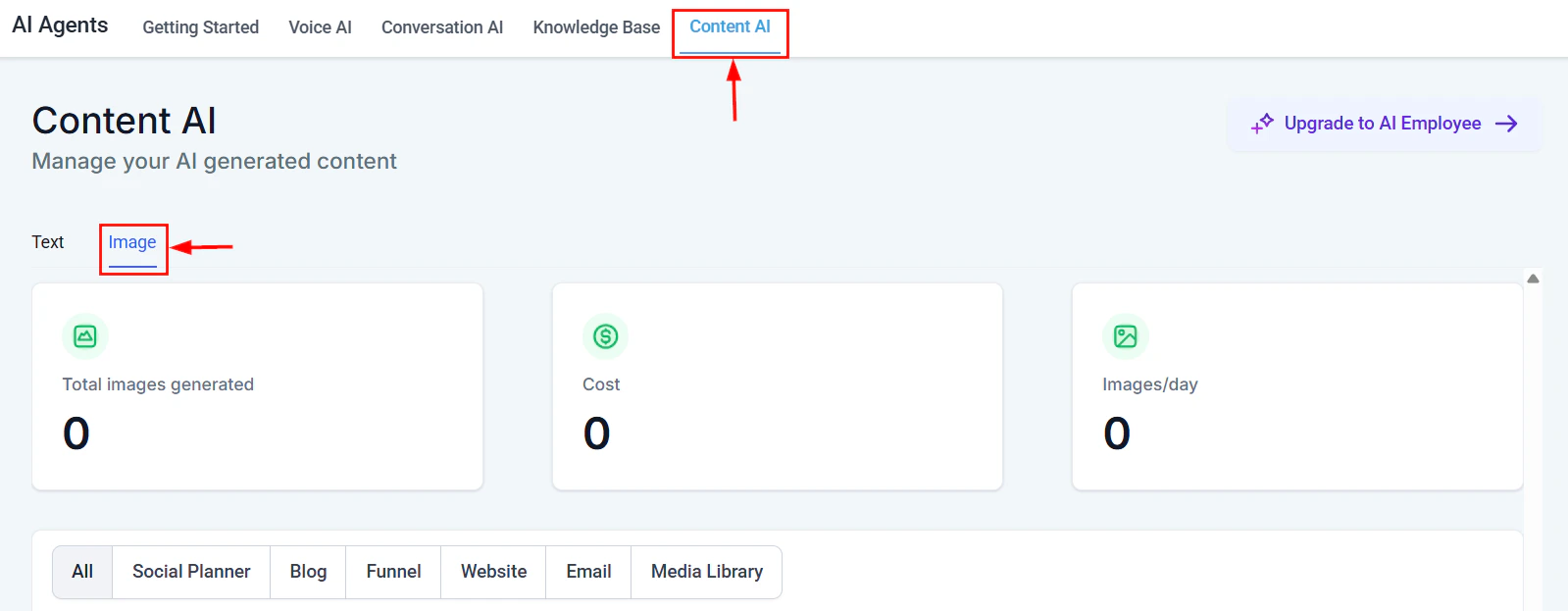
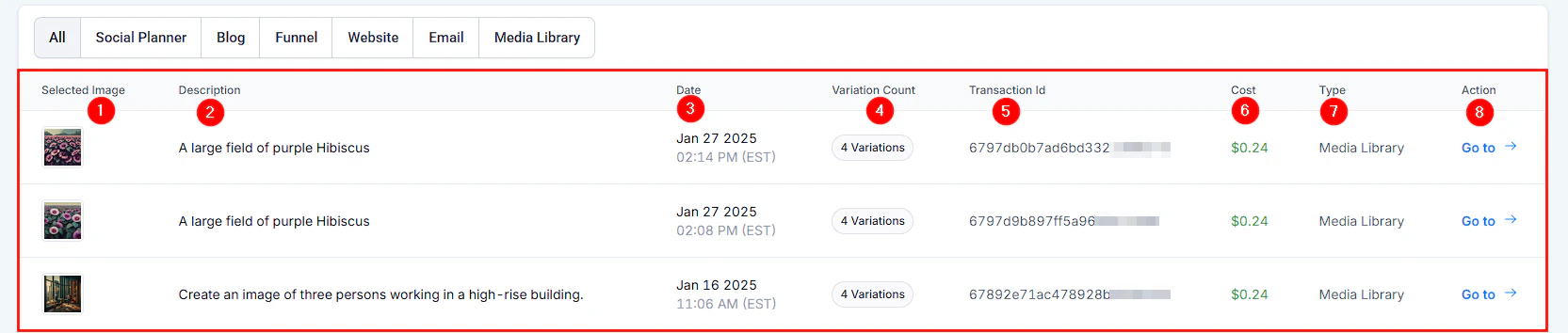
Content AI Image tab for generating visuals in the page builder
Generate compelling headlines and body copy for any section of your landing page or website without leaving the builder.
1
Open the page builder
Navigate to Sites or Funnels and open the page you want to edit. Click on any text element (headline, paragraph, or button) to select it.
2
Activate Content AI
In the text editor toolbar, click the AI icon or right-click the element and select Generate with AI. A prompt panel will appear.
3
Describe what you need
Enter a brief description of the content you want. For example:
“Write a compelling headline for a fitness coaching landing page”
“Create a 2-sentence value proposition for a SaaS project management tool”
“Write a call-to-action for a free consultation offer”
4
Choose a tone and length
Select from tone options like Professional, Friendly, Urgent, or Witty. Choose a content length — short (1 sentence), medium (2-3 sentences), or long (full paragraph).
5
Generate and refine
Click Generate. The AI will produce multiple options. Preview each, then click Insert to add your favorite to the page. You can regenerate for more options or edit the output directly.
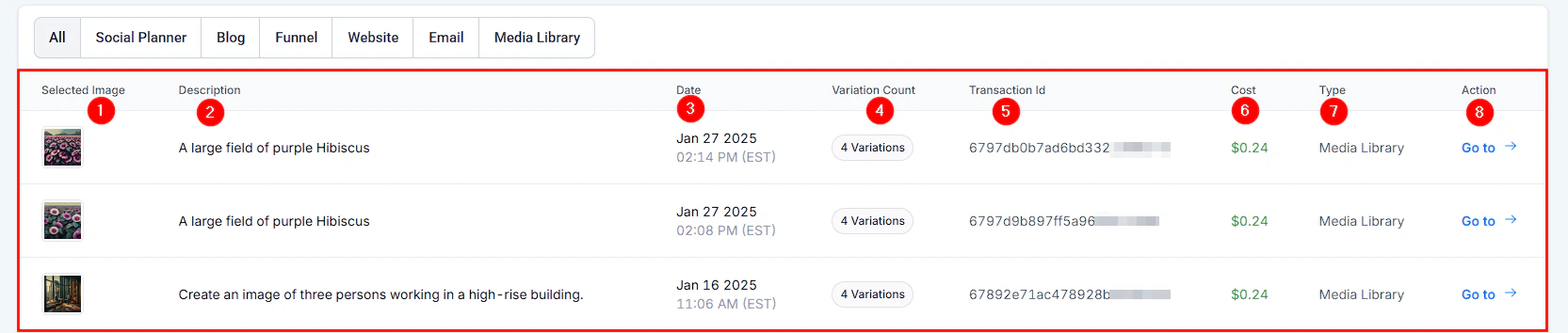
AI-generated image options to pair with your page content
Pro tip: Generate 3-4 headline variations and A/B test them using the built-in split testing feature in funnels. Let real traffic data tell you which AI-generated headline converts best.
AI-generated image for use as visual content on landing pages and websites
In the page builder, click Settings (gear icon) and navigate to the SEO tab.
2
Generate meta content
Click Generate with AI next to the meta title or meta description field. Enter your target keyword and page topic. The AI will create optimized meta content within recommended character limits (60 characters for titles, 160 for descriptions).
3
Review and save
Review the generated meta content. Make sure your primary keyword appears naturally. Click Save to apply.
When generating body copy for your pages, include SEO context in your AI prompt for better results:
Example SEO prompts
“Write a 200-word section about the benefits of cloud-based CRM software. Target keyword: ‘best CRM for small business.’ Include the keyword naturally 2-3 times.”
“Create an FAQ section with 5 questions about email marketing automation. Target keywords: ‘email automation,’ ‘drip campaigns,’ ‘email sequences.’”
“Write an introduction paragraph for a blog post about social media marketing trends in 2026. Include the keyword ‘social media strategy’ in the first sentence.”
Content AI generates SEO-friendly drafts, but always review for accuracy and natural readability. Search engines prioritize content written for humans, not just keyword density.
The hero section is the most important part of your landing page. Use AI to generate:
A primary headline that communicates your core value proposition in under 10 words
A supporting subheadline that adds detail or addresses a pain point
A CTA button with action-oriented text (e.g., “Start my free trial” instead of “Submit”)
Example AI prompt for hero sections
“Write a hero section for a landing page selling an AI-powered scheduling tool for service businesses. Include a headline (under 10 words), a subheadline (1-2 sentences explaining the benefit), and a CTA button text. Tone: confident and modern.”
The HoopAI page builder supports blog posts as part of your website. Use Content AI to accelerate your blog workflow.
1
Create a new blog post
Navigate to Sites > Blog and click New Post. Enter your topic or working title.
2
Generate an outline
Use Content AI to create a blog post outline. Prompt example: “Create an outline for a 1,200-word blog post about 5 ways to reduce appointment no-shows. Include an introduction, 5 main sections with subheadings, and a conclusion with a CTA.”
3
Generate section content
Work through the outline section by section. For each section, use Content AI to generate a draft, then edit for accuracy, brand voice, and specifics to your business.
4
Optimize for SEO
After drafting, use the SEO settings to generate a meta title and description. Review the content to ensure your target keyword appears in the title, first paragraph, at least one subheading, and the conclusion.
5
Add visuals
Break up long text sections with images, screenshots, or embedded videos. Use the page builder’s media library to add visuals between content blocks.
AI-generated image detail view showing output quality and options
Content calendar tip: Batch-generate outlines for a month’s worth of blog posts in one sitting, then spend subsequent sessions fleshing out each post. This is faster than starting from scratch each time.
AI image generation output showing creative options for website visuals
Saving an AI-generated image to your media library for use across pages
Generate confirmation copy and a one-time offer or next-step CTA
Upsell page
Increase average order value
Generate scarcity-driven copy and a clear value comparison between the base and upgraded offer
Example funnel copy prompts
Opt-in page: “Write 3 bullet points explaining the benefits of downloading a free guide on ‘How to Double Your Leads in 30 Days.’ Make them specific and outcome-focused.”Sales page: “Write an objection-handling section for a $297 online course about social media marketing. Address these objections: ‘I do not have time,’ ‘I have tried other courses,’ and ‘Will this work for my industry?’”Thank you page: “Write a thank you page message that confirms their purchase of the Social Media Mastery course, tells them where to access it, and introduces a one-time offer for a private coaching session at 50% off.”
Instead of “Write a headline,” try “Write a headline for a dental practice targeting families in Austin, Texas. Emphasize same-day appointments and friendly staff.” More context produces better output.
Iterate, do not settle
Generate 3-5 options for any piece of copy. Mix and match elements from different generations. The best result is often a combination of AI output and your own edits.
Match your brand voice
If your brand is casual and fun, tell the AI. If it is formal and authoritative, say so. Include examples of your existing copy in the prompt for the AI to match.
Use AI for first drafts, not final copy
Content AI excels at getting you past the blank page. Always review, fact-check, and personalize the output before publishing. Your unique expertise and brand details make the content real.
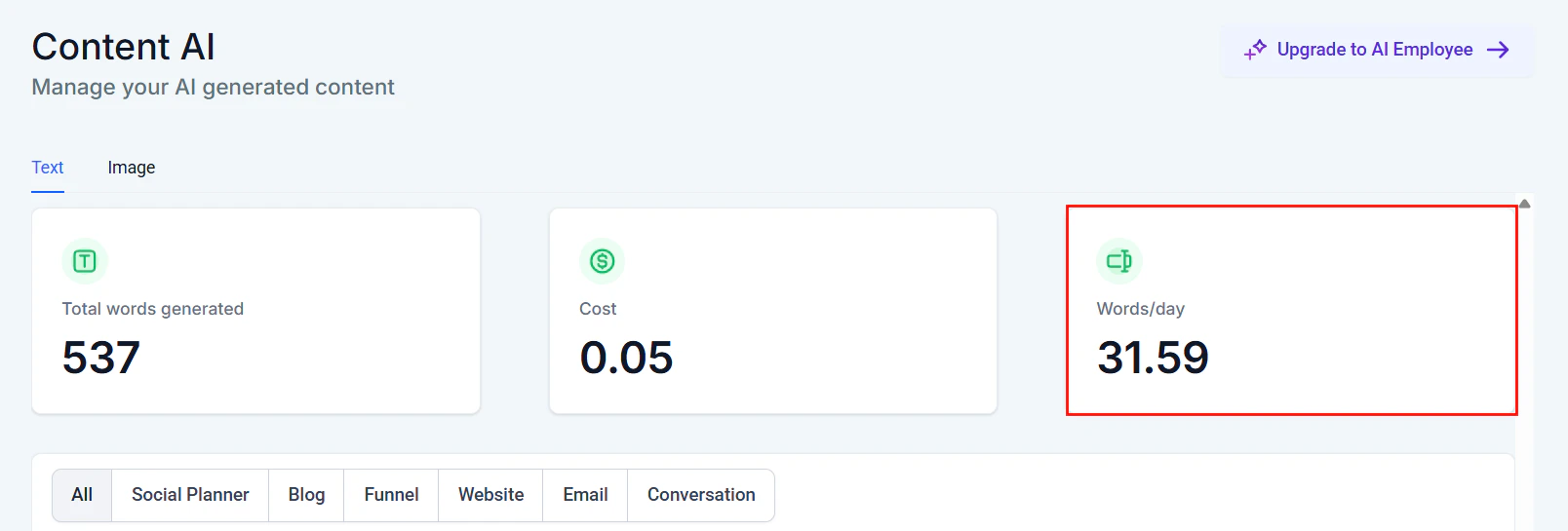
Words per day trend showing daily Content AI text generation volume