

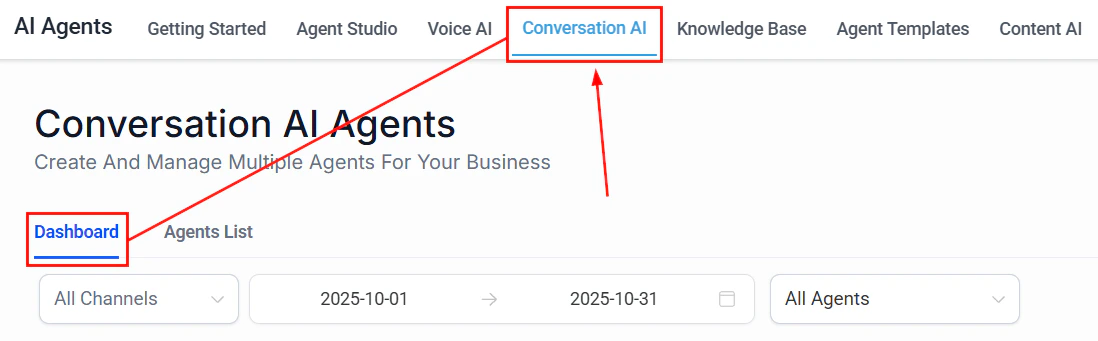
The Conversation AI dashboard showing agent performance analytics
Understanding AI response latency
When a contact sends a message to your AI agent, several factors determine how quickly and accurately it responds:- Knowledge base lookup — The agent searches your knowledge base for relevant information
- Prompt processing — The AI model processes your system prompt along with the conversation context
- Response generation — The model generates a reply based on all available context
- Delivery — The response is sent back through the appropriate channel
Average AI agent response times in HoopAI range from 2 to 8 seconds depending on configuration. Well-optimized agents consistently respond in under 3 seconds.
Reducing bot response latency
Knowledge base size and structure
The size and organization of your knowledge base directly impacts lookup speed. Larger knowledge bases take longer to search, but the relationship is not linear — a well-structured large knowledge base can outperform a poorly organized small one. Key principles:- Keep entries focused. Each knowledge base entry should cover a single topic or answer a single question. Avoid combining multiple unrelated topics in one entry.
- Remove outdated content. Stale or duplicate entries slow down searches and can lead to conflicting answers.
- Use clear titles and headings. The AI uses these to quickly identify relevant content during retrieval.
- Limit total size when possible. If your knowledge base exceeds 500 entries, consider splitting it across multiple specialized bots.
Prompt length and complexity
Your system prompt is processed with every single message. A 2,000-word prompt adds processing overhead to every interaction.- Optimized prompt
- Bloated prompt
Conversation context window
As conversations grow longer, the AI must process more context with each response. This increases both latency and cost. Strategies to manage context:- Set conversation timeouts. Configure your bot to reset context after a period of inactivity (e.g., 30 minutes).
- Use structured conversation flows. Guide contacts through decision trees rather than open-ended conversations.
- Summarize when possible. For bots handling complex interactions, use workflow triggers to summarize and restart context at natural breakpoints.
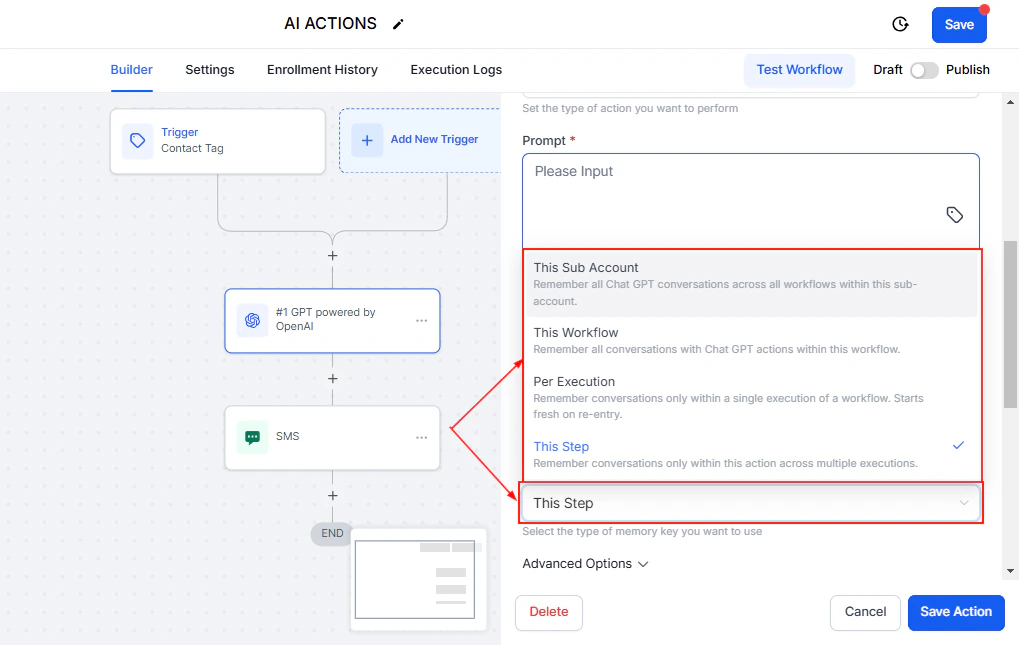
The temperature setting controls how creative or deterministic the AI model's responses are
Knowledge base optimization
A well-optimized knowledge base is the single biggest factor in both response speed and accuracy. Follow these guidelines to get the most out of yours.1
Audit your content
Review every entry in your knowledge base. Remove duplicates, outdated information, and entries that have never matched a query. Check your analytics to identify which entries are used most and least frequently.
2
Structure entries consistently
Use a consistent format across all entries. Each entry should have:
- A clear, descriptive title
- A concise answer (under 300 words)
- Relevant keywords in the first sentence
- Specific details rather than vague generalizations
3
Chunk large documents
If you have uploaded large documents (PDFs, website scrapes), break them into smaller, topic-specific chunks. A 50-page product manual should become 20-30 focused entries, not one massive document.
4
Format for retrieval
The AI retrieval system works best with:
- Q&A format — Question as the title, answer as the content
- Short paragraphs — 2-3 sentences per paragraph
- Lists and tables — Structured data retrieves more accurately than prose
- Specific numbers — “$49/month” retrieves better than “affordable pricing”
5
Test and iterate
After optimizing, test your bot with the 20 most common questions your business receives. Track accuracy and response time before and after changes.
Knowledge base format comparison
Prompt length vs performance trade-offs
There is a direct relationship between prompt length and response time. Every additional token in your prompt adds processing time.Short prompts (under 200 words)
Short prompts (under 200 words)
Response time: Fastest (2-3 seconds average)Trade-off: Less nuanced behavior. The bot may not handle edge cases well or may lack personality.Best for: Simple FAQ bots, appointment booking, basic lead qualification.
Medium prompts (200-500 words)
Medium prompts (200-500 words)
Response time: Moderate (3-5 seconds average)Trade-off: Good balance of speed and sophistication. Handles most use cases well.Best for: Sales bots, customer support, most production deployments.
Long prompts (over 500 words)
Long prompts (over 500 words)
Response time: Slower (5-8 seconds average)Trade-off: Maximum control over behavior but noticeable delays. Higher cost per message.Best for: Complex workflows, highly regulated industries, multi-step processes.
Handling high message volume
When your AI agents handle many concurrent conversations, you need to ensure consistent performance.Concurrent conversation management
HoopAI’s AI infrastructure scales automatically, but there are configuration choices that affect performance under load:- Distribute across multiple bots. Instead of one bot handling all inquiries, create specialized bots (sales, support, scheduling) and route contacts appropriately using workflows.
- Set conversation limits. Configure maximum concurrent conversations per bot to prevent degradation during spikes.
- Use queue management. For high-volume periods, implement a workflow that queues contacts and routes them to the AI agent when capacity is available.
- Stagger automated outreach. If you use AI in outbound campaigns, avoid sending all messages simultaneously. Space them out to prevent a flood of simultaneous responses.
Channel-specific considerations
Caching and performance best practices
While HoopAI handles infrastructure-level caching automatically, you can optimize your setup to take advantage of it:- Consistent knowledge base entries. Identical questions retrieve cached results faster than slightly varied ones.
- Standard greetings and closings. Use workflow-triggered messages for greetings rather than AI-generated ones — they are instant.
- Pre-built responses for common queries. If 30% of your queries are about business hours, consider handling those with a workflow trigger rather than AI processing.
- Minimize external API calls. If your bot triggers webhooks or external lookups, each call adds latency. Batch where possible.
Monitoring performance metrics
HoopAI provides several places to monitor your AI agent performance:Where to find performance data
- Conversations tab — Review individual conversation transcripts to identify slow or inaccurate responses
- AI agent dashboard — View aggregate metrics including average response time, total conversations, and escalation rate
- Reporting section — Build custom reports on AI agent activity over time
- Workflow logs — Track AI action execution times within workflows
Key metrics to track
Benchmarking your bot’s performance
Establish a baseline and track improvements over time.1
Create a test suite
Compile 50-100 representative questions that your contacts commonly ask. Include edge cases and tricky phrasings.
2
Run baseline tests
Send each question to your bot and record:
- Response time
- Answer accuracy (correct, partially correct, incorrect)
- Whether the bot escalated appropriately
3
Make targeted improvements
Based on your baseline results, prioritize changes:
- If response time is high, optimize prompt length and knowledge base size
- If accuracy is low, improve knowledge base content and structure
- If escalation rate is wrong, adjust escalation rules in your prompt
4
Re-test and compare
After each round of changes, re-run your test suite. Track improvements over time in a spreadsheet or report.
Schedule monthly performance audits. AI performance can drift over time as your business changes, new products launch, or contact behavior shifts.
Performance optimization checklist
Use this checklist to quickly audit your AI agent setup:- Knowledge base entries are under 300 words each
- No duplicate or conflicting entries in the knowledge base
- System prompt is under 500 words
- Conversation timeout is configured (30-60 minutes recommended)
- Specialized bots handle different use cases rather than one bot for everything
- Common queries are handled by workflows where possible
- External API calls are minimized
- Monthly performance benchmarks are scheduled
Next steps
Knowledge base setup
Structure your knowledge base for maximum retrieval accuracy and speed.
Prompt optimization
Write efficient prompts that deliver great results without unnecessary overhead.
Cost optimization
Reduce your AI costs while maintaining performance and quality.
AI models overview
Understand which AI models power your agents and how they affect performance.