HoopAI’s AI features are not limited to the platform interface. Through the REST API, you can programmatically create and manage AI agents, retrieve conversation data, control bot status, manage knowledge bases, access Voice AI transcripts, and pull analytics. This reference covers the key endpoints, authentication, webhooks, and code examples you need to integrate AI capabilities into your own applications and workflows. For the full platform API documentation, see the API introduction.
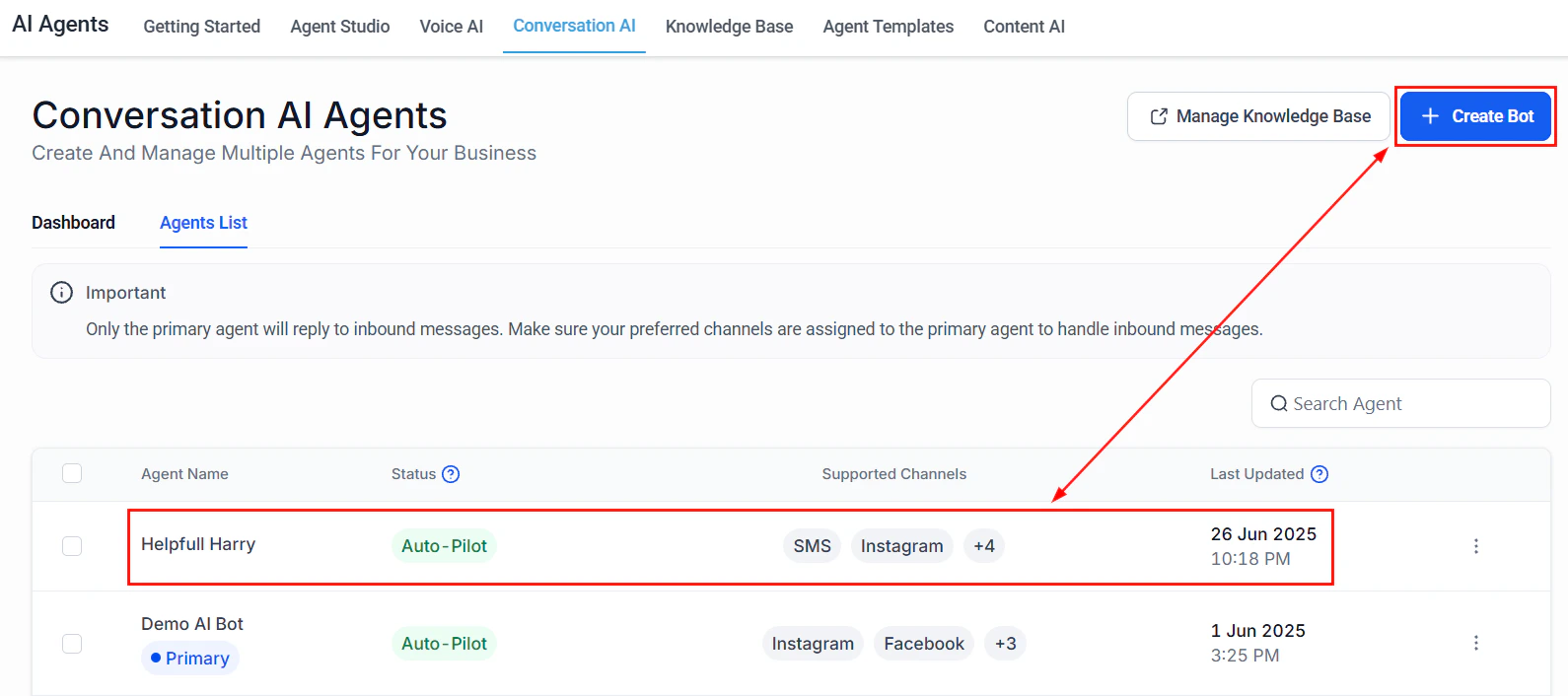
Conversation AI agents list showing bots manageable through the API

Authentication

All AI API requests require authentication using a Bearer token. You can generate API keys from Settings > Business Profile > API Keys in your HoopAI account. Every request must include the locationId parameter (either in the URL path or as a query parameter) to identify which HoopAI account the request applies to.
curl -X GET "https://services.leadconnectorhq.com/conversations/"   -H "Authorization: Bearer YOUR_API_KEY"   -H "Version: 2021-07-28"   -H "Content-Type: application/json"
Never expose your API key in client-side code or public repositories. Store it in environment variables or a secrets manager.

API base URL and versioning

PropertyValue
Base URLhttps://services.leadconnectorhq.com
Version headerVersion: 2021-07-28 (required on all requests)
AuthenticationBearer token via Authorization header
Content typeapplication/json
All endpoints described below are relative to the base URL.

Agent management endpoints

These endpoints let you create, read, update, and delete AI agents programmatically.

List all bots

Retrieve all Conversation AI bots for a account.
GET /conversations/bots?locationId={locationId}

Get bot details

Retrieve configuration details for a specific bot.
GET /conversations/bots/{botId}?locationId={locationId}

Create a bot

Create a new Conversation AI bot with a system prompt and model configuration.
POST /conversations/bots
Request body:
{
  "locationId": "loc_abc123",
  "name": "Sales Assistant",
  "systemPrompt": "You are a sales assistant for our company...",
  "model": "gpt-4",
  "temperature": 0.7,
  "maxTokens": 500,
  "status": "draft"
}

Update a bot

Modify an existing bot’s configuration.
PUT /conversations/bots/{botId}

Delete a bot

Remove a bot permanently. This action cannot be undone.
DELETE /conversations/bots/{botId}?locationId={locationId}
Deleting a bot removes its configuration and knowledge base associations. Conversation history is retained on the contact record but will no longer be linked to the bot.

Bot status control

Toggle a bot’s active/inactive status without deleting it.
PATCH /conversations/bots/{botId}/status
Request body:
{
  "locationId": "loc_abc123",
  "status": "active"
}
Valid status values: active, inactive, draft.
// Activate a bot
const response = await client.patch(
  "/conversations/bots/" + botId + "/status",
  { locationId: "loc_abc123", status: "active" }
);
console.log("Bot status: " + response.data.status);

Conversation endpoints

Retrieve and manage AI-powered conversations.

List conversations

GET /conversations/?locationId={locationId}&botId={botId}&limit=20&offset=0
Query parameters:
ParameterTypeDescription
locationIdstringRequired. The account ID
botIdstringOptional. Filter by specific bot
contactIdstringOptional. Filter by contact
statusstringOptional. Filter by status: open, closed, escalated
limitintegerOptional. Results per page (default: 20, max: 100)
offsetintegerOptional. Pagination offset

Get conversation messages

Retrieve all messages in a specific conversation, including both contact and AI messages.
GET /conversations/{conversationId}/messages?locationId={locationId}

Send a message

Inject a message into a conversation programmatically.
POST /conversations/{conversationId}/messages

Knowledge base endpoints

Manage the documents and content your AI agents reference.

List knowledge base items

GET /conversations/bots/{botId}/knowledge?locationId={locationId}

Add a knowledge base entry

POST /conversations/bots/{botId}/knowledge
You can add text entries (with a title and content body) or URL entries (providing a URL for the AI to crawl and index).

Delete a knowledge base entry

DELETE /conversations/bots/{botId}/knowledge/{entryId}?locationId={locationId}
// Add a knowledge base entry
const response = await client.post(
  "/conversations/bots/" + botId + "/knowledge",
  {
    locationId: "loc_abc123",
    type: "text",
    title: "Pricing FAQ",
    content: "Our plans start at ninety-nine dollars per month..."
  }
);
console.log("Added knowledge entry: " + response.data.id);

Voice AI call data

Retrieve call logs, transcripts, and analytics for Voice AI agents.

List voice calls

GET /voice-ai/calls?locationId={locationId}&agentId={agentId}
Query parameters:
ParameterTypeDescription
locationIdstringRequired. The account ID
agentIdstringOptional. Filter by Voice AI agent
directionstringOptional. inbound or outbound
startDatestringOptional. ISO 8601 date for range filter
endDatestringOptional. ISO 8601 date for range filter

Get call transcript

GET /voice-ai/calls/{callId}/transcript?locationId={locationId}
Returns the full transcript with timestamps, speaker labels, and sentiment scores for each segment.

Get call recording

GET /voice-ai/calls/{callId}/recording?locationId={locationId}
Returns a signed URL to download the call recording (valid for 24 hours).

Webhook events

HoopAI sends webhook events for key AI-related activities. Configure webhook endpoints in Settings > Webhooks or via the API.

Available AI events

EventDescription
ConversationBotMessageFired when an AI bot sends a message in a conversation
ConversationEscalatedFired when a conversation is escalated to a human
BotStatusChangedFired when a bot’s status changes (active, inactive, draft)
VoiceCallCompletedFired when a Voice AI call ends
VoiceCallEscalatedFired when a Voice AI call is transferred to a human
KnowledgeBaseUpdatedFired when a knowledge base entry is added, updated, or removed
Use webhook events to trigger external workflows — for example, create a ticket in your help desk when a conversation is escalated, or log Voice AI call data to a business intelligence dashboard.

Rate limits

HoopAI’s API enforces rate limits to ensure platform stability.
TierRequests per minuteBurst limit
Standard6010 requests/second
Agency12020 requests/second
EnterpriseCustomContact support
When you exceed the rate limit, the API returns a 429 Too Many Requests response with a Retry-After header indicating how long to wait.
// Handle rate limiting with retry logic
async function apiRequestWithRetry(config, maxRetries = 3) {
  for (let attempt = 0; attempt < maxRetries; attempt++) {
    try {
      return await client.request(config);
    } catch (error) {
      if (error.response && error.response.status === 429) {
        const retryAfter = error.response.headers["retry-after"] || 5;
        console.log("Rate limited. Retrying in " + retryAfter + "s...");
        await new Promise(r => setTimeout(r, retryAfter * 1000));
      } else {
        throw error;
      }
    }
  }
  throw new Error("Max retries exceeded");
}

Error handling

The API uses standard HTTP status codes. Common error responses:
Status codeMeaningCommon cause
400Bad RequestMissing required field or invalid parameter
401UnauthorizedInvalid or expired API key
403ForbiddenAPI key lacks permission for this resource
404Not FoundBot, conversation, or resource does not exist
422Unprocessable EntityValid syntax but semantically incorrect (e.g., invalid model name)
429Too Many RequestsRate limit exceeded
500Internal Server ErrorPlatform issue — retry after a delay
For 500 errors, wait 30 seconds and retry. If the error persists, check the HoopAI status page or contact support.

Next steps

API introduction

Full HoopAI platform API documentation and authentication guide.

AI actions in workflows

Use AI within workflows without writing API code.

Bot settings

Configure AI agents through the platform interface.

AI migration

Migrate AI configurations between accounts and platforms.
Last modified on March 7, 2026