

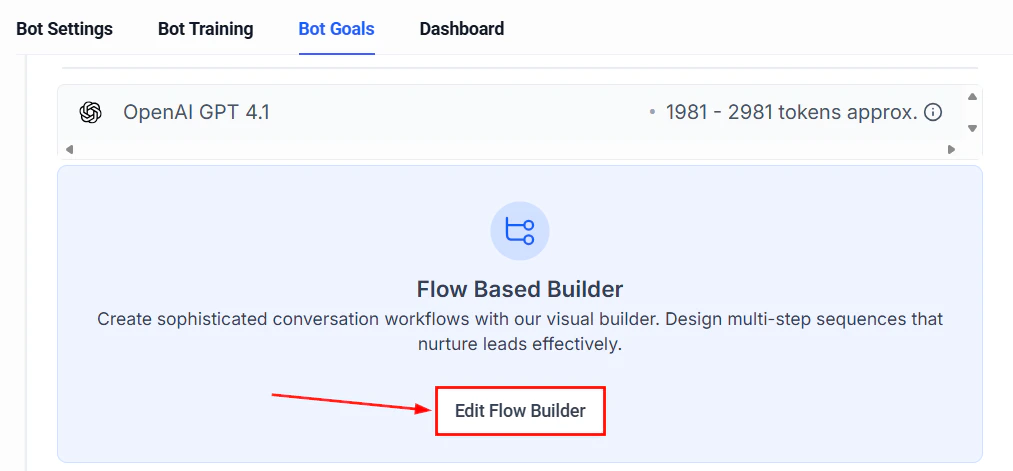
Workflow builder where you add AI Decision Maker actions to automate routing
What is the AI Decision Maker?
The AI Decision Maker is a workflow action that replaces rigid, rule-based conditions with natural language intelligence. Instead of building complex chains of if/else branches to evaluate contact data, you describe your routing logic in plain English and let the AI determine which path each contact should follow. Traditional workflow conditions require exact matches: “If tag equals VIP” or “If custom field contains plumbing.” The AI Decision Maker understands nuance, context, and intent. It can evaluate sentiment, classify requests, assess quality, and make judgment calls that would otherwise require a human reviewer.When to use AI Decision Maker vs traditional conditions
Not every decision needs AI. Here is a quick guide:Setting up the AI Decision Maker
Add the action to your workflow
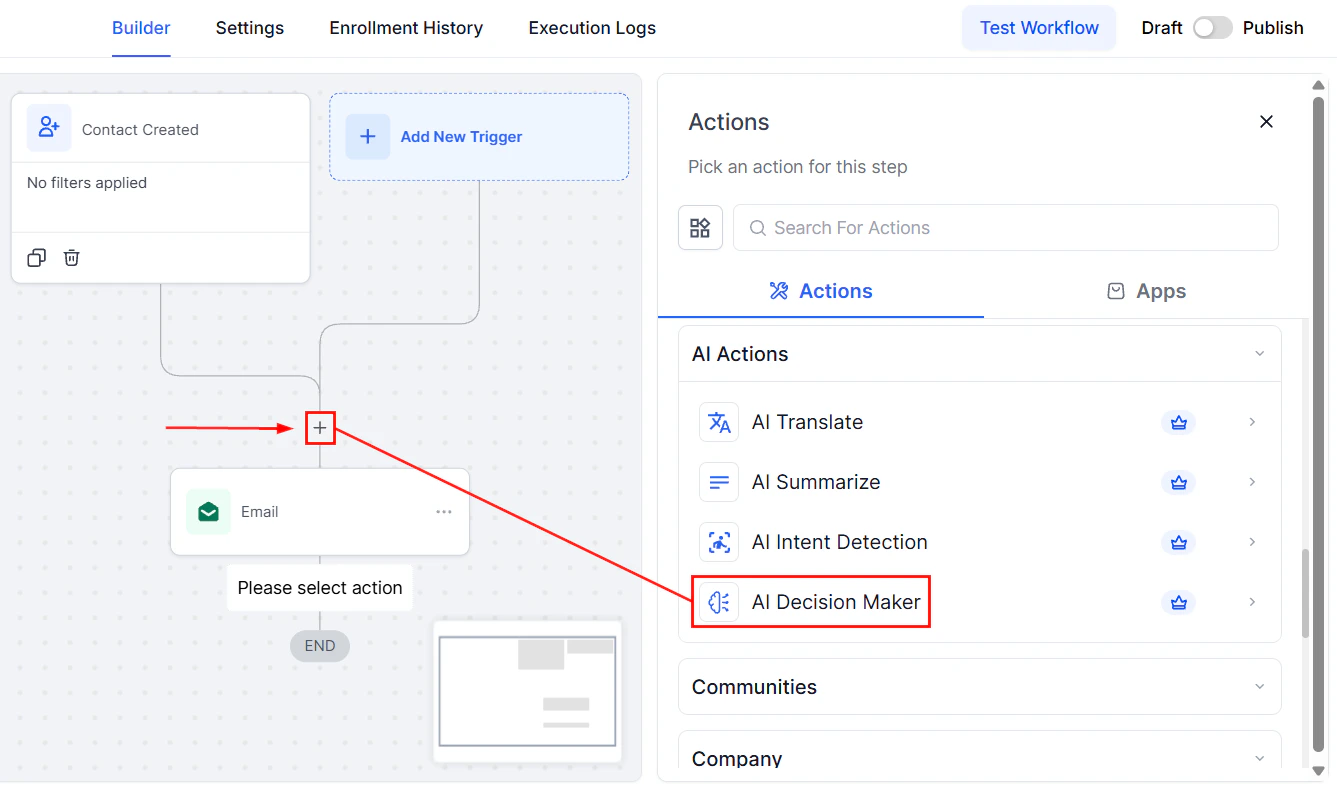
Adding the AI Decision Maker action from the workflow action list
Write your decision prompt
Define your branches
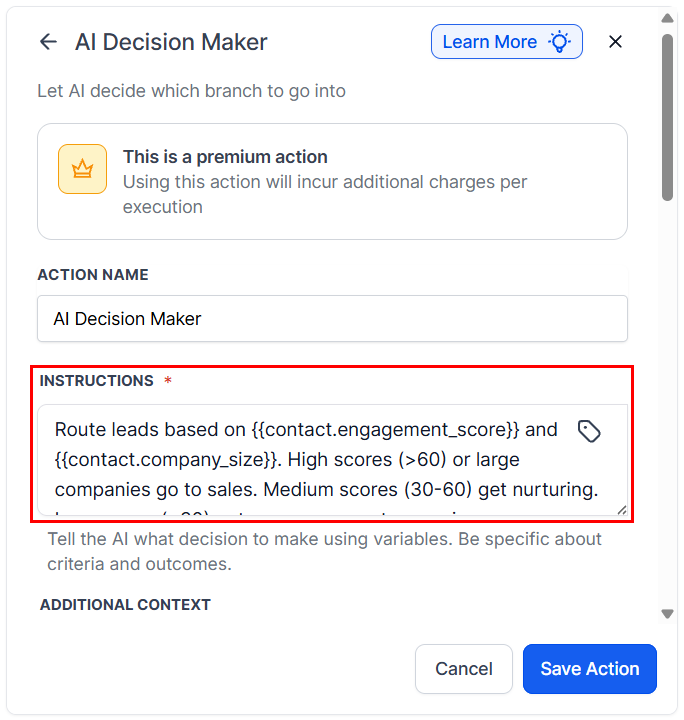
Writing decision instructions that tell the AI how to evaluate and classify contacts
Configure branch actions
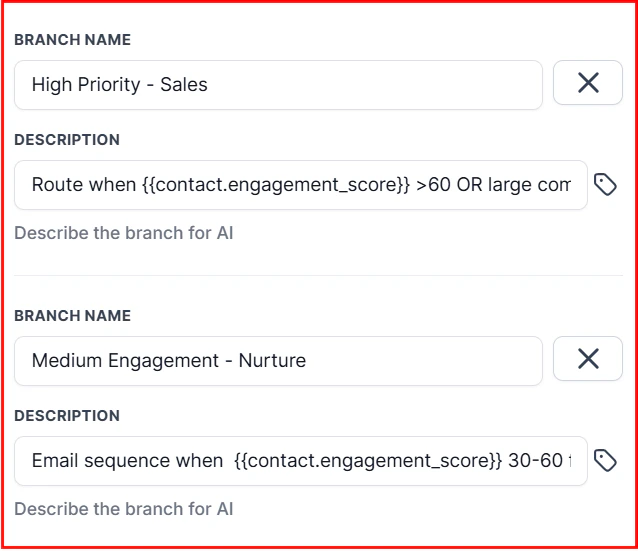
Creating a custom branch with specific routing conditions
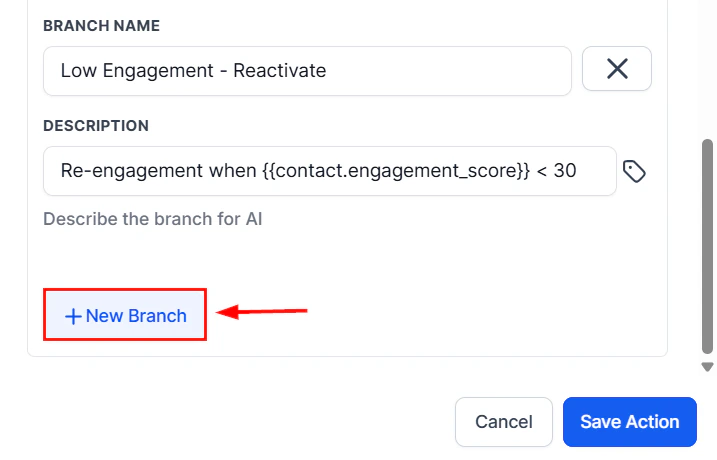
Adding a new branch to handle additional decision outcomes
- Pricing branch: send pricing PDF, notify sales team
- Support branch: create support ticket, send acknowledgment
- Complaint branch: escalate to manager, send apology message
Add a fallback branch
Test with sample data
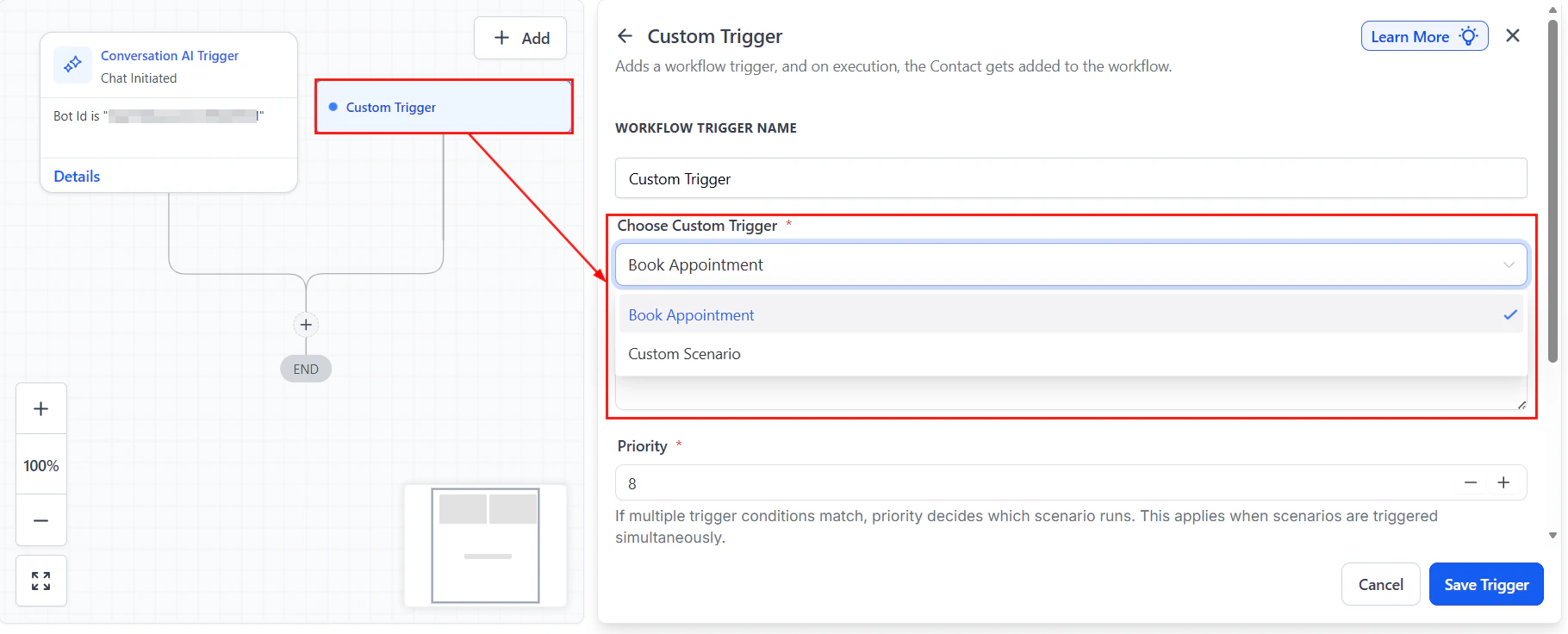
Selecting a custom trigger type when setting up the AI Decision Maker in the workflow builder
Writing effective decision prompts
The quality of your routing depends entirely on how well you write your decision prompt. Follow these guidelines:Be exhaustive with categories
List every possible outcome explicitly. If you leave a category undefined, the AI will improvise, which leads to unpredictable routing.Provide context about your business
The AI makes better decisions when it understands your domain:Use structured output instructions
Tell the AI to return only the classification label, not an explanation:Example use cases
Sentiment-based routing
Sentiment-based routing
- Positive: Send a thank-you message, ask for a review
- Neutral: Continue normal follow-up sequence
- Negative: Alert team lead, send empathetic response, create priority ticket
Intent classification for inbound leads
Intent classification for inbound leads
- Buy now: Immediate sales team notification, priority follow-up
- Compare: Send comparison guide, schedule consultation
- Research: Add to educational drip sequence
- Existing customer: Route to account management
Lead quality assessment
Lead quality assessment
- Hot: Notify sales immediately, send calendar link, priority tag
- Warm: Add to nurture sequence, schedule follow-up in 3 days
- Cold: Add to long-term drip, no immediate sales action
Support ticket priority and routing
Support ticket priority and routing
- Critical: Immediate team alert, auto-response with ETA
- High: Add to priority queue, send acknowledgment
- Medium/Low: Standard queue, automated response with resources
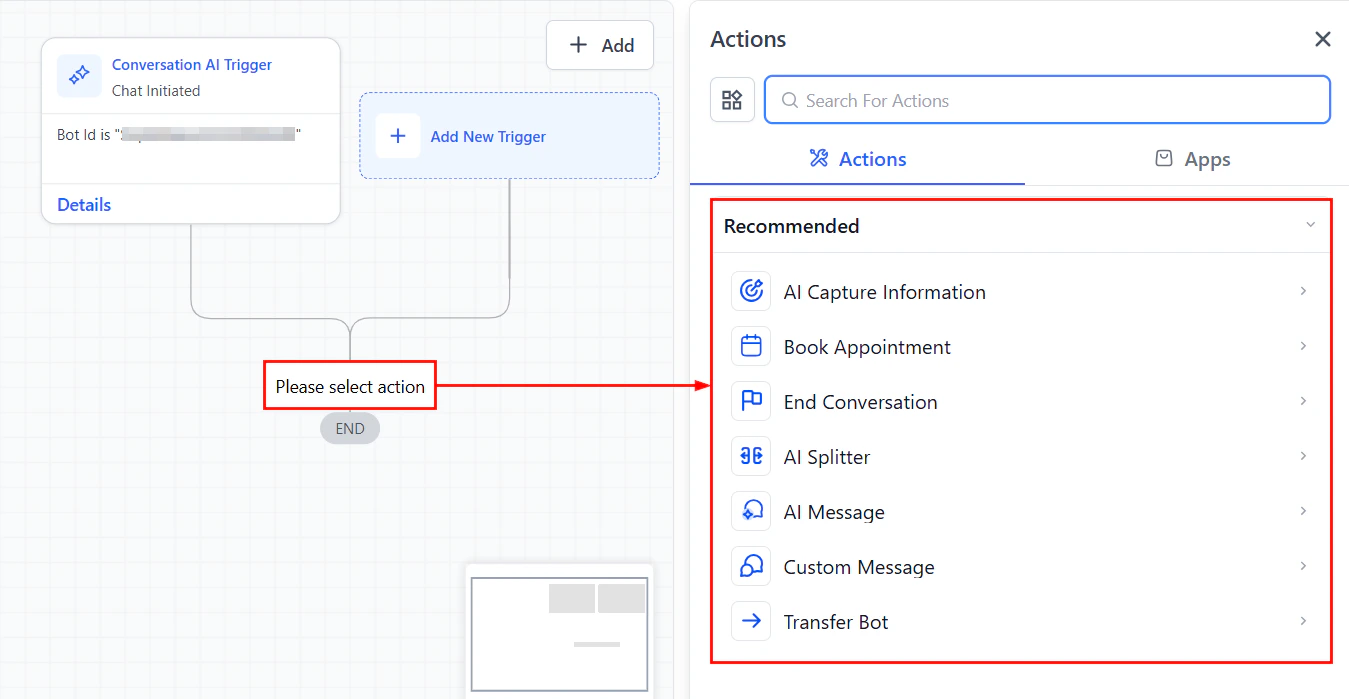
Available actions panel showing AI Decision Maker and other workflow actions
Combining AI Decision Maker with traditional conditions
The most effective workflows layer AI decisions alongside traditional logic. Here is a recommended pattern:- Traditional condition first — filter out clear-cut cases (missing data, already-tagged contacts, specific sources)
- AI Decision Maker second — handle the nuanced cases that require interpretation
- Traditional condition after AI — add guardrails based on the AI’s output (e.g., only proceed if confidence is high)
Example: layered decision workflow
Testing your decision branches
Thorough testing prevents misrouted contacts and wasted AI credits.Manual testing
- Create test contacts with varied data profiles
- Run each test contact through the workflow manually
- Verify the AI selects the correct branch for each scenario
- Document any misclassifications and refine your prompt
Edge case checklist
- What happens when the input field is empty?
- What if the contact writes in a language other than English?
- What if the message is very short (one or two words)?
- What if the message contains multiple intents?
- What if the message is spam or irrelevant?
Performance considerations
Response time
The AI Decision Maker typically processes in 2 to 5 seconds. For time-sensitive workflows, factor this delay into your design. If sub-second routing is required, use traditional conditions instead.Credit usage
Each evaluation consumes AI credits. To optimize:- Use traditional conditions to pre-filter contacts before reaching the AI step
- Avoid placing AI Decision Maker inside loops
- Consolidate multiple AI decisions into a single prompt when possible