

Overview
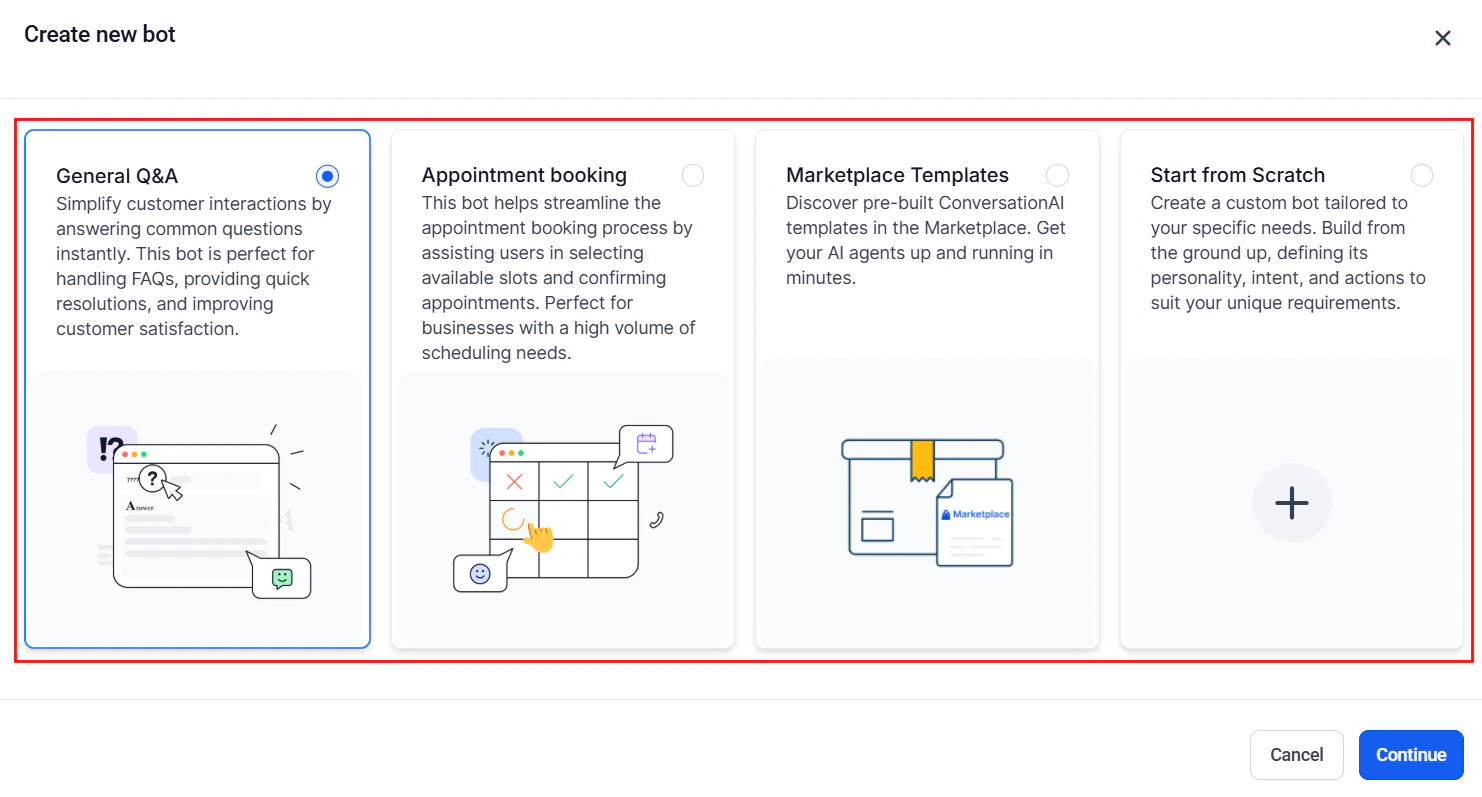
The Create new bot dialog with General Q&A selected for e-commerce support
Architecture overview
The e-commerce support bot handles four primary flows:- Order status — Customer asks “Where is my order?” The bot looks up the order using the customer’s email or order number and provides tracking information.
- Returns and exchanges — Customer wants to return or exchange an item. The bot verifies the return window, collects the reason, and initiates the process.
- Product recommendations — Customer asks for help choosing a product. The bot asks about their needs and recommends items from your catalog.
- Cart recovery — A workflow detects an abandoned cart and triggers the bot to re-engage the customer with a personalized message.
Step-by-step build
1
Connect your e-commerce integration
Navigate to Settings > Integrations and connect your e-commerce platform (Shopify, WooCommerce, or other supported platforms).This connection enables:
- Order data syncing to contact records
- Purchase history visibility
- Abandoned cart detection
- Product catalog access
If your e-commerce platform is not directly supported, you can use the HoopAI API or Zapier to sync order data to custom fields on the contact record.
2
Build the e-commerce knowledge base
Navigate to AI Agents > Knowledge Base and add:Store policies:
- Return and exchange policy (timeframes, conditions, exceptions)
- Shipping options and estimated delivery times
- Warranty information
- Price match or adjustment policy
- Product categories and descriptions
- Sizing guides and fit recommendations
- Material and care instructions
- Frequently compared products
- How to track an order
- What to do if an order is damaged or missing
- International shipping details
- Gift wrapping and gift card options
- How to create or reset an account
- Accepted payment methods
- How to apply discount codes
- Subscription management (if applicable)
3
Create custom fields for e-commerce data
Navigate to Settings > Custom Fields and create:
4
Create the Conversation AI bot
Navigate to AI Agents > Conversation AI and create a bot:
- Name: “E-Commerce Support”
- Type: Auto-pilot
- Channels: Web Chat (primary), SMS, Facebook Messenger, Instagram, WhatsApp
- Calendar: Leave unassigned
5
Write the bot prompt
Paste the full prompt from the section below. The e-commerce prompt handles multiple conversation types (order status, returns, product help, general questions) and routes between them based on the customer’s intent.
6
Configure bot actions
Set up Conversation AI actions:
- Update custom fields: Record the order number, issue type, and resolution
- Add tags: “order-inquiry,” “return-request,” “product-recommendation,” “cart-recovery”
- Create task: For issues that need human intervention (e.g., damaged items, refund approvals)
- Send internal notification: Alert the support team for high-value customers or complex issues
7
Build the order status workflow
Create a workflow to handle order status inquiries:Trigger: Tag added — “order-inquiry”
- Look up the contact’s most recent order from synced data
- If order found: Update the conversation with tracking information
- If order not found: Ask for the order number or email address
- If the order is delayed: Proactively apologize and offer a discount code for their next purchase
- Add tag “order-status-resolved” when complete
8
Build the returns workflow
Create a workflow triggered by Tag Added — “return-request”:
- Verify the order is within the return window
- If eligible: Send return shipping label via email, provide return instructions
- If not eligible: Explain the policy and offer alternatives (store credit, exchange)
- Create a task for the fulfillment team to process the return
- Send a follow-up in 7 days to confirm the return was received
- Process the refund and notify the customer
9
Build the abandoned cart recovery workflow
Create a workflow triggered by Cart Abandoned (via your e-commerce integration or custom event):Sequence:
- Wait 1 hour after cart abandonment
- Send SMS/chat: “Hi
{{contact.first_name}}, I noticed you left some items in your cart. Can I help with any questions about [PRODUCT]?” - If reply received: Enable the bot to answer questions and guide them to checkout
- Wait 24 hours: If no purchase, send a follow-up with a 10% discount code
- Wait 3 days: Final reminder with urgency: “Your cart items are selling fast!”
- If purchased: Remove from sequence, add tag “cart-recovered”
10
Build the product recommendation flow
When a customer asks for product help, the bot should:
- Ask what they are shopping for (category, use case, occasion)
- Ask about preferences (size, color, price range, material)
- Recommend 2-3 products from the knowledge base that match
- Include a direct link to each product page
- Ask if they need help with anything else
Full prompt
Testing your e-commerce bot
1
Order status test
Provide an order number and ask for status. Verify the bot retrieves and displays correct tracking information.
2
Return request test (eligible)
Request a return for an order within the return window. Verify the bot walks through the return flow and offers refund, exchange, or store credit.
3
Return request test (ineligible)
Request a return for an order outside the return window. Verify the bot explains the policy and offers alternatives.
4
Damaged item test
Report a damaged item. Verify the bot asks for a photo and offers to expedite a replacement.
5
Product recommendation test
Ask for help choosing a product. Verify the bot asks qualifying questions and recommends relevant items with links.
6
Cart recovery test
Trigger an abandoned cart event. Verify the follow-up sequence fires at the correct intervals and the bot engages naturally when the customer replies.
7
Discount code test
Ask about current promotions. Verify the bot shares only valid, active codes from the knowledge base.
8
Escalation test
Report a complex issue (e.g., fraud). Verify the bot escalates to a human agent.
Optimization tips
- Track top inquiry types. If 60% of conversations are order status, invest in making that flow seamless. If returns dominate, focus on reducing return reasons (better product descriptions, sizing guides).
- Add proactive order updates. Instead of waiting for customers to ask, send proactive SMS updates when orders ship, arrive, or are delayed. This dramatically reduces inbound support volume.
- Personalize product recommendations. Use purchase history and browsing data (stored in custom fields) to make recommendations more relevant. “Based on your last purchase of [PRODUCT], you might also like [PRODUCT].”
- Optimize cart recovery timing. Test different intervals (30 min vs 1 hour vs 2 hours for the first message). The optimal timing varies by industry and price point.
- Measure bot resolution rate by category. The bot may resolve 90% of order status inquiries but only 40% of return requests. Focus improvement efforts on the lowest-performing categories.
- Add a satisfaction survey. After each bot interaction, send a quick 1-question survey: “How did I do? Reply 1-5.” Use the results to identify weak spots.
KPIs to measure success
Next steps
After-hours support
Handle e-commerce support inquiries outside business hours.
Lead qualification
Qualify high-value wholesale or B2B inquiries.
Knowledge base
Expand your product and policy knowledge base for higher resolution rates.
Workflow automation
Build more sophisticated e-commerce automation workflows.