

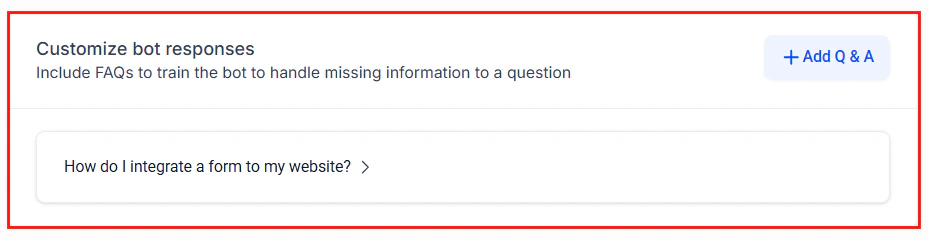
The Conversation AI bot configuration where you paste prompt templates into the system prompt editor
What is the prompt library?
Every AI bot in HoopAI — whether it runs on Conversation AI or Voice AI — is powered by a system prompt. The system prompt tells the AI who it is, what it should do, and how it should behave. Writing a great prompt from scratch takes time and iteration. The prompt library removes that friction by providing battle-tested templates you can drop into your bots and customize in minutes.How to use a template
1
Choose a category
Browse the categories below to find the template closest to your use case.
2
Copy the prompt
Each template includes a full prompt inside a code block. Copy the entire text.
3
Replace variables
Look for
{variables} wrapped in curly braces. Replace them with your actual business information — company name, hours, services, and so on.4
Paste into your bot
Navigate to your bot configuration in HoopAI and paste the prompt into the system prompt field.
5
Test and refine
Run test conversations and adjust the prompt based on real interactions. Small tweaks to tone, guardrails, or instructions can make a big difference.
Customization guidance
Here are the most impactful customizations you can make:- Business details — Replace every
{variable}with accurate information. The more specific you are, the better the AI performs. - Tone and personality — Adjust the voice to match your brand. A law firm sounds different from a surf shop.
- Guardrails — Add explicit instructions about what the AI should never say or promise. This is especially important for regulated industries.
- Escalation rules — Define exactly when and how the AI should hand off to a human agent.
- Knowledge base — Pair your prompt with a knowledge base for answers that go beyond what fits in a prompt.
Browse by category
Customer support
FAQ bots, billing inquiries, complaint handling, and product support.
Sales & leads
Lead qualification, pricing discussions, demo booking, and follow-ups.
Appointment booking
Scheduling, rescheduling, reminders, and no-show follow-ups.
Real estate
Property inquiries, showing scheduling, buyer qualification, and listing follow-ups.
Healthcare
Medical appointment scheduling, patient intake, follow-up care, and HIPAA-conscious FAQ bots.
E-commerce
Order status, returns, product recommendations, and abandoned cart recovery.
Voice AI templates
AI receptionists, after-hours answering, outbound calls, and appointment confirmations.
Next steps
Conversation AI overview
Learn how Conversation AI works before deploying your first bot.
Voice AI overview
Understand Voice AI capabilities for phone-based agents.
Knowledge base
Pair prompts with a knowledge base for richer answers.
AI bot setup
Step-by-step guide to creating and configuring your AI bot.