Set up an AI agent to automatically respond to customer reviews with a consistent tone and style.
The Reviews AI Agent feature automates your review responses using AI, freeing up your time while keeping your replies consistent and on-brand. You can create multiple agents with different tones and assign them to specific review sources or rating ranges.
Reviews AI agent — automated response configuration with tone, style, and source assignment
Go to Reputation > Settings > Reviews AI. The Reviews AI Agents table shows all existing agents in your account.
2
Create a new agent
Click + Create Agent to begin the setup.
3
Choose a configuration method
Select either a pre-built template or configure from scratch. Building from scratch gives you full control over tone and style.
4
Configure agent details
Assign a descriptive name for easy identification
Provide an overview of the response style, objective, and desired length
Select up to two tones to guide the AI responses (e.g., Professional + Friendly)
5
Set language preferences
Choose the agent’s primary language. You can also enable dynamic language matching, which makes the agent adapt its reply language to match the language of the review.
6
Select review criteria
Choose which review sources and review types (e.g., 1–3 star, 4–5 star) this agent will handle.
7
Add a footer
Include a footer message that will be appended to every automated reply.
8
Preview and refine
Generate a response preview to evaluate the agent’s output before saving.
9
Save configuration
Click Save to activate your Reviews AI Agent.
AI agent configuration — assign tone, language, and review criteria for targeted automated replies
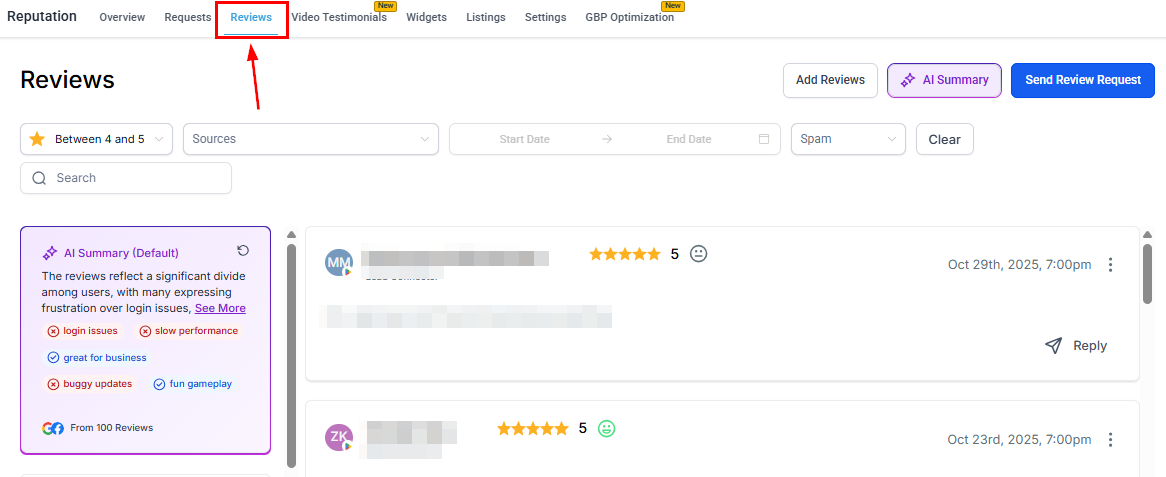
Reviews list — automated AI responses posted alongside manual replies on Google and Facebook
Once activated, the agent automatically responds to reviews matching your selected criteria, applying the configured style and tone throughout. Responses are posted on the connected review platform (Google or Facebook).
AI-generated replies are disabled for reviews flagged as spam. Always review your spam queue to ensure genuine reviews are not being suppressed.
Yes. You can create multiple agents and assign each to different review sources (Google or Facebook), different star rating ranges (e.g., 1–3 stars vs. 4–5 stars), or different business locations. This lets you tailor the tone and content for each scenario.
Will the AI agent respond to every review automatically?
The agent responds to reviews that match its configured criteria — review source and star rating range. Reviews that do not match any agent’s criteria, or reviews flagged as spam, will not receive an automated reply.
Can I set a delay before the AI responds?
Yes. In Reputation > Settings > Reviews AI, set the response delay so the AI waits a configured amount of time after a review is received before posting a reply. This makes responses feel more natural.
What languages does the AI agent support?
The agent can reply in any language you select as its primary language. Enable dynamic language matching to have the agent automatically reply in the same language as the reviewer’s original text.
Can I edit or delete an AI agent after creating it?
Yes. All agents appear in the Reviews AI Agents table in Reputation > Settings > Reviews AI. Use the actions menu on any agent to edit its configuration or delete it.
Are AI responses posted directly to Google and Facebook?
Yes. Once activated, the agent posts replies directly to the connected Google Business Profile or Facebook Page on your behalf. Ensure those integrations are connected in Reputation Settings.