

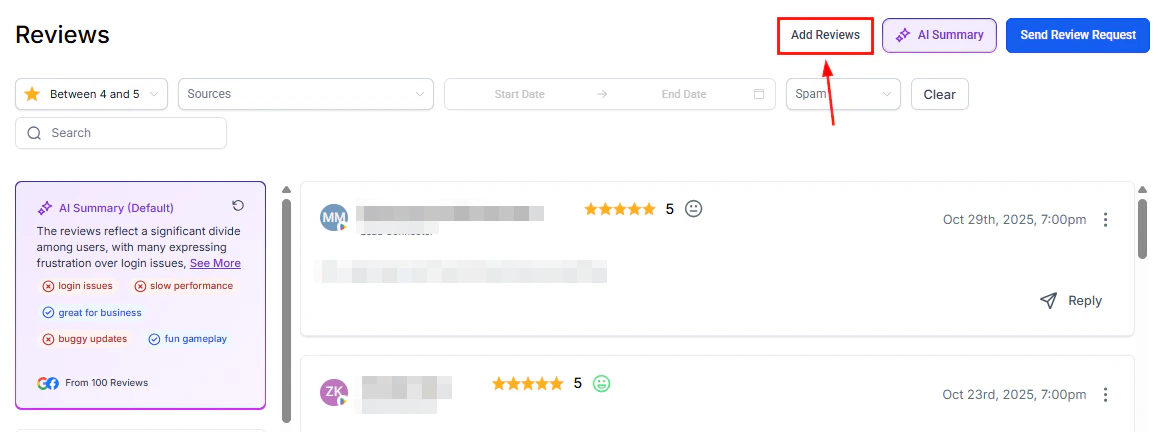
Email templates for review requests — customizable templates for each automated follow-up send
Benefits of custom templates
- Efficiency — leverage pre-designed templates, eliminating the need to craft emails from scratch
- Brand consistency — ensure every message aligns with your organization’s tone and identity
- Higher engagement — well-crafted emails with clear CTAs increase review submission rates
Setting up email templates
1
Access settings
Navigate to Reputation > Settings > Email Review Requests.
2
Enable email requests
Ensure the Email Review Requests toggle is turned on.
3
Set maximum retries
Set Maximum retries to a value greater than 1 to allow multiple follow-up emails. A preview of the template sequence appears in the “Choose email templates for your email requests” section.
4
Create or select templates
You have three options:
- Click Set Email Templates to choose from existing templates
- Click Create New to build a custom template from scratch
- Import a template from the Template Library
5
Customize the design
Drag and drop email elements into the builder to customize the design and content, ensuring it aligns with your brand. Rename your template and preview it before publishing.
6
Configure subject lines
Set a subject line for each recurring email in the sequence to ensure clarity and relevance for each follow-up.
7
Save and activate
Save and activate your settings. Emails will be sent automatically according to your configured schedule.
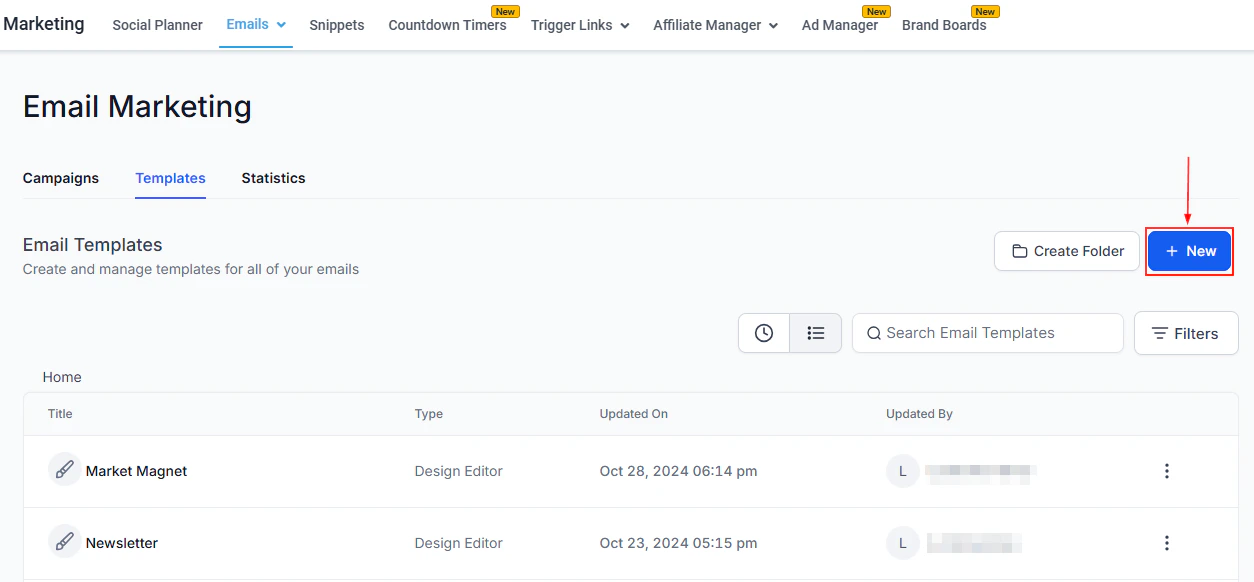
Email builder — drag-and-drop editor for customizing review request email design and content
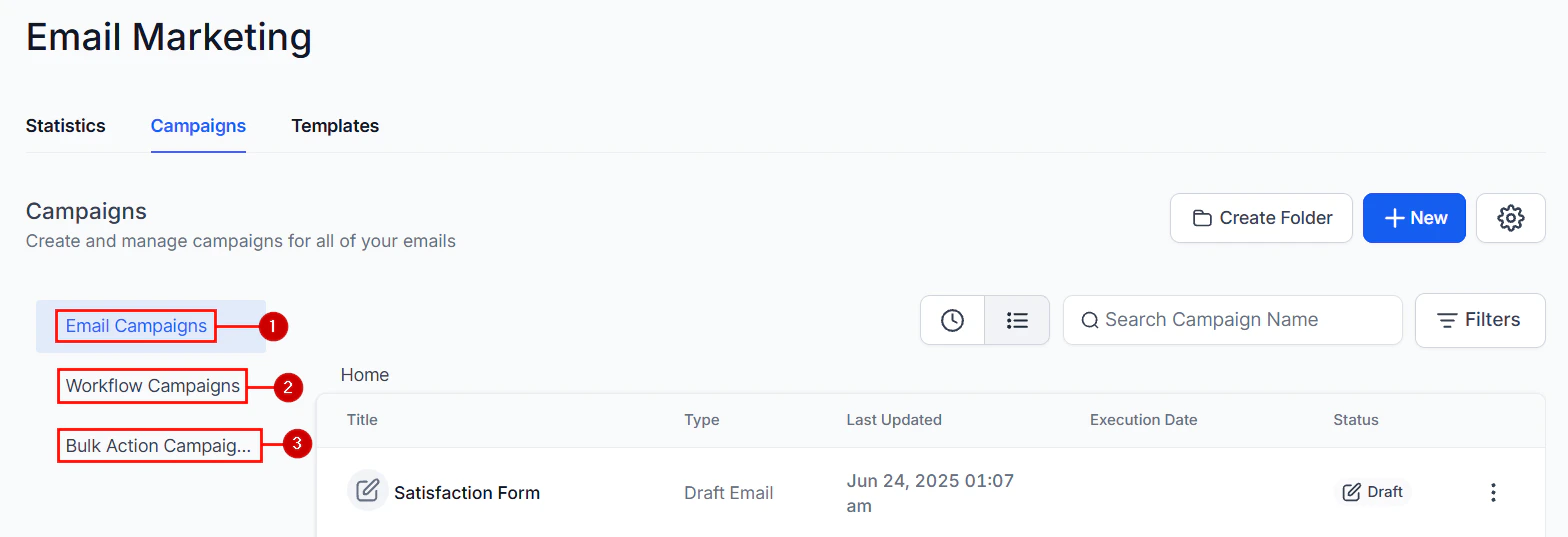
Template sequence — configure subject lines and preview the multi-send follow-up schedule
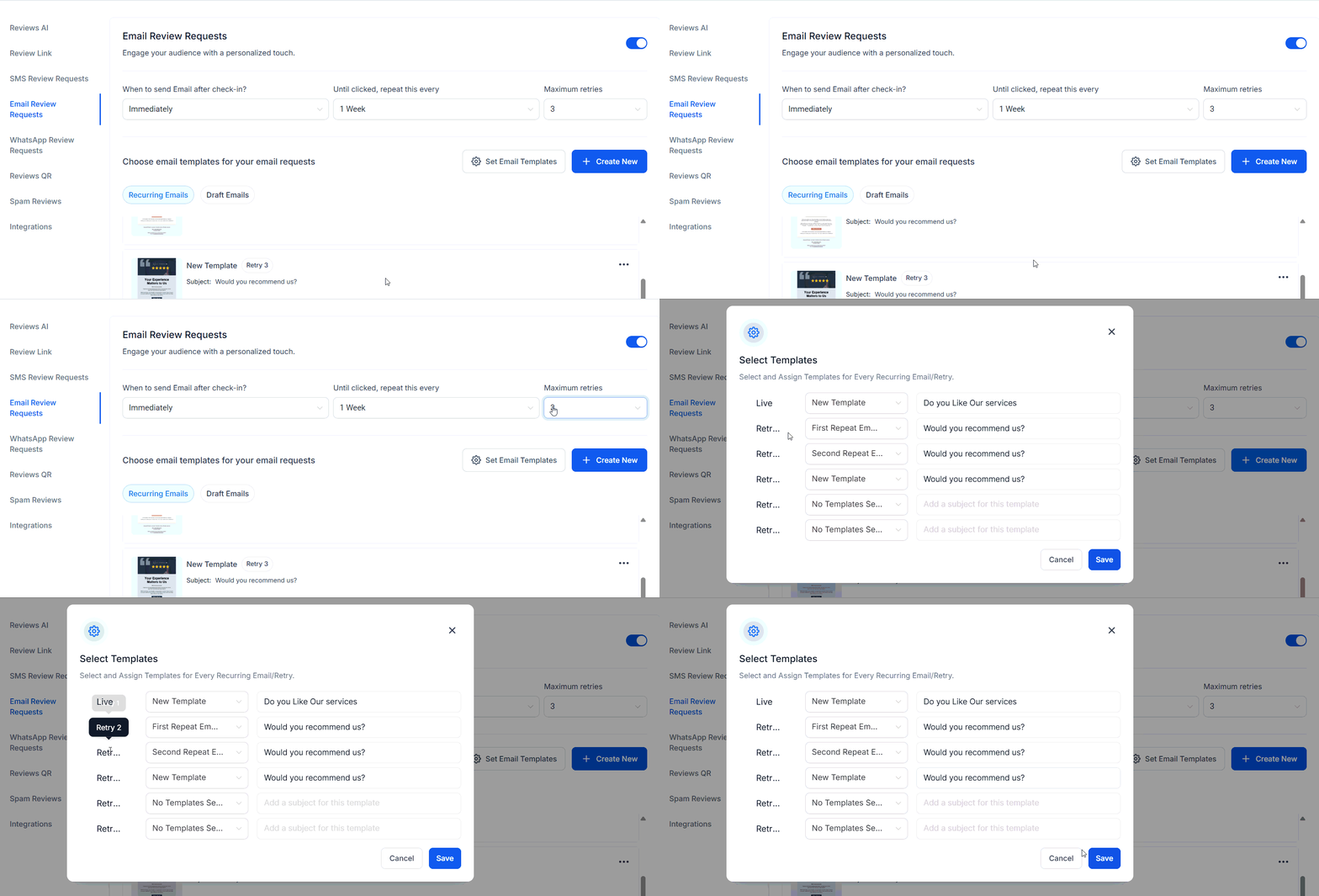
Setting up email review request templates — end-to-end walkthrough
Managing templates
After creation, use the three-dot actions menu on any template to:- Preview the template
- Edit the design or content
- Duplicate for use as a base for another template
- Refresh to update the template data
FAQs
How many follow-up emails can I send?
How many follow-up emails can I send?
You can configure up to the number of retries set in Maximum retries under Email Review Requests settings. Each retry sends the next template in your sequence, so set a different template for each send to keep messaging fresh.
Can I use different templates for each follow-up email?
Can I use different templates for each follow-up email?
Yes. When Maximum retries is greater than 1, the template sequence area displays one slot per send. Assign a distinct template to each slot to vary the subject line and content across follow-ups.
Do review request emails stop after a contact leaves a review?
Do review request emails stop after a contact leaves a review?
Yes. Once a contact submits a review, the system stops sending further follow-ups to that contact automatically.
Can I preview a template before activating it?
Can I preview a template before activating it?
Yes. Use the three-dot actions menu on any template and select Preview to see exactly how the email will appear to recipients before making it active.
Why can't I delete my active email template?
Why can't I delete my active email template?
The currently active template is locked to prevent accidental disruption of live review requests. Create or assign a different template as active first, then delete the old one.