

Why showcasing reviews works
Potential customers trust peer reviews more than any other form of advertising. Showcasing genuine customer feedback at the right moments in the buyer journey — on landing pages, in email sequences, at checkout — measurably improves conversion rates. A well-placed review answers the most common objection a prospect has before they even voice it. Key places to showcase reviews:- Website homepage and service pages (embedded widget)
- Booking or checkout pages (embedded widget or screenshot)
- Email nurture sequences (quoted testimonials)
- Social media posts (shared review screenshots or video testimonials)
- Sales proposals or pitch decks (quoted reviews)
- QR code materials at physical locations (links to your review page)
Showcasing reviews on your website
The most automated way to showcase reviews is the embedded review widget, which pulls live reviews from your connected Google and Facebook accounts and displays them in a branded format. See Review widget for websites for complete embedding instructions. Recommended placements:- Homepage — a Carousel or Slider widget near the top half of the page builds immediate credibility
- Service pages — a List or Flash widget directly above the call-to-action section addresses objections at the moment of decision
- Dedicated testimonials page — a Grid or Masonry widget that aggregates your best feedback in one browsable location
- Booking or checkout page — a Carousel near the booking form reinforces the decision to complete the purchase
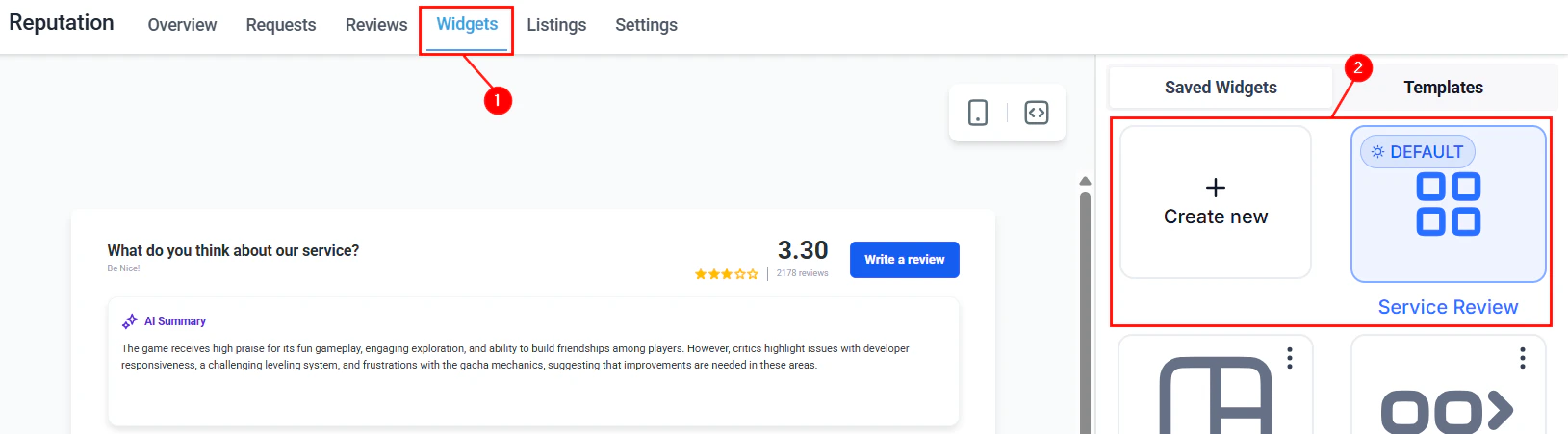
Review widgets available in Reputation for embedding on websites
Using reviews in HoopAI funnels
Review content can be incorporated into funnel pages built in the HoopAI platform in two ways: Embedded widget — paste the widget embed code into a Custom Code element on the funnel page. This keeps the review content live and automatically updated. Manually quoted testimonials — copy specific review text directly into funnel page copy using a Text element. This approach gives you complete layout control and lets you feature specific reviews that are most relevant to that funnel’s audience. When quoting reviews in funnel copy, always use the reviewer’s first name (as it appears publicly on Google or Facebook) and the platform the review was posted on. This adds authenticity and verifiability.Sharing reviews on social media
Positive reviews are ready-made social content. Build a habit of sharing strong reviews on your social media accounts as part of your content calendar. Options for sharing on social:- Share the Google review link — link directly to your Google Business Profile reviews section in a social post with a quote from the review as caption.
- Screenshot and post — take a screenshot of the review from your Google Business Profile or Facebook Page and post it as an image with a branded caption. Ensure the reviewer’s name is visible to add authenticity.
- Video testimonials — video testimonials collected through Reputation > Video Testimonials are particularly effective on social platforms. See Video testimonials for collection instructions.
- Social Planner — use the HoopAI Social Planner to schedule review-sharing posts in advance.
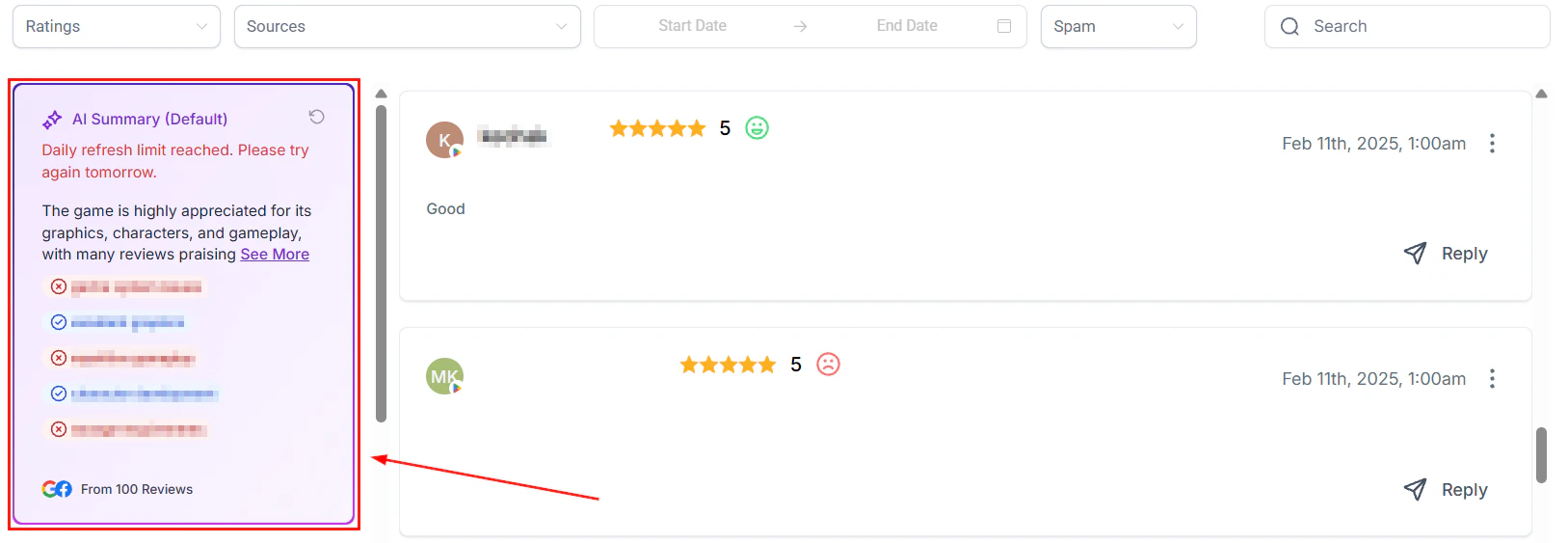
Review summary showing overall sentiment and rating data
Including reviews in email campaigns
Quoting positive customer reviews in email sequences is a proven conversion technique for nurture campaigns, post-purchase follow-ups, and re-engagement flows. How to add reviews to email campaigns in HoopAI:- Navigate to Marketing > Emails and open or create a campaign or workflow email.
- Add a testimonial section to your email template using a Text element.
- Paste the review text in quotation marks, followed by the reviewer’s name and star rating (e.g., ★★★★★ — Jane D., Google).
- Optionally add a button that links directly to your Google review page to encourage the reader to leave their own review.
- Welcome sequence (email 2 or 3) — build trust early in the relationship
- Pre-booking reminder — address hesitation before a scheduled appointment
- Post-purchase follow-up — reinforce the buying decision and prime future reviews
- Re-engagement campaigns — remind dormant contacts why others love your business
Using video testimonials in marketing
Video testimonials collected via Reputation > Video Testimonials can be embedded on your website, shared to social media, or included in email campaigns as linked video content. Video reviews are especially powerful in:- Hero sections of service landing pages
- Case study pages for high-ticket services
- Email campaigns where a personalized video from a real customer can dramatically increase click rates
Creating QR code materials for in-person settings
For businesses with physical locations or in-person service delivery, QR codes link customers directly from the real world to your review page. Generate branded QR codes in Reputation > Settings > Reviews QR codes and incorporate them into:- Receipts and invoices
- Business cards
- Service completion checklists
- Signage in waiting areas or checkout areas
- Packaging inserts
Review showcase strategy by business type
FAQs
Can I feature only my best reviews in the widget?
Can I feature only my best reviews in the widget?
Yes. In the widget builder (Reputation > Widgets), you can set a minimum star rating to filter which reviews appear. You can also select sorting options to show highest-rated reviews first. Note that star rating filtering may be regulated in some jurisdictions — check local rules before enabling it.
What is the best type of review to feature in high-stakes marketing materials?
What is the best type of review to feature in high-stakes marketing materials?
Detailed written reviews that describe a specific problem and how your business solved it outperform generic praise. When selecting reviews for landing pages, proposals, or email campaigns, prioritize specificity over star rating alone.