

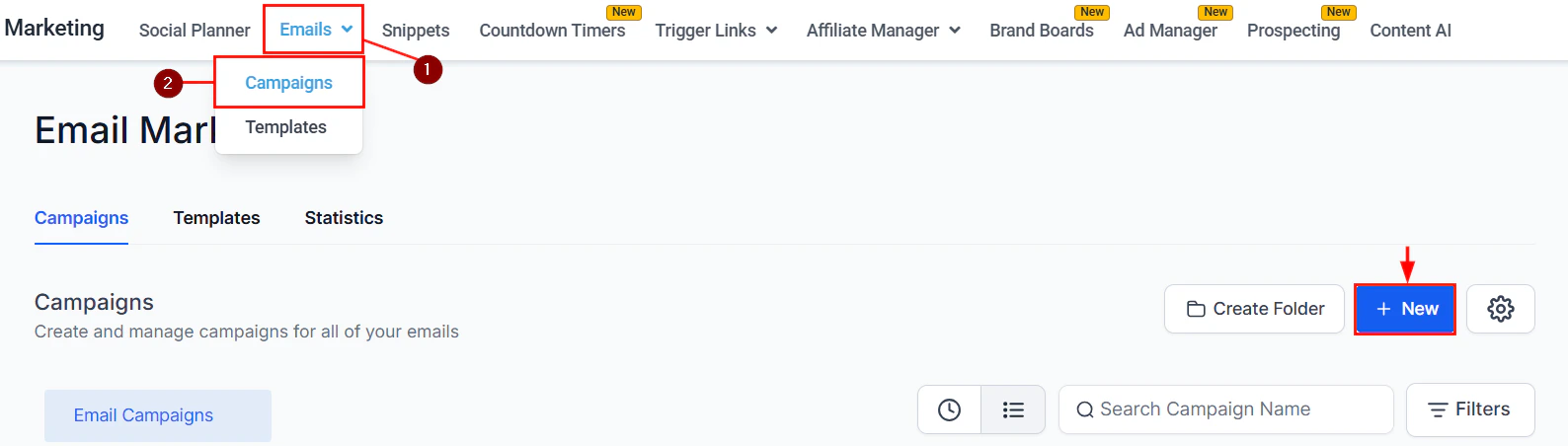
Email marketing overview — campaigns and templates in the Emails section
Email builder
The drag-and-drop email builder makes it easy to create professional emails without writing code.Key builder features
Drag-and-drop blocks
Add text, images, buttons, dividers, videos, and RSS feed blocks with a simple drag-and-drop interface
Video elements
Embed video thumbnails with play buttons that link to your hosted video
RSS feed blocks
Automatically pull in your latest blog posts or content feed into emails
Custom fonts
Use custom web fonts to match your brand typography
Mobile formatting
Preview and optimize your email layout for mobile devices
Inline editor
Edit text directly on the email canvas without switching views
Hyperlinks
Add links to any element, including trigger links that fire CRM actions on click
Trigger links
Insert links that automatically trigger workflows, tag contacts, or move them through pipelines when clicked
Finding and fixing issues
Use the Find Hidden or Broken Elements tool to scan your email for invisible elements or broken links before sending.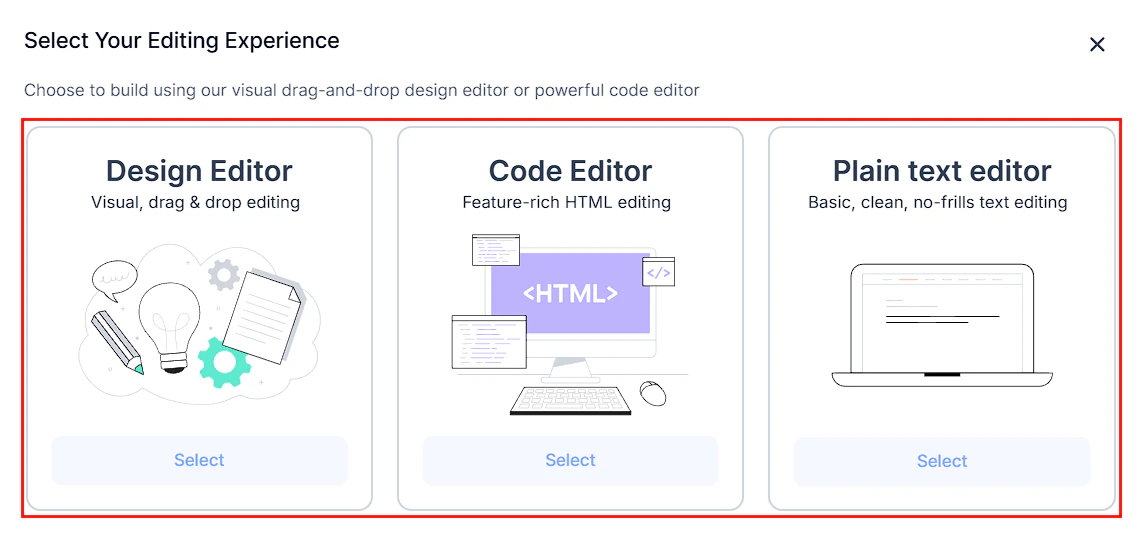
The drag-and-drop email builder canvas with block controls
Email templates vs. email campaigns
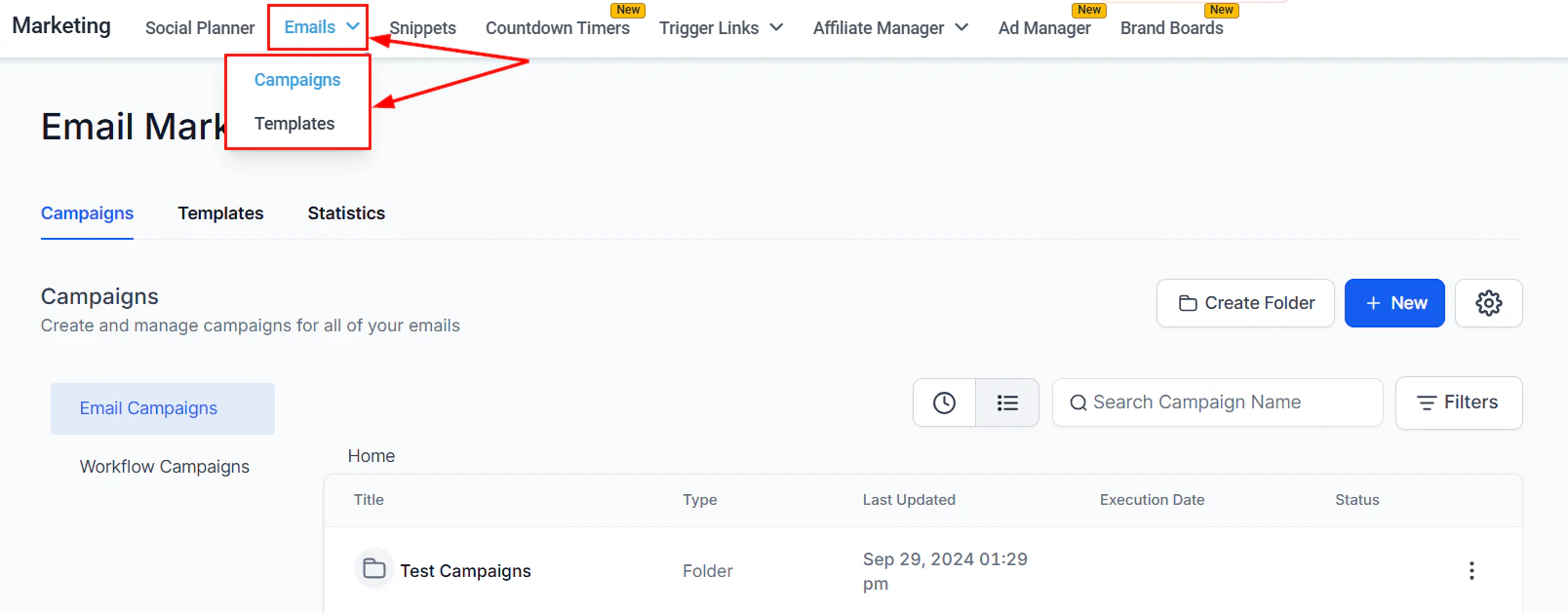
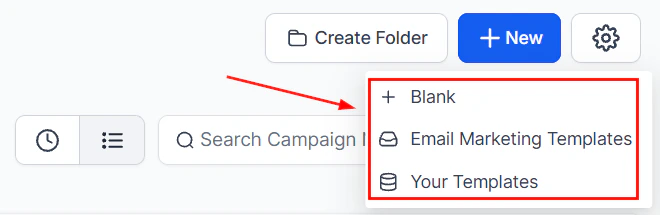
Templates vs. campaigns — the two distinct email workflows in the HoopAI Platform
Email analytics
After sending a campaign, view detailed analytics:- Opens — how many recipients opened the email
- Clicks — which links were clicked and by whom
- Bounces — addresses that couldn’t receive the email
- Unsubscribes — contacts who opted out
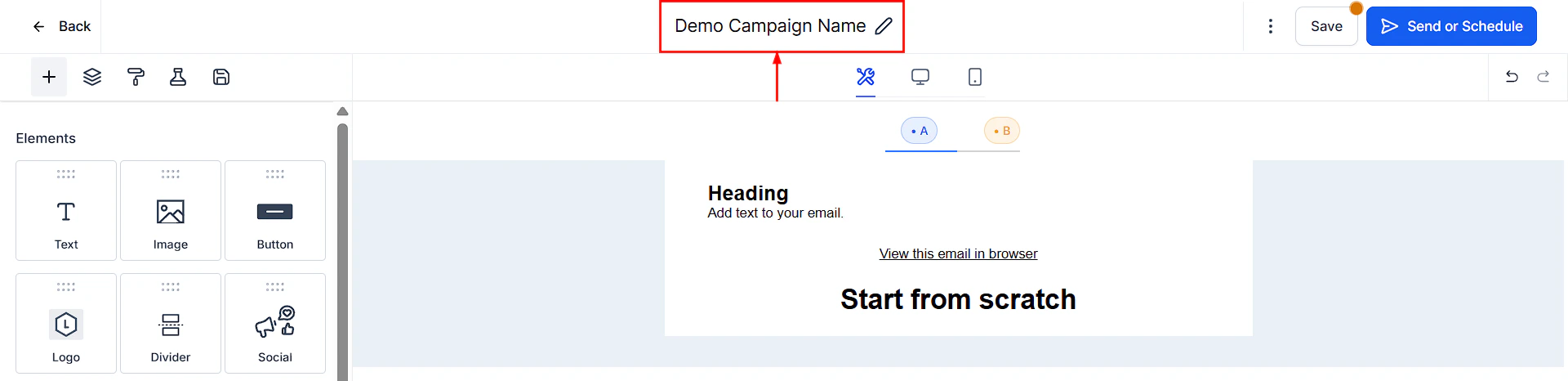
Email builder — design editor with drag-and-drop elements including text, images, buttons, and video blocks
Campaign analytics showing open rates, click rates, and bounces
Unsubscribe management
An unsubscribe link is required in all marketing emails. The platform automatically includes one and updates the contact’s Do Not Disturb (DND) settings when they click it. List unsubscribe headers are also added automatically to help email clients display the unsubscribe option prominently, which improves deliverability.Deliverability best practices
Set up email authentication
Set up email authentication
Configure SPF, DKIM, and DMARC records for your sending domain to prove to inbox providers that your emails are legitimate. See the Email & SMTP setup guide.
Use a dedicated sending domain
Use a dedicated sending domain
A dedicated sending domain separates your email reputation from other senders. This is especially important for high-volume sending.
Maintain a clean list
Maintain a clean list
Regularly remove bounced addresses and unsubscribes. Use the email verification tool to validate addresses before sending.
Avoid spam triggers
Avoid spam triggers
Use clear subject lines, avoid ALL CAPS and excessive punctuation, include a physical address in the footer, and always send to opted-in contacts.
Monitor Postmaster Tools
Monitor Postmaster Tools
Connect Google Postmaster Tools to monitor your domain reputation and spam rate as seen by Gmail.
Attachment size limits
Email attachments have size limits that vary by sending service. As a general rule, keep total attachment size under 10MB. For large files, use a hosted link instead.To configure your email sending service (Gmail, Outlook, SendGrid, Mailgun, or dedicated domain), see Email & SMTP setup.
Frequently asked questions
What is the difference between email templates and email campaigns?
What is the difference between email templates and email campaigns?
Templates are reusable layouts that can be used in automations and across multiple campaigns. Campaigns are one-time or scheduled broadcast sends to a contact list. A template is selected or created when building a campaign, but the campaign itself is a single send event.
Can I use custom fonts in my emails?
Can I use custom fonts in my emails?
Yes. The drag-and-drop email builder supports custom web fonts, including Google Fonts. Select them from the font picker in the text element toolbar or the Appearance tab of a template.
How do I track who opened and clicked my campaign?
How do I track who opened and clicked my campaign?
Navigate to Marketing > Emails > Campaigns, find the sent campaign, and click the three-dot menu to view Statistics. You can see open rates, click rates, bounces, and unsubscribes for each campaign.
Is an unsubscribe link required?
Is an unsubscribe link required?
Yes. An unsubscribe link is legally required in all marketing emails under laws like CAN-SPAM and GDPR. The platform automatically includes one and updates the contact’s Do Not Disturb settings when clicked.
Why are my emails going to spam?
Why are my emails going to spam?
The most common causes are missing or misconfigured SPF, DKIM, or DMARC records, sending to contacts who have not opted in, or using free domains like gmail.com as the From address. See the Email deliverability guide for a full checklist.
Can I send video in emails?
Can I send video in emails?
Yes. Use the Video element in the email builder to embed a video thumbnail with a play button. The thumbnail links to your hosted video (YouTube, Vimeo, etc.) since most email clients do not support inline video playback.