

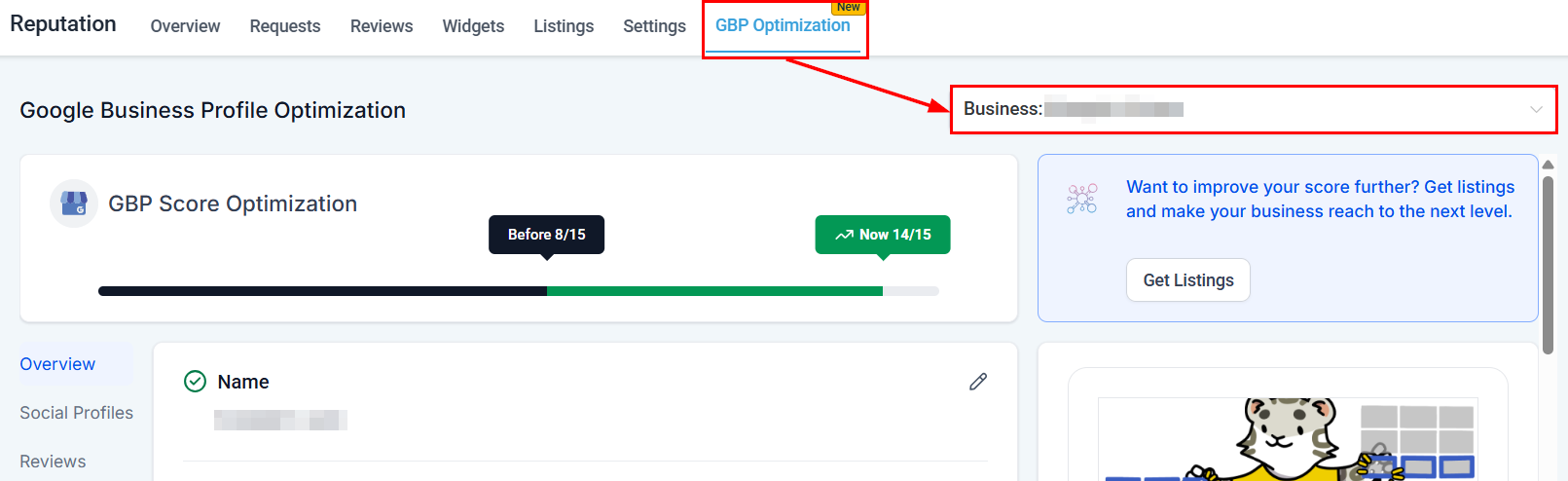
GBP Optimization overview — profile score and management tools
Accessing GBP optimization
Navigate to Reputation > GBP Optimization, then select your business location from the dropdown menu. Your current GBP score displays at the top, allowing you to track improvements over time.Profile management
Overview section
The overview section lets you:- Update your business name and description
- Add product images, a company logo, and other relevant visuals
- Modify phone numbers
- Add WhatsApp or text message contact options
- Specify business categories and services
- Include special attributes (veteran-owned, pet-friendly, wheelchair accessible, etc.)
- Set your company address, opening date, and operating hours
Social profiles
Enhance your credibility by adding relevant social media links (Facebook, Instagram, LinkedIn, and more). Click Save after adding links to retain the changes.Reviews management
View all your GBP reviews in one location, monitor customer sentiment, and respond promptly to feedback — without leaving the platform.Scheduled posts
View upcoming scheduled GBP posts or jump directly to the Social Planner to schedule new content. Published posts appear under Preview > Updates, where you can edit, reschedule, or delete upcoming content. See GBP posts for full instructions on creating What’s New, Event, and Offer posts.Live preview tool
As you make updates, the Live Preview panel displays how your listing will appear to customers on Google Search and Google Maps. Use this to verify that everything looks correct before saving.Profile completeness tracking
Review your Profile Score to see how complete your GBP is. Follow the alerts highlighting areas that need attention for step-by-step improvement guidance.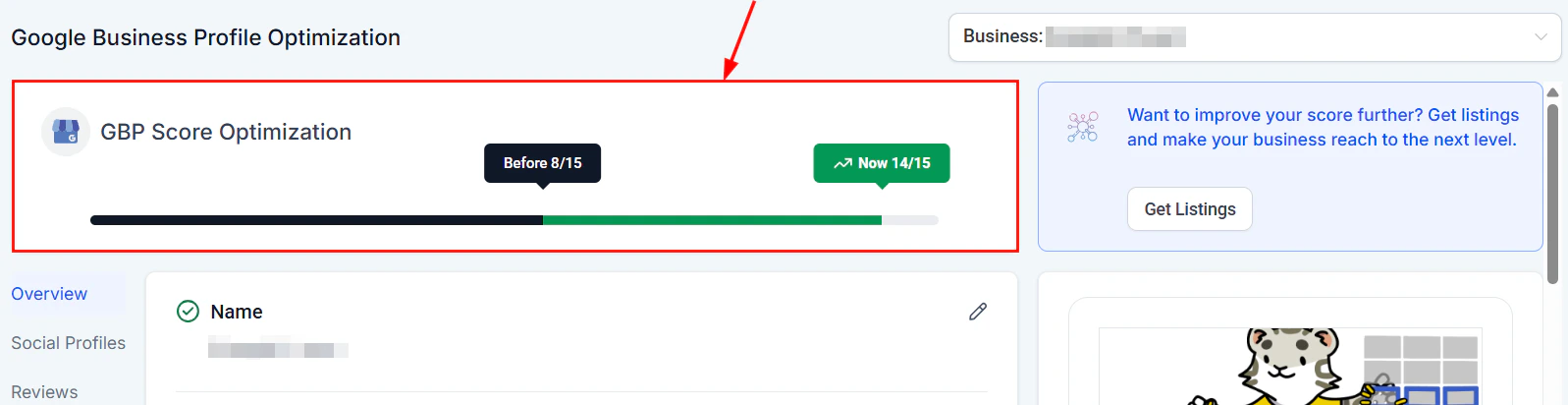
GBP profile completeness score with improvement alerts
Reviews and messaging
Customers can also contact you directly via the GBP chat feature. The HoopAI Platform routes incoming GBP messages to your Conversations inbox automatically.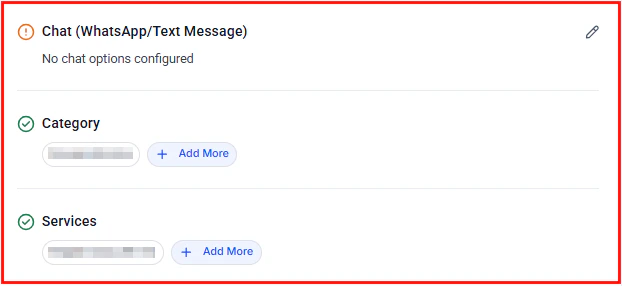
GBP chat messages routed to your Conversations inbox
FAQs
What is a GBP score and how is it calculated?
What is a GBP score and how is it calculated?
Your GBP score reflects how complete and optimized your Google Business Profile is. It is based on factors such as whether you have a business description, photos, categories, hours, attributes, and contact details filled in. Follow the improvement alerts in the platform to raise your score.
How long does it take for GBP changes to appear on Google?
How long does it take for GBP changes to appear on Google?
Most updates appear on Google Search and Google Maps within a few minutes to a few hours. Complex changes such as category updates may take longer for Google to review and approve.
Can I manage multiple business locations from GBP Optimization?
Can I manage multiple business locations from GBP Optimization?
Yes. Use the location dropdown at the top of the GBP Optimization section to switch between locations. Each location has its own profile score and management tools.
What happens if both the WhatsApp and Text Message fields are filled in?
What happens if both the WhatsApp and Text Message fields are filled in?
Text Message takes priority as the contact method shown on your GBP listing when both fields are populated. Remove the Text Message entry if you want WhatsApp to display instead.
Where do GBP chat messages appear?
Where do GBP chat messages appear?
Incoming messages from Google Business Profile chat are routed automatically to your Conversations inbox within the HoopAI Platform, so you can respond without leaving the platform.
How do I publish posts to my Google Business Profile?
How do I publish posts to my Google Business Profile?
GBP posts are created and scheduled through the Social Planner. From the GBP Optimization section, click Go to Social Planner in the Scheduled Posts panel, or navigate directly to Marketing > Social Planner. See GBP posts for detailed instructions.
What types of GBP posts can I create?
What types of GBP posts can I create?
HoopAI supports three GBP post types: What’s New (general updates), Event (time-bound events with start and end dates), and Offer (promotions with optional coupon codes and redemption links).