

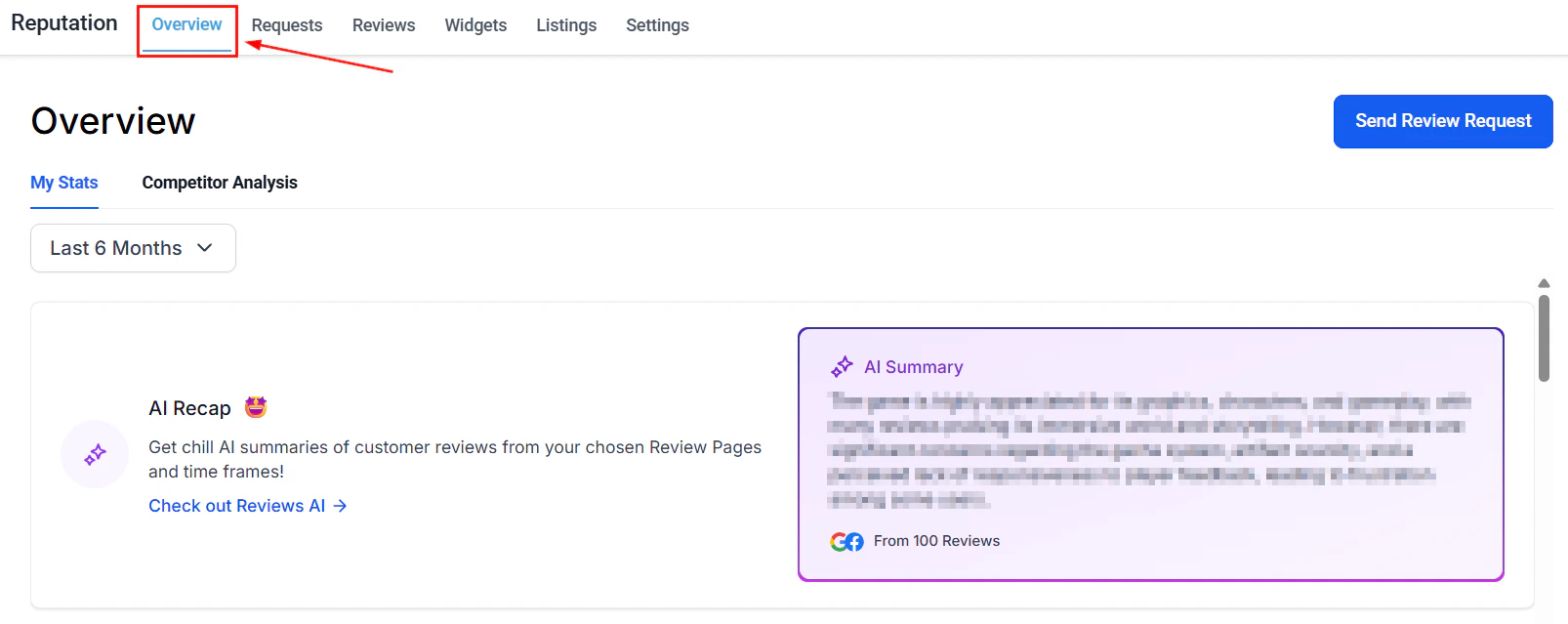
Reputation dashboard — review stats, invite trends, and sentiment at a glance
Reputation tab overview
Stats, invite trends, review trends, and competitor analysis in one dashboard
Review requests
Send review requests via SMS, email, and WhatsApp
Reviews
Manage Google and Facebook reviews with AI summaries and spam detection
Review widget customization
Embed and style review widgets on your website
Reputation settings
Configure AI responses, review links, SMS/email templates, and integrations
Review QR codes
Generate branded QR codes that link customers directly to your review page
Listings
Sync and manage your business info across online directories
GBP optimization
Update and improve your Google Business Profile score
GBP posts
Schedule and publish Google Business Profile posts directly from HoopAI
Video testimonials
Collect and display video reviews from satisfied customers
Reviews AI agent
Automate review responses with a configurable AI agent
Add reviews manually
Import offline reviews via CSV or manual entry
Negative review handling
Strategies and tools for addressing low-star reviews
Review reporting
Track review volume, average rating trends, and response metrics over time
Review email templates
Customize email templates for automated review follow-ups
Review response templates
Build a library of reusable response templates for common review scenarios
Google review integration
Connect your Google Business Profile to sync and manage Google reviews
Facebook review integration
Connect your Facebook Page to sync and manage Facebook reviews
Review automation
Trigger review requests automatically from workflows after appointments, payments, and form submissions
Listing sync
Automatically push business info updates to all connected directories at once
Review website widget
Embed a live review feed widget on your website to showcase ratings
Review showcase
Highlight selected reviews in a curated display for marketing use
Competitor tracking
Monitor competitor review ratings and volumes alongside your own
Getting started
1
Connect your review platforms
Go to Reputation > Settings > Integrations and connect your Google Business Profile and Facebook Page. This enables two-way review sync so incoming reviews appear in the platform automatically.
2
Send your first review request
Open Reputation > Requests and send a review request to a recent customer via SMS, email, or WhatsApp. Include a direct link to your Google or Facebook review page.
3
Set up review automation
Go to Automation > Workflows and add a Send Review Request action. Trigger it after an appointment is marked completed, an invoice is paid, or a form is submitted. Add a short delay (1–2 days) for best results.
4
Configure the Reviews AI agent
Open Reputation > Reviews AI Agent and set the tone, response guidelines, and which star ratings trigger an automatic response. Enable auto-pilot or approval mode based on your preference.
5
Sync your business listings
Go to Reputation > Listings to connect your business information to online directories. Enable Listing Sync so any name, address, or phone number update automatically propagates to all connected directories.
Frequently asked questions
What review platforms does HoopAI support?
What review platforms does HoopAI support?
HoopAI aggregates reviews from Google and Facebook when those accounts are connected in Reputation Settings. You can also manually add reviews from Yelp, Amazon, Airbnb, TripAdvisor, Zillow, Goodreads, and more via CSV upload or manual entry.
Can I automate review requests?
Can I automate review requests?
Yes. Use the Automation module to trigger review requests automatically — for example, after an appointment is marked completed, after an invoice is paid, or after a form is submitted. Add a Send Review Request action to any workflow and optionally include a delay before it fires.
What is the difference between the Reviews tab and the Reputation tab overview?
What is the difference between the Reviews tab and the Reputation tab overview?
The Reputation tab overview is a dashboard showing trends, invite goals, AI summaries, and competitor analysis. The Reviews tab is where you manage individual reviews — respond to them, flag spam, filter by rating, and view review cards from all connected platforms.
Do I need Yext for the Listings feature?
Do I need Yext for the Listings feature?
Yes. The Listings feature — including directory sync, duplicate suppression, and analytics — requires an active Yext entity. Contact your platform administrator to enable Listings for your account.
How does the Reviews AI agent differ from manual responses?
How does the Reviews AI agent differ from manual responses?
The Reviews AI agent automatically posts responses to reviews that match its configured criteria (source and star rating range) without any manual action. Manual responses require you to open each review card and type a reply. You can run both simultaneously — for example, use the AI agent for 4–5 star reviews and respond manually to 1–3 star reviews for a more personal touch.
How do I handle negative reviews?
How do I handle negative reviews?
Open Reputation > Negative Review Handling for platform guidance and best practices. You can respond directly from the Reviews tab, flag suspected spam for Google review, or use response templates to reply consistently and professionally to low-star feedback.