

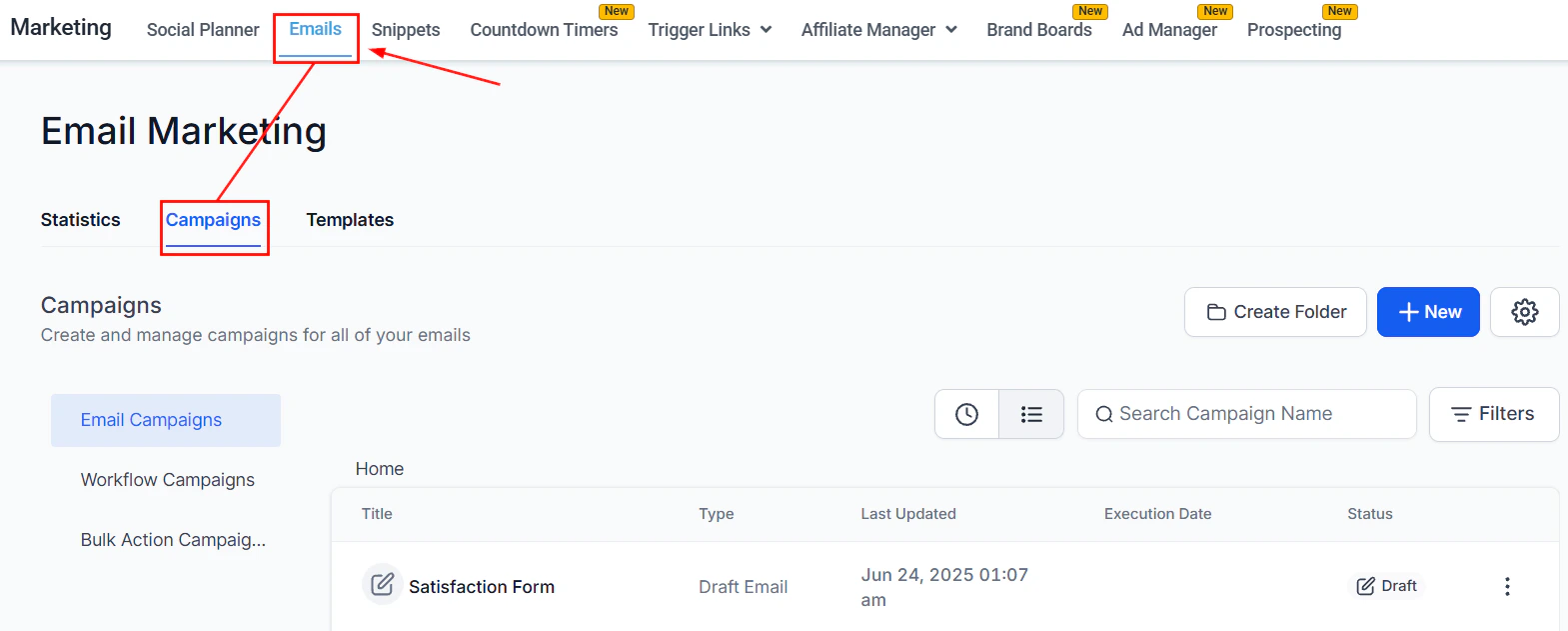
Marketing overview — social planner, email campaigns, ad manager, and affiliate tools
Email marketing
Design and send email campaigns using a drag-and-drop builder with templates, RSS feeds, and analytics
Social planner
Schedule and publish posts across Facebook, Instagram, LinkedIn, TikTok, YouTube, Pinterest, Google My Business, and more
Ad manager
Launch and manage Facebook and Google ad campaigns directly from the platform
Affiliate manager
Automate the tracking of referrals, commissions, and payouts for your affiliate program
Reputation and reviews
Collect reviews, manage listings, and track your brand’s digital presence across Google and Facebook
Brand boards
Create and manage brand kits with logos, colors, and fonts for consistent on-brand content across all clients and channels
Prospecting tool
Search for local businesses, audit their online presence, and add them as contacts or leads with one click
Getting started
1
Connect your channels
Go to Settings > Integrations to connect your email sending service, social media accounts, Google Ads, and Facebook Ads accounts.
2
Set up email marketing
Open Marketing > Email Marketing to create your first campaign. Choose a template, customize with the drag-and-drop builder, and set your sending domain for deliverability.
3
Schedule social posts
Open Marketing > Social Planner and connect your social accounts. Use the calendar view to plan, schedule, and publish posts in bulk across all platforms.
4
Launch your first ad campaign
Open Marketing > Ad Manager, connect your Meta or Google Ads account, and create a campaign. Attribution data ties back to your CRM contacts automatically.
5
Set up affiliate tracking
Open Marketing > Affiliate Manager, create a campaign, and generate unique tracking links or coupon codes for each affiliate. Commission rules are configured per campaign.
Frequently asked questions
What marketing channels does the HoopAI Platform support?
What marketing channels does the HoopAI Platform support?
The platform covers email marketing, social media scheduling, paid advertising (Facebook and Google), affiliate marketing, reputation management, and SMS — all tied to your CRM contacts.
Can I connect my existing email sending service?
Can I connect my existing email sending service?
Yes. You can connect Gmail, Outlook, SendGrid, Mailgun, or any custom SMTP provider. You can also set up a dedicated sending domain for improved deliverability.
How does the affiliate manager work?
How does the affiliate manager work?
The Affiliate Manager lets you create campaigns, assign unique tracking links or coupon codes to affiliates, and automatically calculate commissions when sales are made through those links. Payouts can be processed manually or via PayPal.
Can I run ads directly from the platform?
Can I run ads directly from the platform?
Yes. The Ad Manager lets you create and manage Facebook and Google campaigns without leaving the HoopAI Platform. Campaign performance data is tied to your CRM contacts.
What is a trigger link?
What is a trigger link?
A trigger link is a special URL that, when clicked by a contact in an email or SMS, automatically fires a CRM workflow — such as tagging the contact, sending a follow-up, or moving them through a pipeline stage.