

Dashboard
The Affiliate Manager Dashboard provides a high-level view of your entire affiliate program.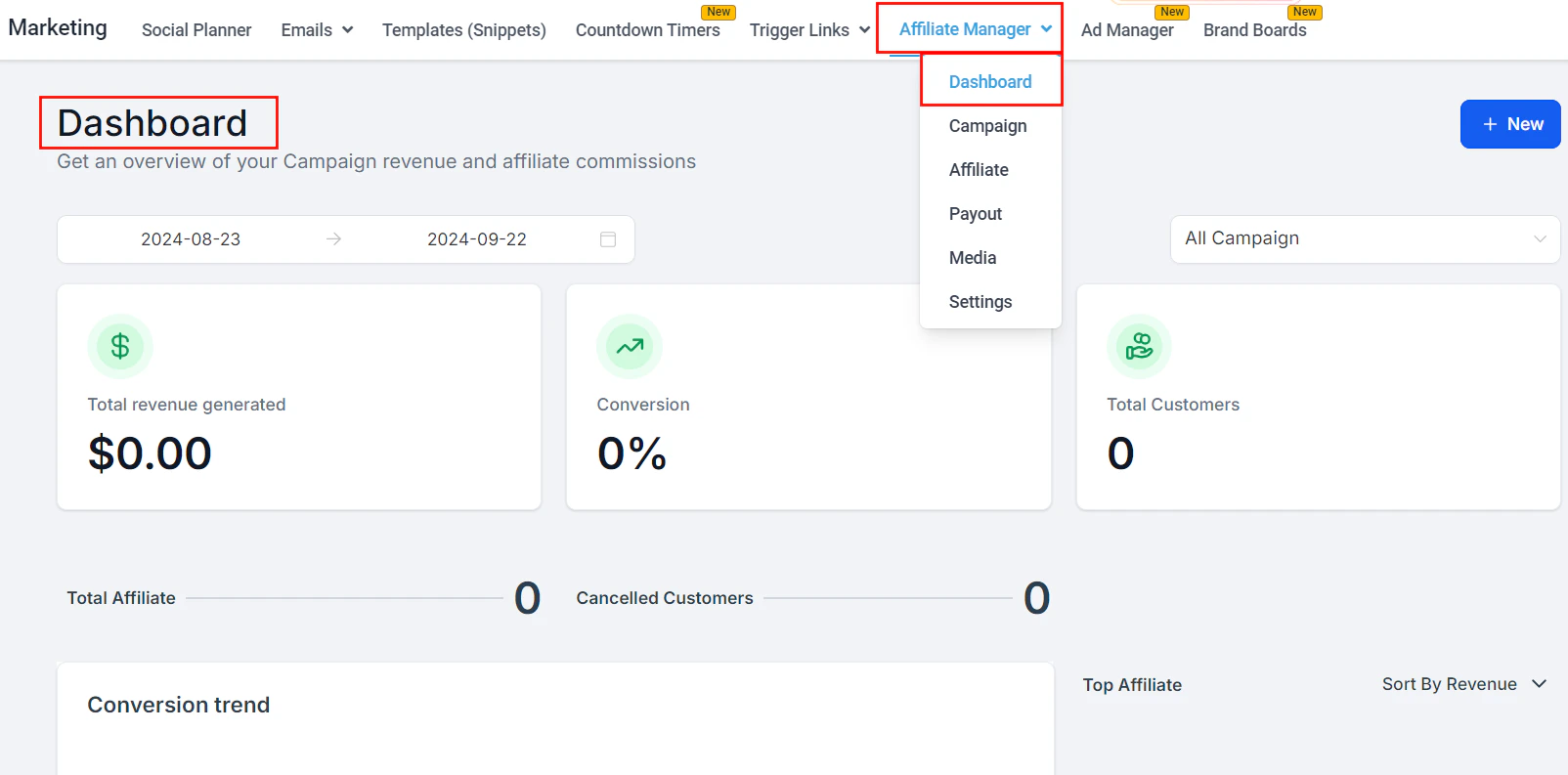
Affiliate Manager dashboard showing revenue, conversions, and leaderboard
- Core Metrics — total revenue generated, conversion rate, and total customers
- Conversion Trend — line graph showing lead and customer trends over the selected date range
- Affiliate Leaderboard — top 10 affiliates ranked by revenue, commissions, leads, or customers
- Pending Actions — pending payouts and commissions requiring your attention; click to navigate directly to Payouts
- Latest Commissions and Affiliates — recent activity with approve/deny actions inline
Setting up a campaign
An affiliate campaign defines the source of leads, the products with commissionable sales, and the commission structure.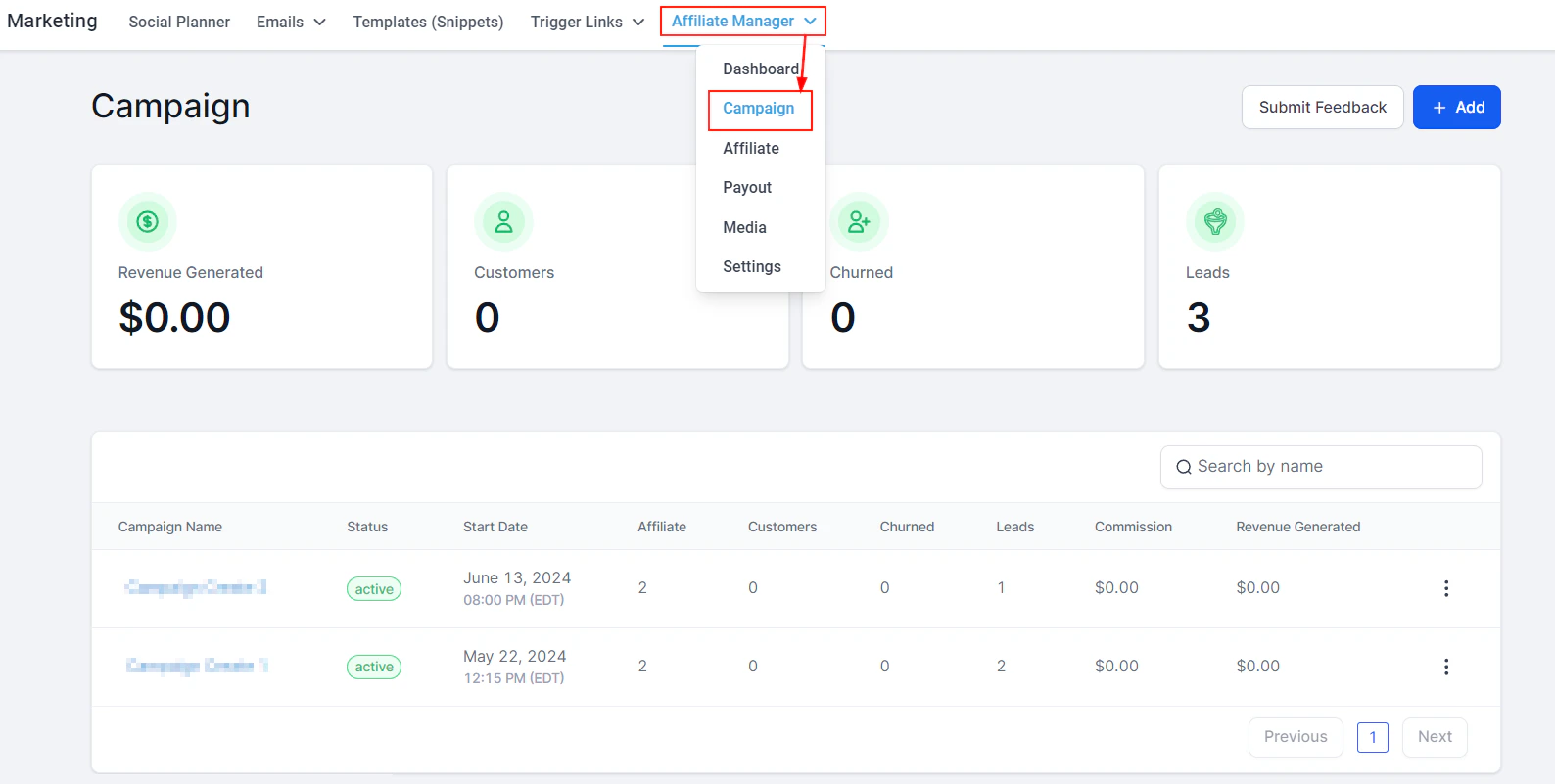
Affiliate campaign setup — configure the campaign name, source, products, and commission structure
Create a new campaign
Configure campaign details
- Campaign Name: Enter a unique, recognizable name
- Source: Select where affiliate leads will originate — a funnel, website, form, survey, or calendar. Funnels and websites must be linked to a domain.
- Products: Choose the products for which affiliate commissions apply
Set commissions
- Percentage: A fixed % of each sale paid to the affiliate
- Per-product commissions: Set different commission rates for each product using the two-toggle icon
- Commission Length: Set how long after the initial referral an affiliate earns commissions
- Variable commissions: Optionally increase commission rates for early sales to incentivize performance
Save and activate
Multi-tier commissions
Set up a two-tier commission structure to reward affiliates for recruiting sub-affiliates.- In the campaign settings, open Multi-Tier Commission options
- Define the tier-1 commission (paid on direct sales) and the tier-2 commission (paid when a recruited sub-affiliate makes a sale)
- Enable Sub-Affiliate Sign Ups to allow affiliates to recruit others using a sign-up link
Adding affiliates
Go to the Affiliates section
Add a single affiliate
- Email (the unique referral link will be sent here)
- First and last name
- Company name (optional)
- Campaign assignment
Bulk upload affiliates
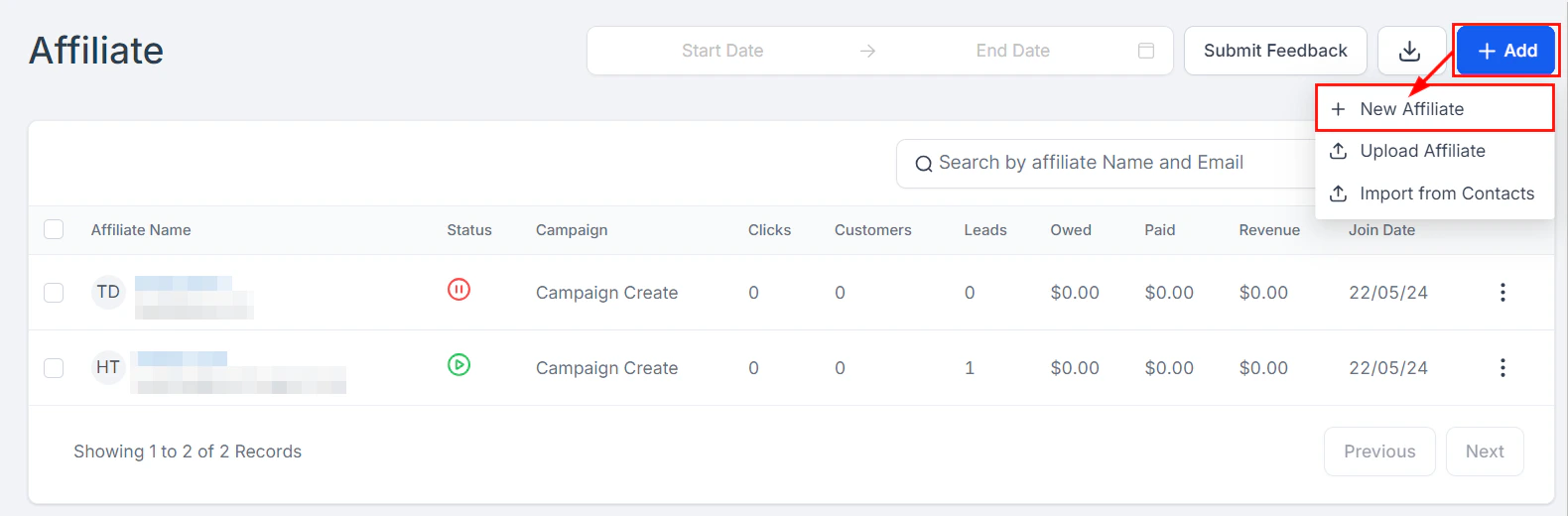
Adding a new affiliate with campaign assignment
Affiliate coupon codes
Assign unique coupon codes to affiliates as an alternative or supplement to tracking links. When a customer uses the code at checkout, the sale is attributed to that affiliate. Go to the affiliate’s record and add a coupon code in the Coupon Code field. The code can be used alongside or instead of the referral link.Magic links
Generate a Magic Link for any affiliate to give them one-click access to their affiliate portal without requiring a password. Navigate to the affiliate’s record and click Generate Magic Link.Sub-affiliates
Affiliates can recruit sub-affiliates under them for a multi-tier commission structure:- To add a sub-affiliate manually, go to the affiliate’s record and click Add Sub-Affiliate
- To allow affiliates to self-recruit, enable Sub-Affiliate Sign Ups in campaign settings
Affiliate portal
Each affiliate has access to a self-service portal where they can:- View their unique referral link
- Track their referrals, conversions, and commissions
- Download promotional materials from the Media section
- View their payout history
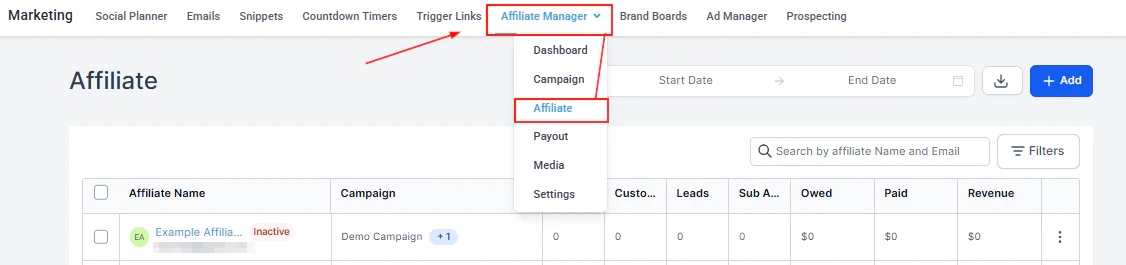
Affiliates list — manage all affiliates, view their stats, and access individual affiliate records
Payouts
The Payouts section displays all commission payouts organized by status.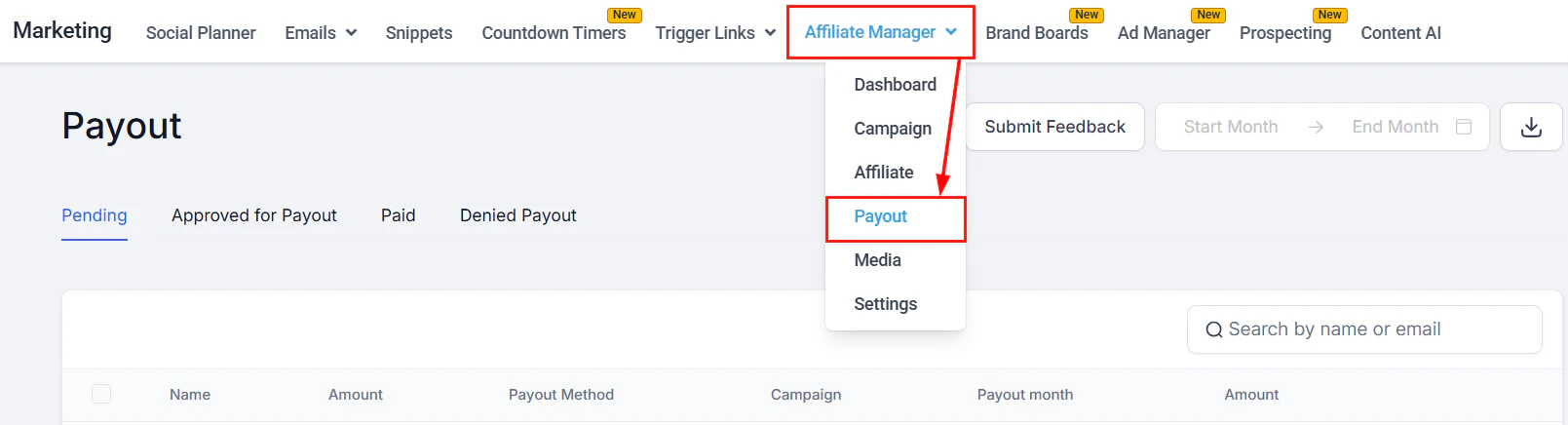
Affiliate Payouts — Pending tab showing commissions ready for approval
Payout workflow
- When a customer completes a purchase through an affiliate link, the commission is automatically recorded
- On the 1st of the following month (or per your custom schedule), pending payouts appear under the Pending tab
- Review each affiliate’s commission amount and click Approve for Payout for eligible affiliates
- Approved payouts move to the Approved for Payout tab
- Export the approved payouts as a CSV and upload to your payment gateway to complete payment
- Affiliate Name and Email
- Campaign
- Payout Month
- Amount (pending commission)
Automated PayPal payouts
Connect PayPal to automate the payout process:- Go to Affiliate Manager > Settings and connect your PayPal Business account
- Once connected, approved payouts can be disbursed automatically through PayPal without manual CSV uploads
Pay-per-lead
Configure campaigns to pay affiliates for lead generation rather than completed sales:- In the campaign commission settings, enable Pay-Per-Lead
- Set the flat fee paid per qualified lead submitted through the affiliate’s link
Manual sales
Add a sale to an affiliate’s record manually (e.g., for offline conversions or phone orders):- Go to the affiliate’s record
- Click Add Manual Sale and enter the sale amount and date
Affiliate media
The Media section in Affiliate Manager lets you upload promotional assets (images, PDFs, videos, ad copy) that affiliates can download from their portal to use when promoting your products. Go to Affiliate Manager > Media and upload the assets you want to make available.Settings
Access Affiliate Manager > Settings to configure:- Default commission rates
- Payout schedule and minimum threshold
- Email notifications for affiliates
- Portal branding and custom labels
- PayPal integration for automated payouts
Customizing labels
Rename default labels throughout the affiliate portal and manager (e.g., rename “Affiliate” to “Partner” or “Commission” to “Reward”) to match your brand language. Go to Settings > Labels and update the text for each field.Lead tracking
The Lead Tracking section shows which leads came through affiliate links, including:- The affiliate who referred the lead
- The lead’s contact record in the CRM
- The status of the lead (converted or not)
- Attribution timestamps
Workflow automation
The Affiliate Manager integrates with the workflow automation system. Available triggers and actions: Triggers:- Affiliate Created
- Affiliate Enrolled in Campaign
- New Affiliate Sale
- Add to Affiliate Manager
- Add to Affiliate Campaign
- Remove from Affiliate Campaign
- Update Affiliate
- Add Manual Sale for an Affiliate
- Add Leads Under an Affiliate
Frequently asked questions
How do affiliates get their tracking links?
How do affiliates get their tracking links?
Can affiliates use coupon codes instead of tracking links?
Can affiliates use coupon codes instead of tracking links?
What is multi-tier commission and how does it work?
What is multi-tier commission and how does it work?
How are payouts processed?
How are payouts processed?
Can I run multiple affiliate campaigns at once?
Can I run multiple affiliate campaigns at once?
What is a Magic Link?
What is a Magic Link?
Can I track leads (not just sales) through the affiliate program?
Can I track leads (not just sales) through the affiliate program?
How do I upload promotional materials for my affiliates?
How do I upload promotional materials for my affiliates?