Generate local marketing audits and compare performance reports to track your online presence in the HoopAI Platform.
The Audit Reports section provides tools for generating Local Marketing Audits and comparing your online presence against competitors. Use these reports to uncover gaps, identify strengths, and take targeted action to improve your digital footprint.
Audit report access may be restricted based on your user permissions. Contact your account administrator if this section is unavailable.
Your online presence is composed of many pieces that need to stay updated and consistent. With Local Marketing Audits, you can get a comprehensive snapshot of how your business appears online — and where to improve.
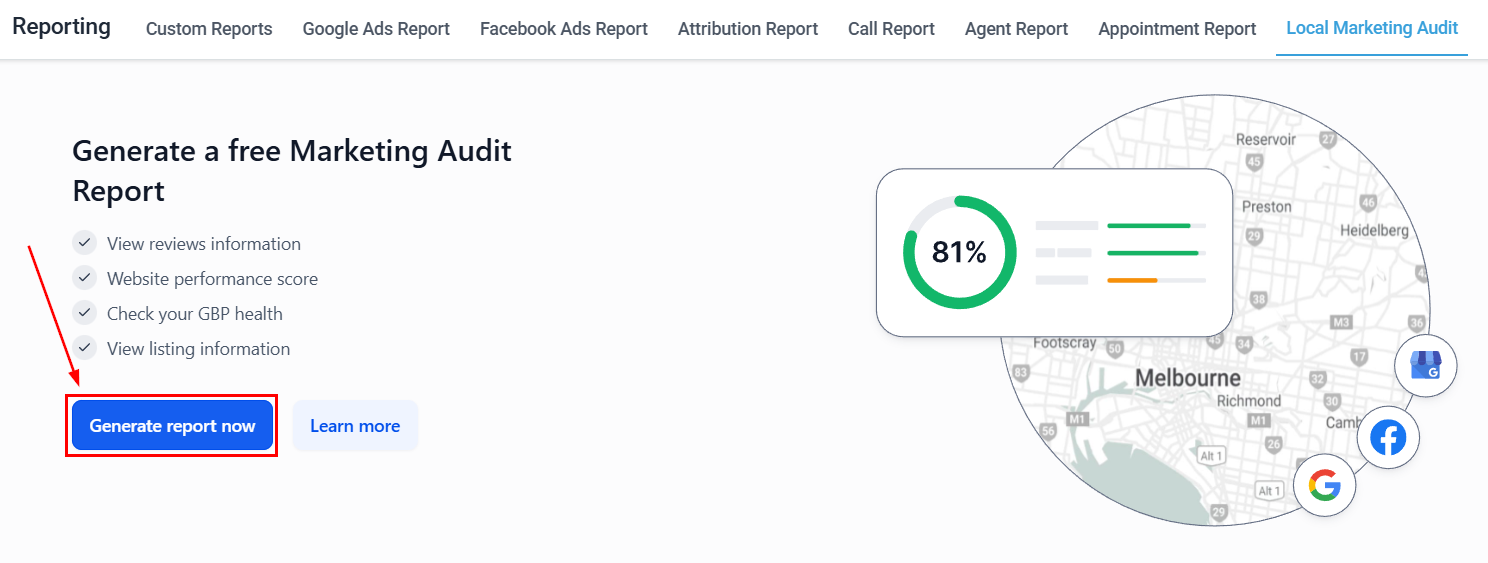
Go to Reporting in the left sidebar, then select Audit Reports.
Audit Reports section
2
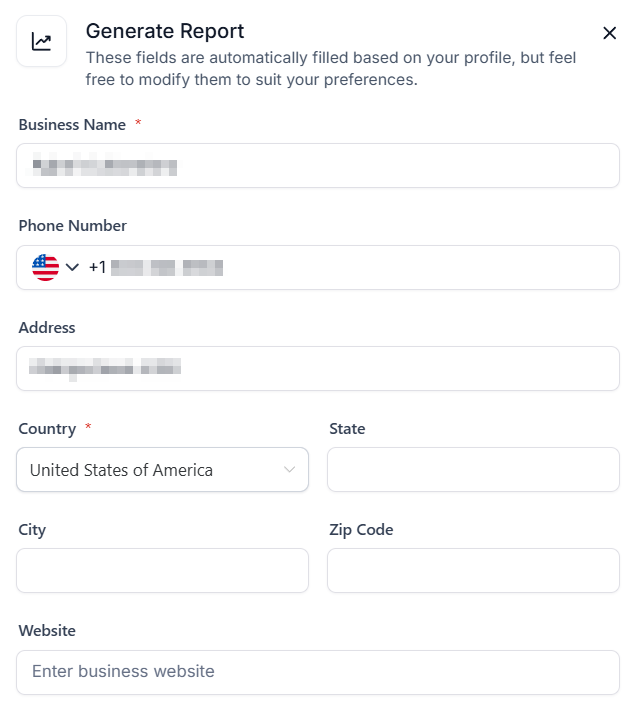
Enter business details
Enter your business name, address, and any other required information to run the audit against your local listings.
Business details entry
3
Run the audit
Click Generate Audit to scan your business’s online presence across directories, search engines, and review platforms.
4
Review the results
The audit results show your business listing accuracy, review counts, and visibility scores across major platforms. Each section includes a status indicator and recommended actions.
Your marketing efforts exist alongside your competition. Use the Compare Reports feature to benchmark your online presence against competitor data for actionable insights.
From the Audit Reports section, select the Compare Reports option.
Compare Reports interface
2
Select reports to compare
Choose two or more previously generated audits to compare side-by-side, or enter competitor business information to generate a competitor comparison.
3
Review the comparison
The comparison highlights differences in listing completeness, review volume, star ratings, and visibility scores between your business and the comparison targets.
4
Export or share
Download the comparison as a report to share with stakeholders or use as a baseline for future audits.
Run a new audit whenever you update your business information (address, phone, hours) or launch a new marketing initiative. For ongoing monitoring, a monthly audit is a reasonable cadence.
What platforms does the local marketing audit check?
The audit scans major directories, search engines, and review platforms including Google, Yelp, Bing, Facebook, and other local listing sites relevant to your business category.
Can I compare my business against a specific competitor?
Yes. In the Compare Reports section, you can enter a competitor’s business information to generate a side-by-side comparison of listing completeness, review volume, and visibility scores.
Where do I find user action logs for my account?
User action and system change logs are in Settings → Audit Logs, not in this Reporting section. Audit Logs track logins, workflow edits, contact changes, and configuration updates.
Can I download or share audit reports?
Yes. Use the Export or share option after generating a comparison report to download it and share with stakeholders or clients.