

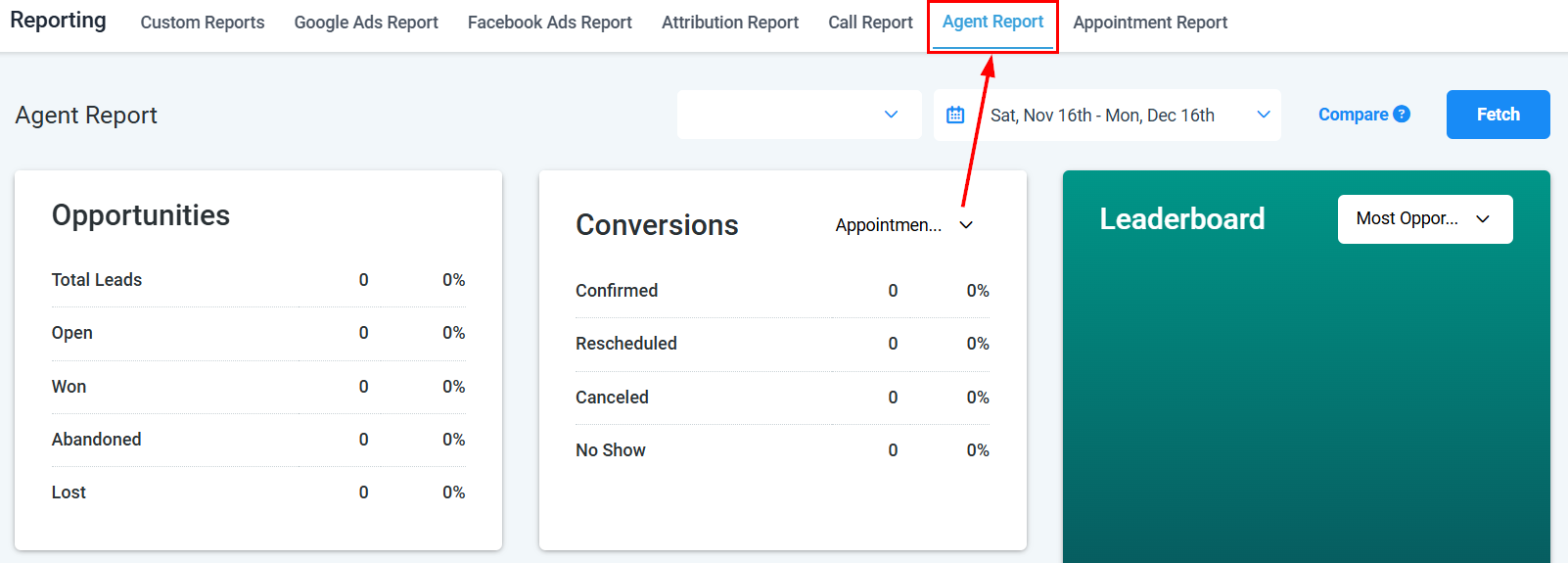
Reporting overview — agent performance, call metrics, and attribution in one place
Call reporting
Review inbound and outbound call metrics, duration, and outcomes
Appointment report
Analyze appointment bookings, outcomes, and calendar performance
Agent reporting
Measure individual agent performance across calls and conversations
Ads reporting
Monitor Google Ads and Facebook Ads campaign performance in one place
Custom reports
Build tailored reports using your own metrics, columns, and filters
Audit reports
Track system-level changes, user actions, and account activity logs
Email reporting
Monitor email open rates, click rates, reply rates, and deliverability
Funnel reports
Analyze stage-by-stage conversion rates to find pipeline bottlenecks
Report scheduling
Schedule automated report delivery by email at any cadence
Revenue reporting
Track payments, invoices, subscription revenue, and refunds over time
Attribution reporting
Trace which sources and touchpoints are generating and converting leads
Contact growth report
Track new contacts added, opt-ins, and contact list growth over time
Conversion reporting
Measure how leads move through your funnel and where they convert
SMS reporting
Review SMS delivery rates, reply rates, and opt-out trends
Social media reporting
Track engagement, reach, and performance across social platforms
Workflow reporting
Analyze workflow enrollment counts, completion rates, and action performance
Reputation reporting
Review review volume, average rating trends, and response metrics
Google Analytics integration
Connect Google Analytics to track website and funnel visitor behavior
Facebook Pixel reporting
Connect Meta Pixel to track ad conversions and website events
Getting started
1
Open the Reporting section
Click Reporting in the left sidebar of the HoopAI Platform. You need reporting permissions enabled on your user role — contact your administrator if the section is unavailable.
2
Choose the report type you need
Browse the report categories above. Use Call Reporting for phone metrics, Appointment Report for booking analysis, Agent Reporting for team performance, or Ads Reporting for paid campaign data.
3
Apply date range and filters
Each report includes a date range picker and relevant filters such as calendar, team member, pipeline, or channel. Narrow the data to the scope you want to analyze.
4
Build a custom report
Go to Reporting > Custom Reports to create a report view with exactly the columns and filters you need. Save it as a named report for repeated use.
5
Schedule report delivery
Open Reporting > Report Scheduling to set up automated email delivery of any report on a daily, weekly, or monthly cadence — useful for sending summaries to team members or clients.
Frequently asked questions
Which reports are available in HoopAI?
Which reports are available in HoopAI?
HoopAI includes call, appointment, agent, ads, email, SMS, social media, workflow, funnel, revenue, attribution, contact growth, conversion, reputation, audit, and custom reports. Report types are added regularly.
Can I export report data?
Can I export report data?
Yes. Most reports include an Export or Download button that saves data as an Excel or CSV file. Custom reports can also be scheduled for automatic email delivery.
Why can't I see a specific report?
Why can't I see a specific report?
Access to individual reporting sections depends on your user role and account permissions. If a report is unavailable, contact your account administrator to review your role settings.
How far back does reporting data go?
How far back does reporting data go?
Date range availability varies by report type. Call reporting supports up to 180 days. Attribution and ad reporting ranges depend on when your integrations were connected. Custom reports can query all historical data stored in your account.
What is attribution reporting used for?
What is attribution reporting used for?
Attribution reporting shows which lead sources, campaigns, and touchpoints are driving contact creation and conversions. Use it to understand which marketing channels are performing and where to focus your budget.