Add titles, text boxes, images, and embedded content to your Hoop dashboard for better organization and branding.
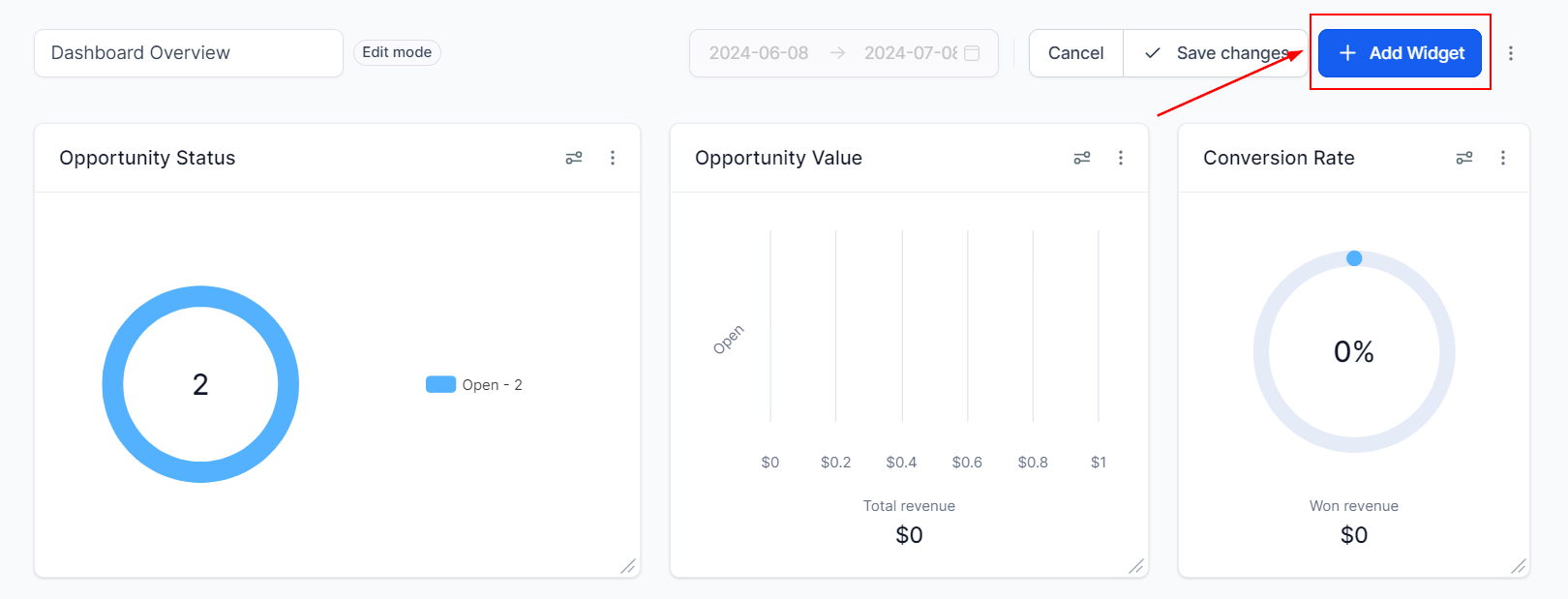
Beyond data widgets, you can add visual elements to your dashboard to improve organization, provide context, and make the layout more intuitive for your team. Elements include titles, text boxes, images, and embeds. These help you rename sections, add team notes, display branding, and integrate external content.
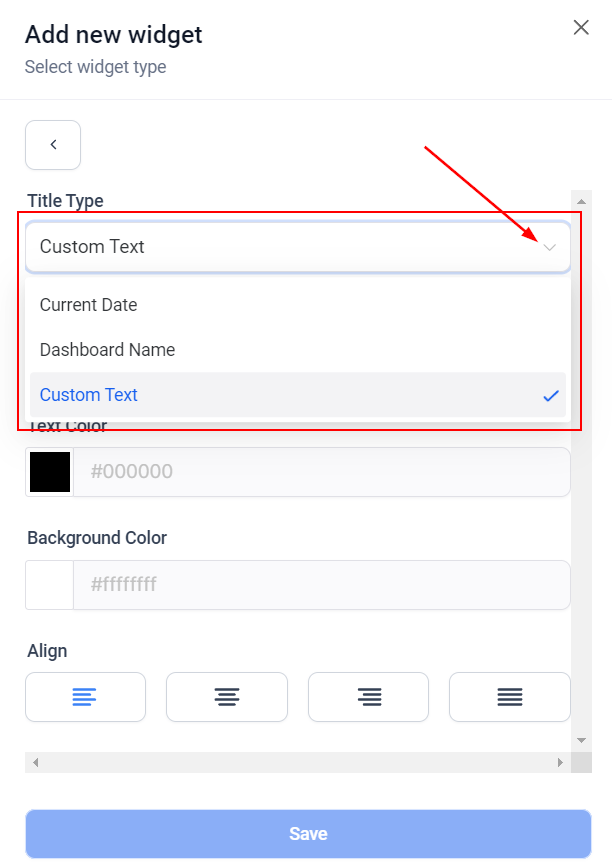
Add headings to organize your dashboard into logical sections. Useful for renaming areas, adding important notes for your team, or increasing the branding of your workspace.
Dashboard title element with text and color customization
Title options:
Current Date — automatically shows today’s date
Dashboard Name — displays the current dashboard’s name
Custom Text — type any text you want
You can customize the text color, background color, and text alignment.
Text boxes
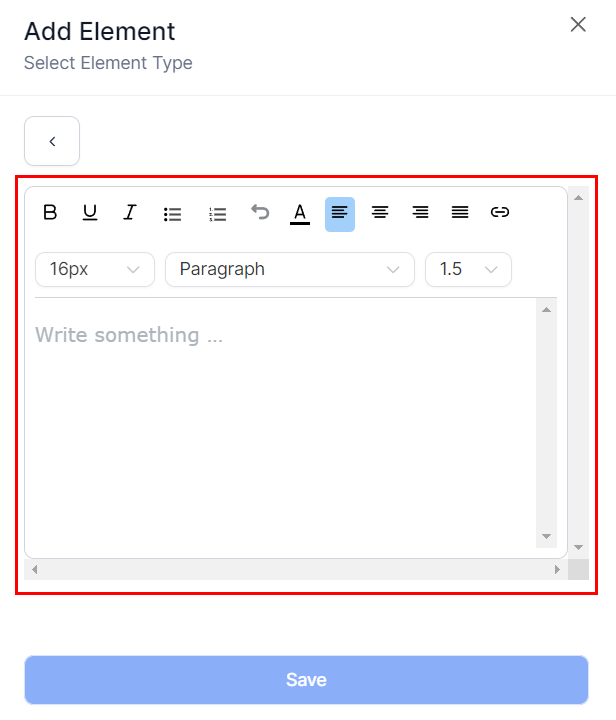
Add formatted text blocks to your dashboard — useful for motivational quotes, goals, notes for your team, or instructions. Text boxes support standard formatting: alignment, letter color, bulleted lists, numbered lists, and more.
Text box element showing a formatted note on the dashboard
Images
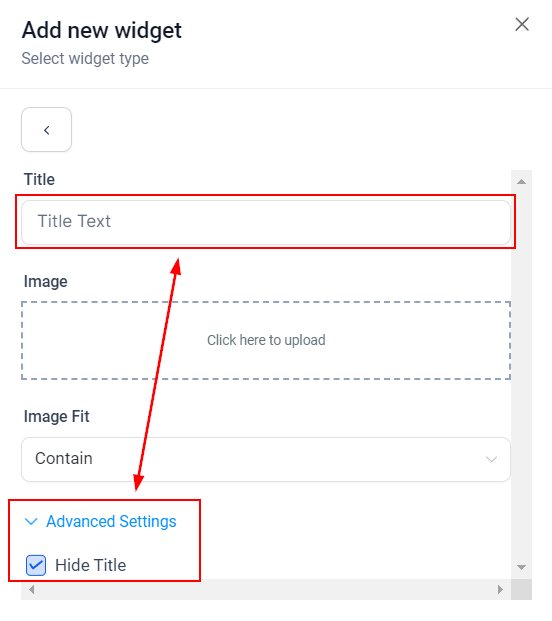
Add logos, charts, screenshots, or any image to make your dashboard more dynamic and personalized. Images are sourced from your media library.
Image element showing branding or visual content on the dashboard
Image options:
Add a title (you can hide it in Advanced Settings)
Click the image box to open your media library and select or upload an image
Choose an Image Fit option from the dropdown to control how the image fills the element box
Embed
Embed external content such as web pages, Google Data Studio reports, Google Docs, slideshows, calendars, Loom videos, YouTube videos, social media posts, and more. Embedded content integrates through iframes, turning your dashboard into a real-time business hub.
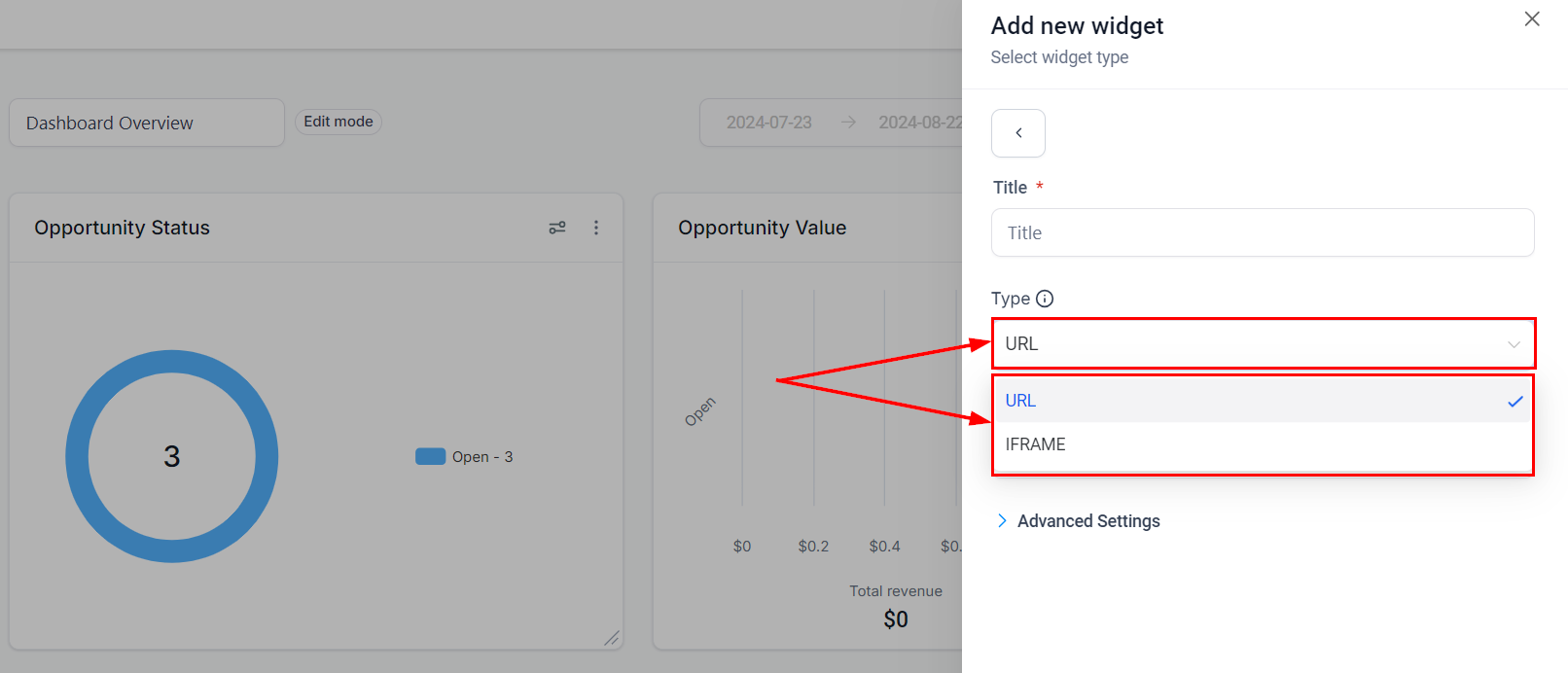
Embed element type selection between URL and IFRAME
Embed types:
Type
When to use
URL
Enter a valid URL directly to embed the page
IFRAME
Paste iframe embed code provided by the external service
Advanced Settings: Hide the widget title for a cleaner look by enabling Hide Title.Embedding YouTube videos:
Copy the video ID from the YouTube URL (the part after /watch?v=)
Insert it into: https://www.youtube.com/embed/<video-id>
Use the resulting URL in your embed element
Embedding TikTok videos:
Copy the video ID from the TikTok URL (the part after /video/)
Insert it into: https://www.tiktok.com/embed/<video-id>
Embedding Instagram posts:
Get the shareable link for your Instagram post
Replace ?utm_source=ig_web_copy_link with /embed/
Some websites restrict iframe embedding due to security policies. Always check the source site’s embedding guidelines if your content does not display correctly.
Use Title elements to create clear visual sections that separate different data areas — for example, a “Sales Performance” header above opportunity widgets and a “Team Activity” header above task and call widgets.
Use the Text Box element to pin a weekly team goal or motivational message that everyone sees when they log in.
If you manage multiple dashboards, remember that element configurations are specific to each dashboard. Custom themes and layouts are maintained when you clone a dashboard.