

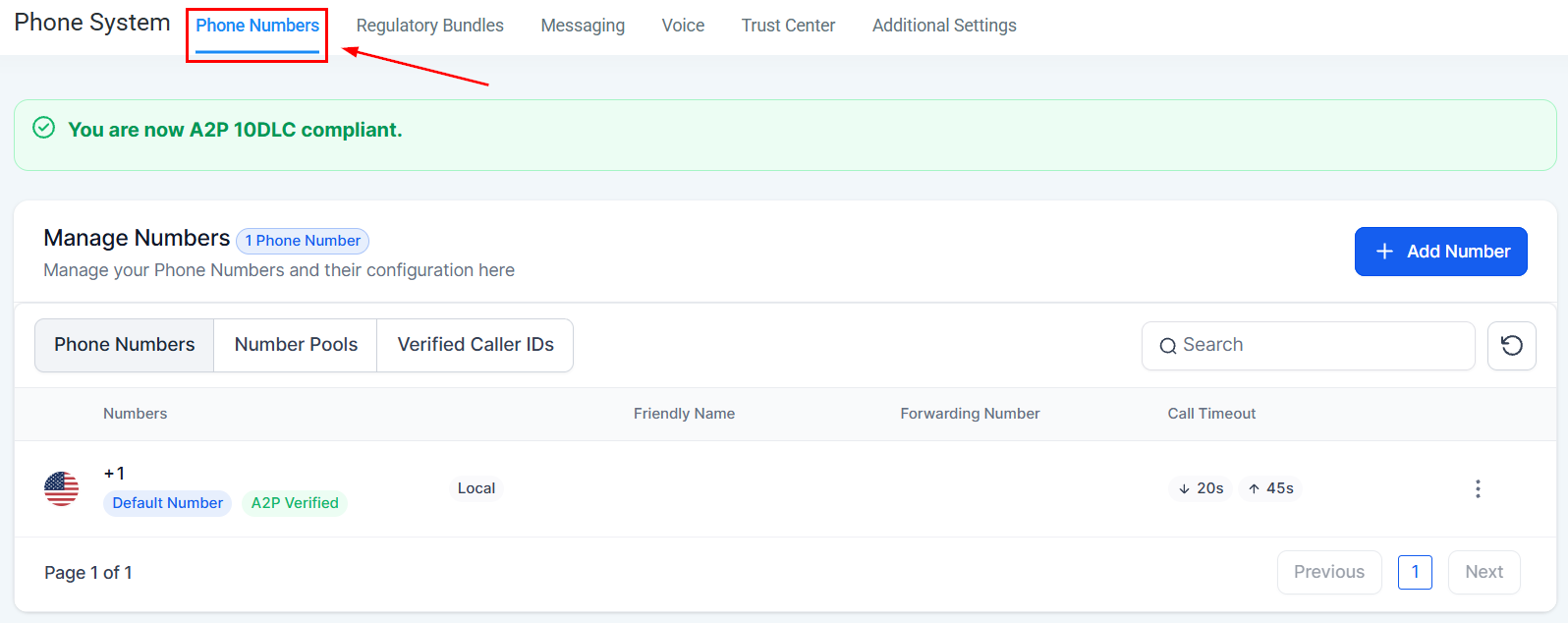
Phone Numbers settings — your purchased numbers and their configuration
Step 1 — Purchase a phone number
1
Go to Settings > Phone Numbers
Click Settings in the left sidebar and select Phone Numbers.
2
Click Add Number
Click Add Number or the + button to open the number purchase flow.
3
Choose country and number type
Select your country. Then choose between a local number (a regional area code) or a toll-free number (e.g., 1-800).
4
Search by area code
Enter your desired area code to see available numbers. Select one and click Buy to complete the purchase.
Step 2 — Configure your number
After purchasing, click the number to open its settings.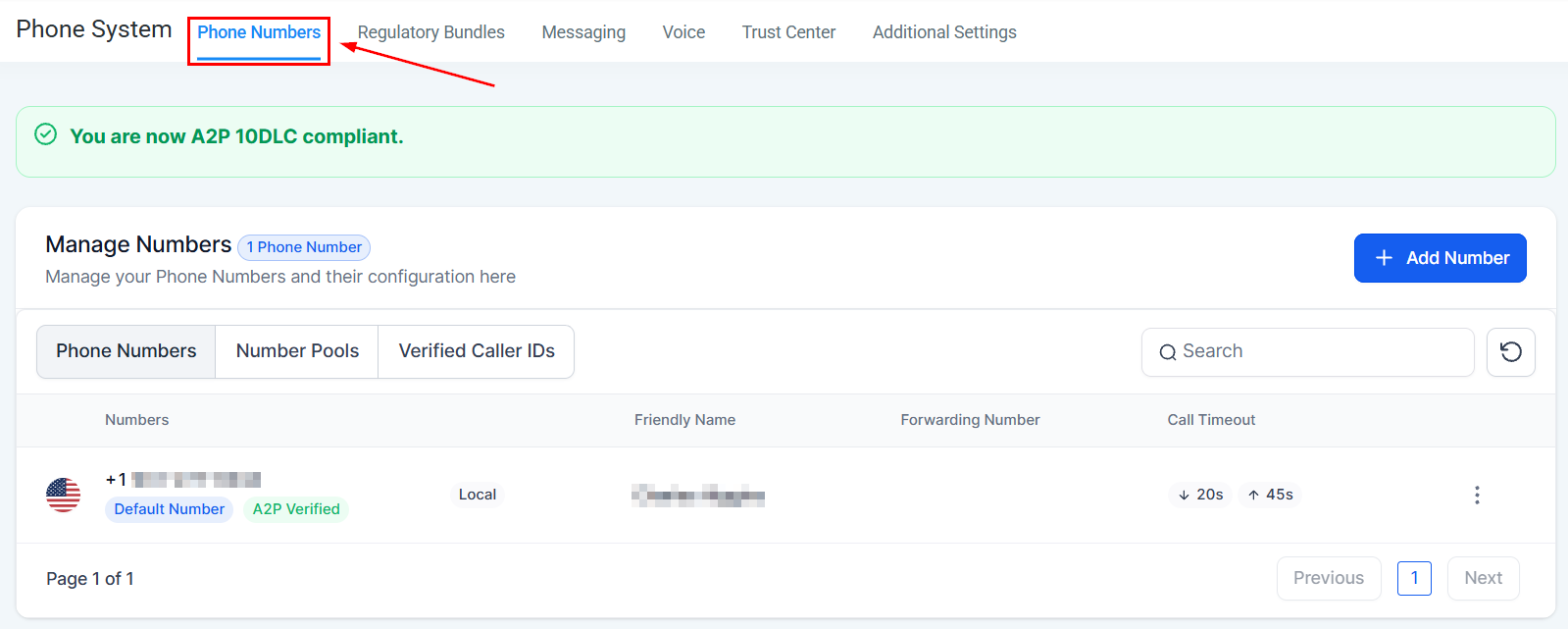
Phone number configuration — name, forwarding, and call settings
Step 3 — Configure voice call settings
Go to the Voice Calls tab within phone settings to configure:- Inbound call routing — which user or team receives incoming calls
- Voicemail greeting — the message callers hear when no one answers
- Business hours — restrict when inbound calls ring through
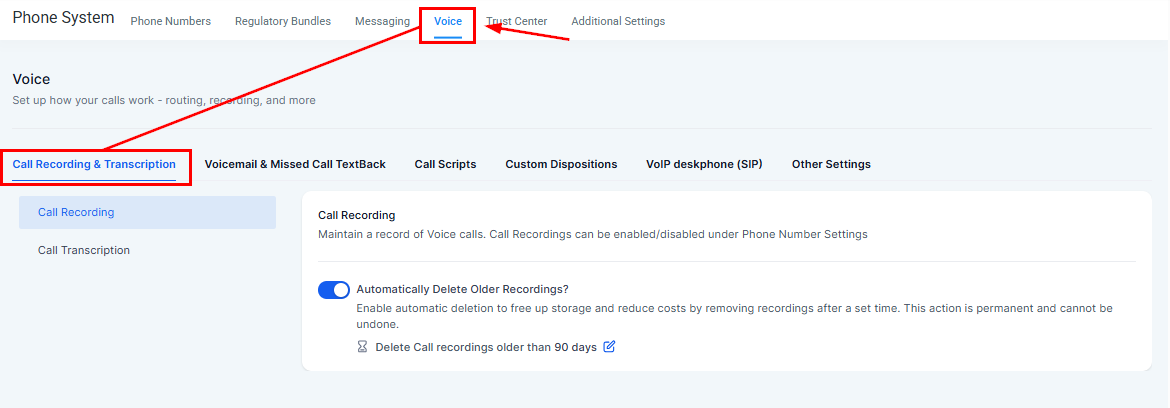
Voice call settings — inbound routing and voicemail configuration
Step 4 — Complete A2P 10DLC registration
A2P 10DLC is a US carrier requirement for businesses sending SMS messages. Without registration, carriers will filter or block your outbound SMS. Go to Settings > Trust Center to begin registration. You will need:- Your legal business name (exactly as registered)
- EIN / Tax ID
- Business website URL
- Business type (LLC, Corporation, Sole Proprietor, etc.)
- A description of how you will use SMS
Using multiple phone numbers
You can purchase additional numbers for different purposes — for example, a separate number per team member, or a dedicated number for each marketing campaign. Each number has independent call and SMS settings.Frequently asked questions
What does a phone number cost?
What does a phone number cost?
Local US and Canadian numbers are typically a low monthly fee (around $1–2/month) plus per-minute and per-message usage charges. Toll-free numbers are slightly higher. Pricing is shown during the purchase flow. Check your HoopAI plan details for included credits.
Can I port my existing business number to HoopAI?
Can I port my existing business number to HoopAI?
Yes — number porting is available. Contact HoopAI support to initiate a port request. The process typically takes 2–4 weeks and requires a Letter of Authorization (LOA) from your current carrier.
Do I need A2P registration for 1-on-1 SMS in conversations?
Do I need A2P registration for 1-on-1 SMS in conversations?
A2P 10DLC is primarily required for bulk/campaign SMS. Low-volume 1-on-1 conversational SMS may work without full registration initially, but carriers can still filter unregistered traffic. Complete registration promptly to ensure reliable delivery for all SMS.
What if my A2P registration is rejected?
What if my A2P registration is rejected?
Rejections are usually due to incomplete business information or a mismatch between your legal name and EIN records. Review the rejection reason in Settings > Trust Center and resubmit with corrected information. Contact HoopAI support if you need help resolving a rejection.
Can I send SMS internationally?
Can I send SMS internationally?
Yes — international SMS is supported for many countries. Purchase or use an existing number that supports international sending, and ensure the contact’s phone number includes the correct country code. Additional per-message rates apply for international destinations.