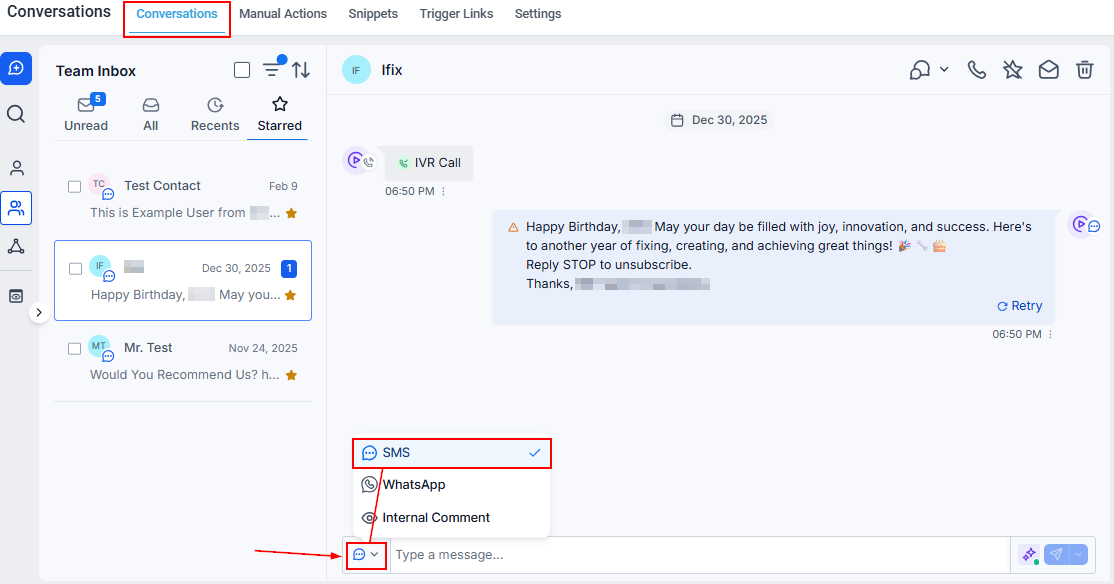
Send payment request links directly inside any conversation channel — SMS, email, WhatsApp, Instagram, or Facebook Messenger — in HoopAI.
You can request payment from a contact without leaving the conversation. HoopAI lets you send a payment link directly through any connected channel — SMS, email, WhatsApp, Instagram DM, or Facebook Messenger — so collecting payment becomes part of the natural conversation flow.
When your contact receives the message, they see a payment link. Clicking it opens a secure hosted checkout page where they can enter their card details and complete the payment. You receive a notification when payment is completed, and the contact’s record is updated automatically.
Activity card showing a completed payment in the conversation thread
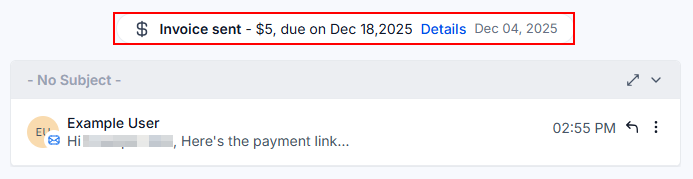
An Activity Card appears in the conversation thread showing the invoice status.
When the contact pays, the status updates to Paid and a new Activity Card is logged.
You can also view all payment activity in the Payments tab of the contact record.
Can I send multiple payment requests in the same conversation?
Yes. Each payment request generates its own unique link. You can send as many as needed in a single conversation, and each is tracked separately.
What payment processors are supported?
Payment collection relies on your connected payment processor (Stripe, PayPal, or another supported integration). Configure your payment integration in Settings → Payments before sending payment requests.
Can the contact pay later?
Yes. The payment link stays active until the invoice is paid or manually voided. Contacts can open it at any time from any device.
Is there a fee for using payment requests in conversations?
Standard payment processor fees apply. HoopAI does not charge an additional fee for sending payment requests through conversations.