

Activity cards in the conversation panel
Types of activity cards
Appointments
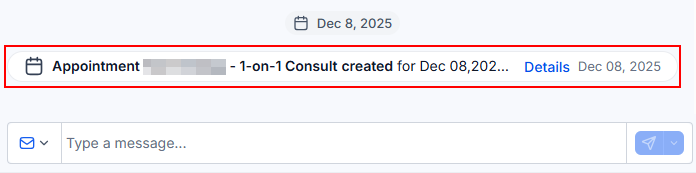
When an appointment is created, rescheduled, or canceled, an Activity Card appears in the conversation panel. Click the card to edit the appointment details directly without leaving the conversation.Appointment activity card with edit access
Invoices
An Activity Card appears when an invoice is sent to a contact or when payment is received. Clicking the card opens the invoice in a new tab so you can review all the details.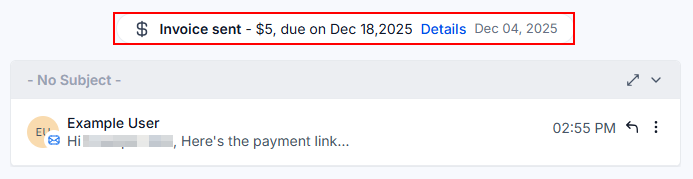
Invoice activity card
Do Not Disturb (DND)
Activity Cards notify you as soon as a contact is marked as Do Not Disturb or removed from the DND list. This ensures your team always knows the contact’s communication preferences before sending a message.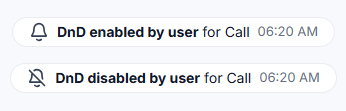
DND status activity card
Contact fields
When a contact automatically updates a field — for example, by submitting a form — a card appears in the thread. Click it to view the updated field details and understand what information changed.Opportunities
Activity Cards related to opportunities appear when a new opportunity is created, updated, or deleted. Click the card to edit the opportunity in real time without navigating away from the conversation.
Opportunity activity card
Why activity cards matter
Activity Cards ensure that every team member handling a conversation has instant visibility into key events happening around the contact. Key benefits:- No context switching — view and act on appointments, invoices, and opportunities without leaving Conversations.
- Team alignment — everyone sees the same activity timeline for the contact.
- Quick access — clickable cards link directly to the related record.
- Audit trail — timestamped cards provide a clear sequence of events.