

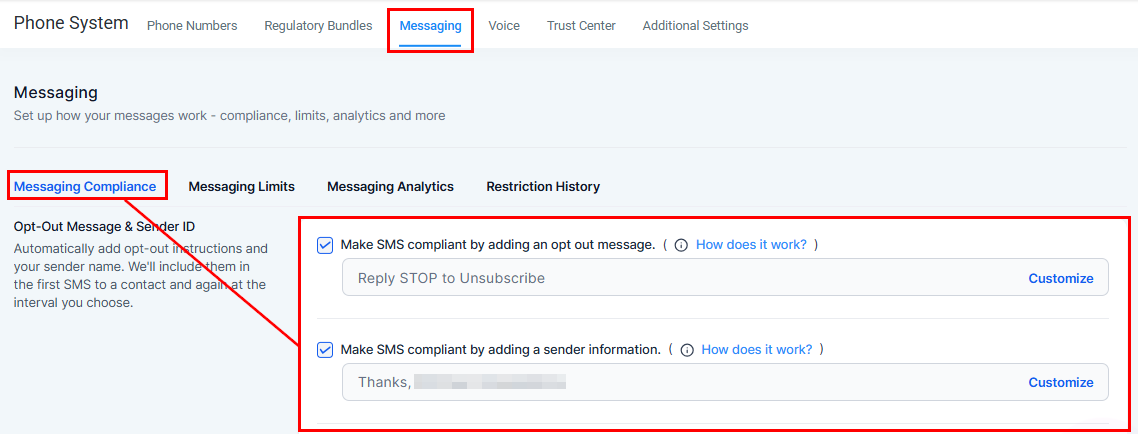
DND compliance settings
DND types
All Channels DND
All Channels DND
Prevents any communication from being sent to the contact through any integrated channel.
Channel-specific DND
Channel-specific DND
Restrict one or more specific channels while keeping others open. Configurable for: Calls, Email, Facebook, GMB, SMS, and WhatsApp.
DND statuses
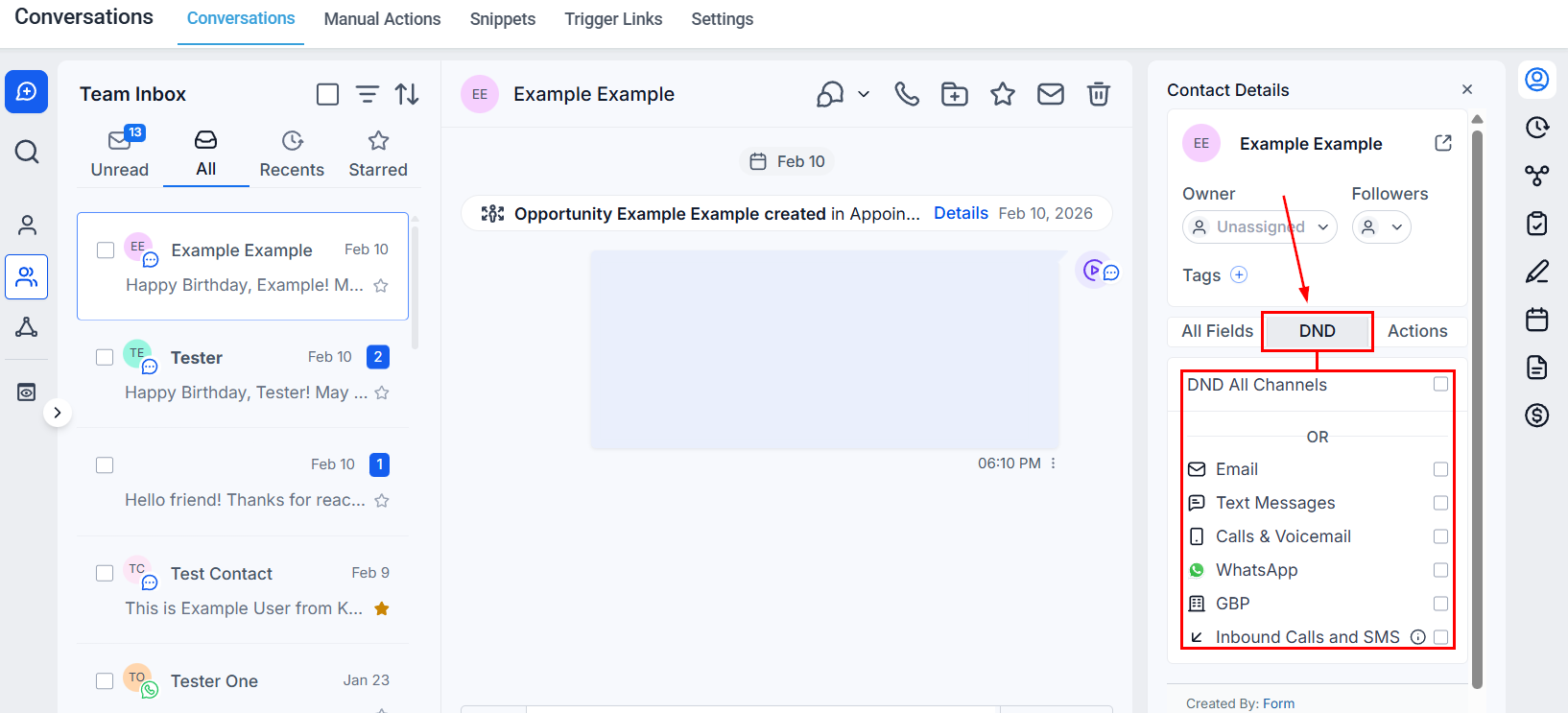
DND status indicators in Conversations
Automated compliance
Hoop includes built-in compliance features to automatically manage DND based on contact responses.SMS compliance
1
Opt-out messages
An automatic opt-out message is appended to SMS communications, allowing recipients to reply STOP to unsubscribe. This automatically updates the contact’s SMS DND settings.
2
Sender information
SMS messages can be configured to include sender details for transparency.
3
Customize
Go to Settings → Phone System → Messaging → Messaging Compliance to customize opt-out message wording.
Email compliance
An unsubscribe link is automatically included in outgoing emails. When clicked, it sets the contact’s email DND. Customize the unsubscribe settings at Settings → Business Profile → General section.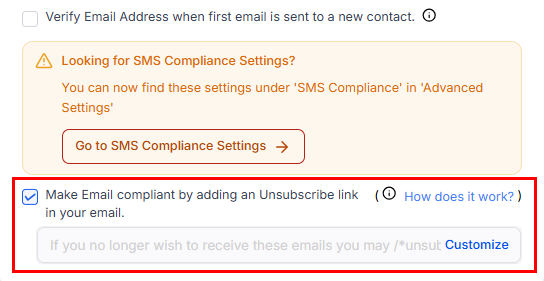
Email DND compliance settings
SMS DND types
Two types of SMS DND can be applied to a contact:DND for inbound calls and SMS
Enable DND Inbound to prevent a specific contact from being able to call or text your CRM number. This blocks all incoming communication from that contact.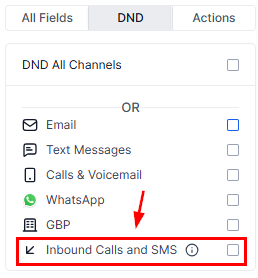
Inbound DND blocking
Email DND auto-enable triggers
The system will automatically enable email DND for a contact if any of the following occur:- ISP permanent failures — bounce, generic, suppress-complaint, suppress-unsubscribe, or suppress-bounce events.
- Spam complaint — the recipient marks your email as spam (Mailgun complaint event).
- Unsubscribe — the recipient clicks the unsubscribe link.
You can disable DND from the contact record for the reasons above, except when the contact has been marked as SPAM. For bounce or suppression events, remove the contact’s email from your ISP’s suppression list and validate the email before re-enabling.
Workflow integration
You can trigger DND changes automatically in workflows. For example: when a contact unsubscribes from email, a workflow action automatically enables their email DND — ensuring every touchpoint respects their preferences without manual intervention.FAQs
What happens if a contact is in a workflow and then opts for DND?
What happens if a contact is in a workflow and then opts for DND?
Hoop intelligently skips the communication steps that the contact has opted out of, ensuring compliance without removing them from the workflow entirely.
Can I remove a contact from all workflows if they opt for DND on all channels?
Can I remove a contact from all workflows if they opt for DND on all channels?
Yes. Use the workflow options to remove a contact from all active workflows if they no longer wish to be contacted in any form.