

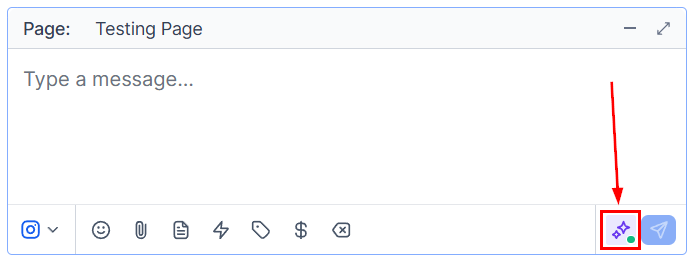
Bot status toggle in the conversation panel — enable or disable AI auto-responses per contact
Where to find the bot status toggle
The bot status toggle is located in the conversation panel on the right-hand side when you have a contact’s conversation open. Look for the Bot icon or toggle in the contact’s action area.Enabling and disabling the bot
1
Open the contact's conversation
Navigate to Conversations and click on the contact whose bot status you want to change.
2
Locate the bot toggle
In the right-hand panel, find the Bot status toggle.
3
Toggle on or off
- On (enabled) — the AI bot will respond automatically to incoming messages from this contact according to your configured bot workflow.
- Off (disabled) — no automated bot responses will be sent; all replies must come from your team manually.
The bot status toggle only affects the individual contact’s conversation. It does not change your global bot settings or affect other contacts.
When to disable the bot
High-value or sensitive contacts
High-value or sensitive contacts
When speaking with a key prospect, existing client, or someone in a sensitive situation, disable the bot to ensure every message is crafted personally by your team.
Active negotiation or sales conversations
Active negotiation or sales conversations
During a live sales conversation, disable the bot so automated replies do not interrupt or contradict the conversation your rep is having.
After a contact requests a human
After a contact requests a human
If a contact explicitly asks to speak with a person, disable the bot immediately and take over manually.
Testing or debugging automations
Testing or debugging automations
Disable the bot for a test contact to verify that your manual reply workflows work correctly without bot interference.