Set up SLA timers, configure channel-specific response targets, and manage workflow message rules in HoopAI conversations settings.
Conversation settings let you establish structure and accountability around how quickly your team responds to contacts. The primary feature here is Service Level Agreements (SLAs), which add visual timers to your inbox so nothing falls through the cracks.Navigate to Conversations → Settings to access these options.
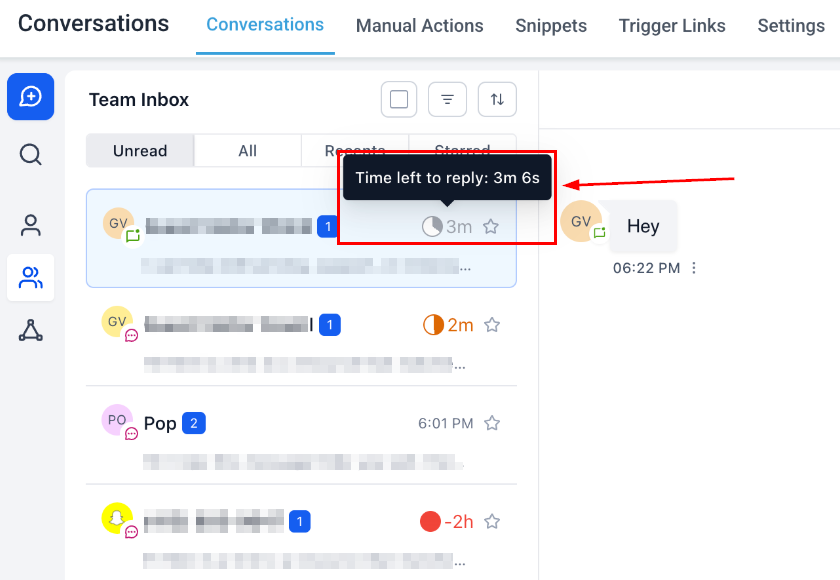
An SLA defines how quickly your team should respond to incoming conversations. Once enabled, SLA timers appear on every new conversation in your inbox — turning amber when “due soon” and red when overdue.
1
Enable SLA settings
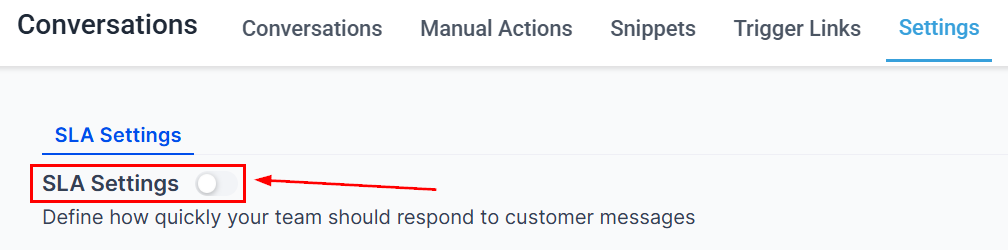
Navigate to Conversations → Settings and toggle SLA Settings on.
SLA settings toggle
2
Choose SLA type
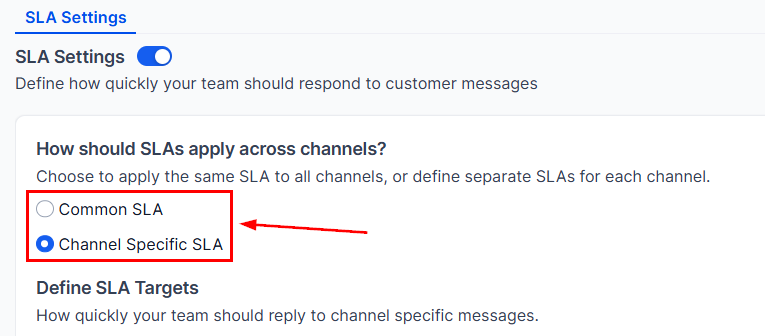
Select either a Common SLA (one response target for all channels) or Channel-Specific SLAs (different targets per channel).
SLA type selection
3
Set time thresholds
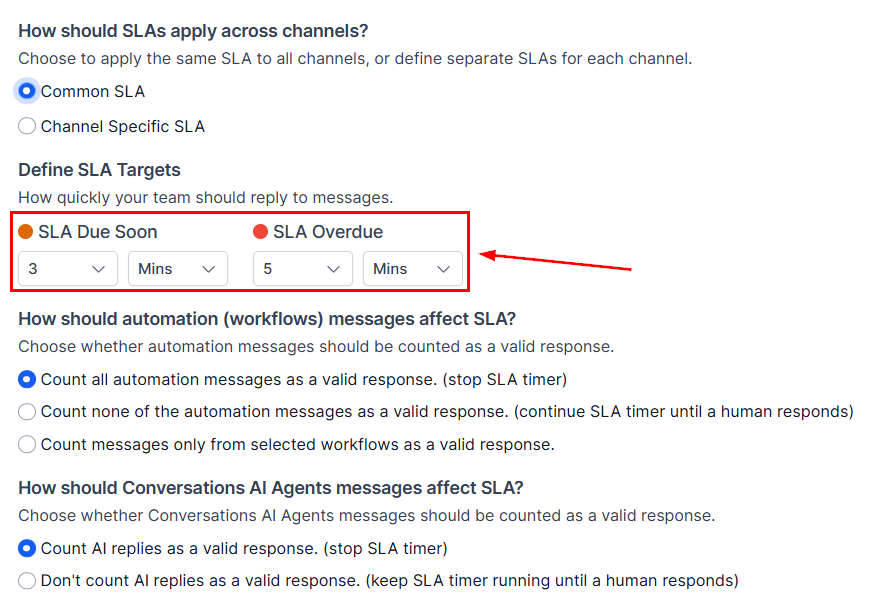
Define two thresholds for each SLA:
SLA Due Soon — when the timer turns amber (a warning that time is running out)
SLA Overdue — when the timer turns red (response time exceeded)
Enter values in minutes or hours.
4
Configure channel-specific SLAs (if selected)
Toggle on each channel you want to track (e.g., SMS, Email, WhatsApp) and set individual Due Soon and Overdue thresholds for each.
Channel-specific SLA configuration
5
Configure workflow message behavior
Choose how automated workflow messages affect the SLA timer:
Count as valid — workflow messages reset or pause the timer.
Exclude — only manual messages count toward SLA.
Limit to select workflows — only messages from specific workflows count.
6
Configure Conversation AI behavior
Choose whether AI-generated responses affect the SLA timer (count them or exclude them).
7
Save
Click Save in the bottom right corner. New conversations will immediately display SLA timers in your inbox.
SLA timer displayed in the inbox
Use the SLA quick filter in your inbox to surface conversations that are overdue or due soon, so your team can prioritize their responses effectively.