

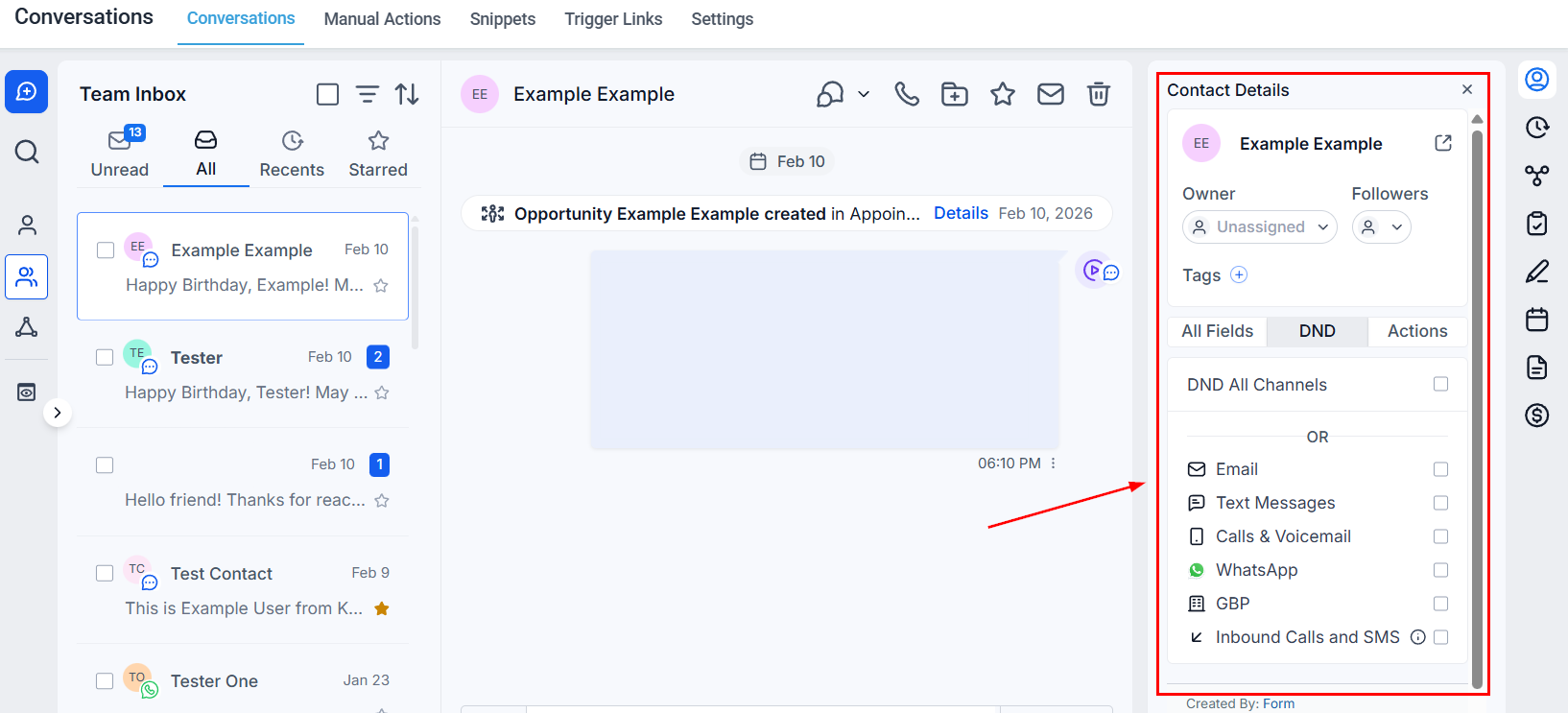
Contact details panel in conversations — profile, tags, tasks, and custom fields visible alongside the conversation thread
Opening the contact details panel
Click the contact name or the person icon at the top right of any open conversation to expand the contact details panel. Click again to collapse it.What is in the panel
Contact information
The top section shows the contact’s core profile data:
Click the pencil icon next to any field to edit it directly without opening the full contact record.
Tags
View and manage the contact’s tags from the panel. Click + Add Tag to assign a new tag, or click the × next to an existing tag to remove it.Tags section in the contact details panel
Custom fields
Any custom contact fields configured in your account appear here. This makes it easy to reference or update lead qualification data, intake form answers, or any other structured data while you are in a conversation.Activity timeline
The Activity tab inside the panel shows a condensed timeline of recent interactions — appointments booked, emails opened, form submissions, and other tracked events — so you have full context before replying.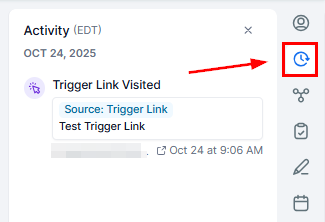
Activity tab in the contact details panel
Tasks
The Tasks section shows all open tasks assigned to this contact. You can:- View task name, due date, and assigned user
- Mark tasks as complete
- Add new tasks without leaving the conversation
Notes
Add private notes to the contact record that are visible to your whole team but not to the contact. Notes are separate from Internal Comments (which appear in the conversation thread) — they live on the contact’s profile.Navigating to the full contact record
At the top of the panel, click the Open Contact button (or the contact’s name) to navigate to their full CRM record in a new view. This is useful when you need to access full pipeline history, all conversation threads, or advanced settings that are not shown in the panel.Why the panel matters
No context switching
No context switching
Your team can read, update, and act on contact data while actively messaging — no need to open a separate tab or navigate away.
Faster qualification
Faster qualification
Sales reps can check and update custom qualification fields in real time as information comes up naturally in a conversation.
Better handoffs
Better handoffs
When a conversation is reassigned, the incoming team member can immediately see tags, tasks, and recent activity without digging through the full record.