Creating and applying tags
Open a contact record
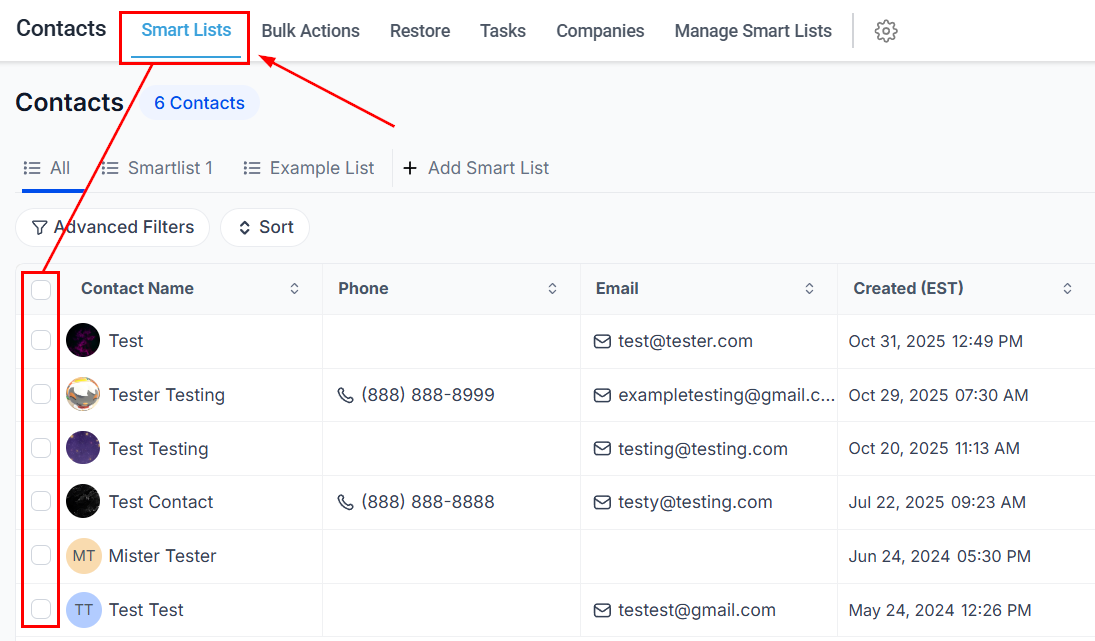
Navigate to Contacts > Smart Lists and click a contact’s name to open their record.
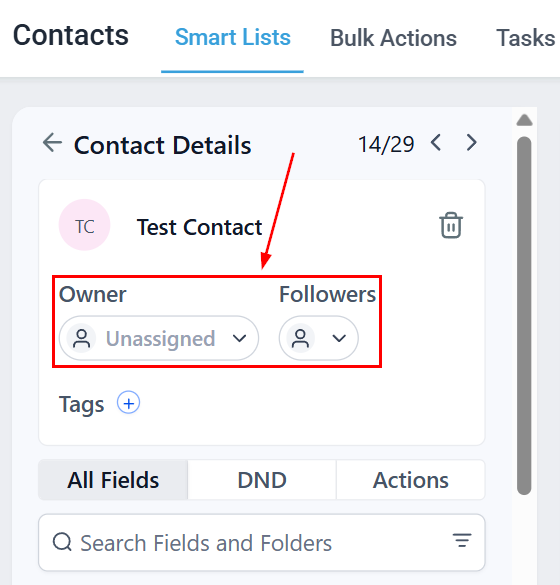
Add a tag
In the Tags field, type a new tag name and press Enter to create it, or click the field to open the dropdown and select an existing tag.

Adding and removing tags in bulk
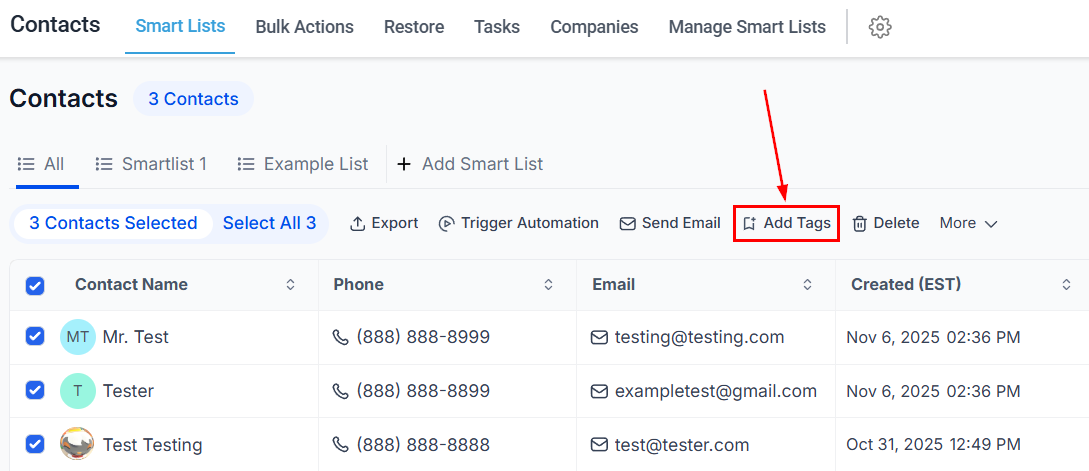
To apply or remove tags across many contacts at once:Use the bulk action
- To add tags: click the Add Tag icon in the bulk actions toolbar
- To remove tags: open the More dropdown and select Remove Tags

Select tags and confirm
In the dialog:
Enter a descriptive name for the action (this appears in the bulk actions tracking report), then click Add Tags or Remove Tags.
- Add Tags — select from the dropdown; tags already applied to all contacts will not appear
- Remove Tags — select specific tags to remove, or choose Remove All Tags to clear every tag

If tags were removed by mistake, go to Contacts > Bulk Actions, find the action, and click the restore button in the three-dot menu.
Using tags in smart lists
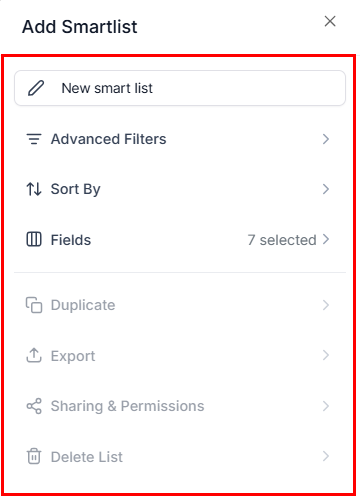
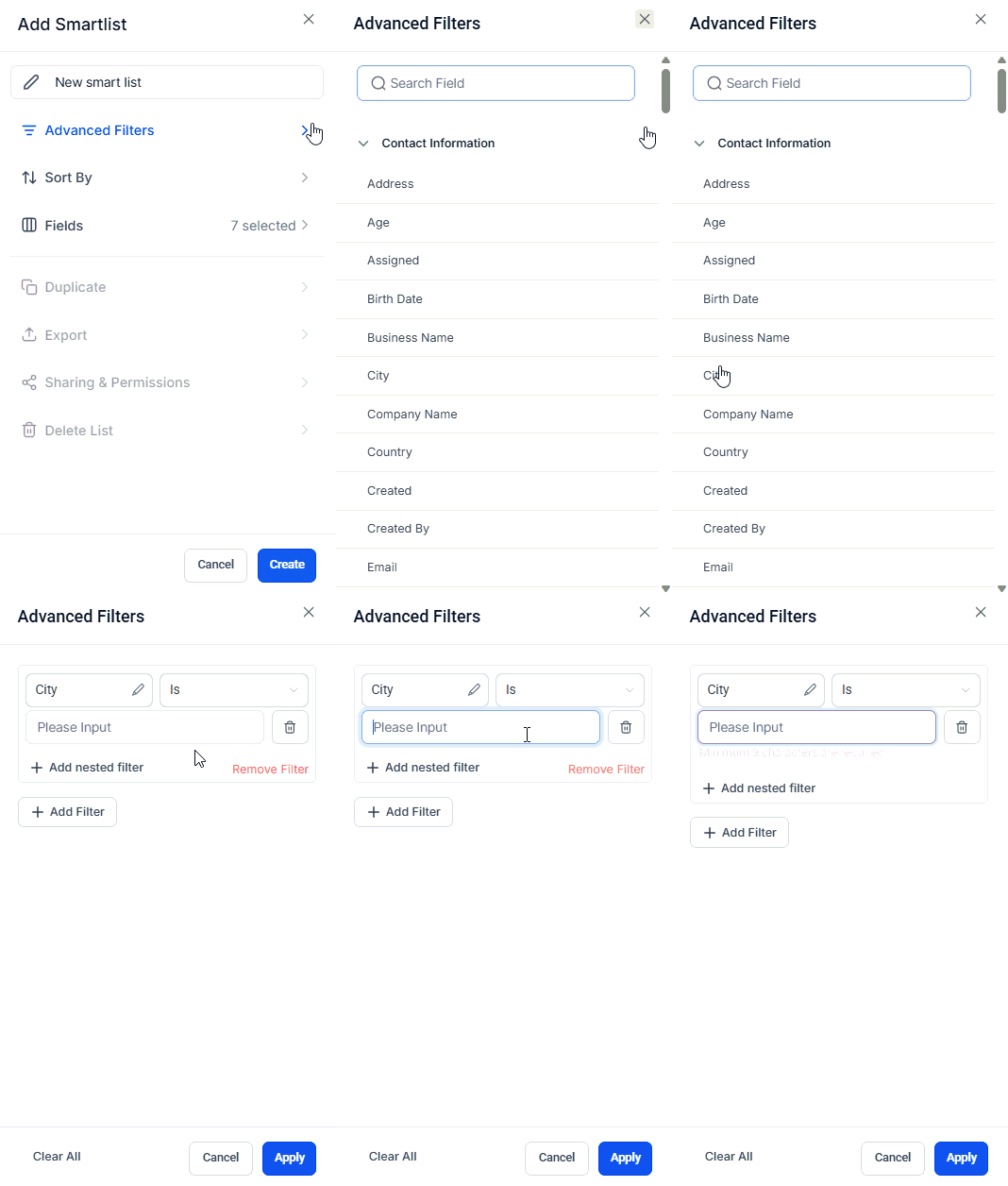
Tags are one of the most powerful filtering options in smart lists:- Open Contacts > Smart Lists and click + Add Smart List
- Click Advanced Filters
- Select Tag as the filter field
- Choose Is, Is Not, Contains, or Is Empty as the condition
- Enter the tag value and click Apply

Automating tags with workflows
Workflows can automatically apply or remove tags based on triggers:- Add Contact Tag action — applies a tag when a contact reaches a specific step in a workflow
- Remove Contact Tag action — removes a tag when triggered
Practical examples
Sales funnel tracking
Tag contacts as
new-lead, qualified, proposal-sent, or closed-won to track pipeline stages outside of Opportunities.Event management
Tag attendees with
event-2026, vip-guest, or checked-in to manage invitations and follow-ups.Customer segments
Use tags like
newsletter-subscriber, loyalty-member, or churn-risk to drive targeted marketing campaigns.Support routing
Tag contacts with
escalated or pending-callback so your support team knows exactly who needs attention.Frequently asked questions
Can I apply multiple tags to a single contact?
What happens if I delete a tag?
Deleting a tag removes it from every contact it was applied to. Use caution — this cannot be undone.
How do I search for contacts by tag?
Use the Advanced Filters in Smart Lists, or use the search bar and filter by tag in the contacts view.
.png?fit=max&auto=format&n=EQK5eX9kTD8NzWwA&q=85&s=878008bf159fcc4964d0c0d508b6e400)