What’s new: Play a private “heads-up” message to your team before they are connected to a caller via the Connect Call (IVR) action. This delivers key details, such as the contact’s name or intent, directly to the agent’s ear before pickup.Why it matters: Prepares your staff with essential context, reducing fumbling and enabling immediate, personalized responses that improve caller satisfaction.How to use it: In the Connect Call action, enable the whisper message option and configure the message template with contact variables to dynamically insert caller details.
What’s new: Every workflow trigger now features built-in descriptions explaining exactly how and when it fires during the setup process. These contextual guides appear directly within the trigger configuration interface.Why it matters: Eliminates guesswork and reduces reliance on external documentation, allowing users of all skill levels to build automations with confidence and accuracy.How to use it: Select any trigger in the Workflow Builder and review the description panel that appears automatically. Use this guidance to configure your trigger correctly.
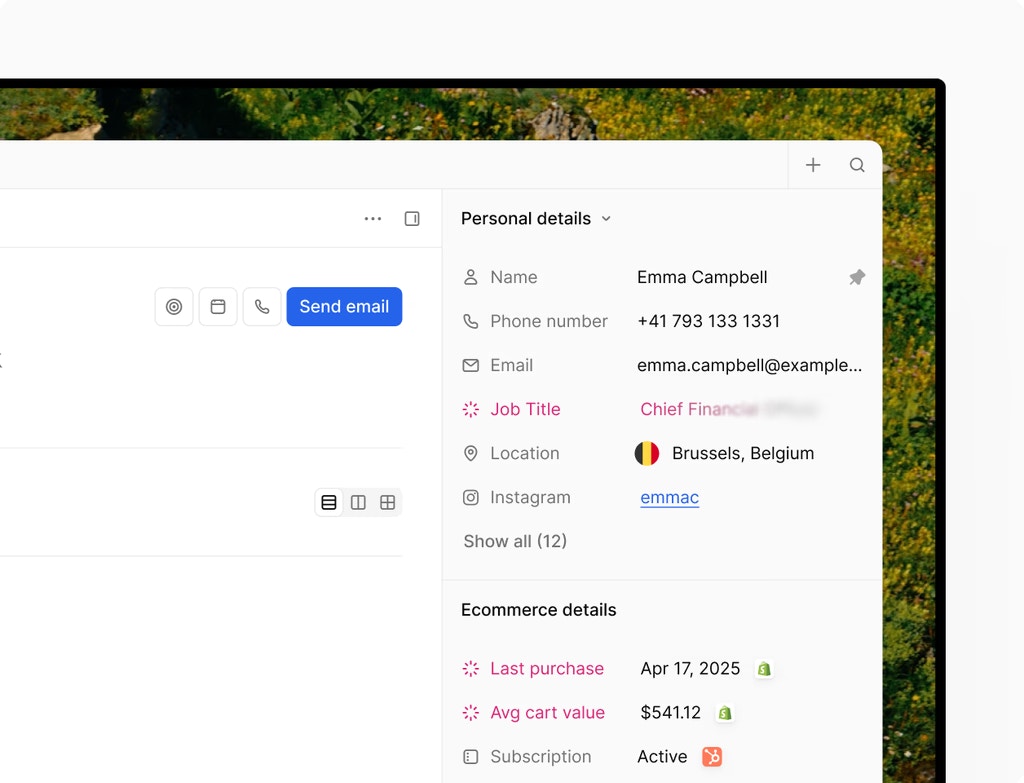
What’s new: Reference company details like name, address, and website directly within your contact workflows for precise messaging and logic. These variables pull from the associated company record automatically.Why it matters: Enables hyper-personalized automation that reflects company context, improving message relevance and allowing segment-specific logic without manual data mapping.How to use it: In Workflow Builder, select a company variable field from the dynamic variable menu (e.g.,
{{company.name}}) and insert it into your action messages or conditions.
What’s new: Workflow Version History now recognizes which builder was used for each saved version and automatically switches to the correct interface upon restoration. No manual builder switching required.Why it matters: Eliminates compatibility issues and ensures restored workflows function perfectly, reducing troubleshooting and revision time.How to use it: Open any workflow, click Version History, select a previous version, and click Restore. The system automatically loads the correct builder interface.
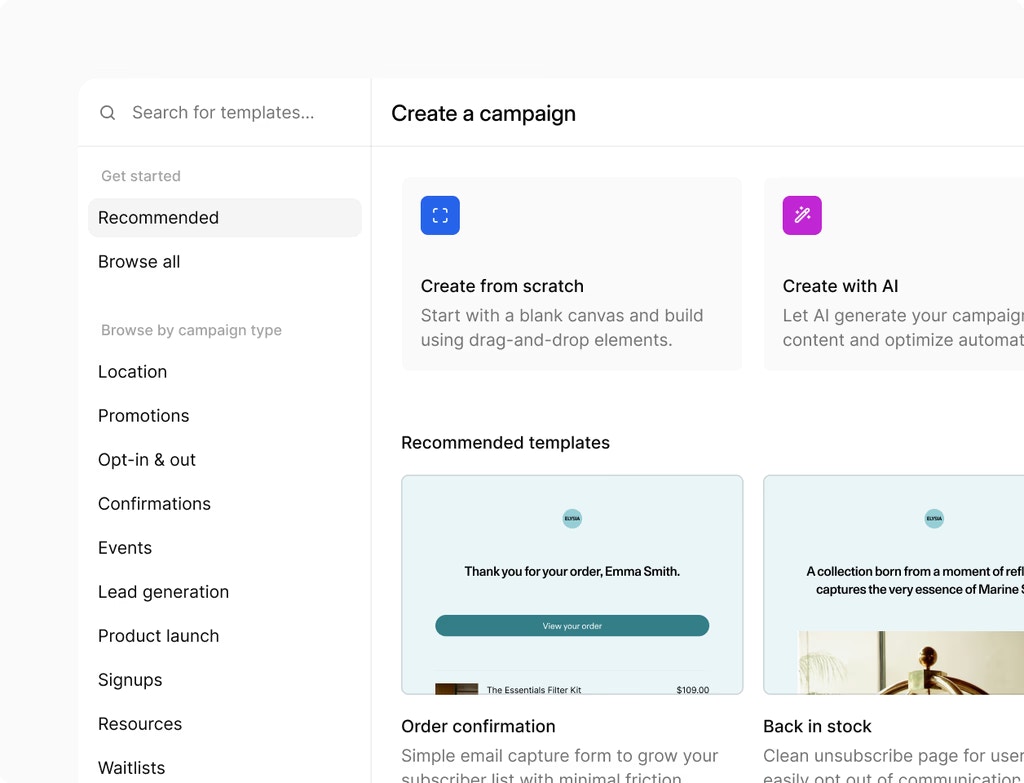
What’s new: Export multiple company records simultaneously with a real-time progress modal. Choose to download a specific selection or your entire company database into a single CSV file with one click.Why it matters: Streamlines data sharing, offline reporting, and third-party integrations by eliminating manual record-by-record exports and reducing administrative time.How to use it: In Contacts > Companies, select the companies you want to export (or leave blank for all), then click Export and select CSV format.
What’s new: Advanced tag filtering is now fully integrated across Opportunity Created, Opportunity Changed, Pipeline Stage Changed, and Invoice triggers. Filter opportunities and invoices by multiple tag combinations to build precise automation logic.Why it matters: Enables segment-specific workflows that respond only to tagged records, reducing unnecessary automation execution and improving targeting accuracy.How to use it: In Workflow Builder, select an opportunity or invoice trigger, scroll to the Tag Filtering section, and add tag conditions using “Any of” or “None of” operators.
What’s new: The Page Builder now logs the deletion of all key saved assets, including Section Templates, Global Sections, and Element Templates. Each “Deleted” entry captures the asset name, ID, and timestamp.Why it matters: Provides accountability and troubleshooting visibility when assets are removed, helping teams track changes and recover accidentally deleted components.How to use it: Navigate to Sites > Audit Logs, filter by “Deleted” action, and review the complete history of removed assets with timestamps and user attribution.
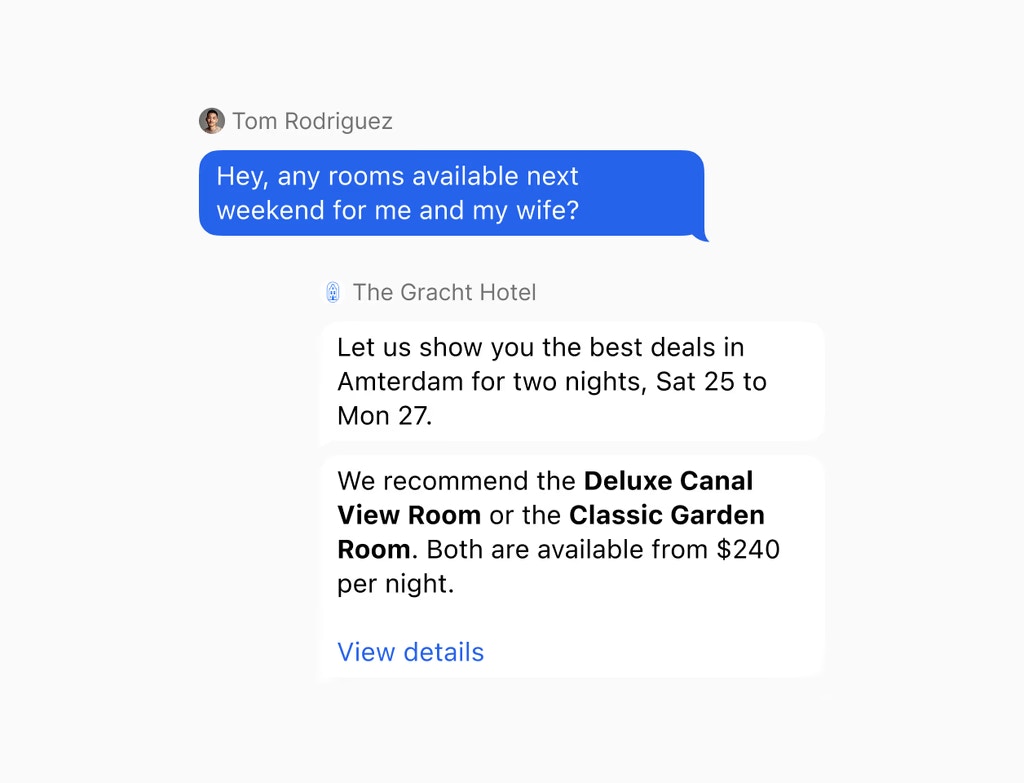
What’s new: Services v2 now includes a rich text editor for service descriptions, supporting bolding, bulleted lists, hyperlinks, and custom colors to format your content professionally.Why it matters: Improves customer understanding and engagement by presenting service details clearly and visually, increasing booking confidence and reducing pre-booking questions.How to use it: In Calendar > Services, edit a service description, and use the formatting toolbar to add bold, lists, links, and color to your text.
What’s new: Select and configure availability for multiple dates at once within Meetings and Rentals. The system automatically groups consecutive dates into blocks to eliminate repetitive entry.Why it matters: Saves time when managing availability for special events, seasonal closures, or bulk schedule updates, reducing manual data entry by up to 80%.How to use it: In Calendar > Availability, hold Shift and click multiple dates to select a range, then set availability for all selected dates simultaneously.
What’s new: The Prospecting Tool now integrates seamlessly with your account, allowing you to automatically add new prospects to specific sales pipelines and stages with a single action.Why it matters: Eliminates the gap between discovery and deal management, ensuring no leads are lost and prospects move into your sales process immediately with proper tracking.How to use it: In the Prospecting Tool, select a prospect, choose your target pipeline and stage, and click Add to Pipeline to create an opportunity automatically.
What’s new: View or edit invoices and estimates in separate browser tabs via the three-dot menu, allowing you to manage multiple documents simultaneously.Why it matters: Preserves your scroll position and filters in the main list, enabling faster document comparison and bulk editing workflows without navigation disruption.How to use it: In Payments > Invoices or Estimates, hover over a row, click the three-dot menu, and select Open in New Tab.
What’s new: Add existing audio and video files to course lessons directly from your Media Storage without re-uploading or managing duplicate files.Why it matters: Streamlines content creation workflow and reduces storage overhead by leveraging your existing media library for all course materials.How to use it: In the Course Builder, add a media element to a lesson, select Import from Media Storage, and choose your pre-uploaded audio or video files.
What’s new: Trigger and manage Manus AI tasks directly within workflows without third-party connectors. Create, update, and react to task lifecycle events natively.Why it matters: Reduces integration complexity and overhead by enabling end-to-end AI task automation within your workflow logic for research, content generation, and intelligent processing.How to use it: In Workflow Builder, select the Manus action, configure your task prompt and parameters, and map the task response to downstream workflow steps.
What’s new: Dial teammate extensions directly between deskphones and transfer incoming IVR calls to other deskphone users using native deskphone functionality.Why it matters: Removes hand-off limitations and enables seamless inter-office communication without system transfers, improving call handling speed and team responsiveness.How to use it: On your deskphone, dial your teammate’s extension directly, or press the transfer button on an incoming call and select the destination deskphone user.
What’s new: Modify complex branching logic and wait conditions through simple conversational prompts in the AI Builder without manual configuration.Why it matters: Reduces learning curve and editing time by allowing non-technical users to refine sophisticated workflow logic using natural language, not code.How to use it: In the AI Builder, describe your desired If-Else or Wait logic in plain English, and the AI generates and configures the nodes automatically for refinement.
What’s new: Create workflows and ask assistant queries using voice commands in your preferred language for a hands-free building experience. Speech is transcribed instantly into automation logic.Why it matters: Accelerates workflow creation and reduces typing overhead, enabling mobile-friendly building and reducing accessibility barriers for all users.How to use it: In the AI Builder, click the microphone icon, speak your workflow instructions in your preferred language, and review the generated automation.
What’s new: The Highlight Contact Path feature provides real-time visibility into errors, skipped nodes, and active progress for any contact in your workflow.Why it matters: Eliminates guesswork when troubleshooting automations by showing exactly where contacts succeed, fail, or skip steps, reducing debugging time significantly.How to use it: In Workflow Builder, click Highlight Contact Path, enter a contact ID, and watch their journey animate through your workflow with color-coded status indicators.
What’s new: Community admins can manually grant or revoke course access for individual members, and set courses as “Private” to create exclusive, invite-only educational content.Why it matters: Enables tiered member experiences and controlled access to premium courses, increasing engagement and perceived value for different member segments.How to use it: In Communities > Courses, select a course, toggle Private Course, then manually add members or use automation rules to grant course access.
What’s new: Temporarily enable or disable specific actions within workflows without deleting or disconnecting nodes. Paused actions are skipped automatically.Why it matters: Enables safer testing and debugging by isolating specific workflow steps without disrupting the entire automation or losing configuration.How to use it: In the Standard Workflow Builder, right-click any action and select Pause Action. Contacts will skip the paused step and continue to the next enabled action.
What’s new: Workflow triggers now include advanced tag operators (“Any of”, “None of”, “All of”) and multi-select capabilities for precise contact filtering.Why it matters: Enables segment-specific automation that responds only to the right contacts, reducing unnecessary executions and improving targeting accuracy.How to use it: In Workflow Builder, select a trigger, scroll to Tag Filtering, and combine multiple tag conditions using the dropdown operators to narrow trigger scope.
What’s new: The “Find Contact” workflow action now searches secondary email addresses and phone numbers in addition to primary contact fields.Why it matters: Improves contact matching accuracy and prevents duplicate workflows by finding the correct contact across all stored communication channels.How to use it: In Workflow Builder, add a “Find Contact” action, enter an email or phone number (primary or secondary), and the action returns the matching contact automatically.
EnhancementCampaigns (Automation)
Streamline Your Project Management with Native Monday.com Integrations
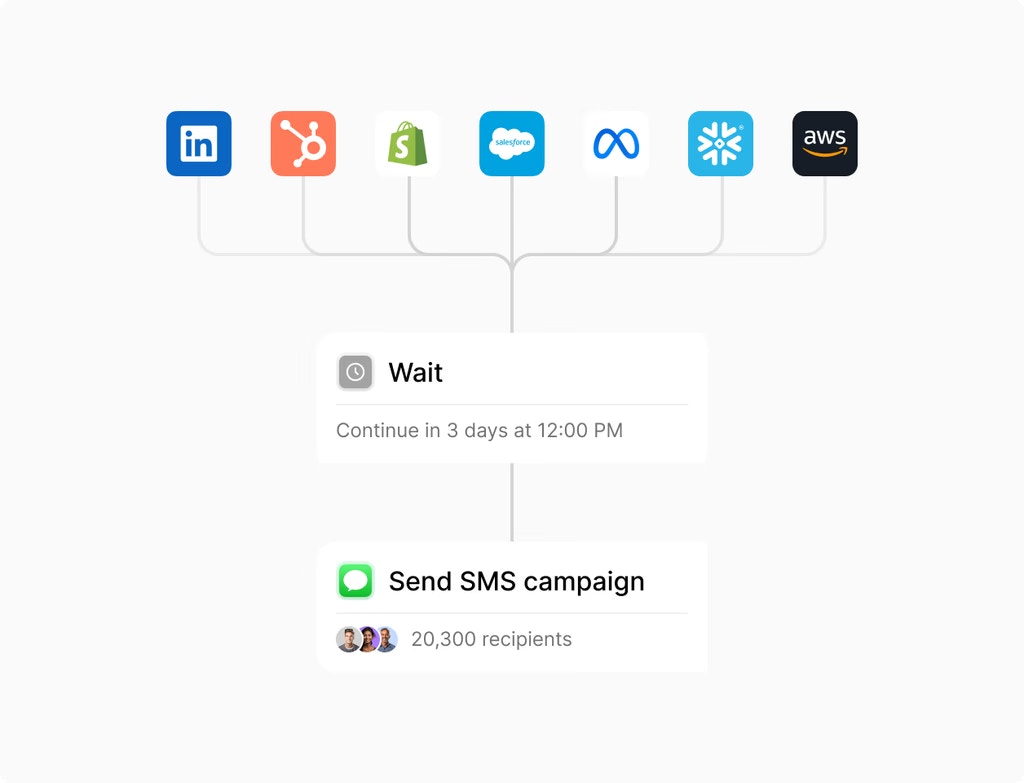
What’s new: Native Monday.com triggers and actions are now available in Workflows for seamless, real-time synchronization between your account and project boards.Why it matters: Eliminates third-party tools and manual status updates by automating task creation, updates, and client onboarding directly from your workflow logic.How to use it: In Workflow Builder, add a Monday.com action, authenticate your account, select your board and columns, and map contact or opportunity data to tasks automatically.
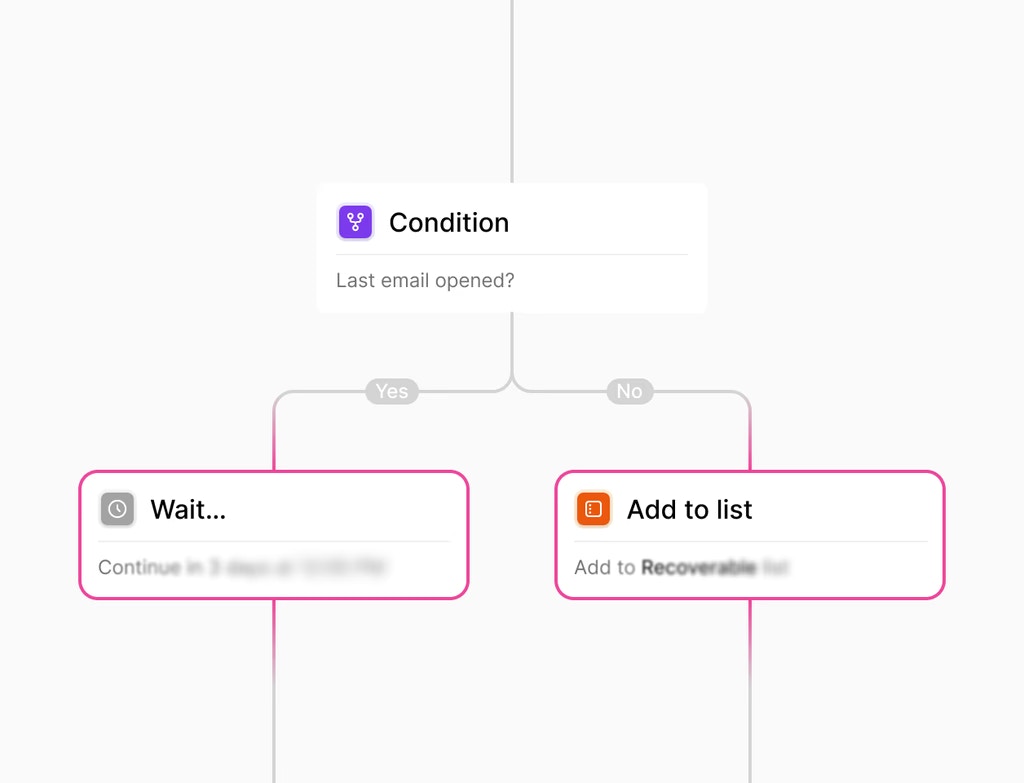
What’s new: Connect to over 300 AI models via OpenRouter within workflows to automate personalized messaging, content creation, and data summarization with custom system prompts.Why it matters: Expands AI capability beyond standard models, enabling use of specialized AI for specific tasks like technical writing, coding, or industry-specific content generation.How to use it: In Workflow Builder, add an AI action, select OpenRouter, choose your preferred AI model, and configure your system prompt and input variables.
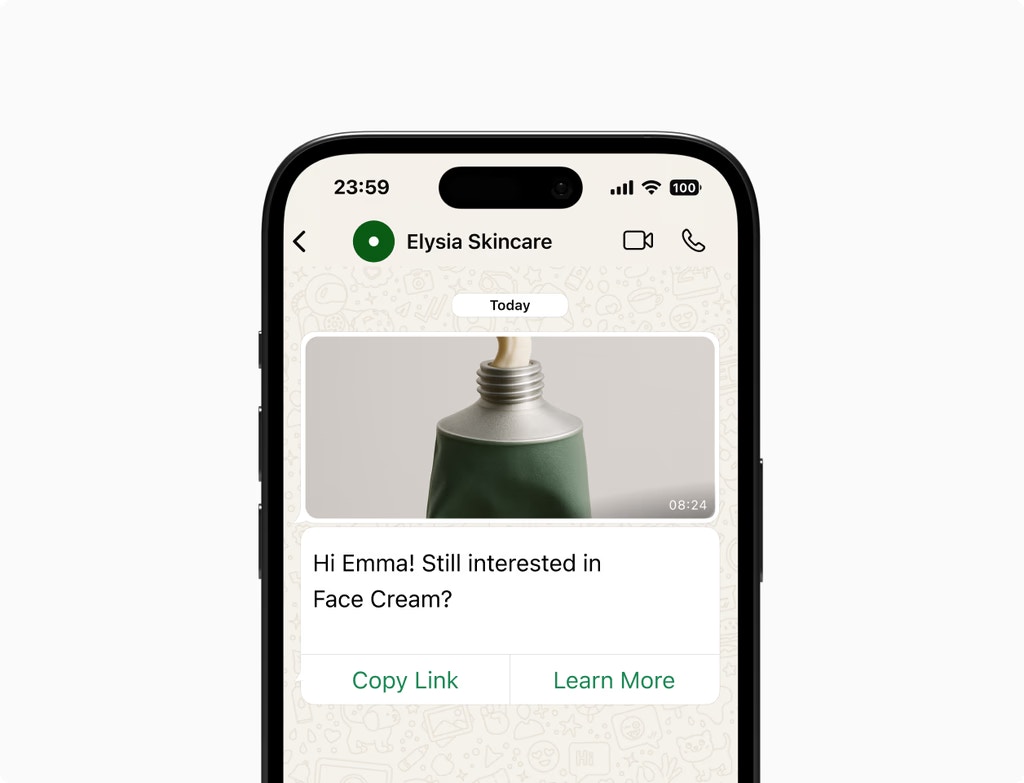
What’s new: Include full post descriptions in RSS feeds, preview up to five items simultaneously, and use platform-aware content generation that respects character limits per social platform.Why it matters: Maximizes RSS distribution flexibility while maintaining formatting quality across platforms, reducing manual post editing and improving consistency.How to use it: In Social Planner, enable RSS publishing, configure your feed settings, and let the system automatically adapt content for Twitter, LinkedIn, Facebook, and Instagram character limits.
What’s new: “Manage Smart List” and “Restore” options are now in the three-dot (⋮) menu next to the “Add Contact” button for a cleaner interface.Why it matters: Reduces visual clutter while keeping essential management tools easily accessible, improving overall usability and focus on contact management.How to use it: In Contacts > Lists, click the three-dot menu next to “Add Contact” to access Smart List management and restore deleted contacts.
What’s new: Mark specific contact form fields as mandatory within the Chat Widget, applying to both default and custom fields. Visitors must complete these before starting conversations.Why it matters: Ensures consistent data collection by requiring essential contact information upfront, reducing follow-up questions and improving lead quality.How to use it: In the Chat Widget settings, navigate to Form Fields, toggle Required on critical fields, and save. Visitors cannot proceed without completing them.
EnhancementOpportunities
Streamlining Pipeline Management with Bulk Delete and Restore for Opportunities
What’s new: Bulk delete multiple opportunities at once with a 60-day recovery window for safe restoration. All bulk actions are tracked for transparency.Why it matters: Streamlines pipeline cleanup and reduces time spent removing archived or lost deals, while maintaining a safety net for accidental deletions.How to use it: In Opportunities, select multiple opportunities, click Delete, confirm, and use the 60-day recovery window to restore if needed via Audit Logs.
What’s new: Customizable dashboard widgets display aggregated social media metrics including reach and engagement, filterable by platform or account.Why it matters: Provides at-a-glance visibility into social performance without navigating to separate reports, enabling faster strategy adjustments based on key metrics.How to use it: Go to your main Dashboard, click Add Widget, select Social Media Analytics, customize your filters (platform, account, date range), and save.
What’s new: Use keyboard shortcuts in the Page Builder to navigate elements, manage layers, and save changes instantly. Press Shift + / to view all available commands.Why it matters: Speeds up editing workflows for power users and reduces reliance on mouse navigation, improving efficiency and reducing repetitive strain.How to use it: While editing in the Page Builder, press Shift + / to open the shortcuts menu and memorize your most-used commands for faster editing.
What’s new: AI-driven compliance review automatically scans your opt-in forms and legal policies to identify gaps before carrier submission. Provides actionable feedback on CTIA and TCR requirements.Why it matters: Reduces SMS approval rejection rates and eliminates back-and-forth with carriers, accelerating time to launch for SMS campaigns.How to use it: When submitting SMS campaigns, enable Compliance Review, and the system flags issues with clear remediation steps to meet carrier requirements.
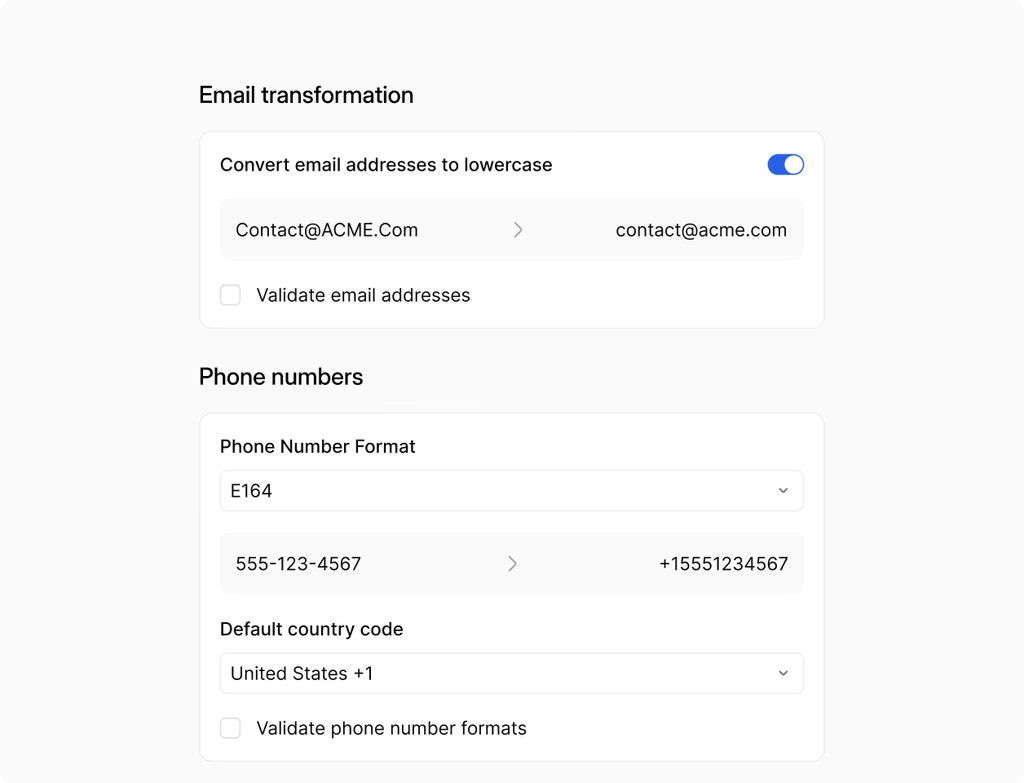
What’s new: Dedicated “Product Review Submitted” trigger automates responses and alerts when customers leave feedback. Filter by rating and product for precision.Why it matters: Enables rapid review responses to build social proof and address concerns quickly, improving customer satisfaction and potential repeat purchases.How to use it: In Workflow Builder, select “Product Review Submitted” trigger, configure rating and product filters, and add reply or alert actions.
What’s new: Keep your automation bot in sleep mode indefinitely after sending manual or workflow-triggered messages. Disable automatic reactivation completely.Why it matters: Provides full control over automated conversations and enables seamless handoff to human agents, preventing bot re-engagement while a person manages the conversation.How to use it: In Conversation AI settings, configure bot sleep behavior to indefinite, and the bot stays silent until manually reactivated or a time-based rule triggers.
What’s new: Social Planner widgets display key metrics (reach, engagement, clicks) directly on your dashboard, aggregated across platforms and accounts.Why it matters: Eliminates the need to navigate to separate analytics tools, providing a single pane of glass for social media performance and strategy decisions.How to use it: Go to Dashboard, click Add Widget, select Social Planner Analytics, choose your metrics and date range, and save.
What’s new: Native Google Forms integration triggers automated workflows and maps form responses directly to your system without third-party tools.Why it matters: Streamlines data collection by eliminating connector dependencies and enabling complex conditional logic based on form answers.How to use it: In Workflow Builder, add a Google Forms trigger, authenticate your account, select your form, and map fields to contact or custom properties.
What’s new: Backend optimizations reduce network requests and parallelize data calls for rapid load times across dashboards and custom reports.Why it matters: Enables real-time reporting without slowdowns, especially important for data-heavy setups with complex queries across multiple contact or opportunity records.How to use it: Create custom reports and dashboards normally. Performance improvements apply automatically—no configuration needed.
What’s new: Save frequent filter combinations as reusable views for instant switching between high-priority, unassigned, or channel-specific conversations. Share views across teams.Why it matters: Eliminates repetitive filtering and ensures teams focus on the right conversations, improving response times and reducing message backlog.How to use it: In Conversations, apply filters, click Save as View, name it, and make it team-accessible from the Views dropdown.
What’s new: Real-time unread counters display for every inbox, with standardized date formats for clearer timeline tracking across all conversations.Why it matters: Reduces confusion about message status and improves team coordination by making unread counts and message timing immediately obvious.How to use it: Check your inbox for unread badges (auto-update), and hover over dates to see standardized format. No configuration needed.
What’s new: AI Builder handles complex “Wait” requests (time delays, business hours, reply timeouts) within a single conversational prompt with validation.Why it matters: Ensures wait logic is correctly configured without manual validation, reducing errors and increasing automation reliability.How to use it: In the AI Builder, describe your desired wait conditions in natural language (e.g., “Wait 2 business days or until they reply”), and the AI configures the node.
What’s new: Schedule Instagram Stories in advance with mobile push notification reminders at optimal posting times to finalize and publish via Instagram’s native tools.Why it matters: Enables batched content planning while preserving the ability to use Instagram’s latest interactive features at the last moment for maximum engagement.How to use it: In Social Planner, create an Instagram Story, click Schedule, set your date/time, and enable Mobile Reminder to get notified when it’s time to post.
What’s new: Centralized analytics dashboard tracks externally hosted sites and forms, monitoring page views, completion rates, and audience demographics in real time.Why it matters: Eliminates reliance on third-party analytics tools and provides unified visibility into all form and landing page performance.How to use it: Navigate to Reporting > External Tracking, embed the tracking code on your external site or form, and view analytics in the dashboard.
What’s new: Integration Page redesigned with card layout, improved search, and optimized load times for a modern user experience.Why it matters: Makes finding and managing integrations faster and more intuitive, reducing friction when setting up new connections or modifying existing ones.How to use it: Navigate to Settings > Integrations, use the search bar to find your integration, and click Connect to set up or modify.
EnhancementReputation Management and Reviews
Local Marketing Audits: Enhanced Tracking, Customization, and Reporting
What’s new: Configurable audits verify business details, refresh data on demand, and track 12-month progress on an interactive timeline. Export multilingual PDF reports and automate delivery.Why it matters: Provides clients with clear visibility into their local SEO and listing health progress, increasing perceived value of your service and reducing support requests.How to use it: In Reputation, click Audit, customize your audit scope (listings, details, reviews), set a delivery schedule, and generate professional reports.
What’s new: Autosave now protects AI-generated workflows and subsequent edits by saving automatically as you build.Why it matters: Prevents loss of work due to unexpected interruptions or browser crashes, providing peace of mind during complex workflow design.How to use it: Enable Autosave in AI Builder settings. Changes are saved automatically as you modify your workflow—no manual save required.
What’s new: Optimized PDF layout for form, survey, and quiz submissions improves readability. Automatically attach submission PDFs to notification emails.Why it matters: Allows recipients to view submission details professionally formatted offline, improving client communication and record-keeping.How to use it: In Form/Quiz settings, enable Attach PDF to Notifications, customize the layout, and save. PDFs automatically attach when forms are submitted.
What’s new: Underlying AI model upgrade improves accuracy for translations, summaries, and decision-making across all Workflow AI Actions.Why it matters: Provides higher quality automation results without requiring workflow reconfiguration, improving content quality and logic accuracy.How to use it: Improvements apply automatically to existing workflows—no manual updates needed. Review AI action results to verify improved quality.
What’s new: Instantly duplicate lessons, quizzes, and assignments with all associated media and formatting preserved in the Course Builder.Why it matters: Eliminates repetitive content creation tasks, enabling faster course structure development and ensuring consistency across modules.How to use it: In the Course Builder, right-click any lesson, quiz, or assignment and select Duplicate. Edit the cloned content as needed.
What’s new: Outbound WhatsApp voice notes deliver as native, instantly playable messages with built-in transcription support instead of downloadable attachments.Why it matters: Improves accessibility and engagement by supporting WhatsApp’s native transcription, making voice messages useful for hearing-impaired users and noisy environments.How to use it: Send voice messages normally via WhatsApp. Recipients see native playback with optional transcription—no configuration needed.
What’s new: Community admins can toggle specific navigation tabs (Learning, Events, Leaderboards) on or off to customize the member experience.Why it matters: Allows focused community experiences by hiding irrelevant features, reducing cognitive load and improving member engagement with your core offerings.How to use it: In Communities > Settings > Navigation, toggle each tab on/off and save. Changes appear immediately in your member portal.
What’s new: Personalize the contact form prompt text for both automated and agent-triggered requests in the Chat Widget instead of using system defaults.Why it matters: Maintains brand voice consistency and improves conversion by using persuasive, custom language tailored to your specific value proposition.How to use it: In Chat Widget settings, navigate to Form Prompts, customize your message text, and save. Your custom prompt displays to all visitors.
What’s new: Use custom account-level values and fields to personalize appointment titles, locations, and reminders in calendar settings.Why it matters: Enables dynamic, branded appointment details and reminders that reflect custom business data, improving professionalism and context for attendees.How to use it: In Calendar settings, use dynamic variables (e.g.,
{{company.name}}, {{custom_field}}) in appointment title, location, and reminder templates.What’s new: Calendly integration automatically captures phone numbers from meeting locations or form responses and syncs them to contact records with a mapping interface.Why it matters: Eliminates manual phone number data entry and ensures the correct number is prioritized in your contact record for follow-up communications.How to use it: Connect your Calendly account in Calendar settings. Phone numbers from bookings sync automatically—review the mapping to ensure accuracy.
What’s new: Record custom call disposition outcomes directly on mobile immediately after calls end. Dispositions integrate with workflows for automation and reporting.Why it matters: Captures call intent and outcomes in real-time while context is fresh, enabling immediate workflow triggers and accurate sales pipeline reporting.How to use it: End a call on mobile, select the appropriate disposition from your custom list, and the workflow triggers automatically based on your settings.
What’s new: Mobile app remembers your selected outbound phone number across all subsequent calls, eliminating repeated manual selection.Why it matters: Streamlines your calling workflow and ensures consistent caller ID presentation, improving brand consistency and recipient recognition.How to use it: Select your outbound number for the first call. The app remembers this choice for all future calls until you change it.
What’s new: WhatsApp template builder integrates directly with your Media Library to select, filter, and reuse images, videos, documents, and audio files.Why it matters: Streamlines template creation by centralizing brand assets, reducing file management overhead and ensuring consistent visual branding across messages.How to use it: In the WhatsApp template builder, click Add Media, browse your Media Library, and insert your pre-uploaded assets into templates.
What’s new: Intuitive mobile UI with dedicated sorting and filtering buttons, optimized full-screen and bottom-sheet views for product catalog navigation.Why it matters: Improves mobile shopping experience by reducing friction in finding products, leading to higher conversion rates and customer satisfaction.How to use it: On mobile, customers see dedicated sort and filter buttons at the top of product listings. They can narrow results by price, category, or attributes easily.
What’s new: System automatically generates and attaches missing meeting links to upcoming appointments when video conferencing integrations are reconnected.Why it matters: Prevents broken meeting experiences by restoring video links automatically, eliminating manual updates and last-minute scrambling.How to use it: Reconnect your Zoom, Google Meet, or MS Teams integration. Missing links are restored automatically for future and upcoming appointments.
What’s new: Sound alerts notify about system messages, greetings, and form submissions in the Live Chat Widget. Easily toggle on/off per notification type.Why it matters: Ensures visitors and agents don’t miss important messages, improving response times and real-time conversation engagement.How to use it: In Chat Widget settings, navigate to Notifications and toggle Sound Alerts on/off for system messages, greetings, and form submissions.
What’s new: Dedicated settings icon in the Form Builder toolbar opens/closes the side-tray while preserving your current selections when hidden.Why it matters: Maximizes workspace efficiency by allowing full-screen editing without losing configuration, improving builder usability.How to use it: In the Form/Survey/Quiz Builder, click the settings icon to toggle the side-tray. Your selections persist when you reopen it.
What’s new: Access WhatsApp media for up to one year and save important attachments directly to a contact’s documents folder for permanent retention.Why it matters: Prevents critical business documents from expiring, ensuring customer records remain complete and organized indefinitely.How to use it: In any WhatsApp conversation, right-click attachments and select Save to Documents. Access them permanently via the contact’s documents tab.
What’s new: Automatically send a follow-up WhatsApp message when calls go unanswered, using pre-approved templates for immediate customer re-engagement.Why it matters: Ensures no leads are forgotten and recovers potentially lost opportunities by offering alternative contact methods when calls fail.How to use it: Enable Missed Call WhatsApp Back in WhatsApp settings, select your pre-approved template, and the system sends automatically after unanswered calls.
What’s new: “Add Notes” action now includes a rich text editor supporting bold, lists, links, and other formatting for better readability.Why it matters: Enables clear, organized documentation within workflows, helping teams quickly scan and understand important notes during automation execution.How to use it: In Workflow Builder, add an “Add Notes” action and use the formatting toolbar to bold, list, and link within the note content.
What’s new: Use dynamic service booking variables (time, date, service name) in WhatsApp templates and flows for personalized appointment confirmations.Why it matters: Ensures consistency between workflow logic and customer-facing messages, reducing confusion and improving booking confirmations.How to use it: In WhatsApp templates, insert booking variables (e.g.,
{{service_name}}, {{booking_date}}) and they populate automatically from your scheduling data.