> ## Documentation Index
> Fetch the complete documentation index at: https://help.hoopai.com/llms.txt
> Use this file to discover all available pages before exploring further.
# Review widget for websites
> Embed a branded review widget on your website or funnel to display Google and Facebook reviews automatically — no coding required.
The HoopAI platform's review widget lets you display live customer reviews directly on your website or funnel pages. Visitors see real, up-to-date feedback from Google and Facebook without you needing to manually update anything — the widget pulls in reviews automatically as new ones are posted.
Embedding a review widget is one of the most effective ways to build social proof at the moment a potential customer is deciding whether to contact you.
***
## Prerequisites
Before embedding a widget on your website, make sure you have:
* At least one connected review platform (Google or Facebook) in **Reputation > Settings**
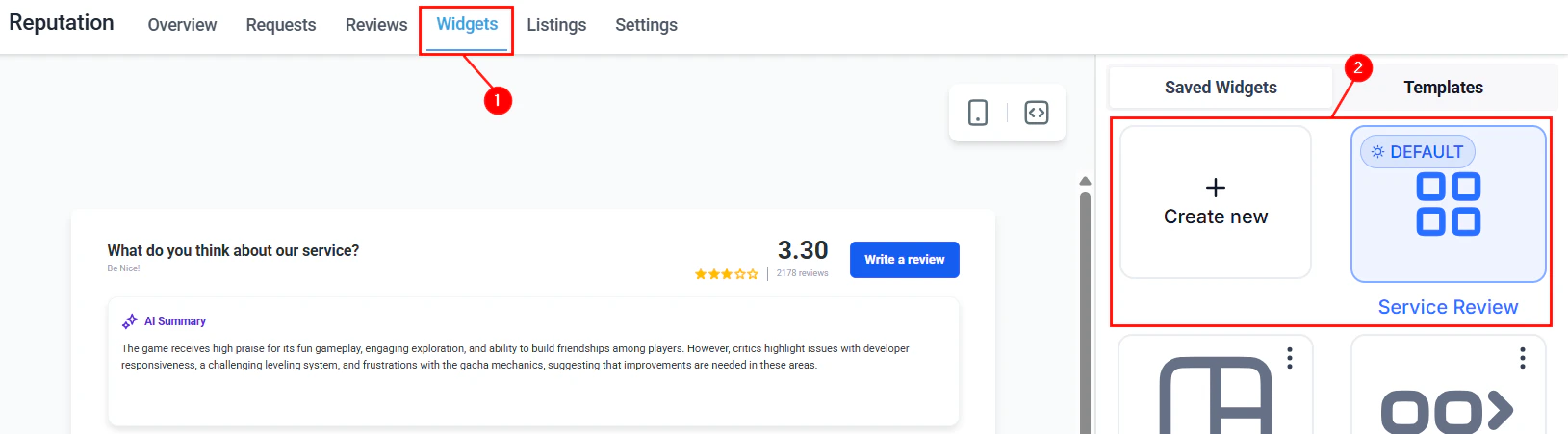
* A widget created and configured in **Reputation > Widgets**
If you have not yet built a widget, start with [Review widget customization](/reputation/review-widget-customization) for the full configuration guide.
***
## Getting your embed code
Go to **Reputation > Widgets** and locate the widget you want to embed. Click the three-dot actions menu and select **Edit**, or click on the widget name to open it.
Inside the widget builder, click the **Settings** tab.
Click **Copy Code** to copy the widget's embed snippet to your clipboard. The snippet is a short JavaScript embed code unique to that widget.
***
## Embedding on a standard website
Paste the embed code into the HTML of the page where you want the widget to appear. The code can be placed:
* Directly in the `` of the page at the location where the widget should render
* Inside a custom HTML block in your website builder (WordPress, Wix, Squarespace, Webflow, etc.)
Most website builders have a way to add raw HTML or a custom code block — use that option and paste the embed code there.
The widget renders on page load. It may take a moment to display if the page is loading a large number of reviews. For best performance, place the widget below the fold rather than at the very top of the page.
***
## Embedding on a HoopAI funnel or website page
You can embed the review widget directly on funnel and website pages built within the HoopAI platform:
Navigate to **Funnels & Websites > Funnels** (or **Websites**) and open the page where you want to add the widget.
In the page builder, drag a **Custom Code** element onto the page canvas and position it where you want the widget to appear.
Click on the Custom Code element to open its settings. Paste the widget embed code copied from **Reputation > Widgets**.
Save the page and use the preview function to verify that the widget renders correctly before publishing.
***
## Choosing the right widget type for each page
Different widget layouts serve different purposes. Match the widget type to the context of the page it appears on:
| Page type | Recommended widget layout | Why |
| -------------------------------------- | ------------------------- | ------------------------------------------------------------- |
| Homepage hero section | Carousel or Slider | Visually engaging without taking much vertical space |
| Dedicated reviews or testimonials page | Grid or Masonry | Shows maximum reviews in a scannable layout |
| Service or product landing page | List or Flash | Focuses attention on relevant reviews near the call-to-action |
| Checkout or booking page | Slider or Carousel | Reinforces confidence at the point of conversion |
 Create separate widget configurations for each use case and embed each one on the appropriate page.
***
## Keeping widget reviews current
The widget automatically pulls in new reviews as they are synced from Google and Facebook — you do not need to regenerate or re-embed the code when new reviews arrive. The embed code is permanent; what changes is the review content it displays.
If you want the widget to show more recent reviews more prominently, configure the sorting options in the widget builder's **Settings** tab (newest first vs. highest rated first).
***
## Widget display options
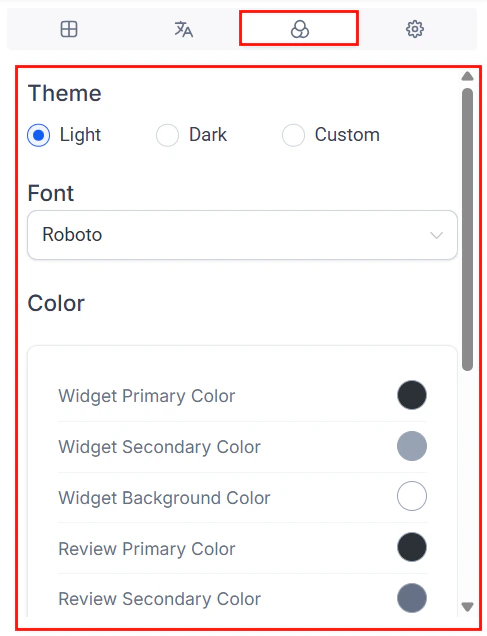
Several display behaviors can be configured in the widget builder:
* **Maximum reviews displayed** — set how many reviews appear at once (e.g., show your best 10 or latest 20)
* **Minimum star rating** — optionally filter out reviews below a certain rating (note: check local regulations before enabling rating filters — this may be prohibited in some jurisdictions including the United States)
* **Show/hide dates** — toggle whether review submission dates appear on each card
* **Show/hide reviewer profile photos** — toggle reviewer avatars
* **Exclude reviews with no text** — hide star-only reviews that have no written comment
* **AI summary** — display a brief AI-generated summary of your overall review sentiment above the individual review cards
Create separate widget configurations for each use case and embed each one on the appropriate page.
***
## Keeping widget reviews current
The widget automatically pulls in new reviews as they are synced from Google and Facebook — you do not need to regenerate or re-embed the code when new reviews arrive. The embed code is permanent; what changes is the review content it displays.
If you want the widget to show more recent reviews more prominently, configure the sorting options in the widget builder's **Settings** tab (newest first vs. highest rated first).
***
## Widget display options
Several display behaviors can be configured in the widget builder:
* **Maximum reviews displayed** — set how many reviews appear at once (e.g., show your best 10 or latest 20)
* **Minimum star rating** — optionally filter out reviews below a certain rating (note: check local regulations before enabling rating filters — this may be prohibited in some jurisdictions including the United States)
* **Show/hide dates** — toggle whether review submission dates appear on each card
* **Show/hide reviewer profile photos** — toggle reviewer avatars
* **Exclude reviews with no text** — hide star-only reviews that have no written comment
* **AI summary** — display a brief AI-generated summary of your overall review sentiment above the individual review cards
 ***
## Multiple widgets on the same site
You can embed multiple widgets on a single website — each one pulling from a different source (Google vs. Facebook) or using a different layout for different pages. Each widget has its own unique embed code; copy and paste each code to the appropriate page independently.
Consider creating a dedicated reviews page on your website and embedding a Grid or Masonry layout widget there to serve as a comprehensive social proof library. Link to this page from your homepage, navigation menu, and email signatures.
***
## Troubleshooting the embedded widget
Confirm that the embed code was pasted correctly and that the page element containing the code is set to visible. Some website builders require you to enable JavaScript embeds or disable script blocking. Check your browser's console for any JavaScript errors.
This is typically caused by a misconfigured sub-domain or custom domain setting. Ensure your account's custom domain is properly configured. You can also toggle off the "Powered by" attribution in the widget builder's Layout tab.
The widget pulls reviews from the platform's sync data. If new reviews are not appearing, check that your Google or Facebook integration is still active in **Reputation > Settings** and that reviews are appearing correctly in **Reputation > Reviews**. If reviews appear in the platform but not the widget, clear your browser cache and reload.
Yes. The same embed code can be pasted on as many pages as needed. Each instance will display the same widget configuration.
***
## FAQs
No. The embed code is a copy-paste snippet. As long as your website builder allows custom HTML or custom code blocks — which virtually all modern builders do — you can embed the widget without any coding knowledge.
Yes. Reviews imported via CSV or added manually appear in your widget alongside organic reviews from Google and Facebook.
No. Each widget is configured for a single review source. Create two separate widgets — one for Google and one for Facebook — if you want to display both on your site.
The widget loads asynchronously, which means it does not block the rest of the page from rendering. For pages where load speed is critical (such as high-traffic landing pages), place the widget below the fold so it loads after the primary content.
***
## Multiple widgets on the same site
You can embed multiple widgets on a single website — each one pulling from a different source (Google vs. Facebook) or using a different layout for different pages. Each widget has its own unique embed code; copy and paste each code to the appropriate page independently.
Consider creating a dedicated reviews page on your website and embedding a Grid or Masonry layout widget there to serve as a comprehensive social proof library. Link to this page from your homepage, navigation menu, and email signatures.
***
## Troubleshooting the embedded widget
Confirm that the embed code was pasted correctly and that the page element containing the code is set to visible. Some website builders require you to enable JavaScript embeds or disable script blocking. Check your browser's console for any JavaScript errors.
This is typically caused by a misconfigured sub-domain or custom domain setting. Ensure your account's custom domain is properly configured. You can also toggle off the "Powered by" attribution in the widget builder's Layout tab.
The widget pulls reviews from the platform's sync data. If new reviews are not appearing, check that your Google or Facebook integration is still active in **Reputation > Settings** and that reviews are appearing correctly in **Reputation > Reviews**. If reviews appear in the platform but not the widget, clear your browser cache and reload.
Yes. The same embed code can be pasted on as many pages as needed. Each instance will display the same widget configuration.
***
## FAQs
No. The embed code is a copy-paste snippet. As long as your website builder allows custom HTML or custom code blocks — which virtually all modern builders do — you can embed the widget without any coding knowledge.
Yes. Reviews imported via CSV or added manually appear in your widget alongside organic reviews from Google and Facebook.
No. Each widget is configured for a single review source. Create two separate widgets — one for Google and one for Facebook — if you want to display both on your site.
The widget loads asynchronously, which means it does not block the rest of the page from rendering. For pages where load speed is critical (such as high-traffic landing pages), place the widget below the fold so it loads after the primary content.