> ## Documentation Index
> Fetch the complete documentation index at: https://help.hoopai.com/llms.txt
> Use this file to discover all available pages before exploring further.
# Memberships and communities
> Course builder, membership access, drip content, student progress, certificates, communities, gamification, live events, and mobile app access.
The Memberships and Communities section gives you everything you need to build, sell, and manage gated digital content — from structured online courses and drip-content memberships to vibrant community spaces where members can interact, share, and learn together.
 Sell and deliver gated content with recurring or one-time access
Build an interactive community space for your members
Deliver structured learning with modules, lessons, and progress tracking
Schedule when course modules and lessons unlock for members over time
Monitor member completion rates, quiz scores, and course activity
Issue branded completion certificates to course graduates
List and discover communities and courses on the GoKollab platform
Control which offers grant access to which courses and communities
Build structured lessons with video, text, quizzes, and assignments
Set up one-time, subscription, and payment plan offers for your courses
Send automated emails and messages when students enroll or complete milestones
Create and manage community pages and groups for your members
Manage member posts, reactions, and moderation inside community groups
Reward member activity with points, levels, and leaderboards
Host live sessions inside your community or course portal
Members access courses and communities via the branded mobile app
Review revenue, enrollment trends, and learner engagement metrics
Migrate existing courses from Kajabi, Teachable, Thinkific, and other platforms
## Getting started
Go to **Memberships > Courses** and click **New Product**. Build your lessons with the course builder — add video, text, quizzes, and file attachments to each lesson.
Open **Memberships > Course Pricing** to create an offer. Choose one-time, subscription, or payment plan pricing and assign the course to that offer. Use **Membership Access** to control which offers unlock which content.
Go to **Memberships > Drip Content** and configure when each module or lesson unlocks after enrollment. This paces delivery and prevents members from consuming all content immediately.
Open **Memberships > Communities** and create a community group. Set up channels (Feed, Chat, Events, Learning), configure permissions, and invite your first members.
Monitor student activity in **Course Analytics** and **Student Progress**. Set up certificates to issue automatically when members complete a course, and enable gamification to boost ongoing engagement.
## Frequently asked questions
A course is a structured piece of content with modules and lessons. A membership is the access layer — it controls who can see what content and under what pricing terms. You can bundle one or more courses and communities into a single membership offer, then sell that offer with a one-time payment, subscription, or payment plan.
Yes. A member's single login grants access to every course and community included in the membership offer they purchased. You do not need to create separate accounts for each product.
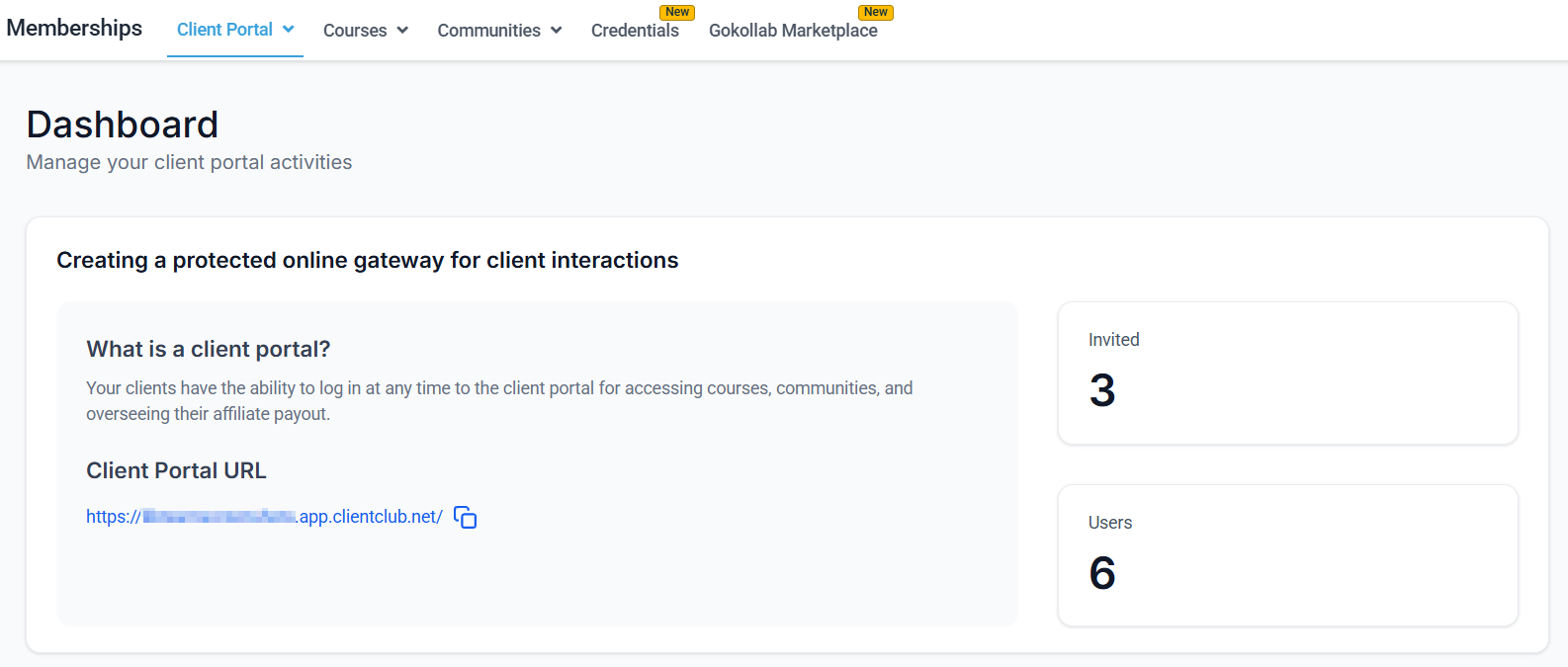
Members visit your membership portal URL (your sub-domain or custom domain) and log in with the credentials they set when they first signed up. You can also enable a Progressive Web App (PWA) so members can add the portal to their phone's home screen for easy access.
Yes. Content access is controlled at the offer level. You assign specific courses or communities to specific offers, so members who purchased a particular offer can only access the content included in that offer. Drip scheduling lets you further control when individual modules or lessons become visible.
Use the **Grant Membership Access** action inside an Automation workflow. Set the trigger to **Payment Received**, then add the Grant Membership Access action and select the offer. Access is granted instantly once the trigger fires.
Yes. Go to **Memberships > Importing Courses** for step-by-step instructions on migrating content from Kajabi, Teachable, Thinkific, and other course platforms. Video content, lessons, and module structure are preserved during import.
Sell and deliver gated content with recurring or one-time access
Build an interactive community space for your members
Deliver structured learning with modules, lessons, and progress tracking
Schedule when course modules and lessons unlock for members over time
Monitor member completion rates, quiz scores, and course activity
Issue branded completion certificates to course graduates
List and discover communities and courses on the GoKollab platform
Control which offers grant access to which courses and communities
Build structured lessons with video, text, quizzes, and assignments
Set up one-time, subscription, and payment plan offers for your courses
Send automated emails and messages when students enroll or complete milestones
Create and manage community pages and groups for your members
Manage member posts, reactions, and moderation inside community groups
Reward member activity with points, levels, and leaderboards
Host live sessions inside your community or course portal
Members access courses and communities via the branded mobile app
Review revenue, enrollment trends, and learner engagement metrics
Migrate existing courses from Kajabi, Teachable, Thinkific, and other platforms
## Getting started
Go to **Memberships > Courses** and click **New Product**. Build your lessons with the course builder — add video, text, quizzes, and file attachments to each lesson.
Open **Memberships > Course Pricing** to create an offer. Choose one-time, subscription, or payment plan pricing and assign the course to that offer. Use **Membership Access** to control which offers unlock which content.
Go to **Memberships > Drip Content** and configure when each module or lesson unlocks after enrollment. This paces delivery and prevents members from consuming all content immediately.
Open **Memberships > Communities** and create a community group. Set up channels (Feed, Chat, Events, Learning), configure permissions, and invite your first members.
Monitor student activity in **Course Analytics** and **Student Progress**. Set up certificates to issue automatically when members complete a course, and enable gamification to boost ongoing engagement.
## Frequently asked questions
A course is a structured piece of content with modules and lessons. A membership is the access layer — it controls who can see what content and under what pricing terms. You can bundle one or more courses and communities into a single membership offer, then sell that offer with a one-time payment, subscription, or payment plan.
Yes. A member's single login grants access to every course and community included in the membership offer they purchased. You do not need to create separate accounts for each product.
Members visit your membership portal URL (your sub-domain or custom domain) and log in with the credentials they set when they first signed up. You can also enable a Progressive Web App (PWA) so members can add the portal to their phone's home screen for easy access.
Yes. Content access is controlled at the offer level. You assign specific courses or communities to specific offers, so members who purchased a particular offer can only access the content included in that offer. Drip scheduling lets you further control when individual modules or lessons become visible.
Use the **Grant Membership Access** action inside an Automation workflow. Set the trigger to **Payment Received**, then add the Grant Membership Access action and select the offer. Access is granted instantly once the trigger fires.
Yes. Go to **Memberships > Importing Courses** for step-by-step instructions on migrating content from Kajabi, Teachable, Thinkific, and other course platforms. Video content, lessons, and module structure are preserved during import.