> ## Documentation Index
> Fetch the complete documentation index at: https://help.hoopai.com/llms.txt
> Use this file to discover all available pages before exploring further.
# Supported Media Types
> File formats and size limits supported by the Hoop platform media library.
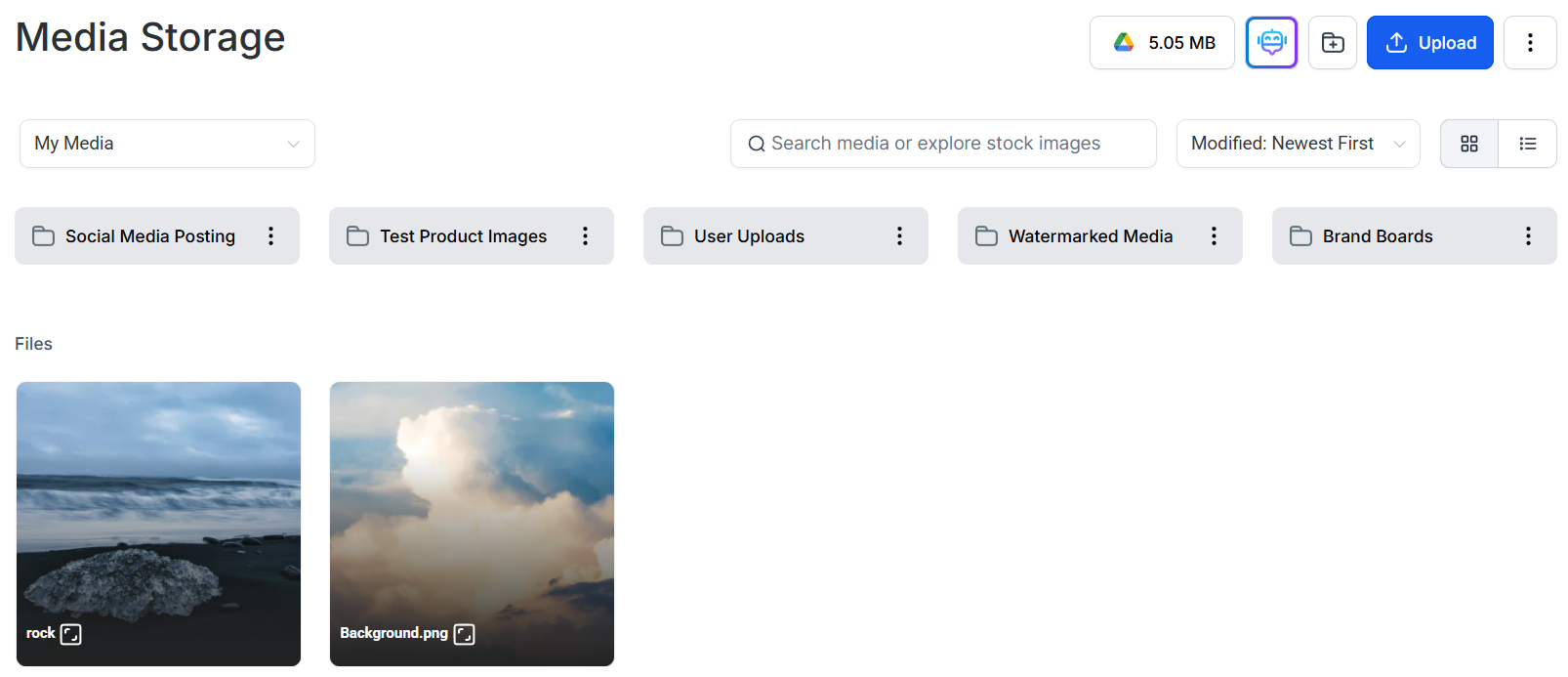
Media Storage is a centralized repository for hosting your brand's media resources. This consolidation allows for efficient management of assets, eliminating the need for a cluttered desktop and enabling access to your resources from anywhere.
You can access Media Storage from the left sidebar of your Hoop account. Uploaded files are organized with small icons that indicate file type.
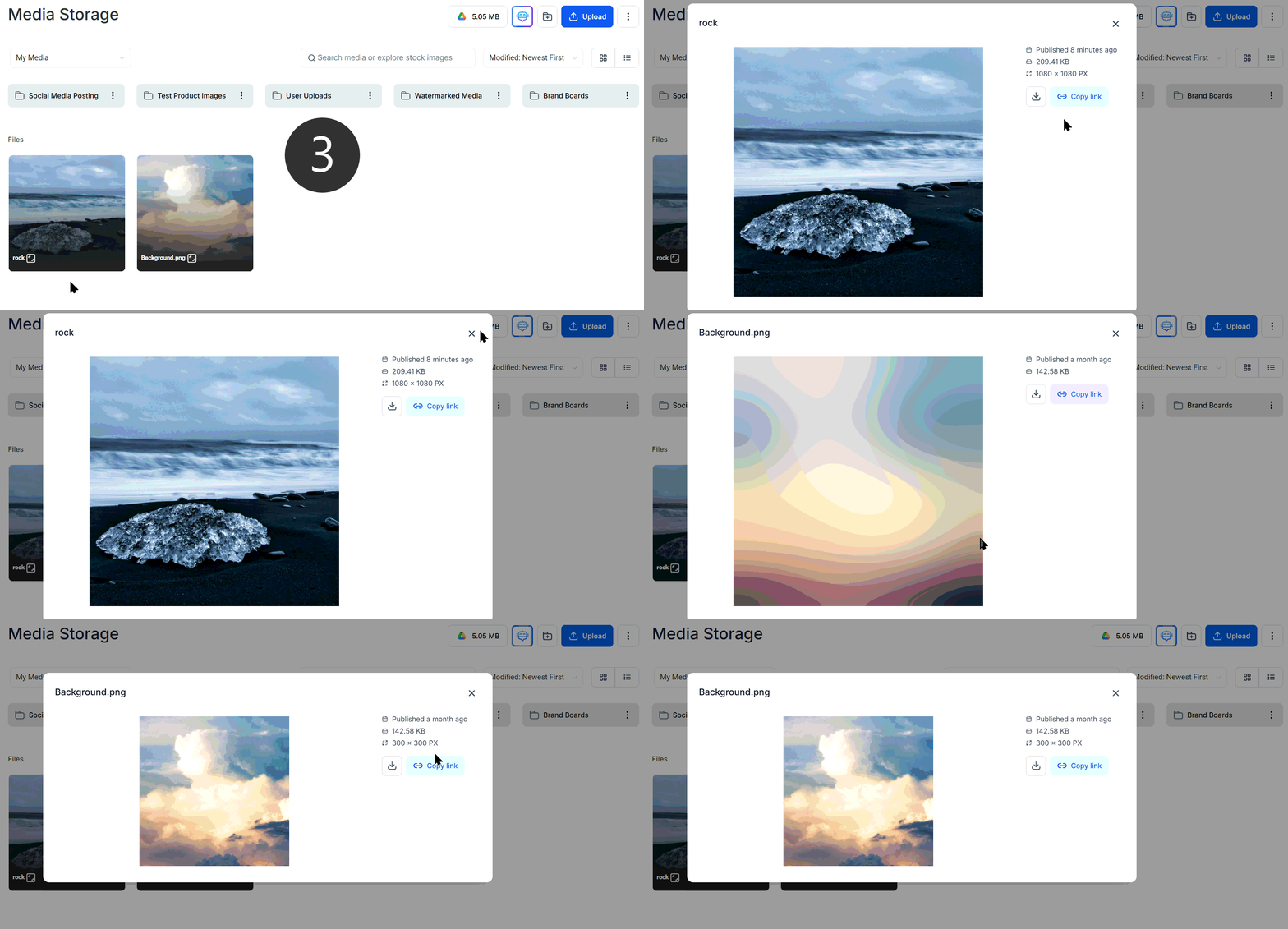
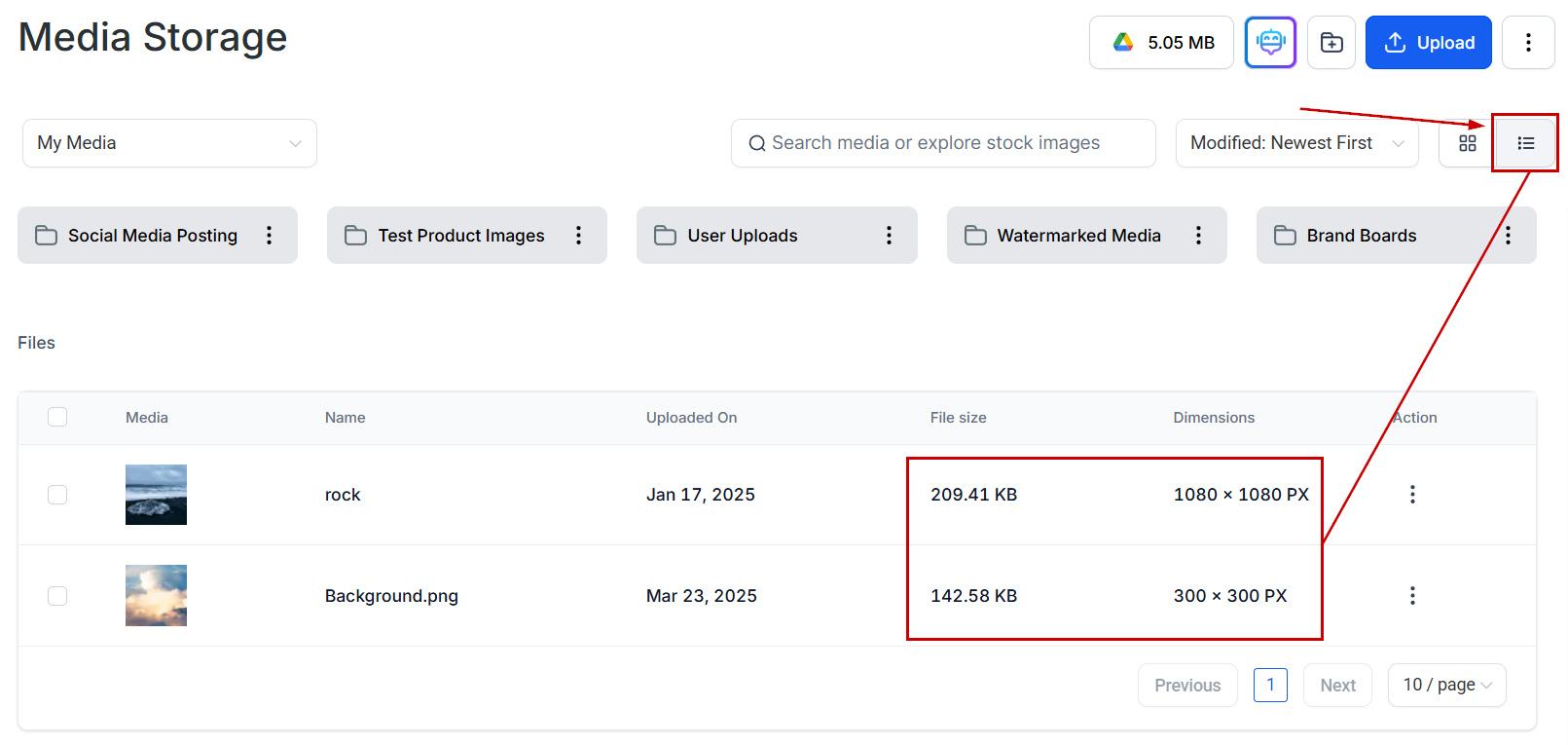
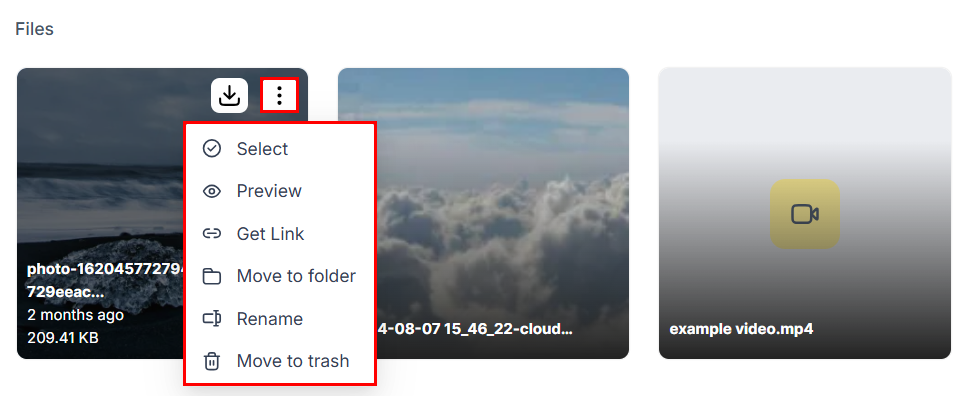
 Click any file to view its dimensions, orientation, and file size. Switch to **list view** for a more detailed breakdown of file characteristics. Hover over any file and click the **down arrow** icon to download it directly.
 ## Supported formats
### Image formats
| Format | Extension |
| ------ | ------------------------------------------ |
| PNG | `.png` |
| JPEG | `.jpg`, `.jpeg`, `.jfif`, `.pjpeg`, `.pjp` |
| TIFF | `.tif`, `.tiff` |
| WebP | `.webp` |
| SVG | `.svg` |
| Icon | `.ico`, `.cur` |
| GIF | `.gif` |
### Document formats
| Format | Extension |
| ---------- | ------------------------ |
| PDF | `.pdf` |
| Word | `.doc`, `.docx` |
| Excel | `.xls`, `.xlsx`, `.xlsm` |
| PowerPoint | `.ppt`, `.pptx`, `.pptm` |
| Text | `.rtf`, `.txt` |
### Video formats
| Format | Extension |
| ------------------- | ------------------------------ |
| AVI | `.avi` |
| QuickTime | `.qt`, `.qtc`, `.mov`, `.moov` |
| MP4 | `.mp4` |
| Ogg | `.ogv` |
| Windows Media Video | `.wmv`, `.asf` |
| WebM | `.webm` |
### Audio formats
| Format | Extension |
| ------------- | ------------------------ |
| AIFF | `.aif`, `.aiff`, `.aifc` |
| MIDI | `.mid`, `.midi` |
| Windows Audio | `.wav` |
| Ogg | `.oga` |
| WebM audio | `.weba` |
| MPEG | `.mp3` |
### Font formats
| Format | Extension |
| -------- | --------- |
| TrueType | `.ttf` |
| OpenType | `.otf` |
| WOFF | `.woff` |
| WOFF2 | `.woff2` |
## Feature-specific file size limits
Different Hoop features have specific file size limits:
| Feature | Limit | Accepted formats |
| ----------------- | ------ | -------------------- |
| Funnels — Videos | 4 GB | All video formats |
| Funnels — Audio | 100 MB | All audio formats |
| Funnels — Images | 100 MB | All image formats |
| Funnels — Files | 100 MB | All document formats |
| Social Planner | 10 MB | PNG, JPEG, GIF |
| Memberships | 50 MB | All formats |
| Forms and Surveys | 50 MB | All formats |
To allow contacts to share files through forms, add a **File Upload** custom field to your form or survey.
## Supported formats
### Image formats
| Format | Extension |
| ------ | ------------------------------------------ |
| PNG | `.png` |
| JPEG | `.jpg`, `.jpeg`, `.jfif`, `.pjpeg`, `.pjp` |
| TIFF | `.tif`, `.tiff` |
| WebP | `.webp` |
| SVG | `.svg` |
| Icon | `.ico`, `.cur` |
| GIF | `.gif` |
### Document formats
| Format | Extension |
| ---------- | ------------------------ |
| PDF | `.pdf` |
| Word | `.doc`, `.docx` |
| Excel | `.xls`, `.xlsx`, `.xlsm` |
| PowerPoint | `.ppt`, `.pptx`, `.pptm` |
| Text | `.rtf`, `.txt` |
### Video formats
| Format | Extension |
| ------------------- | ------------------------------ |
| AVI | `.avi` |
| QuickTime | `.qt`, `.qtc`, `.mov`, `.moov` |
| MP4 | `.mp4` |
| Ogg | `.ogv` |
| Windows Media Video | `.wmv`, `.asf` |
| WebM | `.webm` |
### Audio formats
| Format | Extension |
| ------------- | ------------------------ |
| AIFF | `.aif`, `.aiff`, `.aifc` |
| MIDI | `.mid`, `.midi` |
| Windows Audio | `.wav` |
| Ogg | `.oga` |
| WebM audio | `.weba` |
| MPEG | `.mp3` |
### Font formats
| Format | Extension |
| -------- | --------- |
| TrueType | `.ttf` |
| OpenType | `.otf` |
| WOFF | `.woff` |
| WOFF2 | `.woff2` |
## Feature-specific file size limits
Different Hoop features have specific file size limits:
| Feature | Limit | Accepted formats |
| ----------------- | ------ | -------------------- |
| Funnels — Videos | 4 GB | All video formats |
| Funnels — Audio | 100 MB | All audio formats |
| Funnels — Images | 100 MB | All image formats |
| Funnels — Files | 100 MB | All document formats |
| Social Planner | 10 MB | PNG, JPEG, GIF |
| Memberships | 50 MB | All formats |
| Forms and Surveys | 50 MB | All formats |
To allow contacts to share files through forms, add a **File Upload** custom field to your form or survey.
 ## Practical applications
Use high-quality images and videos to create engaging landing pages. Recommended hero image size: 1920 × 1080 px minimum.
Schedule posts with eye-catching images and GIFs to improve social media engagement. Maximum file size is 10 MB for social posts.
Enhance your membership site with downloadable resources such as PDF guides or instructional videos. The 50 MB limit applies to individual file uploads.
Collect valuable information and feedback by allowing file uploads in surveys. Add a File Upload custom field to enable this functionality.
## FAQs
Use a compression tool to reduce file size without significantly impacting quality. For videos, consider hosting on YouTube or Vimeo and embedding the URL instead of uploading directly.
Yes, numerous online tools and software can convert files to compatible formats. For images, tools like Squoosh, TinyPNG, or Adobe Express work well.
Use WebP format for all web images where possible. WebP files are 25–35% smaller than equivalent JPEGs at the same visual quality, improving page load speed.
## Practical applications
Use high-quality images and videos to create engaging landing pages. Recommended hero image size: 1920 × 1080 px minimum.
Schedule posts with eye-catching images and GIFs to improve social media engagement. Maximum file size is 10 MB for social posts.
Enhance your membership site with downloadable resources such as PDF guides or instructional videos. The 50 MB limit applies to individual file uploads.
Collect valuable information and feedback by allowing file uploads in surveys. Add a File Upload custom field to enable this functionality.
## FAQs
Use a compression tool to reduce file size without significantly impacting quality. For videos, consider hosting on YouTube or Vimeo and embedding the URL instead of uploading directly.
Yes, numerous online tools and software can convert files to compatible formats. For images, tools like Squoosh, TinyPNG, or Adobe Express work well.
Use WebP format for all web images where possible. WebP files are 25–35% smaller than equivalent JPEGs at the same visual quality, improving page load speed.