> ## Documentation Index
> Fetch the complete documentation index at: https://help.hoopai.com/llms.txt
> Use this file to discover all available pages before exploring further.
# Email marketing
> Design and send email campaigns using a drag-and-drop builder, manage templates, track analytics, and keep your list compliant.
The email marketing tools in the HoopAI Platform let you design beautiful emails, send campaigns to segmented contact lists, track performance, and maintain deliverability — all in one place.
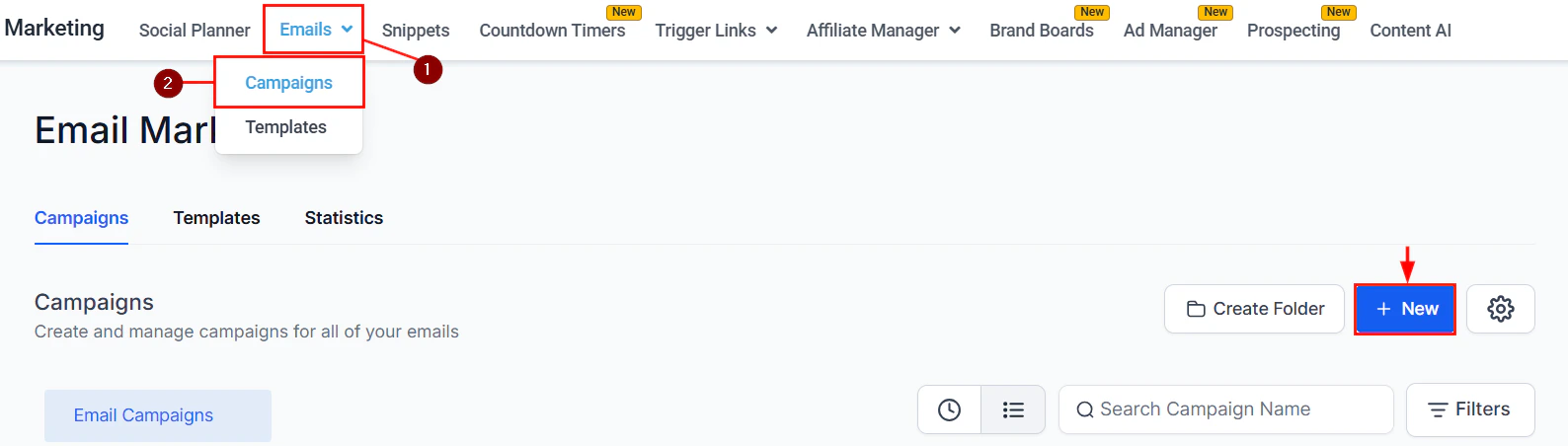 ## Email builder
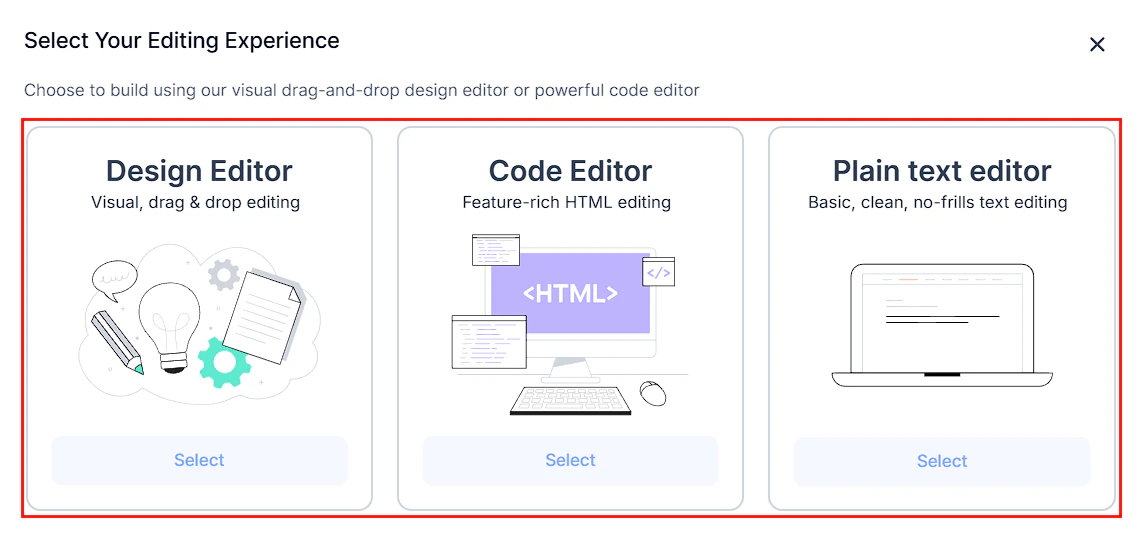
The drag-and-drop email builder makes it easy to create professional emails without writing code.
### Key builder features
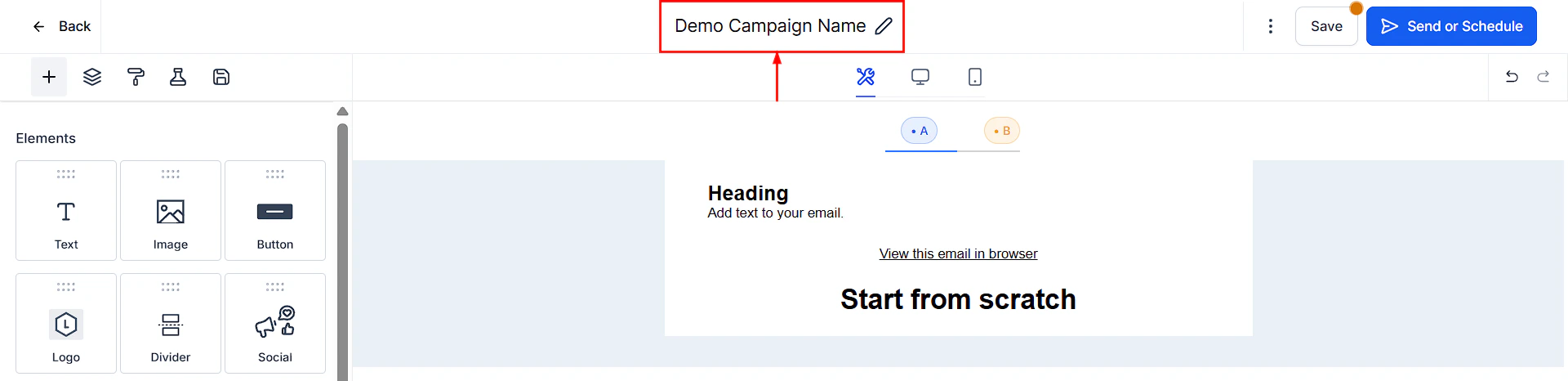
Add text, images, buttons, dividers, videos, and RSS feed blocks with a simple drag-and-drop interface
Embed video thumbnails with play buttons that link to your hosted video
Automatically pull in your latest blog posts or content feed into emails
Use custom web fonts to match your brand typography
Preview and optimize your email layout for mobile devices
Edit text directly on the email canvas without switching views
Add links to any element, including trigger links that fire CRM actions on click
Insert links that automatically trigger workflows, tag contacts, or move them through pipelines when clicked
### Finding and fixing issues
Use the **Find Hidden or Broken Elements** tool to scan your email for invisible elements or broken links before sending.
## Email builder
The drag-and-drop email builder makes it easy to create professional emails without writing code.
### Key builder features
Add text, images, buttons, dividers, videos, and RSS feed blocks with a simple drag-and-drop interface
Embed video thumbnails with play buttons that link to your hosted video
Automatically pull in your latest blog posts or content feed into emails
Use custom web fonts to match your brand typography
Preview and optimize your email layout for mobile devices
Edit text directly on the email canvas without switching views
Add links to any element, including trigger links that fire CRM actions on click
Insert links that automatically trigger workflows, tag contacts, or move them through pipelines when clicked
### Finding and fixing issues
Use the **Find Hidden or Broken Elements** tool to scan your email for invisible elements or broken links before sending.
 ***
## Email templates vs. email campaigns
| Feature | Templates | Campaigns |
| ----------------------- | ---------------------- | --------------------------- |
| Purpose | Reusable email designs | One-time or automated sends |
| Saves design | Yes | No (tied to the campaign) |
| Used in automations | Yes | No |
| Used in broadcast sends | No | Yes |
***
## Email templates vs. email campaigns
| Feature | Templates | Campaigns |
| ----------------------- | ---------------------- | --------------------------- |
| Purpose | Reusable email designs | One-time or automated sends |
| Saves design | Yes | No (tied to the campaign) |
| Used in automations | Yes | No |
| Used in broadcast sends | No | Yes |
 ***
## Email analytics
After sending a campaign, view detailed analytics:
* **Opens** — how many recipients opened the email
* **Clicks** — which links were clicked and by whom
* **Bounces** — addresses that couldn't receive the email
* **Unsubscribes** — contacts who opted out
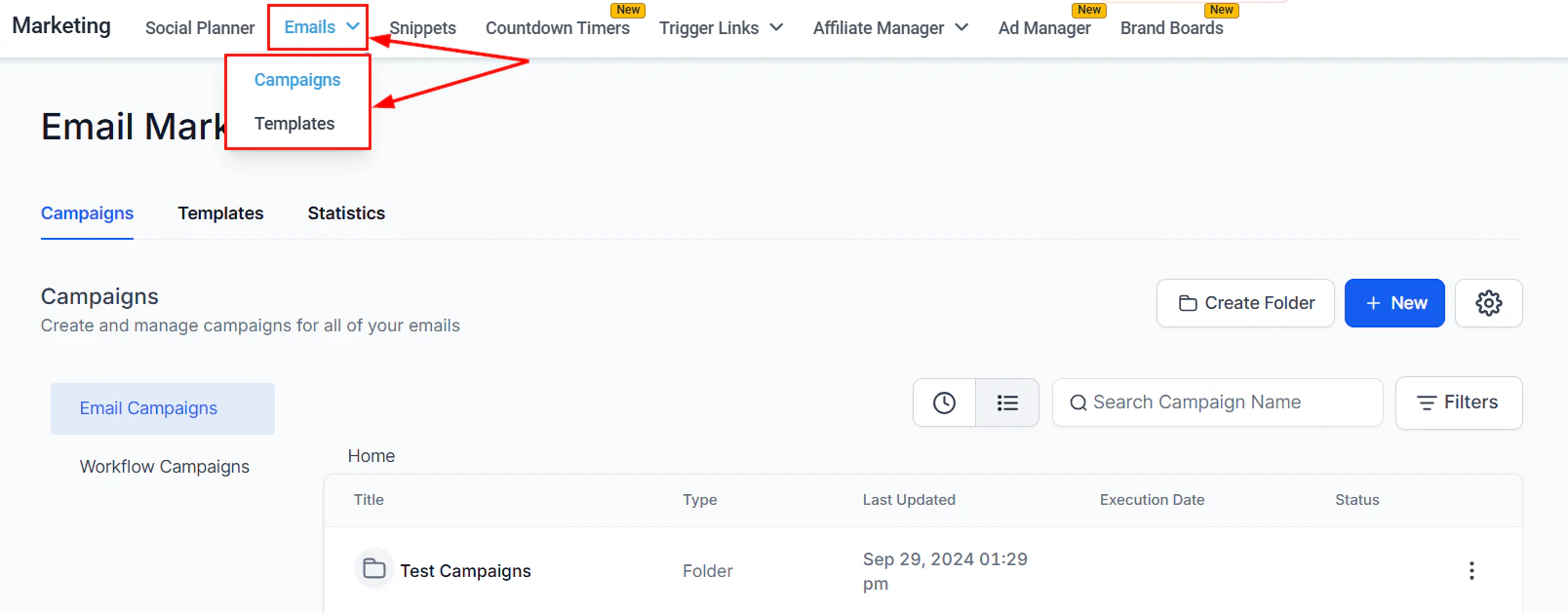
Navigate to **Marketing > Emails** and select a sent campaign to view its stats.
***
## Email analytics
After sending a campaign, view detailed analytics:
* **Opens** — how many recipients opened the email
* **Clicks** — which links were clicked and by whom
* **Bounces** — addresses that couldn't receive the email
* **Unsubscribes** — contacts who opted out
Navigate to **Marketing > Emails** and select a sent campaign to view its stats.
 ***
## Unsubscribe management
An unsubscribe link is required in all marketing emails. The platform automatically includes one and updates the contact's Do Not Disturb (DND) settings when they click it.
List unsubscribe headers are also added automatically to help email clients display the unsubscribe option prominently, which improves deliverability.
***
## Deliverability best practices
Configure SPF, DKIM, and DMARC records for your sending domain to prove to inbox providers that your emails are legitimate. See the [Email & SMTP setup](/marketing/email-smtp) guide.
A dedicated sending domain separates your email reputation from other senders. This is especially important for high-volume sending.
Regularly remove bounced addresses and unsubscribes. Use the email verification tool to validate addresses before sending.
Use clear subject lines, avoid ALL CAPS and excessive punctuation, include a physical address in the footer, and always send to opted-in contacts.
Connect Google Postmaster Tools to monitor your domain reputation and spam rate as seen by Gmail.
***
## Attachment size limits
Email attachments have size limits that vary by sending service. As a general rule, keep total attachment size under 10MB. For large files, use a hosted link instead.
To configure your email sending service (Gmail, Outlook, SendGrid, Mailgun, or dedicated domain), see [Email & SMTP setup](/marketing/email-smtp).
***
## Frequently asked questions
Templates are reusable layouts that can be used in automations and across multiple campaigns. Campaigns are one-time or scheduled broadcast sends to a contact list. A template is selected or created when building a campaign, but the campaign itself is a single send event.
Yes. The drag-and-drop email builder supports custom web fonts, including Google Fonts. Select them from the font picker in the text element toolbar or the Appearance tab of a template.
Navigate to **Marketing > Emails > Campaigns**, find the sent campaign, and click the three-dot menu to view Statistics. You can see open rates, click rates, bounces, and unsubscribes for each campaign.
Yes. An unsubscribe link is legally required in all marketing emails under laws like CAN-SPAM and GDPR. The platform automatically includes one and updates the contact's Do Not Disturb settings when clicked.
The most common causes are missing or misconfigured SPF, DKIM, or DMARC records, sending to contacts who have not opted in, or using free domains like gmail.com as the From address. See the [Email deliverability](/marketing/email-deliverability) guide for a full checklist.
Yes. Use the Video element in the email builder to embed a video thumbnail with a play button. The thumbnail links to your hosted video (YouTube, Vimeo, etc.) since most email clients do not support inline video playback.
***
## Unsubscribe management
An unsubscribe link is required in all marketing emails. The platform automatically includes one and updates the contact's Do Not Disturb (DND) settings when they click it.
List unsubscribe headers are also added automatically to help email clients display the unsubscribe option prominently, which improves deliverability.
***
## Deliverability best practices
Configure SPF, DKIM, and DMARC records for your sending domain to prove to inbox providers that your emails are legitimate. See the [Email & SMTP setup](/marketing/email-smtp) guide.
A dedicated sending domain separates your email reputation from other senders. This is especially important for high-volume sending.
Regularly remove bounced addresses and unsubscribes. Use the email verification tool to validate addresses before sending.
Use clear subject lines, avoid ALL CAPS and excessive punctuation, include a physical address in the footer, and always send to opted-in contacts.
Connect Google Postmaster Tools to monitor your domain reputation and spam rate as seen by Gmail.
***
## Attachment size limits
Email attachments have size limits that vary by sending service. As a general rule, keep total attachment size under 10MB. For large files, use a hosted link instead.
To configure your email sending service (Gmail, Outlook, SendGrid, Mailgun, or dedicated domain), see [Email & SMTP setup](/marketing/email-smtp).
***
## Frequently asked questions
Templates are reusable layouts that can be used in automations and across multiple campaigns. Campaigns are one-time or scheduled broadcast sends to a contact list. A template is selected or created when building a campaign, but the campaign itself is a single send event.
Yes. The drag-and-drop email builder supports custom web fonts, including Google Fonts. Select them from the font picker in the text element toolbar or the Appearance tab of a template.
Navigate to **Marketing > Emails > Campaigns**, find the sent campaign, and click the three-dot menu to view Statistics. You can see open rates, click rates, bounces, and unsubscribes for each campaign.
Yes. An unsubscribe link is legally required in all marketing emails under laws like CAN-SPAM and GDPR. The platform automatically includes one and updates the contact's Do Not Disturb settings when clicked.
The most common causes are missing or misconfigured SPF, DKIM, or DMARC records, sending to contacts who have not opted in, or using free domains like gmail.com as the From address. See the [Email deliverability](/marketing/email-deliverability) guide for a full checklist.
Yes. Use the Video element in the email builder to embed a video thumbnail with a play button. The thumbnail links to your hosted video (YouTube, Vimeo, etc.) since most email clients do not support inline video playback.