> ## Documentation Index
> Fetch the complete documentation index at: https://help.hoopai.com/llms.txt
> Use this file to discover all available pages before exploring further.
# Setting up your business profile
> Complete your business profile in HoopAI — company name, logo, address, time zone, and compliance fields.
Your business profile is the foundation of your HoopAI account. The information you enter here flows into email footers, booking confirmation pages, invoices, and carrier compliance registrations. Completing it accurately before doing anything else avoids problems later.
 ## How to access Business Profile
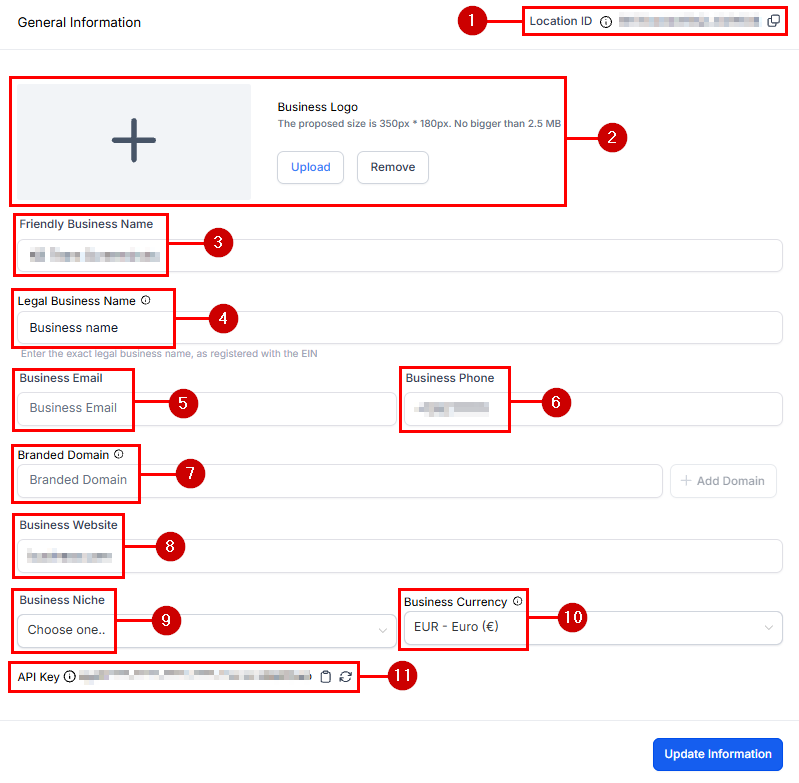
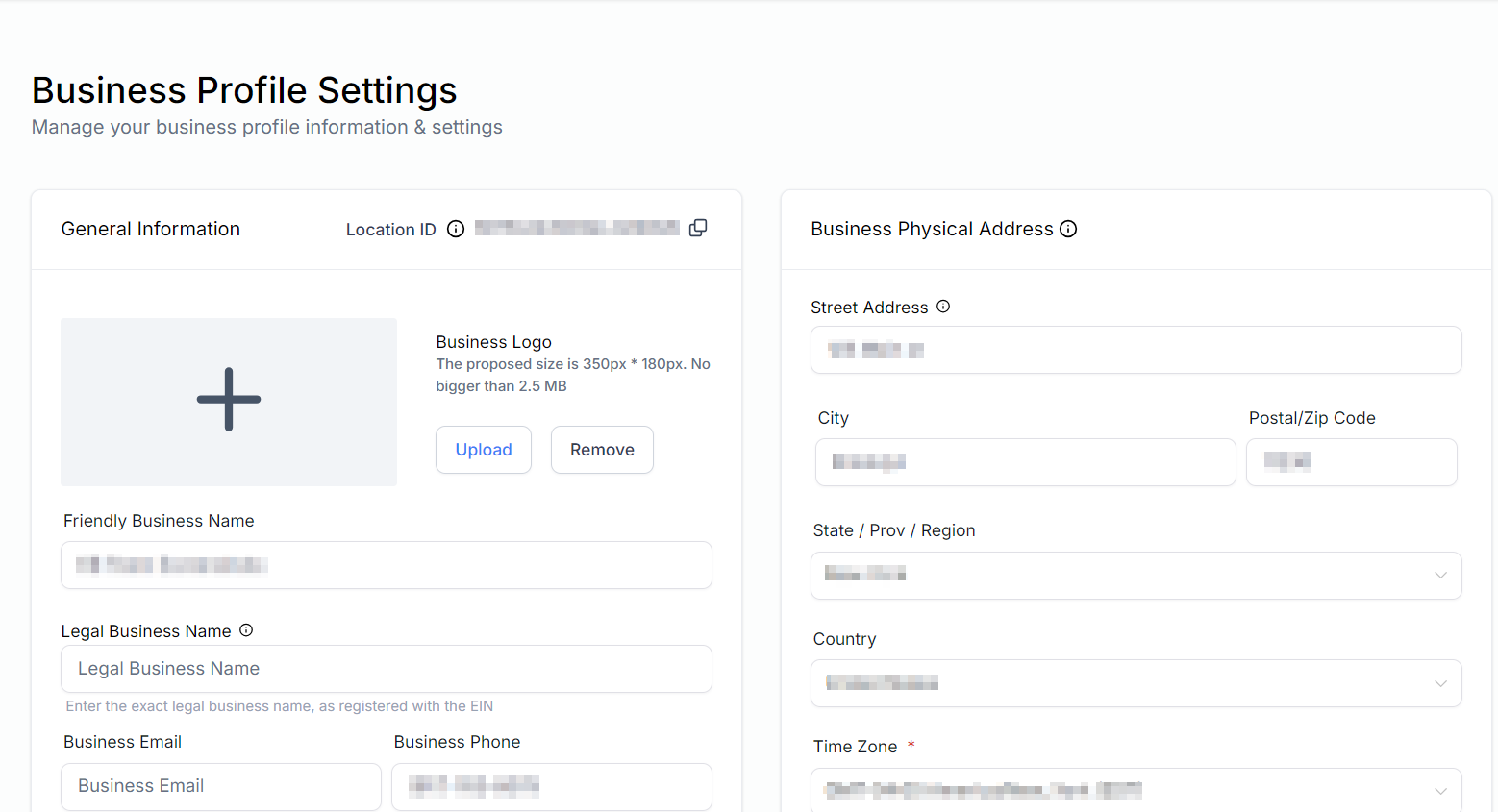
Go to **Settings** in the left sidebar and select **Business Profile** (sometimes labeled **Company Info** depending on your plan).
***
## General information
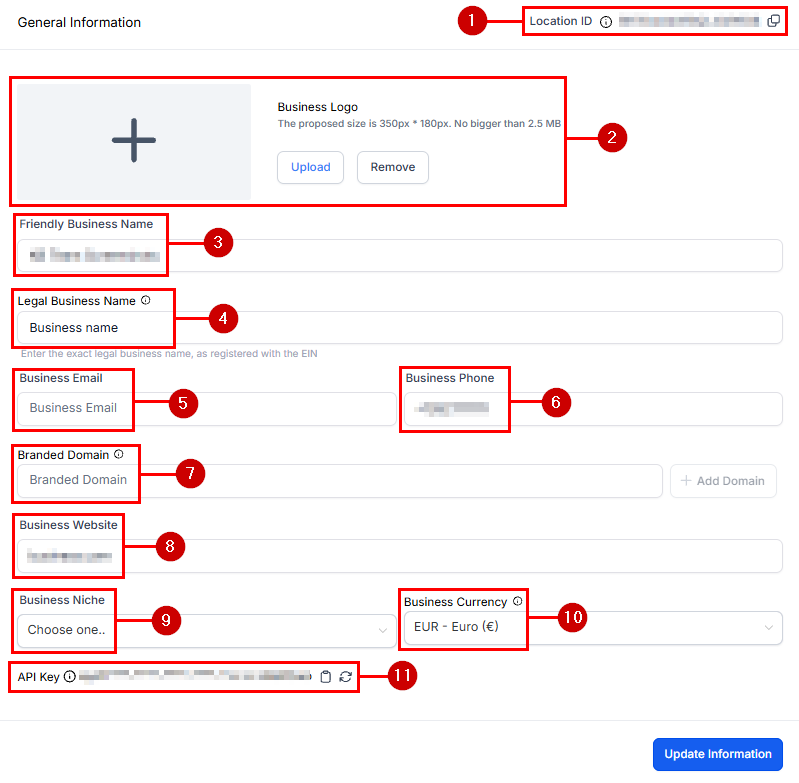
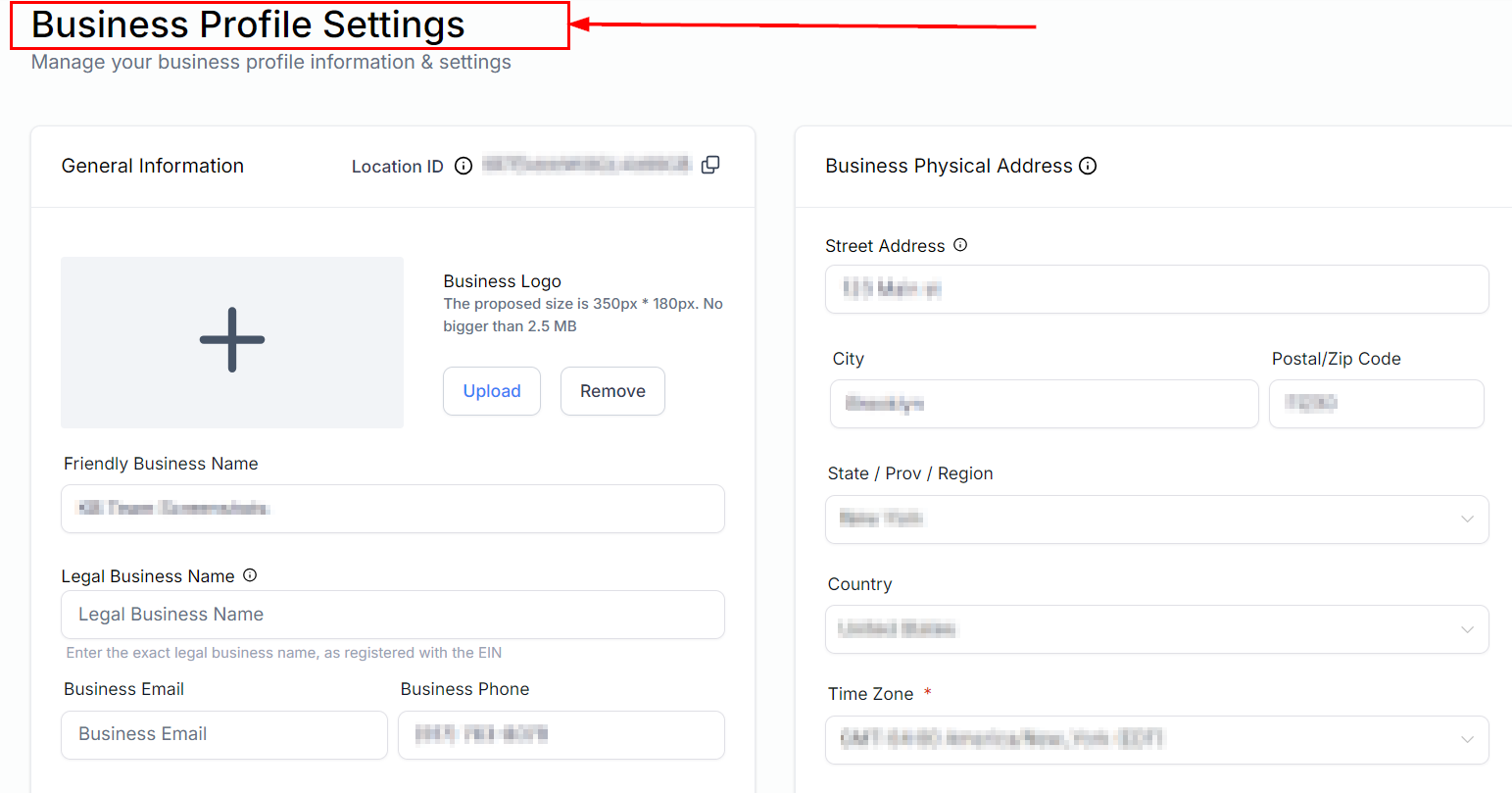
Fill in the following fields:
| Field | Notes |
| ---------------------- | --------------------------------------------------------------------- |
| Friendly business name | The name displayed to contacts — use your trading name |
| Legal business name | Your officially registered name — used for compliance |
| Business email | Use a branded address (`hello@yourbusiness.com`) not a personal Gmail |
| Business phone | Your main contact number |
| Website | Your primary website URL |
| Niche / industry | Select the category that best fits your business |
## How to access Business Profile
Go to **Settings** in the left sidebar and select **Business Profile** (sometimes labeled **Company Info** depending on your plan).
***
## General information
Fill in the following fields:
| Field | Notes |
| ---------------------- | --------------------------------------------------------------------- |
| Friendly business name | The name displayed to contacts — use your trading name |
| Legal business name | Your officially registered name — used for compliance |
| Business email | Use a branded address (`hello@yourbusiness.com`) not a personal Gmail |
| Business phone | Your main contact number |
| Website | Your primary website URL |
| Niche / industry | Select the category that best fits your business |
 Use a branded email address rather than a free Gmail or Yahoo address. Branded emails improve trust and email deliverability for campaigns.
***
## Address and time zone
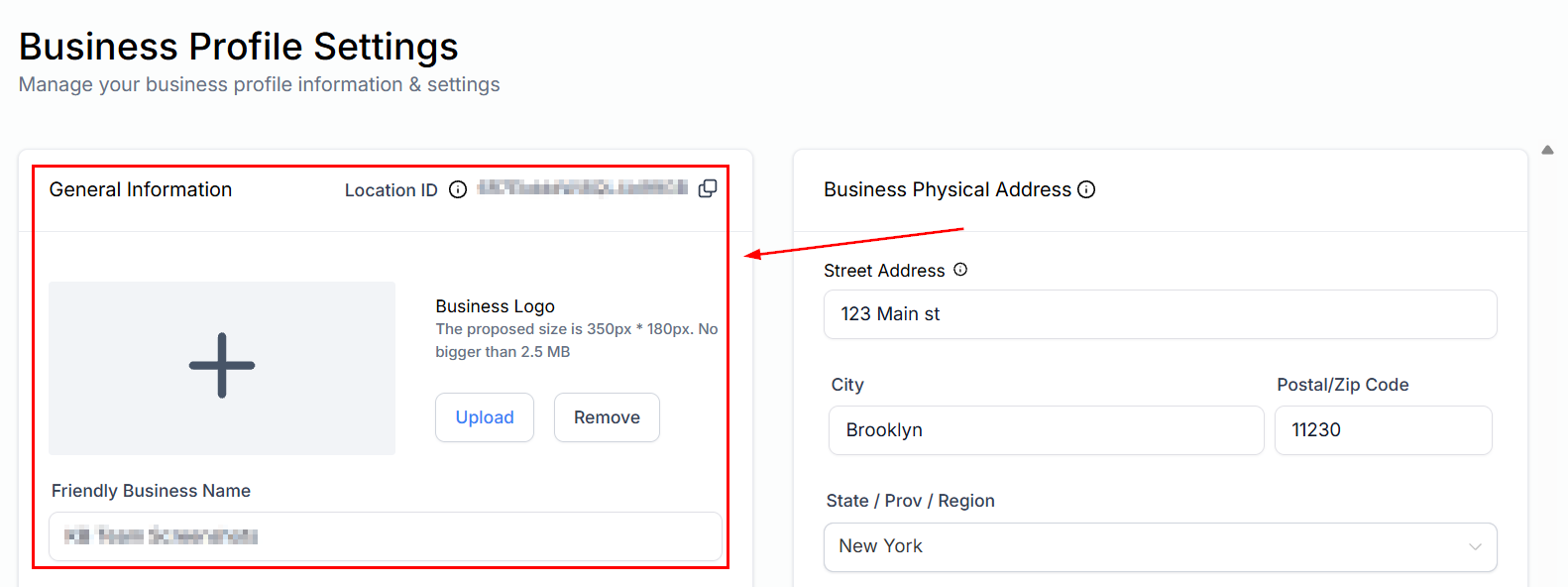
Enter your complete business address including city, state/region, country, and postal code. Then select your **time zone** carefully — this setting controls the timing of all scheduled messages, appointments, and automations platform-wide.
An incorrect time zone causes scheduling errors across all workflows and appointment calendars. Set this before building any automations.
***
## Logo and branding
Upload your business logo. The logo appears in:
* Email campaign headers
* Booking confirmation pages sent to contacts
* The client portal (if enabled)
* Invoice headers
For best results upload a PNG with a transparent background at 400 × 100 pixels or wider.
Use a branded email address rather than a free Gmail or Yahoo address. Branded emails improve trust and email deliverability for campaigns.
***
## Address and time zone
Enter your complete business address including city, state/region, country, and postal code. Then select your **time zone** carefully — this setting controls the timing of all scheduled messages, appointments, and automations platform-wide.
An incorrect time zone causes scheduling errors across all workflows and appointment calendars. Set this before building any automations.
***
## Logo and branding
Upload your business logo. The logo appears in:
* Email campaign headers
* Booking confirmation pages sent to contacts
* The client portal (if enabled)
* Invoice headers
For best results upload a PNG with a transparent background at 400 × 100 pixels or wider.
 ***
## Currency
Set your default currency. This applies to invoices, payment links, and payment reporting.
***
## Currency
Set your default currency. This applies to invoices, payment links, and payment reporting.
 ***
## Compliance fields
The compliance section contains fields required for SMS carrier registration and email compliance (CAN-SPAM / GDPR). These include:
* Business type (LLC, Sole Proprietor, Corporation, etc.)
* EIN / Tax ID
* Business registration URL or certificate
* Physical mailing address (required for email footers)
***
## Compliance fields
The compliance section contains fields required for SMS carrier registration and email compliance (CAN-SPAM / GDPR). These include:
* Business type (LLC, Sole Proprietor, Corporation, etc.)
* EIN / Tax ID
* Business registration URL or certificate
* Physical mailing address (required for email footers)
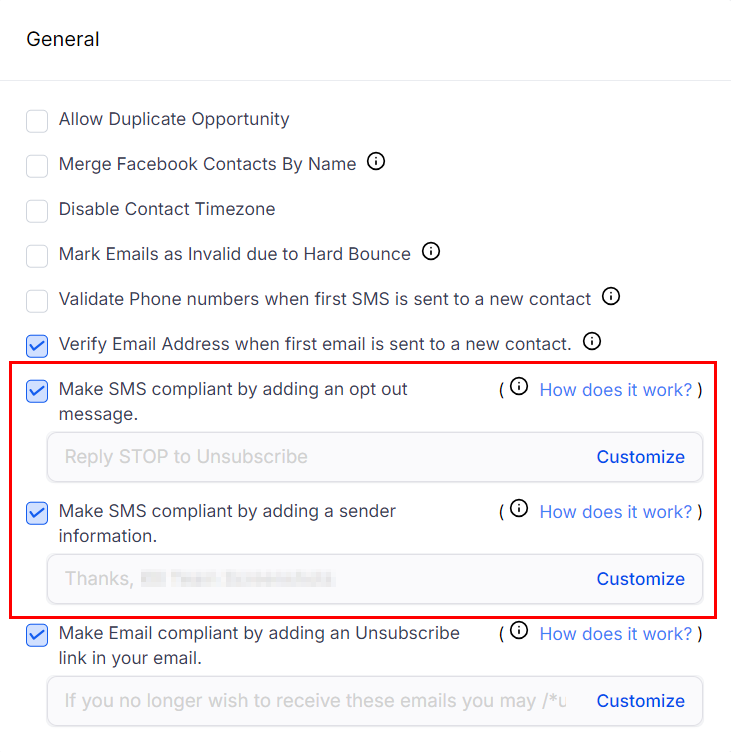 Accurate compliance fields are required before you can submit your A2P 10DLC registration for SMS. Incomplete information causes delays or rejections by the carriers. [A2P 10DLC registration guide →](/academy/onboarding/a2p-10dlc-registration)
***
## Email compliance
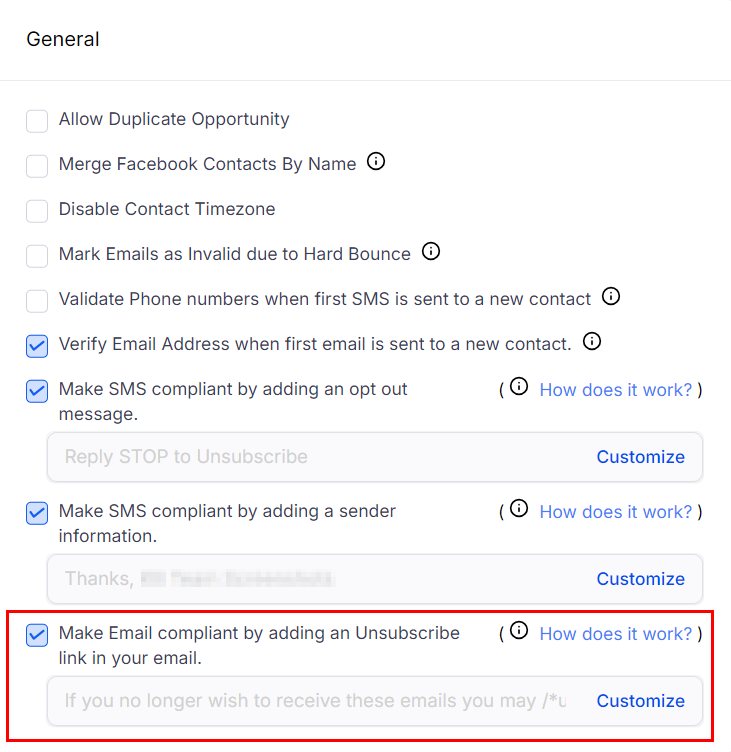
The email compliance section includes your unsubscribe footer text and physical address for CAN-SPAM compliance. These are automatically appended to all bulk email campaigns.
Accurate compliance fields are required before you can submit your A2P 10DLC registration for SMS. Incomplete information causes delays or rejections by the carriers. [A2P 10DLC registration guide →](/academy/onboarding/a2p-10dlc-registration)
***
## Email compliance
The email compliance section includes your unsubscribe footer text and physical address for CAN-SPAM compliance. These are automatically appended to all bulk email campaigns.
 ***
## Validate SMS sender ID
After completing A2P registration, return here to validate your SMS sender ID.
***
## Validate SMS sender ID
After completing A2P registration, return here to validate your SMS sender ID.
 ***
## Frequently asked questions
Yes. You can update any field in Business Profile at any time. However, if you have already submitted an A2P 10DLC registration, changing your legal business name may require you to resubmit your brand registration. Contact HoopAI support before making changes post-registration.
PNG with a transparent background is recommended. Minimum width 400px. Avoid uploading logos with white backgrounds if you plan to use the logo on dark-mode email templates or booking pages.
Set the time zone where your business is legally registered or where most operations occur. Automations and appointments fire based on this setting. Contacts can book appointments in their own local time — the platform handles the conversion automatically.
CAN-SPAM (US) and GDPR (EU) regulations require all commercial emails to include a valid physical mailing address in the footer. The platform inserts this automatically from your Business Profile.
***
## Frequently asked questions
Yes. You can update any field in Business Profile at any time. However, if you have already submitted an A2P 10DLC registration, changing your legal business name may require you to resubmit your brand registration. Contact HoopAI support before making changes post-registration.
PNG with a transparent background is recommended. Minimum width 400px. Avoid uploading logos with white backgrounds if you plan to use the logo on dark-mode email templates or booking pages.
Set the time zone where your business is legally registered or where most operations occur. Automations and appointments fire based on this setting. Contacts can book appointments in their own local time — the platform handles the conversion automatically.
CAN-SPAM (US) and GDPR (EU) regulations require all commercial emails to include a valid physical mailing address in the footer. The platform inserts this automatically from your Business Profile.