> ## Documentation Index
> Fetch the complete documentation index at: https://help.hoopai.com/llms.txt
> Use this file to discover all available pages before exploring further.
# Sending attachments in HoopAI conversations
> Send files via SMS and email in HoopAI, with size limits and troubleshooting tips to ensure reliable attachment delivery.
You can attach files — images, documents, and other media — to both SMS and email messages in Hoop Conversations. Understanding size limits for each channel ensures your attachments are delivered successfully.
 ***
## Attaching files in conversations
### SMS / MMS attachments
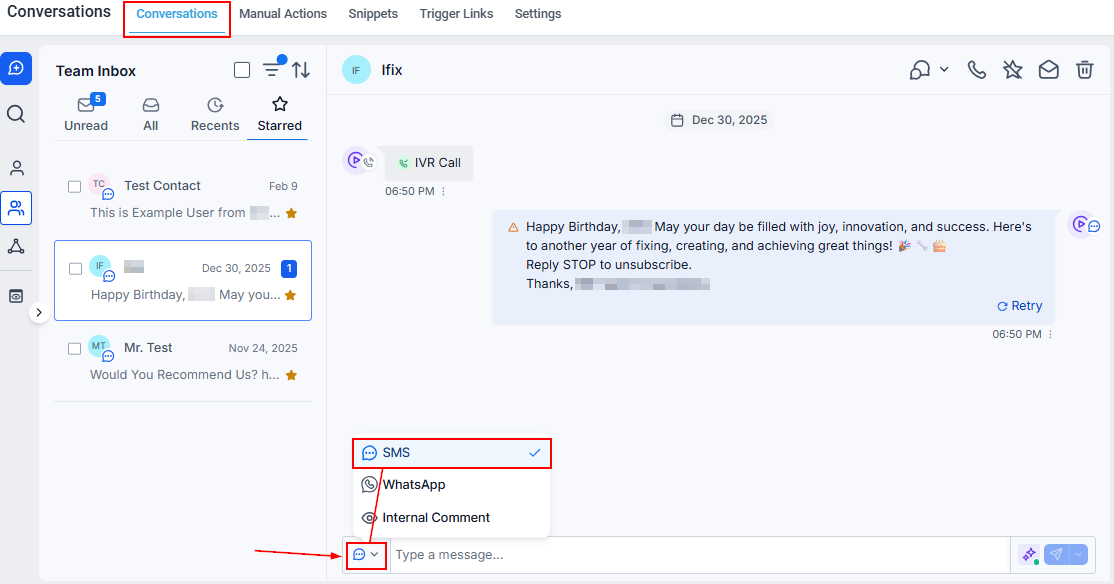
Open a conversation and select the **SMS** tab.
Click the **paperclip** icon in the message toolbar to attach files.
Select from your computer, media library, or by URL, then add your file.
Click **Send** to deliver the message with the attachment.
### Email attachments
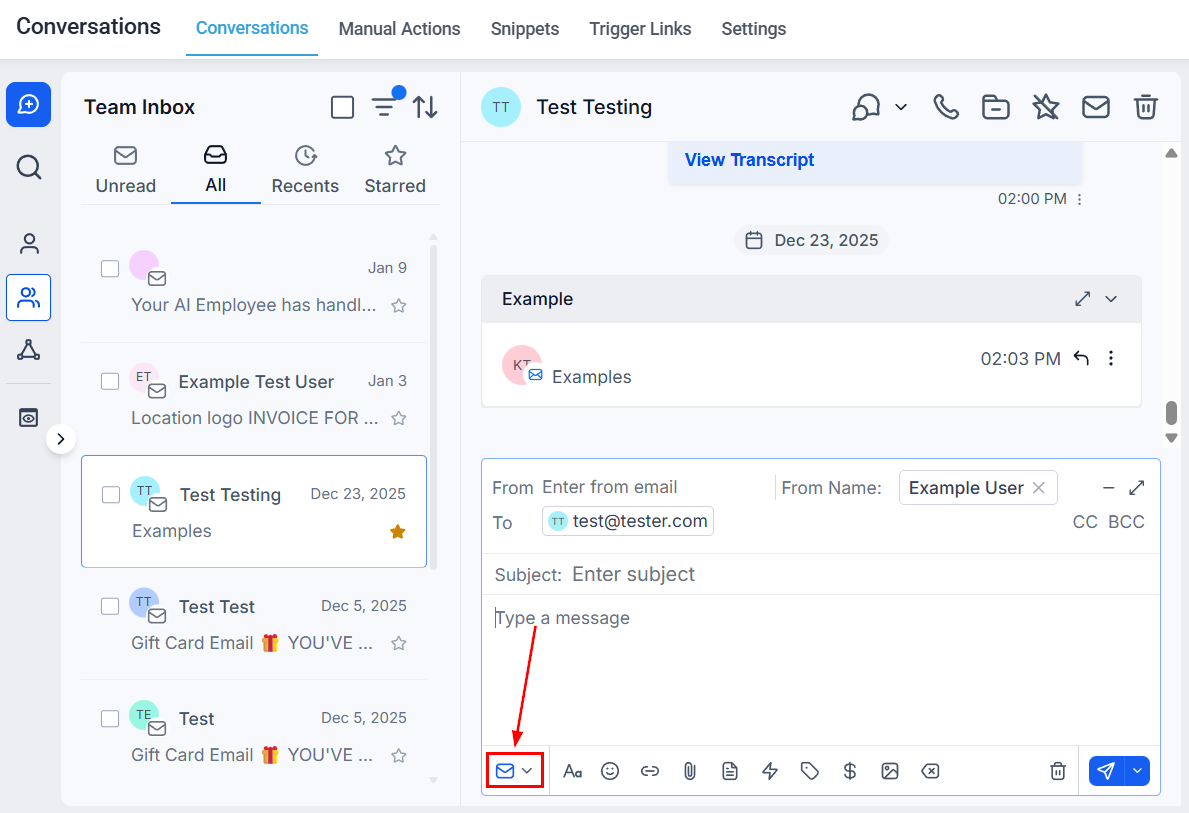
Open a conversation and select the **Email** tab.
Click the **paperclip** icon at the bottom of the email composer.
Choose a file from your computer or media library.
Compose your message and click **Send**.
***
***
## Attaching files in conversations
### SMS / MMS attachments
Open a conversation and select the **SMS** tab.
Click the **paperclip** icon in the message toolbar to attach files.
Select from your computer, media library, or by URL, then add your file.
Click **Send** to deliver the message with the attachment.
### Email attachments
Open a conversation and select the **Email** tab.
Click the **paperclip** icon at the bottom of the email composer.
Choose a file from your computer or media library.
Compose your message and click **Send**.
***
 ## SMS attachment size limits
| Limit | Value |
| --------------------------------------- | ----------------- |
| Maximum attachments per message | 10 |
| Maximum total size (text + attachments) | 5 MB |
| Recommended size for best delivery | Under 500 KB |
| Toll-free number limit | 600 KB or smaller |
**Supported file types for SMS:** JPEG, PNG, GIF
* **Verify MMS capability** — check your account settings under Phone Numbers to confirm your number supports MMS.
* **Reduce file size** — if a message fails, try compressing the attachment or using a lower-resolution image.
* **Check file type** — only JPEG, PNG, and GIF are supported for SMS attachments.
* **Toll-free numbers** — keep attachments at 600 KB or smaller due to carrier restrictions.
MP4 files cannot be sent directly via SMS. However, recording a video in the mobile app generates a clickable link instead. Ensure the link matches your domain and client's brand name for carrier compliance.
***
## SMS attachment size limits
| Limit | Value |
| --------------------------------------- | ----------------- |
| Maximum attachments per message | 10 |
| Maximum total size (text + attachments) | 5 MB |
| Recommended size for best delivery | Under 500 KB |
| Toll-free number limit | 600 KB or smaller |
**Supported file types for SMS:** JPEG, PNG, GIF
* **Verify MMS capability** — check your account settings under Phone Numbers to confirm your number supports MMS.
* **Reduce file size** — if a message fails, try compressing the attachment or using a lower-resolution image.
* **Check file type** — only JPEG, PNG, and GIF are supported for SMS attachments.
* **Toll-free numbers** — keep attachments at 600 KB or smaller due to carrier restrictions.
MP4 files cannot be sent directly via SMS. However, recording a video in the mobile app generates a clickable link instead. Ensure the link matches your domain and client's brand name for carrier compliance.
***
 ## Email attachment size limits
| Limit | Value |
| --------------------------------------- | ------------------------- |
| Maximum email size (body + attachments) | 25 MB (Mailgun) |
| Recommended | Keep as small as possible |
Email servers impose size limits to prevent overload. Exceeding the limit results in bounced emails. Different email providers have different limits — Mailgun supports up to 25 MB total.
* **Compress files** — use tools to reduce attachment size before uploading.
* **Use lower-resolution images** — high-resolution photos are often much larger than necessary for email.
* **Cloud links instead** — for very large files, upload to a cloud service (Google Drive, Dropbox) and include a download link in your email body.
* **Error notification** — if an email bounces due to size, you will see an error notification in the Conversations tab indicating the attachment exceeded the allowable limit.
No. Size limits are enforced by email servers and cannot be bypassed. The recommended workaround is to upload the file to a cloud storage service and share a download link in the email instead.
## Email attachment size limits
| Limit | Value |
| --------------------------------------- | ------------------------- |
| Maximum email size (body + attachments) | 25 MB (Mailgun) |
| Recommended | Keep as small as possible |
Email servers impose size limits to prevent overload. Exceeding the limit results in bounced emails. Different email providers have different limits — Mailgun supports up to 25 MB total.
* **Compress files** — use tools to reduce attachment size before uploading.
* **Use lower-resolution images** — high-resolution photos are often much larger than necessary for email.
* **Cloud links instead** — for very large files, upload to a cloud service (Google Drive, Dropbox) and include a download link in your email body.
* **Error notification** — if an email bounces due to size, you will see an error notification in the Conversations tab indicating the attachment exceeded the allowable limit.
No. Size limits are enforced by email servers and cannot be bypassed. The recommended workaround is to upload the file to a cloud storage service and share a download link in the email instead.