> ## Documentation Index
> Fetch the complete documentation index at: https://help.hoopai.com/llms.txt
> Use this file to discover all available pages before exploring further.
# Troubleshooting Voice AI
> Diagnose and resolve common Voice AI issues including call quality, timezone, and connectivity problems.
This guide covers the most common Voice AI issues and how to resolve them.
 ## Call connectivity issues
* Verify your Voice AI agent is **active** (not paused or in test mode)
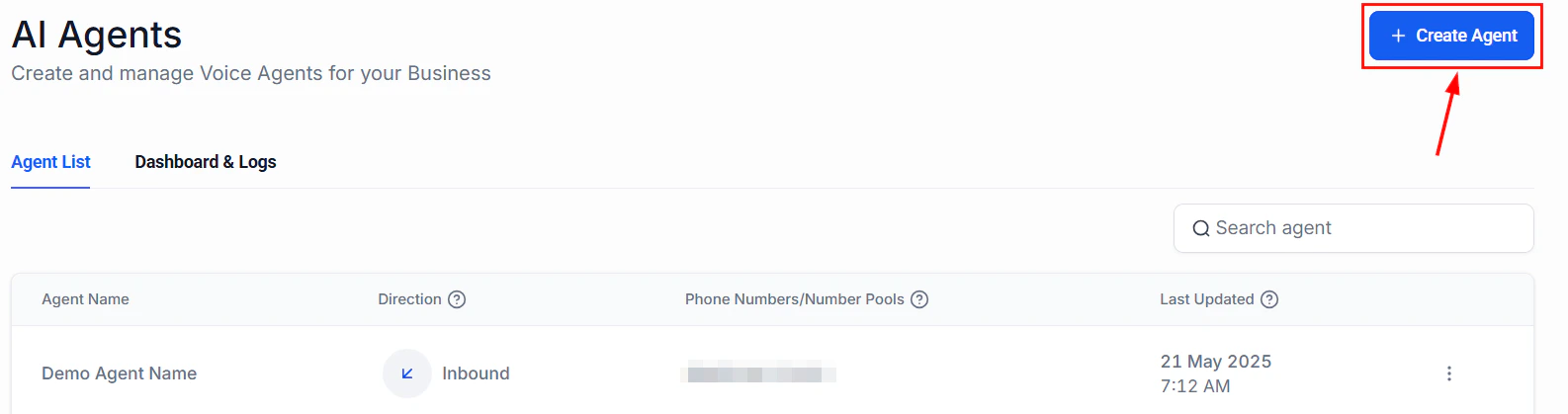
* Check that the phone number is correctly assigned to the agent
* Confirm your agent availability schedule includes the current time and timezone
* Check that failover settings are not routing calls away from the agent
The most common cause is a **timezone mismatch**. Double-check that your agent timezone setting matches your actual business timezone. Go to your agent settings and verify the timezone under the **Availability** section.
## Call connectivity issues
* Verify your Voice AI agent is **active** (not paused or in test mode)
* Check that the phone number is correctly assigned to the agent
* Confirm your agent availability schedule includes the current time and timezone
* Check that failover settings are not routing calls away from the agent
The most common cause is a **timezone mismatch**. Double-check that your agent timezone setting matches your actual business timezone. Go to your agent settings and verify the timezone under the **Availability** section.
 If calls are frequently routing to your failover number instead of the AI agent:
* Check your internet connection stability
* Verify the agent is not hitting concurrent call limits
* Review the agent response time
* Contact support if the issue persists
## Audio quality issues
* Check your text-to-speech voice selection
* Reduce the complexity of your system prompt to speed up response generation
* Verify the caller phone connection quality
* Review speech-to-text language settings to ensure they match the caller language
* Check for background noise guidance in your system prompt
* Add common misheard phrases or names to your prompt for clarification handling
## Appointment booking issues
If calls are frequently routing to your failover number instead of the AI agent:
* Check your internet connection stability
* Verify the agent is not hitting concurrent call limits
* Review the agent response time
* Contact support if the issue persists
## Audio quality issues
* Check your text-to-speech voice selection
* Reduce the complexity of your system prompt to speed up response generation
* Verify the caller phone connection quality
* Review speech-to-text language settings to ensure they match the caller language
* Check for background noise guidance in your system prompt
* Add common misheard phrases or names to your prompt for clarification handling
## Appointment booking issues
 * Verify the calendar is connected and active
* Check that the calendar has availability configured for the relevant time periods
* Confirm the agent is referencing the correct calendar ID
* Check timezone settings on both the agent and the calendar
* Verify the agent prompt includes clear instructions for timezone handling
## Getting more help
If you have tried the steps above and the issue persists, contact HoopAI support at [hi@hoopai.com](mailto:hi@hoopai.com) with:
* Verify the calendar is connected and active
* Check that the calendar has availability configured for the relevant time periods
* Confirm the agent is referencing the correct calendar ID
* Check timezone settings on both the agent and the calendar
* Verify the agent prompt includes clear instructions for timezone handling
## Getting more help
If you have tried the steps above and the issue persists, contact HoopAI support at [hi@hoopai.com](mailto:hi@hoopai.com) with:
 * Your agent ID
* A description of the issue
* Relevant call logs or timestamps
## Related guides
Review phone number configuration
Test your agent before going live
* Your agent ID
* A description of the issue
* Relevant call logs or timestamps
## Related guides
Review phone number configuration
Test your agent before going live