> ## Documentation Index
> Fetch the complete documentation index at: https://help.hoopai.com/llms.txt
> Use this file to discover all available pages before exploring further.
# Inbound vs outbound Voice AI calls
> Understand the differences between inbound and outbound Voice AI calling and when to use each.
HoopAI Voice AI agents can handle two fundamentally different call scenarios: **inbound** (answering calls from customers) and **outbound** (placing calls to contacts). Each direction has distinct use cases, configuration requirements, and compliance considerations. This guide helps you choose the right approach and configure it properly.
## Inbound calling
Inbound Voice AI agents answer calls that come into your business phone numbers. The caller initiates the conversation, and the agent responds.
### Common inbound use cases
| Use case | Description |
| ---------------------------- | -------------------------------------------------------------------------------- |
| **Virtual receptionist** | Answer every call, greet the caller, determine their need, and route accordingly |
| **Customer support** | Handle FAQs, troubleshoot common issues, and escalate complex cases |
| **Appointment scheduling** | Let callers book, reschedule, or cancel appointments by phone |
| **After-hours answering** | Provide 24/7 phone coverage when your team is unavailable |
| **Order status** | Look up and relay order or account information to callers |
| **Intake and qualification** | Collect caller information, qualify leads, and route to the right team |
### Inbound configuration
When setting up an inbound agent, you configure:
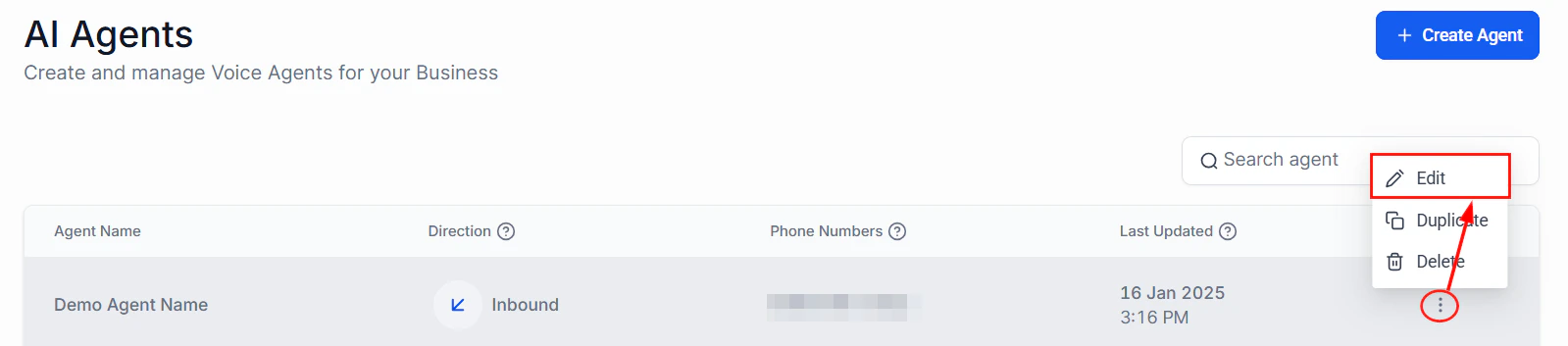
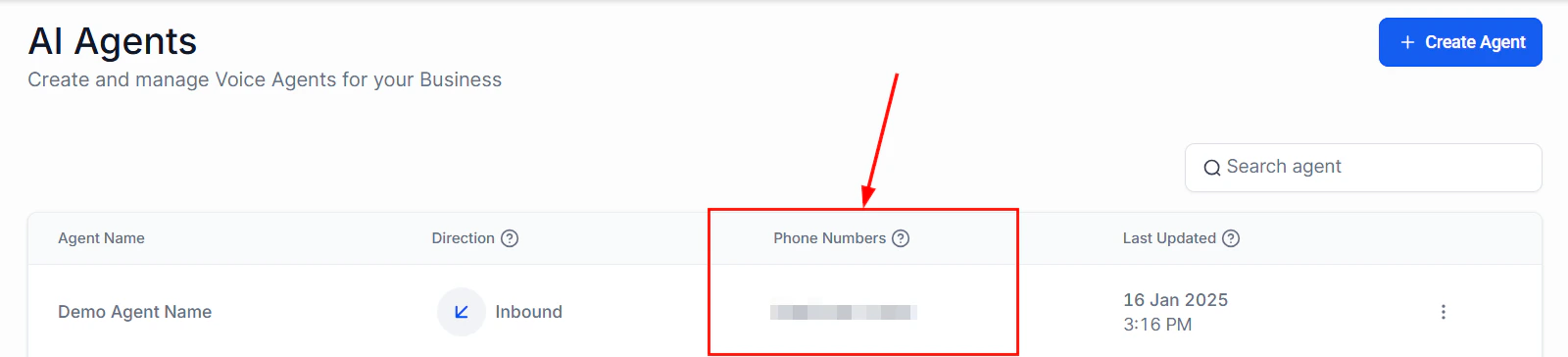
* **Assigned phone number(s)** — Which numbers the agent answers. See [Phone number setup](/ai/voice-ai/phone-setup).
* **Greeting** — The first thing the agent says when it picks up (e.g., "Thank you for calling Sunrise Dental, this is Sarah. How can I help you today?").
* **Working hours** — When the agent is active and what happens outside those hours.
* **Actions** — What the agent can do during the call (book appointments, transfer, send SMS, etc.).
* **Escalation rules** — Conditions under which the agent transfers to a human. See [Call escalation and transfer](/ai/voice-ai/call-escalation).
 ### Inbound best practices
If you have multiple numbers pointing to the same agent, use conditional logic in your prompt to identify which number was called and adjust the greeting. For example, a support line greeting differs from a sales line greeting.
Let the caller know they are speaking with an AI assistant in the greeting. This sets realistic expectations and reduces frustration if the agent cannot handle a complex request. Example: "Hi, you've reached Acme Corp. I'm an AI assistant and I can help with appointments, hours, and general questions. How can I help?"
No matter how capable your agent is, some callers will want to speak with a person. Always include a transfer-to-human action and make it accessible. The agent should never refuse to connect a caller to a human when asked.
Long greetings frustrate callers. Aim for 2-3 sentences maximum before asking how you can help. Avoid listing every service — let the caller state their need first.
## Outbound calling
Outbound Voice AI agents place calls to your contacts. The agent initiates the conversation, and the contact answers.
### Common outbound use cases
| Use case | Description |
| ------------------------- | ----------------------------------------------------------------------------- |
| **Appointment reminders** | Call contacts 24 hours before their appointment to confirm or reschedule |
| **Lead follow-up** | Call new leads within minutes of form submission to qualify and book meetings |
| **Re-engagement** | Reach out to dormant leads or past customers with offers or check-ins |
| **Payment reminders** | Notify contacts of upcoming or overdue payments |
| **Survey and feedback** | Collect post-service satisfaction ratings and feedback |
| **Event reminders** | Remind registrants about upcoming webinars, classes, or events |
### Inbound best practices
If you have multiple numbers pointing to the same agent, use conditional logic in your prompt to identify which number was called and adjust the greeting. For example, a support line greeting differs from a sales line greeting.
Let the caller know they are speaking with an AI assistant in the greeting. This sets realistic expectations and reduces frustration if the agent cannot handle a complex request. Example: "Hi, you've reached Acme Corp. I'm an AI assistant and I can help with appointments, hours, and general questions. How can I help?"
No matter how capable your agent is, some callers will want to speak with a person. Always include a transfer-to-human action and make it accessible. The agent should never refuse to connect a caller to a human when asked.
Long greetings frustrate callers. Aim for 2-3 sentences maximum before asking how you can help. Avoid listing every service — let the caller state their need first.
## Outbound calling
Outbound Voice AI agents place calls to your contacts. The agent initiates the conversation, and the contact answers.
### Common outbound use cases
| Use case | Description |
| ------------------------- | ----------------------------------------------------------------------------- |
| **Appointment reminders** | Call contacts 24 hours before their appointment to confirm or reschedule |
| **Lead follow-up** | Call new leads within minutes of form submission to qualify and book meetings |
| **Re-engagement** | Reach out to dormant leads or past customers with offers or check-ins |
| **Payment reminders** | Notify contacts of upcoming or overdue payments |
| **Survey and feedback** | Collect post-service satisfaction ratings and feedback |
| **Event reminders** | Remind registrants about upcoming webinars, classes, or events |
 ### Outbound configuration
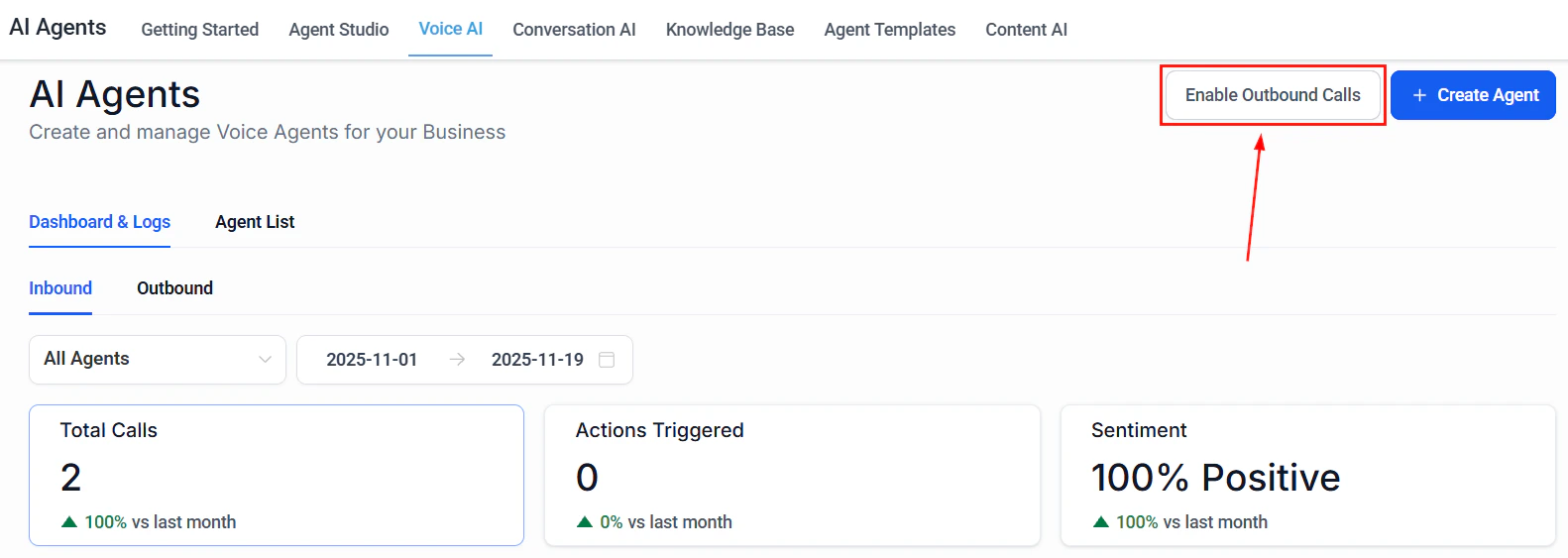
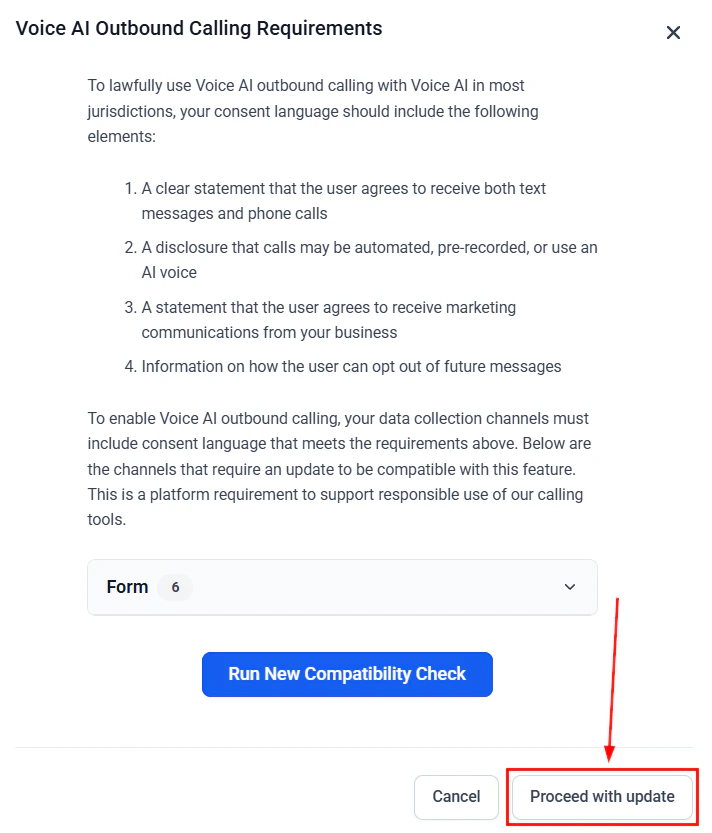
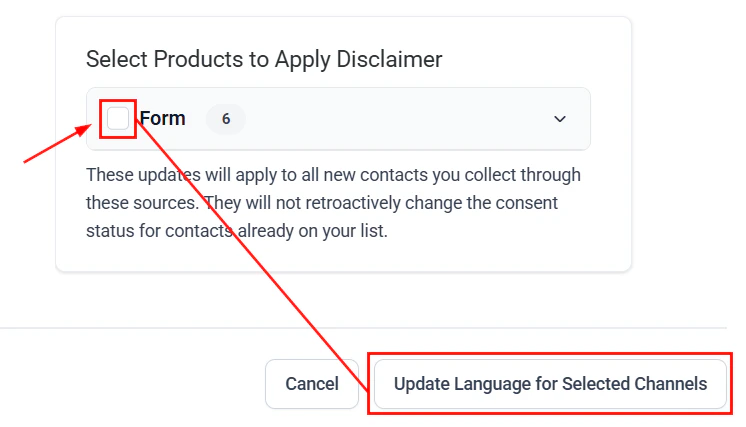
Outbound agents require additional configuration beyond inbound:
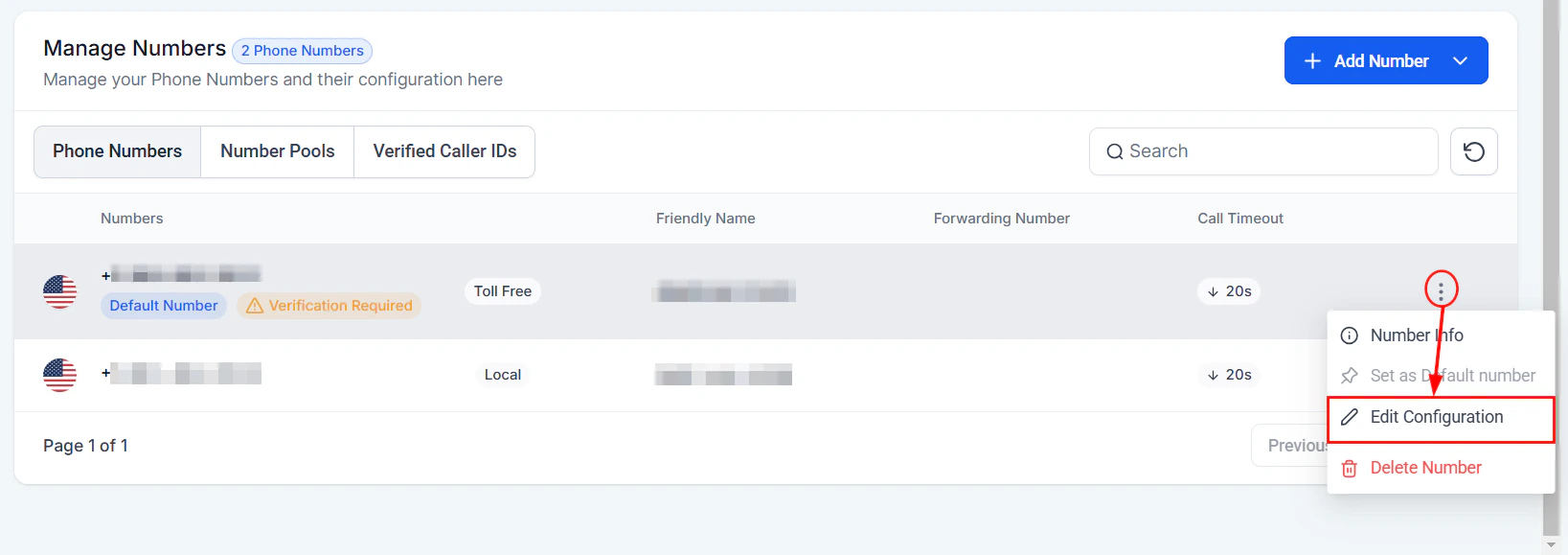
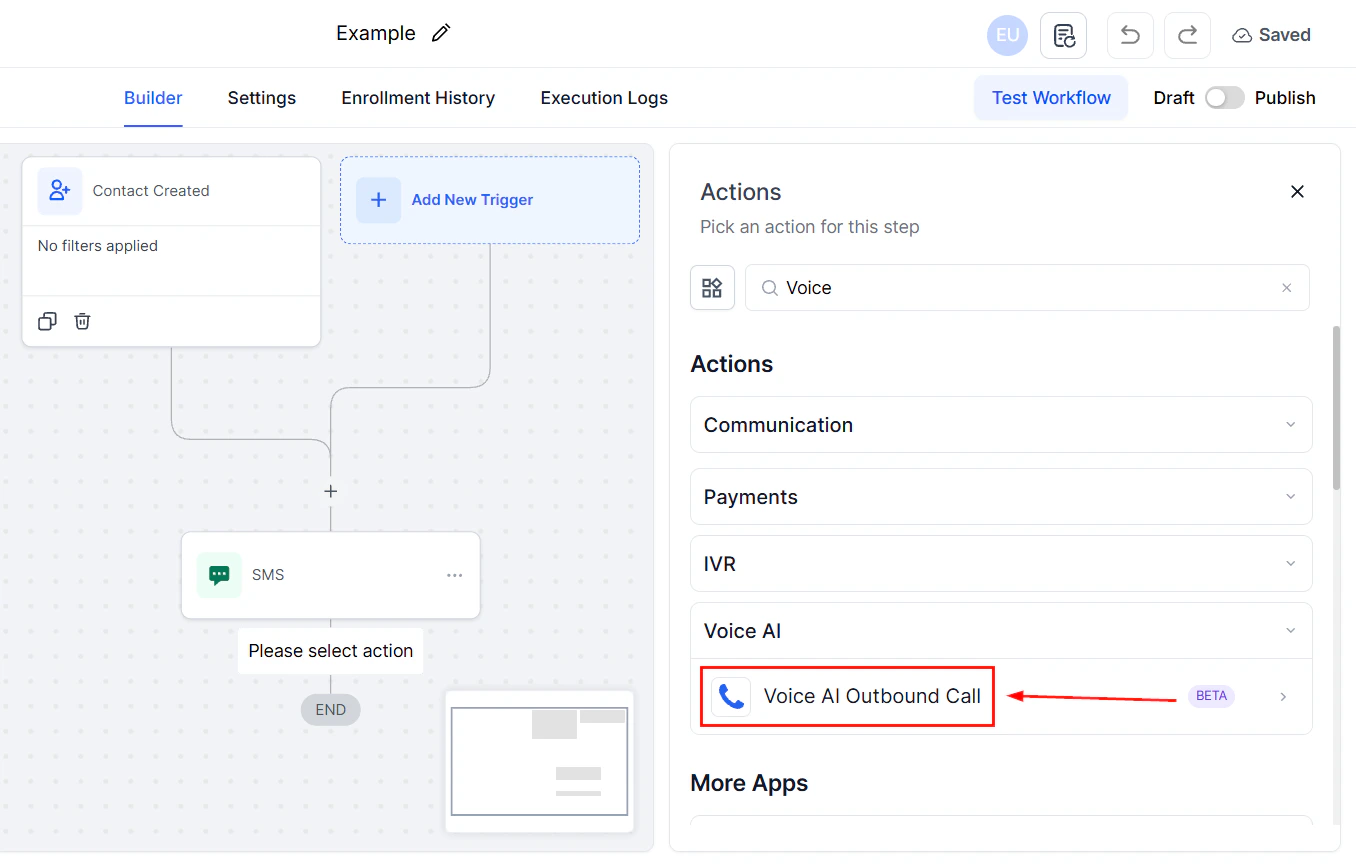
* **Caller ID number** — The number that appears on the recipient's phone. Use a local number matching the contact's area code when possible.
* **Trigger mechanism** — How the call is initiated:
* **Workflow action** — Automatically triggered when a contact enters a workflow step
* **Bulk action** — Manually select contacts and trigger calls in bulk
* **Manual trigger** — Place a single outbound call from a contact's record
* **API call** — Trigger outbound calls programmatically via the HoopAI API
* **Opening statement** — What the agent says when the contact answers. This is critical for outbound calls because the contact did not initiate the conversation and needs immediate context.
* **Voicemail handling** — What happens when the call goes to voicemail:
* Leave a pre-recorded voicemail message
* Leave an AI-generated voicemail
* Hang up and retry later
* Mark the contact for SMS follow-up instead
* **Retry logic** — Number of retry attempts and time between retries when the contact does not answer.
### Outbound configuration
Outbound agents require additional configuration beyond inbound:
* **Caller ID number** — The number that appears on the recipient's phone. Use a local number matching the contact's area code when possible.
* **Trigger mechanism** — How the call is initiated:
* **Workflow action** — Automatically triggered when a contact enters a workflow step
* **Bulk action** — Manually select contacts and trigger calls in bulk
* **Manual trigger** — Place a single outbound call from a contact's record
* **API call** — Trigger outbound calls programmatically via the HoopAI API
* **Opening statement** — What the agent says when the contact answers. This is critical for outbound calls because the contact did not initiate the conversation and needs immediate context.
* **Voicemail handling** — What happens when the call goes to voicemail:
* Leave a pre-recorded voicemail message
* Leave an AI-generated voicemail
* Hang up and retry later
* Mark the contact for SMS follow-up instead
* **Retry logic** — Number of retry attempts and time between retries when the contact does not answer.
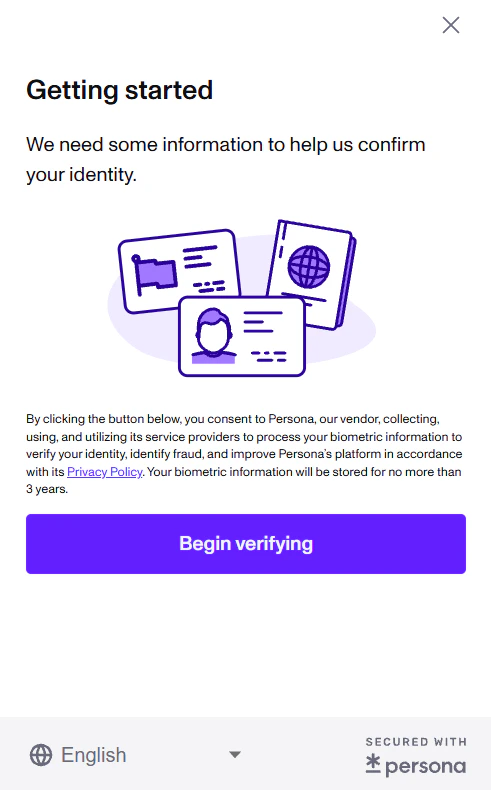
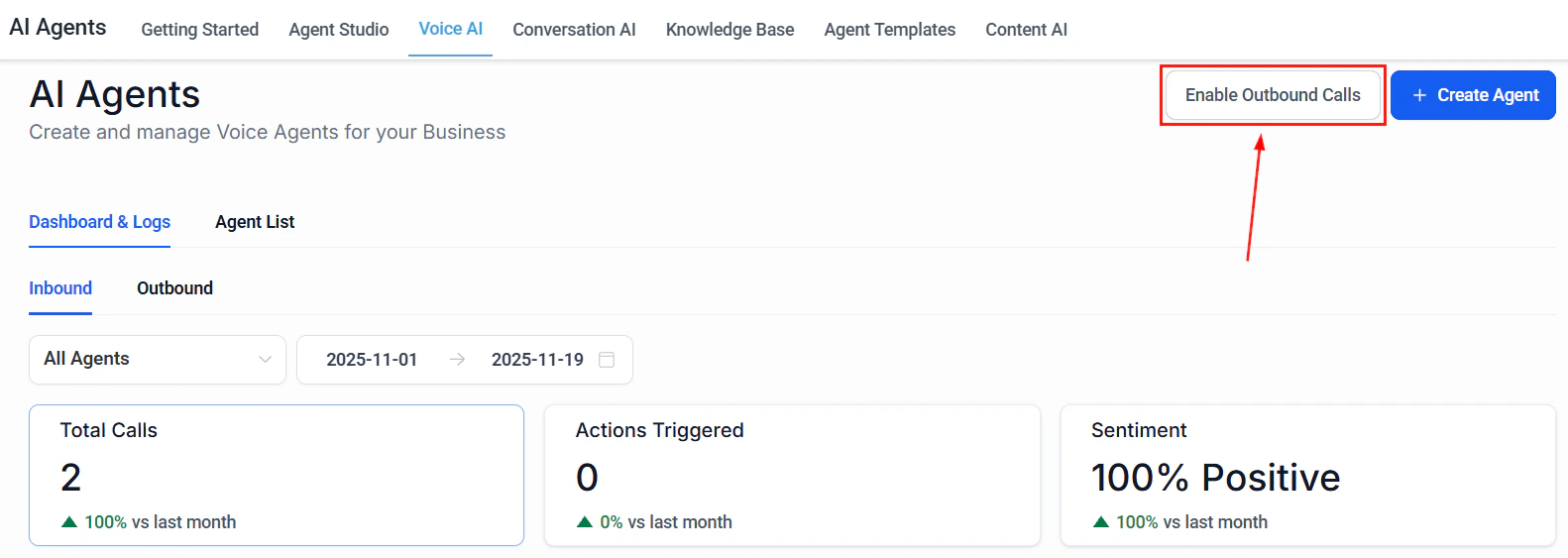 * **Calling window** — Hours during which outbound calls are permitted (essential for compliance).
### Outbound opening statement tips
The opening statement is the most important part of an outbound call. You have roughly 5 seconds to communicate who you are and why you are calling before the contact decides to hang up.
Effective opening statements follow this formula:
1. **Identify yourself and the business** — "Hi, this is Sarah calling from Sunrise Dental."
2. **State the reason** — "I'm calling about your appointment tomorrow at 2 PM."
3. **Ask a question** — "I wanted to confirm you're still able to make it?"
Avoid generic openings like "How are you today?" on outbound calls. Contacts who did not initiate the call want to know immediately who is calling and why. Get to the point quickly and respectfully.
* **Calling window** — Hours during which outbound calls are permitted (essential for compliance).
### Outbound opening statement tips
The opening statement is the most important part of an outbound call. You have roughly 5 seconds to communicate who you are and why you are calling before the contact decides to hang up.
Effective opening statements follow this formula:
1. **Identify yourself and the business** — "Hi, this is Sarah calling from Sunrise Dental."
2. **State the reason** — "I'm calling about your appointment tomorrow at 2 PM."
3. **Ask a question** — "I wanted to confirm you're still able to make it?"
Avoid generic openings like "How are you today?" on outbound calls. Contacts who did not initiate the call want to know immediately who is calling and why. Get to the point quickly and respectfully.
 ## Side-by-side comparison
| Feature | Inbound | Outbound |
| ------------------------- | --------------------------------------- | ----------------------------------------------------- |
| **Who initiates** | The customer calls you | Your agent calls the customer |
| **Caller expectation** | Customer expects to reach your business | Contact may not expect the call |
| **Greeting urgency** | Moderate — caller chose to call | High — you have seconds to establish context |
| **Compliance burden** | Lower — customer initiated contact | Higher — must comply with TCPA, DNC, and consent laws |
| **Phone number strategy** | Toll-free or local both work well | Local numbers strongly preferred for answer rates |
| **Voicemail handling** | Not applicable (caller is live) | Critical — many outbound calls go to voicemail |
| **Trigger** | Incoming call to assigned number | Workflow, bulk action, manual, or API |
| **Working hours impact** | Determines when agent is available | Determines when calls can be placed |
## TCPA compliance for outbound calls
Outbound AI calling is subject to strict regulations. Non-compliance can result in significant fines. This section provides general guidance, but you should consult with a legal professional for advice specific to your business and jurisdiction.
The Telephone Consumer Protection Act (TCPA) and related regulations govern outbound calling in the United States. Key requirements include:
## Side-by-side comparison
| Feature | Inbound | Outbound |
| ------------------------- | --------------------------------------- | ----------------------------------------------------- |
| **Who initiates** | The customer calls you | Your agent calls the customer |
| **Caller expectation** | Customer expects to reach your business | Contact may not expect the call |
| **Greeting urgency** | Moderate — caller chose to call | High — you have seconds to establish context |
| **Compliance burden** | Lower — customer initiated contact | Higher — must comply with TCPA, DNC, and consent laws |
| **Phone number strategy** | Toll-free or local both work well | Local numbers strongly preferred for answer rates |
| **Voicemail handling** | Not applicable (caller is live) | Critical — many outbound calls go to voicemail |
| **Trigger** | Incoming call to assigned number | Workflow, bulk action, manual, or API |
| **Working hours impact** | Determines when agent is available | Determines when calls can be placed |
## TCPA compliance for outbound calls
Outbound AI calling is subject to strict regulations. Non-compliance can result in significant fines. This section provides general guidance, but you should consult with a legal professional for advice specific to your business and jurisdiction.
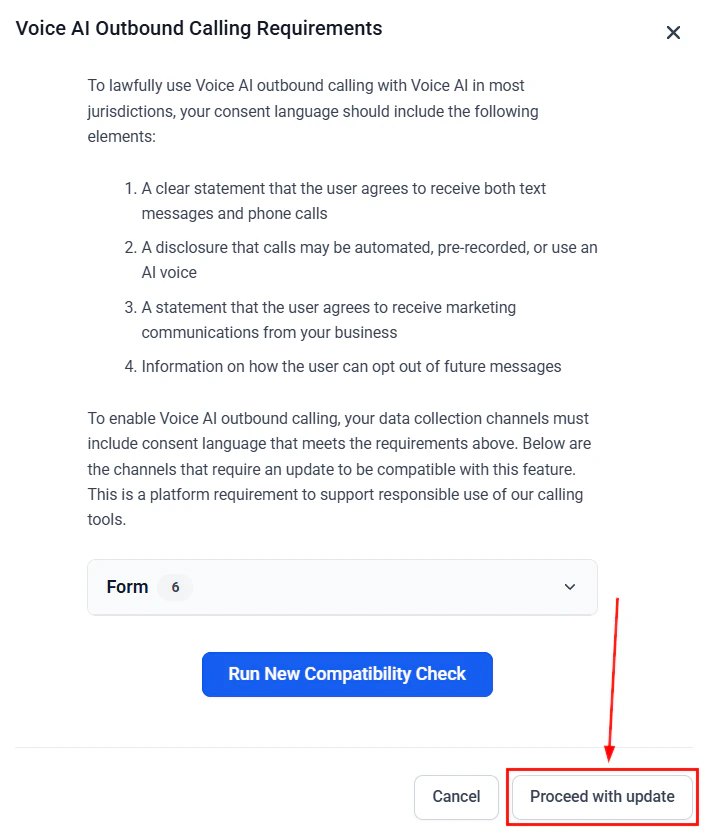
The Telephone Consumer Protection Act (TCPA) and related regulations govern outbound calling in the United States. Key requirements include:
 ### Prior express consent
 Before placing outbound AI calls, you must have **prior express consent** from the contact. The type of consent required depends on the call content:
* **Informational calls** (appointment reminders, order updates) — Prior express consent is required. This can be obtained when the contact provides their phone number during a transaction.
* **Marketing calls** (promotions, sales outreach) — Prior express **written** consent is required. This is a higher bar and typically requires a signed form, checked checkbox, or electronic signature.
### Do Not Call (DNC) compliance
* Maintain an internal DNC list and honor all opt-out requests immediately.
* Scrub your call lists against the National DNC Registry.
* When a contact asks to stop receiving calls, add them to your DNC list and confirm the request.
### Calling time restrictions
* Federal law restricts telemarketing calls to between **8 AM and 9 PM** in the contact's local timezone.
* Some states have narrower windows. Configure your outbound calling window to respect the strictest applicable rule.
### AI disclosure
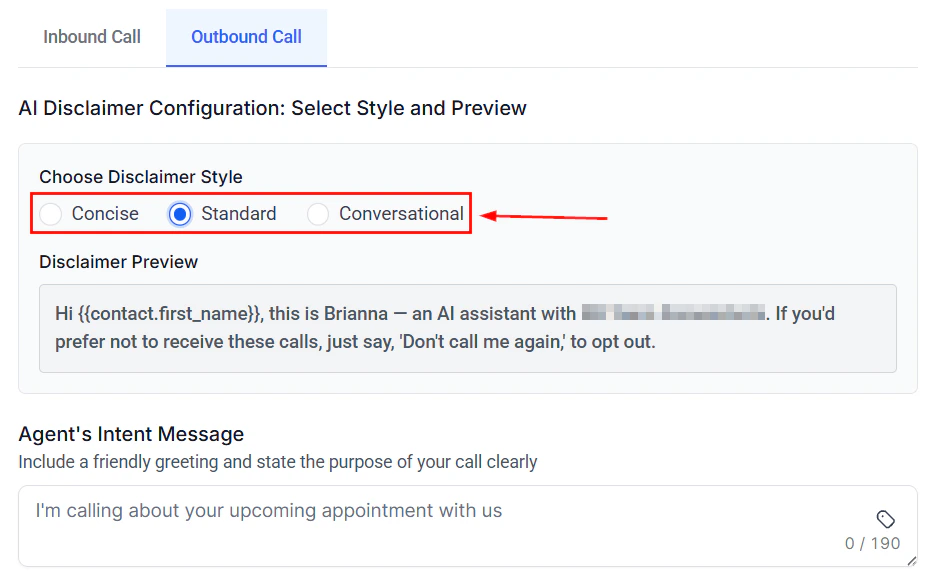
* The FCC requires disclosure that the caller is an AI or automated system. Include this in your agent's opening statement.
* Example: "Hi, this is an automated call from Sunrise Dental regarding your appointment tomorrow."
### Best practices for compliance
Record when, where, and how each contact provided consent. Store this information in your CRM custom fields for audit purposes.
Before placing outbound AI calls, you must have **prior express consent** from the contact. The type of consent required depends on the call content:
* **Informational calls** (appointment reminders, order updates) — Prior express consent is required. This can be obtained when the contact provides their phone number during a transaction.
* **Marketing calls** (promotions, sales outreach) — Prior express **written** consent is required. This is a higher bar and typically requires a signed form, checked checkbox, or electronic signature.
### Do Not Call (DNC) compliance
* Maintain an internal DNC list and honor all opt-out requests immediately.
* Scrub your call lists against the National DNC Registry.
* When a contact asks to stop receiving calls, add them to your DNC list and confirm the request.
### Calling time restrictions
* Federal law restricts telemarketing calls to between **8 AM and 9 PM** in the contact's local timezone.
* Some states have narrower windows. Configure your outbound calling window to respect the strictest applicable rule.
### AI disclosure
* The FCC requires disclosure that the caller is an AI or automated system. Include this in your agent's opening statement.
* Example: "Hi, this is an automated call from Sunrise Dental regarding your appointment tomorrow."
### Best practices for compliance
Record when, where, and how each contact provided consent. Store this information in your CRM custom fields for audit purposes.
 Set your outbound agent's calling window to respect federal and state time restrictions. Use the contact's timezone, not your business timezone.
Train your agent to recognize opt-out requests ("stop calling me," "take me off your list," "don't call again") and immediately end the call and update the contact's DNC status.
Add a disclosure statement to your outbound agent's opening line identifying the call as automated or AI-powered.
Maintain call logs, consent records, and opt-out requests for a minimum of five years as per regulatory guidance.
Set your outbound agent's calling window to respect federal and state time restrictions. Use the contact's timezone, not your business timezone.
Train your agent to recognize opt-out requests ("stop calling me," "take me off your list," "don't call again") and immediately end the call and update the contact's DNC status.
Add a disclosure statement to your outbound agent's opening line identifying the call as automated or AI-powered.
Maintain call logs, consent records, and opt-out requests for a minimum of five years as per regulatory guidance.
 ## Using both directions
Many businesses benefit from configuring an agent for both inbound and outbound. For example:
* **Dental office** — Inbound: answers calls, books appointments, handles questions. Outbound: calls patients 24 hours before appointments to confirm.
* **Real estate agency** — Inbound: qualifies incoming leads from ads. Outbound: follows up with leads who submitted a form but did not book a showing.
* **Auto repair shop** — Inbound: schedules service appointments. Outbound: calls customers when their vehicle is ready for pickup.
When using both directions, keep these tips in mind:
* Write direction-specific prompts. The agent needs different instructions for answering a call versus placing one.
* Use separate phone numbers for inbound and outbound if possible, so you can track performance independently.
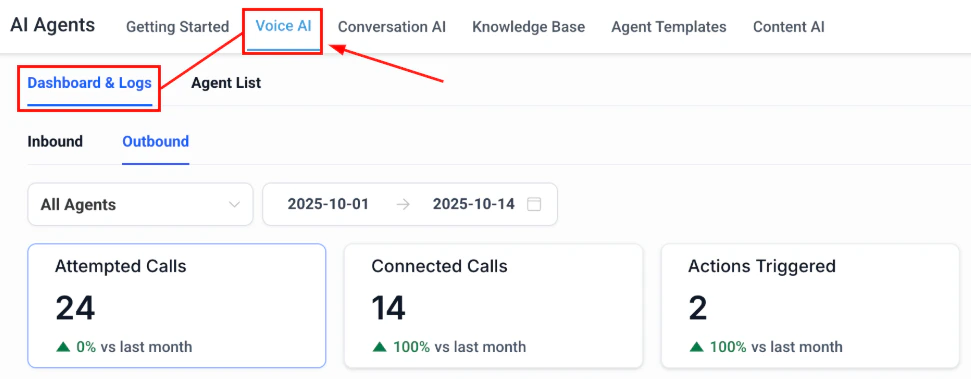
* Monitor inbound and outbound call metrics separately — answer rates, completion rates, and conversion rates behave very differently between the two directions.
## Next steps
## Using both directions
Many businesses benefit from configuring an agent for both inbound and outbound. For example:
* **Dental office** — Inbound: answers calls, books appointments, handles questions. Outbound: calls patients 24 hours before appointments to confirm.
* **Real estate agency** — Inbound: qualifies incoming leads from ads. Outbound: follows up with leads who submitted a form but did not book a showing.
* **Auto repair shop** — Inbound: schedules service appointments. Outbound: calls customers when their vehicle is ready for pickup.
When using both directions, keep these tips in mind:
* Write direction-specific prompts. The agent needs different instructions for answering a call versus placing one.
* Use separate phone numbers for inbound and outbound if possible, so you can track performance independently.
* Monitor inbound and outbound call metrics separately — answer rates, completion rates, and conversion rates behave very differently between the two directions.
## Next steps
 Follow the step-by-step guide to build your first Voice AI agent.
Purchase and configure phone numbers for your agents.
Enable your agent to book appointments during calls.
Set up rules for transferring calls to human team members.
Follow the step-by-step guide to build your first Voice AI agent.
Purchase and configure phone numbers for your agents.
Enable your agent to book appointments during calls.
Set up rules for transferring calls to human team members.