> ## Documentation Index
> Fetch the complete documentation index at: https://help.hoopai.com/llms.txt
> Use this file to discover all available pages before exploring further.
# Use case guides
> End-to-end implementation guides for building AI-powered solutions with HoopAI.
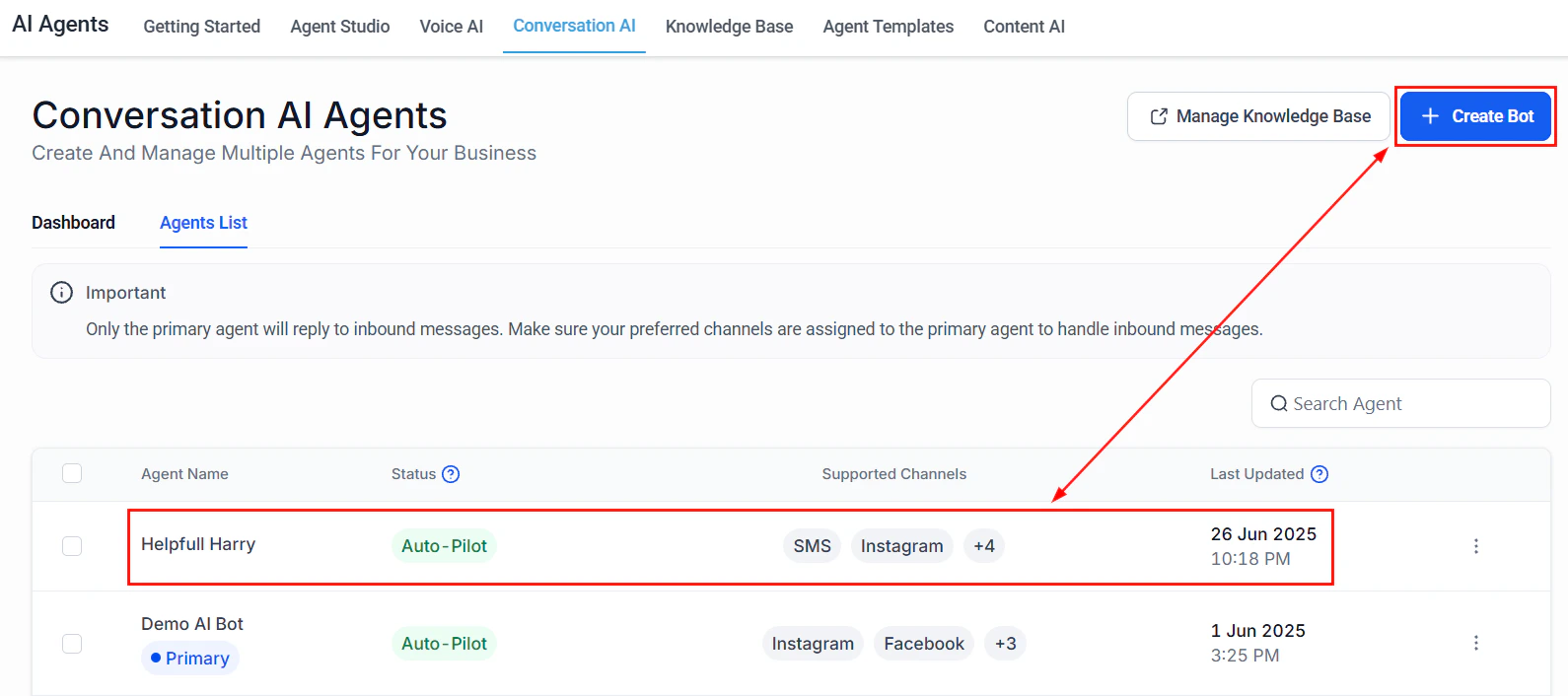 These use case guides are production-ready blueprints. Each one takes you from zero to a fully working AI solution — complete with prompts, configuration steps, testing checklists, and KPIs to measure success.
## Who these guides are for
* **Business owners** who want to deploy AI without hiring a developer
* **Operations managers** looking to automate repetitive customer interactions
* **Sales teams** who need AI to qualify leads and book meetings while they focus on closing
## How to use these guides
Every guide follows the same structure so you can move quickly:
1. **Overview box** — Goal, time to build, prerequisites, AI features used, and difficulty level
2. **Architecture overview** — How the pieces fit together
3. **Step-by-step build** — Every click, setting, and prompt you need
4. **Full prompt** — Copy-paste-ready prompt in a code block
5. **Testing section** — How to verify everything works
6. **Optimization tips** — Tune performance after launch
7. **KPIs** — What to measure so you know it is working
Start with the guide closest to your use case, then customize. You do not need to follow these in order.
***
## Available guides
Build a Voice AI receptionist that answers calls 24/7, handles FAQs, and books appointments automatically.
Create a Conversation AI bot that qualifies inbound leads, scores them, and routes hot prospects to your sales team.
Deploy a multi-channel AI agent that handles booking, confirmation, rescheduling, and no-show follow-up.
Set up an AI bot that handles customer inquiries outside business hours and queues urgent issues for morning follow-up.
Create an AI assistant that handles property inquiries, schedules showings, and qualifies buyers and sellers.
Deploy an AI bot for order status lookups, returns processing, product recommendations, and cart recovery.
Manage AI agents across multiple business locations with location-based routing and separate knowledge bases.
Set up Reviews AI to automatically respond to Google reviews with the right tone and trigger follow-up actions.
***
## Prerequisites for all guides
Before starting any guide, make sure you have completed the following:
* [Account setup](/getting-started/account-setup) and [first login](/getting-started/first-login)
* [Business profile](/getting-started/business-profile) configured
* At least one [phone number](/getting-started/phone-number-setup) provisioned (for Voice AI guides)
* Familiarity with [AI agents overview](/ai-agents/overview)
***
## Choosing the right guide
| Use case | Best for | Primary AI feature | Difficulty |
| ------------------------------------------------------------ | ---------------------------------------- | -------------------------- | ------------ |
| [AI receptionist](/ai/use-cases/ai-receptionist) | Service businesses with high call volume | Voice AI | Intermediate |
| [Lead qualification](/ai/use-cases/lead-qualification-bot) | Sales teams, agencies, B2B | Conversation AI | Intermediate |
| [Appointment scheduler](/ai/use-cases/appointment-scheduler) | Any appointment-based business | Conversation AI + Voice AI | Intermediate |
| [After-hours support](/ai/use-cases/after-hours-support) | Businesses without 24/7 staff | Conversation AI | Beginner |
| [Real estate assistant](/ai/use-cases/real-estate-agent) | Real estate agents and brokerages | Conversation AI + Voice AI | Advanced |
| [E-commerce support](/ai/use-cases/ecommerce-support) | Online stores | Conversation AI | Intermediate |
| [Multi-location](/ai/use-cases/multi-location) | Franchises, multi-location businesses | Conversation AI | Advanced |
| [Review automation](/ai/use-cases/review-automation) | Any business on Google | Reviews AI | Beginner |
***
## Next steps
Learn how to write effective prompts for any AI agent.
Set up your first Conversation AI bot before starting a use case guide.
Configure Voice AI before building your receptionist or appointment scheduler.
Train your AI with business-specific information.
These use case guides are production-ready blueprints. Each one takes you from zero to a fully working AI solution — complete with prompts, configuration steps, testing checklists, and KPIs to measure success.
## Who these guides are for
* **Business owners** who want to deploy AI without hiring a developer
* **Operations managers** looking to automate repetitive customer interactions
* **Sales teams** who need AI to qualify leads and book meetings while they focus on closing
## How to use these guides
Every guide follows the same structure so you can move quickly:
1. **Overview box** — Goal, time to build, prerequisites, AI features used, and difficulty level
2. **Architecture overview** — How the pieces fit together
3. **Step-by-step build** — Every click, setting, and prompt you need
4. **Full prompt** — Copy-paste-ready prompt in a code block
5. **Testing section** — How to verify everything works
6. **Optimization tips** — Tune performance after launch
7. **KPIs** — What to measure so you know it is working
Start with the guide closest to your use case, then customize. You do not need to follow these in order.
***
## Available guides
Build a Voice AI receptionist that answers calls 24/7, handles FAQs, and books appointments automatically.
Create a Conversation AI bot that qualifies inbound leads, scores them, and routes hot prospects to your sales team.
Deploy a multi-channel AI agent that handles booking, confirmation, rescheduling, and no-show follow-up.
Set up an AI bot that handles customer inquiries outside business hours and queues urgent issues for morning follow-up.
Create an AI assistant that handles property inquiries, schedules showings, and qualifies buyers and sellers.
Deploy an AI bot for order status lookups, returns processing, product recommendations, and cart recovery.
Manage AI agents across multiple business locations with location-based routing and separate knowledge bases.
Set up Reviews AI to automatically respond to Google reviews with the right tone and trigger follow-up actions.
***
## Prerequisites for all guides
Before starting any guide, make sure you have completed the following:
* [Account setup](/getting-started/account-setup) and [first login](/getting-started/first-login)
* [Business profile](/getting-started/business-profile) configured
* At least one [phone number](/getting-started/phone-number-setup) provisioned (for Voice AI guides)
* Familiarity with [AI agents overview](/ai-agents/overview)
***
## Choosing the right guide
| Use case | Best for | Primary AI feature | Difficulty |
| ------------------------------------------------------------ | ---------------------------------------- | -------------------------- | ------------ |
| [AI receptionist](/ai/use-cases/ai-receptionist) | Service businesses with high call volume | Voice AI | Intermediate |
| [Lead qualification](/ai/use-cases/lead-qualification-bot) | Sales teams, agencies, B2B | Conversation AI | Intermediate |
| [Appointment scheduler](/ai/use-cases/appointment-scheduler) | Any appointment-based business | Conversation AI + Voice AI | Intermediate |
| [After-hours support](/ai/use-cases/after-hours-support) | Businesses without 24/7 staff | Conversation AI | Beginner |
| [Real estate assistant](/ai/use-cases/real-estate-agent) | Real estate agents and brokerages | Conversation AI + Voice AI | Advanced |
| [E-commerce support](/ai/use-cases/ecommerce-support) | Online stores | Conversation AI | Intermediate |
| [Multi-location](/ai/use-cases/multi-location) | Franchises, multi-location businesses | Conversation AI | Advanced |
| [Review automation](/ai/use-cases/review-automation) | Any business on Google | Reviews AI | Beginner |
***
## Next steps
Learn how to write effective prompts for any AI agent.
Set up your first Conversation AI bot before starting a use case guide.
Configure Voice AI before building your receptionist or appointment scheduler.
Train your AI with business-specific information.