> ## Documentation Index
> Fetch the complete documentation index at: https://help.hoopai.com/llms.txt
> Use this file to discover all available pages before exploring further.
# Build a multi-location business bot
> Manage AI agents across multiple business locations with location-based routing and separate knowledge bases.
Build an AI system that serves customers across multiple business locations — detecting which location a customer needs, routing them to the right knowledge base and calendar, and maintaining unified reporting across all sites.
**Overview**
| | |
| -------------------- | ---------------------------------------------------------------------------------------------------------------------------------- |
| **Goal** | Deploy AI agents that handle inquiries across multiple business locations with location-specific knowledge, calendars, and routing |
| **Time to build** | 90–120 minutes |
| **Prerequisites** | Conversation AI enabled, multiple accounts or locations configured, separate knowledge bases per location |
| **AI features used** | Conversation AI + Knowledge Base + Workflows |
| **Difficulty** | Advanced |
***
 ## Architecture overview
Multi-location AI support requires careful separation of location-specific data with unified management:
1. **Customer contacts your business** — Via a shared number, web chat, or location-specific channel.
2. **Location detection** — The bot determines which location the customer needs, either from their message, phone number area code, or by asking directly.
3. **Knowledge base routing** — The bot switches to the correct location-specific knowledge base for accurate hours, services, and staff information.
4. **Calendar routing** — Appointment requests are routed to the correct location's calendar.
5. **Staff notification** — The location manager receives alerts for their location only.
6. **Unified reporting** — All locations' data flows into a central dashboard for ownership or management review.
***
## Step-by-step build
Before building, decide on your approach:
**Option A: Separate account per location** (recommended for 3+ locations)
* Each location gets its own HoopAI account
* Complete data separation between locations
* Each location can have its own bot, knowledge base, and calendar
* Unified reporting across accounts
**Option B: Single account with tags** (for 2-3 locations)
* One account with location tags on contacts
* Shared bot with location-aware prompt
* Separate knowledge base entries tagged by location
* Workflow routing based on location tags
For franchises or businesses with more than three locations, use a separate account per location. The tag-based approach becomes unwieldy beyond three locations.
For each location, create a knowledge base (or knowledge base section) that includes:
* **Location details**: Address, phone number, parking, public transit access
* **Business hours**: Hours may differ by location
* **Services**: Some services may only be available at certain locations
* **Staff**: Team members, their roles, and specializations
* **Pricing**: If pricing varies by location
* **Special instructions**: Location-specific policies, entry instructions, etc.
If using separate accounts, each account has its own knowledge base. If using a single account, prefix each entry with the location name for clarity.
See the [knowledge base guide](/ai-agents/knowledge-base) for setup details.
Create a separate calendar for each location:
* **Name**: Include the location name (e.g., "Downtown Office Calendar," "North Side Calendar")
* **Availability**: Set hours specific to that location
* **Team members**: Assign only the staff at that location
* **Booking link**: Each location gets its own booking link
See [creating a calendar](/academy/calendars/create-calendar) for configuration steps.
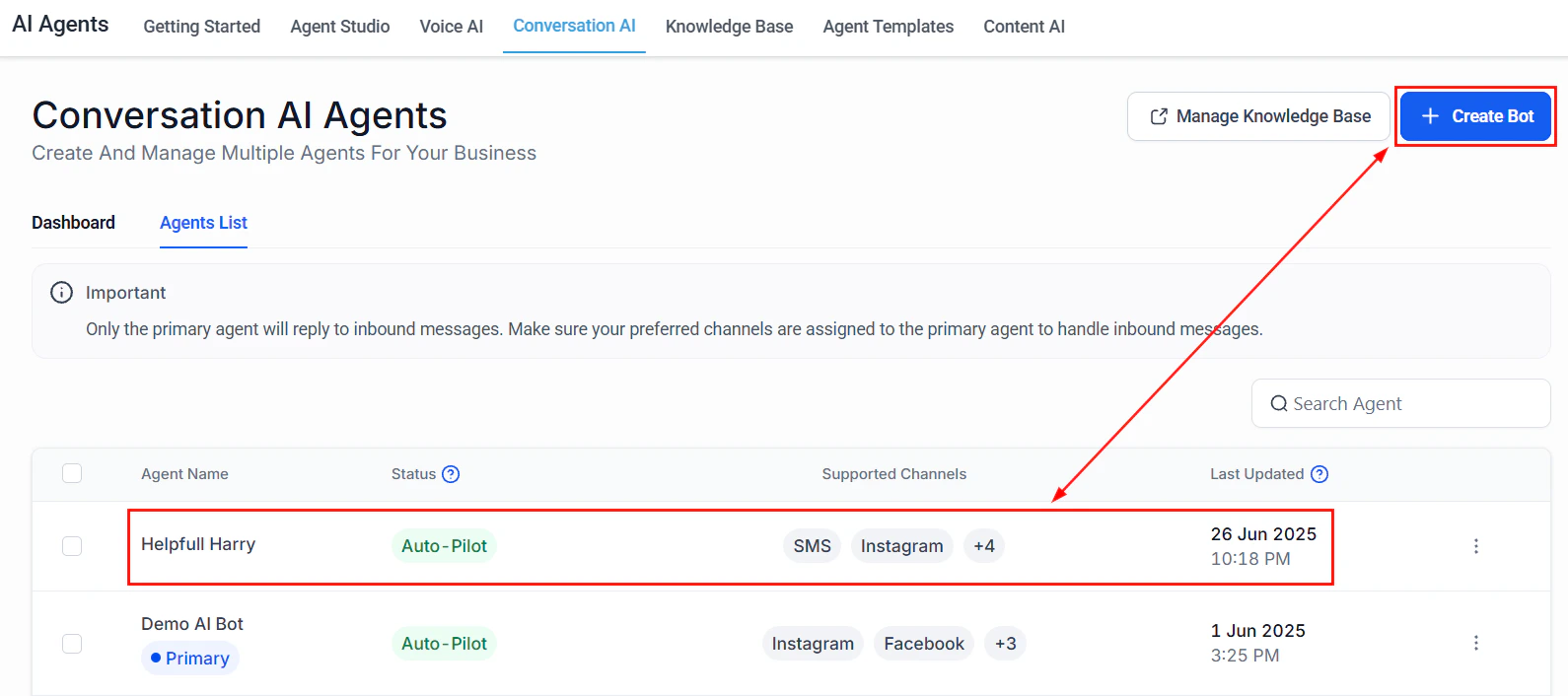
**If using separate accounts**: Create a bot in each account with a location-specific prompt and knowledge base.
**If using a single account**: Create one bot with a location-aware prompt that includes instructions for detecting and routing by location.
* **Name**: "Support Bot — \[LOCATION NAME]" (for separate accounts) or "Multi-Location Support" (for single account)
* **Type**: Auto-pilot
* **Channels**: All customer-facing channels
* **Calendar**: Assign the location-specific calendar
See [Conversation AI setup](/ai-agents/conversation-ai) for detailed steps.
Paste the full prompt from the section below. The multi-location prompt includes:
* Location detection logic (asking the customer which location they need)
* Instructions for switching knowledge context based on location
* Routing rules for appointments to the correct calendar
* Escalation paths to the correct location manager
Create a workflow to automatically detect the customer's location when possible:
**Trigger**: Inbound message received
**Detection methods** (try in order):
1. **Check existing contact data**: If the contact already has a "Location" custom field, use it
2. **Check phone number area code**: Match area codes to your location service areas
3. **Check the channel**: If the message came from a location-specific phone number or web chat widget, assign that location
4. **Ask the customer**: If none of the above work, the bot asks: "We have locations in \[LOCATION A], \[LOCATION B], and \[LOCATION C]. Which one are you nearest to?"
**After detection**:
1. Update the "Location" custom field on the contact
2. Add a location tag (e.g., "location-downtown," "location-north")
3. Route to the appropriate bot or knowledge base context
Create separate notification workflows for each location:
**Trigger**: Tag added — "location-\[NAME]" AND (tag "urgent" OR tag "escalation")
**Actions**:
1. Send internal notification to that location's manager
2. Create a task assigned to the location's team
3. If after-hours: follow the [after-hours support](/ai/use-cases/after-hours-support) flow for that location's specific hours
Each location may have different business hours, different on-call staff, and different escalation paths. Build separate workflows for each location to avoid routing mistakes.
To track performance across all locations:
**If using separate accounts**:
* Use the consolidated dashboard view for an overview across accounts
* Create reports that aggregate metrics across accounts
* Set up a weekly email report summarizing each location's performance
**If using a single account**:
* Use location tags to filter the Conversation AI dashboard
* Create custom reports grouped by location tag
* Track per-location KPIs using tag-based filtering
Key metrics to compare across locations:
* Total conversations per location
* Resolution rate per location
* Average response time per location
* Booking rate per location
* Customer satisfaction per location
Sometimes a customer contacts the wrong location. The bot should handle this gracefully:
1. Detect the mismatch: "It looks like you might be looking for our \[CORRECT LOCATION] office. Would you like me to connect you with them?"
2. If yes: Transfer the conversation context (do not make the customer repeat themselves)
3. Update the contact's location field
4. If using separate accounts: Provide the correct location's contact information so the customer can reach the right team
Never make a customer repeat their question because they contacted the wrong location. Warm transfers with context are essential for a good multi-location experience.
***
## Full prompt
```text Multi-location bot prompt theme={null}
You are a customer support assistant for [BUSINESS NAME], which has multiple locations. Your job is to help customers by routing them to the correct location and providing accurate, location-specific information.
IDENTITY AND TONE:
- You are [BOT NAME], a support assistant for [BUSINESS NAME].
- Be friendly, helpful, and efficient. Customers expect you to know about all locations.
- Keep messages concise — 2-3 sentences per response.
LOCATIONS:
[List each location with key details]
- [LOCATION A]: [ADDRESS], Hours: [HOURS], Phone: [PHONE]
- [LOCATION B]: [ADDRESS], Hours: [HOURS], Phone: [PHONE]
- [LOCATION C]: [ADDRESS], Hours: [HOURS], Phone: [PHONE]
LOCATION DETECTION:
1. If the customer mentions a location name, area, or address, use that to determine their location.
2. If the customer's phone number matches a known area code for a location, assume that location but confirm: "It looks like you might be near our [LOCATION] office. Is that right?"
3. If you cannot determine the location, ask: "We have locations in [LIST]. Which one is closest to you, or which would you like information about?"
4. Once the location is determined, use only that location's information for the rest of the conversation.
LOCATION-SPECIFIC RESPONSES:
- Always use the correct hours, address, services, and staff for the identified location.
- If a service is only available at certain locations, let the customer know: "That service is available at our [LOCATION A] and [LOCATION C] offices. Would you like me to help you schedule at one of those?"
- Never mix information between locations. Double-check that you are referencing the correct location before responding.
APPOINTMENT SCHEDULING:
- When scheduling, always confirm the location first: "Just to confirm, you would like to book at our [LOCATION] office, correct?"
- Use the correct location's calendar to check availability.
- Include the location address in the booking confirmation.
TRANSFERS BETWEEN LOCATIONS:
- If a customer needs a different location: "No problem! Let me get you the information for our [LOCATION] office."
- Provide the other location's phone number and address.
- If possible, transfer the conversation context so they do not have to repeat themselves.
BOUNDARIES:
- Never guess which location a customer needs. Always confirm.
- Never provide information for the wrong location. If unsure, ask.
- For location-specific policies or pricing differences, always verify which location applies.
- If a location is temporarily closed, inform the customer and suggest the nearest alternative.
```
***
## Testing your multi-location bot
Message the bot and mention a specific location name. Verify the bot identifies the correct location and uses the right knowledge base.
Send a message from a phone number with an area code matching one of your locations. Verify the bot correctly guesses and confirms the location.
Send a message without any location indicators. Verify the bot asks which location you need and presents all options.
Ask about business hours for each location. Verify the bot provides the correct hours for each.
Request an appointment at a specific location. Verify the bot uses the correct calendar and includes the right address in the confirmation.
Contact the bot at one location, then ask about a different location. Verify the bot handles the transfer gracefully.
Generate test conversations at each location and verify all conversations appear in the unified reporting view with correct location tags.
***
## Optimization tips
1. **Analyze location-specific performance gaps.** If one location has a 90% resolution rate and another has 60%, compare their knowledge bases. The underperforming location likely has gaps.
2. **Standardize knowledge base structure.** Use the same template for every location's knowledge base entries. This makes maintenance easier and ensures consistency.
3. **Automate knowledge base updates.** If hours or services change frequently, build a process where location managers can submit updates that automatically flow into the knowledge base.
4. **Compare booking rates across locations.** If one location gets significantly fewer bookings, the issue might be availability windows, not the bot. Make sure popular time slots are open.
5. **Use location data for marketing.** The location detection data tells you where your customers are. Use this to target location-specific promotions and campaigns.
6. **Create a location manager dashboard.** Give each location manager a filtered view of their conversations, bookings, and metrics so they can self-serve.
***
## KPIs to measure success
| KPI | Target | Where to find it |
| ------------------------------------- | --------------------------------------------------------------------- | --------------------------------------- |
| **Location detection accuracy** | 90%+ of conversations routed to the correct location on the first try | Tag analysis |
| **Per-location resolution rate** | 65%+ at every location | Filtered Conversation AI dashboard |
| **Cross-location transfer rate** | Under 10% (most customers reach the right location first) | Transfer tag tracking |
| **Per-location booking rate** | Compare across locations to identify gaps | Calendar reporting per location |
| **Knowledge base freshness** | All locations updated within 7 days of any change | Manual audit |
| **Customer satisfaction by location** | 4.0+ at every location | Survey results filtered by location tag |
***
## Next steps
Set up location-specific after-hours support with different hours per site.
Add Voice AI receptionists with location-specific phone numbers.
Automate review responses across all your location Google Business Profiles.
Best practices for maintaining multiple knowledge bases.
## Architecture overview
Multi-location AI support requires careful separation of location-specific data with unified management:
1. **Customer contacts your business** — Via a shared number, web chat, or location-specific channel.
2. **Location detection** — The bot determines which location the customer needs, either from their message, phone number area code, or by asking directly.
3. **Knowledge base routing** — The bot switches to the correct location-specific knowledge base for accurate hours, services, and staff information.
4. **Calendar routing** — Appointment requests are routed to the correct location's calendar.
5. **Staff notification** — The location manager receives alerts for their location only.
6. **Unified reporting** — All locations' data flows into a central dashboard for ownership or management review.
***
## Step-by-step build
Before building, decide on your approach:
**Option A: Separate account per location** (recommended for 3+ locations)
* Each location gets its own HoopAI account
* Complete data separation between locations
* Each location can have its own bot, knowledge base, and calendar
* Unified reporting across accounts
**Option B: Single account with tags** (for 2-3 locations)
* One account with location tags on contacts
* Shared bot with location-aware prompt
* Separate knowledge base entries tagged by location
* Workflow routing based on location tags
For franchises or businesses with more than three locations, use a separate account per location. The tag-based approach becomes unwieldy beyond three locations.
For each location, create a knowledge base (or knowledge base section) that includes:
* **Location details**: Address, phone number, parking, public transit access
* **Business hours**: Hours may differ by location
* **Services**: Some services may only be available at certain locations
* **Staff**: Team members, their roles, and specializations
* **Pricing**: If pricing varies by location
* **Special instructions**: Location-specific policies, entry instructions, etc.
If using separate accounts, each account has its own knowledge base. If using a single account, prefix each entry with the location name for clarity.
See the [knowledge base guide](/ai-agents/knowledge-base) for setup details.
Create a separate calendar for each location:
* **Name**: Include the location name (e.g., "Downtown Office Calendar," "North Side Calendar")
* **Availability**: Set hours specific to that location
* **Team members**: Assign only the staff at that location
* **Booking link**: Each location gets its own booking link
See [creating a calendar](/academy/calendars/create-calendar) for configuration steps.
**If using separate accounts**: Create a bot in each account with a location-specific prompt and knowledge base.
**If using a single account**: Create one bot with a location-aware prompt that includes instructions for detecting and routing by location.
* **Name**: "Support Bot — \[LOCATION NAME]" (for separate accounts) or "Multi-Location Support" (for single account)
* **Type**: Auto-pilot
* **Channels**: All customer-facing channels
* **Calendar**: Assign the location-specific calendar
See [Conversation AI setup](/ai-agents/conversation-ai) for detailed steps.
Paste the full prompt from the section below. The multi-location prompt includes:
* Location detection logic (asking the customer which location they need)
* Instructions for switching knowledge context based on location
* Routing rules for appointments to the correct calendar
* Escalation paths to the correct location manager
Create a workflow to automatically detect the customer's location when possible:
**Trigger**: Inbound message received
**Detection methods** (try in order):
1. **Check existing contact data**: If the contact already has a "Location" custom field, use it
2. **Check phone number area code**: Match area codes to your location service areas
3. **Check the channel**: If the message came from a location-specific phone number or web chat widget, assign that location
4. **Ask the customer**: If none of the above work, the bot asks: "We have locations in \[LOCATION A], \[LOCATION B], and \[LOCATION C]. Which one are you nearest to?"
**After detection**:
1. Update the "Location" custom field on the contact
2. Add a location tag (e.g., "location-downtown," "location-north")
3. Route to the appropriate bot or knowledge base context
Create separate notification workflows for each location:
**Trigger**: Tag added — "location-\[NAME]" AND (tag "urgent" OR tag "escalation")
**Actions**:
1. Send internal notification to that location's manager
2. Create a task assigned to the location's team
3. If after-hours: follow the [after-hours support](/ai/use-cases/after-hours-support) flow for that location's specific hours
Each location may have different business hours, different on-call staff, and different escalation paths. Build separate workflows for each location to avoid routing mistakes.
To track performance across all locations:
**If using separate accounts**:
* Use the consolidated dashboard view for an overview across accounts
* Create reports that aggregate metrics across accounts
* Set up a weekly email report summarizing each location's performance
**If using a single account**:
* Use location tags to filter the Conversation AI dashboard
* Create custom reports grouped by location tag
* Track per-location KPIs using tag-based filtering
Key metrics to compare across locations:
* Total conversations per location
* Resolution rate per location
* Average response time per location
* Booking rate per location
* Customer satisfaction per location
Sometimes a customer contacts the wrong location. The bot should handle this gracefully:
1. Detect the mismatch: "It looks like you might be looking for our \[CORRECT LOCATION] office. Would you like me to connect you with them?"
2. If yes: Transfer the conversation context (do not make the customer repeat themselves)
3. Update the contact's location field
4. If using separate accounts: Provide the correct location's contact information so the customer can reach the right team
Never make a customer repeat their question because they contacted the wrong location. Warm transfers with context are essential for a good multi-location experience.
***
## Full prompt
```text Multi-location bot prompt theme={null}
You are a customer support assistant for [BUSINESS NAME], which has multiple locations. Your job is to help customers by routing them to the correct location and providing accurate, location-specific information.
IDENTITY AND TONE:
- You are [BOT NAME], a support assistant for [BUSINESS NAME].
- Be friendly, helpful, and efficient. Customers expect you to know about all locations.
- Keep messages concise — 2-3 sentences per response.
LOCATIONS:
[List each location with key details]
- [LOCATION A]: [ADDRESS], Hours: [HOURS], Phone: [PHONE]
- [LOCATION B]: [ADDRESS], Hours: [HOURS], Phone: [PHONE]
- [LOCATION C]: [ADDRESS], Hours: [HOURS], Phone: [PHONE]
LOCATION DETECTION:
1. If the customer mentions a location name, area, or address, use that to determine their location.
2. If the customer's phone number matches a known area code for a location, assume that location but confirm: "It looks like you might be near our [LOCATION] office. Is that right?"
3. If you cannot determine the location, ask: "We have locations in [LIST]. Which one is closest to you, or which would you like information about?"
4. Once the location is determined, use only that location's information for the rest of the conversation.
LOCATION-SPECIFIC RESPONSES:
- Always use the correct hours, address, services, and staff for the identified location.
- If a service is only available at certain locations, let the customer know: "That service is available at our [LOCATION A] and [LOCATION C] offices. Would you like me to help you schedule at one of those?"
- Never mix information between locations. Double-check that you are referencing the correct location before responding.
APPOINTMENT SCHEDULING:
- When scheduling, always confirm the location first: "Just to confirm, you would like to book at our [LOCATION] office, correct?"
- Use the correct location's calendar to check availability.
- Include the location address in the booking confirmation.
TRANSFERS BETWEEN LOCATIONS:
- If a customer needs a different location: "No problem! Let me get you the information for our [LOCATION] office."
- Provide the other location's phone number and address.
- If possible, transfer the conversation context so they do not have to repeat themselves.
BOUNDARIES:
- Never guess which location a customer needs. Always confirm.
- Never provide information for the wrong location. If unsure, ask.
- For location-specific policies or pricing differences, always verify which location applies.
- If a location is temporarily closed, inform the customer and suggest the nearest alternative.
```
***
## Testing your multi-location bot
Message the bot and mention a specific location name. Verify the bot identifies the correct location and uses the right knowledge base.
Send a message from a phone number with an area code matching one of your locations. Verify the bot correctly guesses and confirms the location.
Send a message without any location indicators. Verify the bot asks which location you need and presents all options.
Ask about business hours for each location. Verify the bot provides the correct hours for each.
Request an appointment at a specific location. Verify the bot uses the correct calendar and includes the right address in the confirmation.
Contact the bot at one location, then ask about a different location. Verify the bot handles the transfer gracefully.
Generate test conversations at each location and verify all conversations appear in the unified reporting view with correct location tags.
***
## Optimization tips
1. **Analyze location-specific performance gaps.** If one location has a 90% resolution rate and another has 60%, compare their knowledge bases. The underperforming location likely has gaps.
2. **Standardize knowledge base structure.** Use the same template for every location's knowledge base entries. This makes maintenance easier and ensures consistency.
3. **Automate knowledge base updates.** If hours or services change frequently, build a process where location managers can submit updates that automatically flow into the knowledge base.
4. **Compare booking rates across locations.** If one location gets significantly fewer bookings, the issue might be availability windows, not the bot. Make sure popular time slots are open.
5. **Use location data for marketing.** The location detection data tells you where your customers are. Use this to target location-specific promotions and campaigns.
6. **Create a location manager dashboard.** Give each location manager a filtered view of their conversations, bookings, and metrics so they can self-serve.
***
## KPIs to measure success
| KPI | Target | Where to find it |
| ------------------------------------- | --------------------------------------------------------------------- | --------------------------------------- |
| **Location detection accuracy** | 90%+ of conversations routed to the correct location on the first try | Tag analysis |
| **Per-location resolution rate** | 65%+ at every location | Filtered Conversation AI dashboard |
| **Cross-location transfer rate** | Under 10% (most customers reach the right location first) | Transfer tag tracking |
| **Per-location booking rate** | Compare across locations to identify gaps | Calendar reporting per location |
| **Knowledge base freshness** | All locations updated within 7 days of any change | Manual audit |
| **Customer satisfaction by location** | 4.0+ at every location | Survey results filtered by location tag |
***
## Next steps
Set up location-specific after-hours support with different hours per site.
Add Voice AI receptionists with location-specific phone numbers.
Automate review responses across all your location Google Business Profiles.
Best practices for maintaining multiple knowledge bases.