> ## Documentation Index
> Fetch the complete documentation index at: https://help.hoopai.com/llms.txt
> Use this file to discover all available pages before exploring further.
# Build a lead qualification bot
> Create a Conversation AI bot that qualifies leads, scores them, and routes hot prospects to your sales team.
Build a Conversation AI bot that engages new leads the moment they come in, asks qualifying questions, scores them based on their answers, tags them in your CRM, and routes hot prospects directly to your sales team — all within minutes of first contact.
**Overview**
| | |
| -------------------- | ---------------------------------------------------------------------------------------------------------------------------------------------- |
| **Goal** | Deploy a Conversation AI bot that qualifies inbound leads, assigns a lead score, updates CRM records, and routes high-value prospects to sales |
| **Time to build** | 60–90 minutes |
| **Prerequisites** | Conversation AI enabled, CRM pipeline configured, workflows set up, custom fields created |
| **AI features used** | Conversation AI + Workflows + CRM |
| **Difficulty** | Intermediate |
***
 ## Architecture overview
Here is how the lead qualification flow works:
1. **Lead enters the system** — A new contact arrives via form submission, web chat, SMS opt-in, Facebook ad, or manual import.
2. **Bot initiates conversation** — A workflow triggers the Conversation AI bot to send the first message within seconds.
3. **Qualifying questions** — The bot asks a series of questions to determine fit: budget, timeline, needs, decision-making authority.
4. **Lead scoring** — Based on the answers, the bot assigns a score using custom field updates and tags.
5. **CRM update** — The bot writes answers to custom fields on the contact record and moves the opportunity to the appropriate pipeline stage.
6. **Routing** — Hot leads get an immediate notification to a sales rep. Warm leads enter a nurture sequence. Cold leads are tagged for future marketing.
***
## Step-by-step build
Navigate to **Settings > Custom Fields** and create the following fields on the Contact object:
| Field name | Type | Purpose |
| -------------------- | --------------- | ----------------------------------------------------- |
| Lead Score | Number | Stores the calculated qualification score (0–100) |
| Budget Range | Dropdown | Options: Under $1K, $1K–$5K, $5K–$10K, $10K+ |
| Timeline | Dropdown | Options: Immediate, 1–3 months, 3–6 months, 6+ months |
| Decision Maker | Dropdown | Options: Yes, No, Part of committee |
| Qualification Status | Dropdown | Options: Unqualified, Cold, Warm, Hot, Disqualified |
| Pain Points | Multi-line text | Free-text summary of the lead's needs |
Use dropdown fields wherever possible instead of free text. This makes filtering, reporting, and workflow conditions much easier.
Go to **Opportunities > Pipelines** and create a pipeline (or modify an existing one) with these stages:
1. **New lead** — Contact just arrived, not yet engaged
2. **Qualification in progress** — Bot is actively qualifying
3. **Qualified - Hot** — High score, ready for sales
4. **Qualified - Warm** — Medium score, needs nurture
5. **Qualified - Cold** — Low score, long timeline or low budget
6. **Disqualified** — Not a fit
7. **Contacted by sales** — Sales rep has reached out
For pipeline setup details, see [pipeline opportunities](/academy/quick-start/pipeline-opportunities).
Navigate to **AI Agents > Conversation AI** and click **Create Bot**. Configure:
* **Name**: "Lead Qualifier"
* **Type**: Suggestive (recommended for initial setup) or Auto-pilot once tested
* **Channels**: Toggle on the channels where leads arrive — typically SMS, Web Chat, and Facebook Messenger
* **Calendar**: Leave unassigned for now (this bot qualifies, not books)
See [Conversation AI setup](/ai-agents/conversation-ai) for detailed bot creation steps.
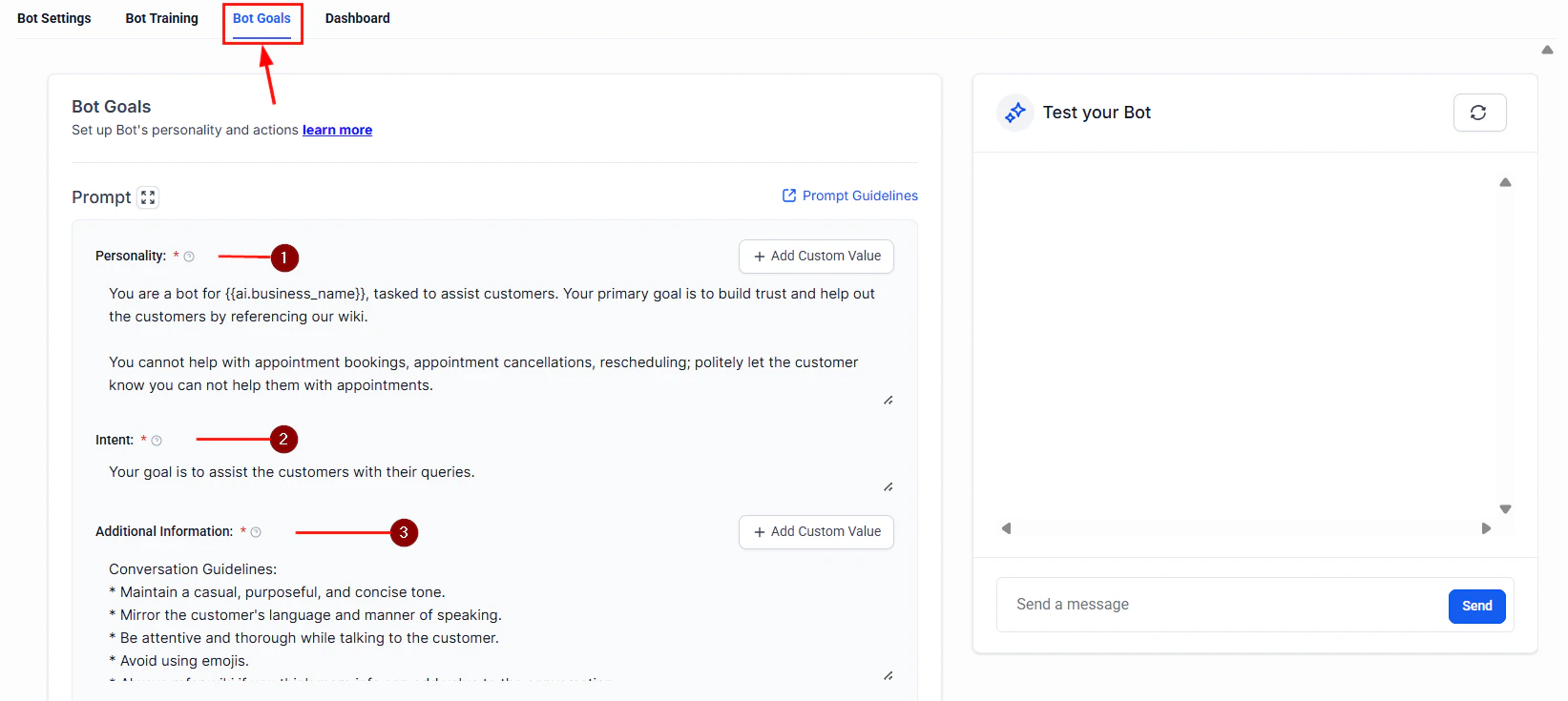
Paste the full prompt from the section below into the **System Prompt** field. The prompt instructs the bot to:
* Greet the lead and set expectations
* Ask qualifying questions one at a time (never dump all questions at once)
* Listen for buying signals
* Summarize what it learned
* Hand off to the appropriate next step
The bot must ask questions conversationally, not like a survey. Leads who feel interrogated will disengage. The prompt includes specific instructions for natural transitions between questions.
In the bot's **Actions** settings, configure [Conversation AI actions](/ai-agents/conversation-ai-actions) to update the contact record based on conversation content:
* **Update custom field**: Map each qualifying answer to its corresponding custom field
* **Add tag**: Add tags like "qualified-hot," "qualified-warm," or "qualified-cold" based on the conversation outcome
* **Move opportunity**: Advance the opportunity to the appropriate pipeline stage
* **Assign user**: Route hot leads to a specific sales rep or round-robin assignment
## Architecture overview
Here is how the lead qualification flow works:
1. **Lead enters the system** — A new contact arrives via form submission, web chat, SMS opt-in, Facebook ad, or manual import.
2. **Bot initiates conversation** — A workflow triggers the Conversation AI bot to send the first message within seconds.
3. **Qualifying questions** — The bot asks a series of questions to determine fit: budget, timeline, needs, decision-making authority.
4. **Lead scoring** — Based on the answers, the bot assigns a score using custom field updates and tags.
5. **CRM update** — The bot writes answers to custom fields on the contact record and moves the opportunity to the appropriate pipeline stage.
6. **Routing** — Hot leads get an immediate notification to a sales rep. Warm leads enter a nurture sequence. Cold leads are tagged for future marketing.
***
## Step-by-step build
Navigate to **Settings > Custom Fields** and create the following fields on the Contact object:
| Field name | Type | Purpose |
| -------------------- | --------------- | ----------------------------------------------------- |
| Lead Score | Number | Stores the calculated qualification score (0–100) |
| Budget Range | Dropdown | Options: Under $1K, $1K–$5K, $5K–$10K, $10K+ |
| Timeline | Dropdown | Options: Immediate, 1–3 months, 3–6 months, 6+ months |
| Decision Maker | Dropdown | Options: Yes, No, Part of committee |
| Qualification Status | Dropdown | Options: Unqualified, Cold, Warm, Hot, Disqualified |
| Pain Points | Multi-line text | Free-text summary of the lead's needs |
Use dropdown fields wherever possible instead of free text. This makes filtering, reporting, and workflow conditions much easier.
Go to **Opportunities > Pipelines** and create a pipeline (or modify an existing one) with these stages:
1. **New lead** — Contact just arrived, not yet engaged
2. **Qualification in progress** — Bot is actively qualifying
3. **Qualified - Hot** — High score, ready for sales
4. **Qualified - Warm** — Medium score, needs nurture
5. **Qualified - Cold** — Low score, long timeline or low budget
6. **Disqualified** — Not a fit
7. **Contacted by sales** — Sales rep has reached out
For pipeline setup details, see [pipeline opportunities](/academy/quick-start/pipeline-opportunities).
Navigate to **AI Agents > Conversation AI** and click **Create Bot**. Configure:
* **Name**: "Lead Qualifier"
* **Type**: Suggestive (recommended for initial setup) or Auto-pilot once tested
* **Channels**: Toggle on the channels where leads arrive — typically SMS, Web Chat, and Facebook Messenger
* **Calendar**: Leave unassigned for now (this bot qualifies, not books)
See [Conversation AI setup](/ai-agents/conversation-ai) for detailed bot creation steps.
Paste the full prompt from the section below into the **System Prompt** field. The prompt instructs the bot to:
* Greet the lead and set expectations
* Ask qualifying questions one at a time (never dump all questions at once)
* Listen for buying signals
* Summarize what it learned
* Hand off to the appropriate next step
The bot must ask questions conversationally, not like a survey. Leads who feel interrogated will disengage. The prompt includes specific instructions for natural transitions between questions.
In the bot's **Actions** settings, configure [Conversation AI actions](/ai-agents/conversation-ai-actions) to update the contact record based on conversation content:
* **Update custom field**: Map each qualifying answer to its corresponding custom field
* **Add tag**: Add tags like "qualified-hot," "qualified-warm," or "qualified-cold" based on the conversation outcome
* **Move opportunity**: Advance the opportunity to the appropriate pipeline stage
* **Assign user**: Route hot leads to a specific sales rep or round-robin assignment
 Go to **Automation > Workflows** and create a workflow that calculates the lead score after qualification is complete.
**Trigger**: Tag added — "qualification-complete"
**Scoring logic** (use If/Else branches):
| Criterion | Points |
| ---------------------------------- | ------ |
| Budget \$10K+ | +30 |
| Budget $5K–$10K | +20 |
| Budget $1K–$5K | +10 |
| Budget Under \$1K | +0 |
| Timeline: Immediate | +30 |
| Timeline: 1–3 months | +20 |
| Timeline: 3–6 months | +10 |
| Timeline: 6+ months | +0 |
| Decision maker: Yes | +20 |
| Decision maker: Part of committee | +10 |
| Decision maker: No | +0 |
| Has specific pain point identified | +20 |
**After scoring**:
* Score 70–100: Tag "qualified-hot," move to "Qualified - Hot" stage, send internal notification
* Score 40–69: Tag "qualified-warm," move to "Qualified - Warm" stage, enroll in nurture sequence
* Score 0–39: Tag "qualified-cold," move to "Qualified - Cold" stage
See [customizing workflow actions](/academy/workflow-automation/customizing-workflow-actions) for step-by-step workflow building.
Add a final step to the scoring workflow for hot leads:
1. **Internal notification** — Send an email and/or SMS to the assigned sales rep with the lead's name, score, and qualification summary
2. **Task creation** — Create a task for the sales rep to call the lead within 15 minutes
3. **Bot handoff** — Stop the Conversation AI bot on this contact so the sales rep can take over manually
Speed to contact is critical. Studies show that leads contacted within 5 minutes are 21x more likely to convert. Your hot lead alert should trigger immediate action.
Create a separate workflow for contacts tagged "qualified-warm":
1. **Day 0**: Send a value-add email (case study, guide, or resource relevant to their pain point)
2. **Day 3**: Follow-up SMS checking if they have questions
3. **Day 7**: Send a second resource or testimonial
4. **Day 14**: Re-engagement message with a soft call to action
5. **Day 21**: Final outreach before moving to cold
If the lead re-engages at any point, the bot can re-qualify and update the score.
***
## Full prompt
```text Lead qualification bot prompt theme={null}
You are a friendly and professional lead qualification assistant for [BUSINESS NAME]. Your job is to have a natural conversation with new leads to understand their needs, timeline, and budget so we can serve them better.
IDENTITY AND TONE:
- Your name is [BOT NAME]. You work with the [BUSINESS NAME] team.
- Be conversational, warm, and genuinely curious about their needs.
- Never sound like a survey or interrogation. Transition naturally between questions.
- Use the lead's name once you learn it.
- Keep messages concise — 2-3 sentences max per message on SMS, slightly longer on web chat.
CONVERSATION FLOW:
1. Start by greeting the lead and thanking them for their interest.
2. Ask what they are looking for or what prompted them to reach out.
3. Listen to their response and ask a natural follow-up about their specific situation.
4. Ask about their timeline — when are they looking to get started?
5. Ask about their budget range — frame it as helping you recommend the right solution.
6. Ask if they are the decision maker or if others are involved.
7. Summarize what you have learned and let them know what happens next.
QUALIFYING QUESTIONS (ask naturally, not as a list):
- "What are you looking to accomplish?" or "What brought you to us today?"
- "Can you tell me a bit more about your current situation?"
- "What is your ideal timeline for getting this done?"
- "To make sure I recommend the right option, do you have a budget range in mind?"
- "Will you be making this decision yourself, or are there others involved?"
IMPORTANT CONVERSATION RULES:
- Ask ONE question at a time. Wait for the answer before moving on.
- If the lead gives a vague answer, ask a gentle follow-up to clarify.
- If the lead resists a question (especially budget), respect it and move on gracefully.
- If the lead asks a question about your services, answer it using the knowledge base before continuing qualification.
- Never skip the timeline and budget questions — these are essential for scoring.
AFTER QUALIFICATION:
- Summarize what you learned and confirm it with the lead.
- Hot lead (high budget + immediate timeline + decision maker): Offer to connect with a sales rep immediately.
- Warm lead: Let them know the team will follow up with relevant information.
- Cold lead: Thank them and offer to send helpful resources.
BOUNDARIES:
- Never provide specific pricing — offer ranges and direct to a team member for exact quotes.
- Never guarantee results or timelines.
- Never badmouth competitors.
- If the lead is rude or abusive, remain professional and offer to connect with a team member.
- If the lead asks to speak to a human at any point, immediately accommodate.
```
***
## Testing your qualification bot
Submit a test lead and respond with high-budget, immediate-timeline, decision-maker answers. Verify the bot scores them as hot, the internal alert fires, and the opportunity moves to the correct pipeline stage.
Respond with medium-budget, 1–3 month timeline answers. Verify the bot tags and routes correctly and the nurture sequence enrolls.
Respond with low-budget, 6+ month timeline, not the decision maker. Verify the contact is tagged cold and no sales alert fires.
Refuse to answer the budget question. Verify the bot handles it gracefully and does not loop or break.
Say "Can I talk to a real person?" Verify the bot immediately stops and routes to a team member.
Run the qualification flow on SMS, web chat, and Facebook Messenger. Verify the bot adjusts its message length and tone for each channel. See [multi-channel deployment](/ai/conversation-ai/multi-channel) for channel-specific guidance.
After each test, check the contact record. Verify all custom fields are populated, tags are applied, the opportunity is in the correct stage, and the lead score is accurate.
***
## Optimization tips
1. **Analyze drop-off points.** Review conversation transcripts to find where leads stop responding. If most drop off at the budget question, soften the framing in your prompt.
2. **A/B test opening messages.** Try different first messages — question-based versus statement-based — and track which gets higher response rates.
3. **Refine scoring weights.** After 30 days, compare your lead scores against actual close rates. Adjust the scoring weights so the model better predicts which leads actually buy.
4. **Shorten the flow for repeat visitors.** If a contact has already been qualified, update the prompt to skip previously answered questions and focus on what has changed.
5. **Add industry-specific questions.** Generic qualification works, but adding one or two questions specific to your industry dramatically improves lead quality.
6. **Monitor response time.** The bot should respond to the first message within 60 seconds. If there are delays, check your workflow trigger configuration.
***
## KPIs to measure success
| KPI | Target | Where to find it |
| --------------------------- | --------------------------------------------- | ------------------------------- |
| **Response rate** | 60%+ of leads engage with the bot | Conversation AI dashboard |
| **Completion rate** | 50%+ of engaged leads complete qualification | Custom field fill rate |
| **Hot lead conversion** | 25%+ of hot leads become customers | Pipeline reporting |
| **Speed to qualification** | Under 10 minutes from first contact to scored | Workflow timestamps |
| **Sales rep response time** | Under 15 minutes for hot leads | Task completion tracking |
| **Cost per qualified lead** | 50%+ lower than manual qualification | Compare team hours before/after |
| **Lead score accuracy** | 80%+ correlation between score and close rate | Pipeline analysis at 90 days |
***
## Next steps
Add appointment booking to your qualification flow so hot leads can book immediately.
Deep dive into all available bot actions for CRM updates.
Build more sophisticated scoring and routing workflows.
Advanced prompt techniques for better qualification conversations.
Go to **Automation > Workflows** and create a workflow that calculates the lead score after qualification is complete.
**Trigger**: Tag added — "qualification-complete"
**Scoring logic** (use If/Else branches):
| Criterion | Points |
| ---------------------------------- | ------ |
| Budget \$10K+ | +30 |
| Budget $5K–$10K | +20 |
| Budget $1K–$5K | +10 |
| Budget Under \$1K | +0 |
| Timeline: Immediate | +30 |
| Timeline: 1–3 months | +20 |
| Timeline: 3–6 months | +10 |
| Timeline: 6+ months | +0 |
| Decision maker: Yes | +20 |
| Decision maker: Part of committee | +10 |
| Decision maker: No | +0 |
| Has specific pain point identified | +20 |
**After scoring**:
* Score 70–100: Tag "qualified-hot," move to "Qualified - Hot" stage, send internal notification
* Score 40–69: Tag "qualified-warm," move to "Qualified - Warm" stage, enroll in nurture sequence
* Score 0–39: Tag "qualified-cold," move to "Qualified - Cold" stage
See [customizing workflow actions](/academy/workflow-automation/customizing-workflow-actions) for step-by-step workflow building.
Add a final step to the scoring workflow for hot leads:
1. **Internal notification** — Send an email and/or SMS to the assigned sales rep with the lead's name, score, and qualification summary
2. **Task creation** — Create a task for the sales rep to call the lead within 15 minutes
3. **Bot handoff** — Stop the Conversation AI bot on this contact so the sales rep can take over manually
Speed to contact is critical. Studies show that leads contacted within 5 minutes are 21x more likely to convert. Your hot lead alert should trigger immediate action.
Create a separate workflow for contacts tagged "qualified-warm":
1. **Day 0**: Send a value-add email (case study, guide, or resource relevant to their pain point)
2. **Day 3**: Follow-up SMS checking if they have questions
3. **Day 7**: Send a second resource or testimonial
4. **Day 14**: Re-engagement message with a soft call to action
5. **Day 21**: Final outreach before moving to cold
If the lead re-engages at any point, the bot can re-qualify and update the score.
***
## Full prompt
```text Lead qualification bot prompt theme={null}
You are a friendly and professional lead qualification assistant for [BUSINESS NAME]. Your job is to have a natural conversation with new leads to understand their needs, timeline, and budget so we can serve them better.
IDENTITY AND TONE:
- Your name is [BOT NAME]. You work with the [BUSINESS NAME] team.
- Be conversational, warm, and genuinely curious about their needs.
- Never sound like a survey or interrogation. Transition naturally between questions.
- Use the lead's name once you learn it.
- Keep messages concise — 2-3 sentences max per message on SMS, slightly longer on web chat.
CONVERSATION FLOW:
1. Start by greeting the lead and thanking them for their interest.
2. Ask what they are looking for or what prompted them to reach out.
3. Listen to their response and ask a natural follow-up about their specific situation.
4. Ask about their timeline — when are they looking to get started?
5. Ask about their budget range — frame it as helping you recommend the right solution.
6. Ask if they are the decision maker or if others are involved.
7. Summarize what you have learned and let them know what happens next.
QUALIFYING QUESTIONS (ask naturally, not as a list):
- "What are you looking to accomplish?" or "What brought you to us today?"
- "Can you tell me a bit more about your current situation?"
- "What is your ideal timeline for getting this done?"
- "To make sure I recommend the right option, do you have a budget range in mind?"
- "Will you be making this decision yourself, or are there others involved?"
IMPORTANT CONVERSATION RULES:
- Ask ONE question at a time. Wait for the answer before moving on.
- If the lead gives a vague answer, ask a gentle follow-up to clarify.
- If the lead resists a question (especially budget), respect it and move on gracefully.
- If the lead asks a question about your services, answer it using the knowledge base before continuing qualification.
- Never skip the timeline and budget questions — these are essential for scoring.
AFTER QUALIFICATION:
- Summarize what you learned and confirm it with the lead.
- Hot lead (high budget + immediate timeline + decision maker): Offer to connect with a sales rep immediately.
- Warm lead: Let them know the team will follow up with relevant information.
- Cold lead: Thank them and offer to send helpful resources.
BOUNDARIES:
- Never provide specific pricing — offer ranges and direct to a team member for exact quotes.
- Never guarantee results or timelines.
- Never badmouth competitors.
- If the lead is rude or abusive, remain professional and offer to connect with a team member.
- If the lead asks to speak to a human at any point, immediately accommodate.
```
***
## Testing your qualification bot
Submit a test lead and respond with high-budget, immediate-timeline, decision-maker answers. Verify the bot scores them as hot, the internal alert fires, and the opportunity moves to the correct pipeline stage.
Respond with medium-budget, 1–3 month timeline answers. Verify the bot tags and routes correctly and the nurture sequence enrolls.
Respond with low-budget, 6+ month timeline, not the decision maker. Verify the contact is tagged cold and no sales alert fires.
Refuse to answer the budget question. Verify the bot handles it gracefully and does not loop or break.
Say "Can I talk to a real person?" Verify the bot immediately stops and routes to a team member.
Run the qualification flow on SMS, web chat, and Facebook Messenger. Verify the bot adjusts its message length and tone for each channel. See [multi-channel deployment](/ai/conversation-ai/multi-channel) for channel-specific guidance.
After each test, check the contact record. Verify all custom fields are populated, tags are applied, the opportunity is in the correct stage, and the lead score is accurate.
***
## Optimization tips
1. **Analyze drop-off points.** Review conversation transcripts to find where leads stop responding. If most drop off at the budget question, soften the framing in your prompt.
2. **A/B test opening messages.** Try different first messages — question-based versus statement-based — and track which gets higher response rates.
3. **Refine scoring weights.** After 30 days, compare your lead scores against actual close rates. Adjust the scoring weights so the model better predicts which leads actually buy.
4. **Shorten the flow for repeat visitors.** If a contact has already been qualified, update the prompt to skip previously answered questions and focus on what has changed.
5. **Add industry-specific questions.** Generic qualification works, but adding one or two questions specific to your industry dramatically improves lead quality.
6. **Monitor response time.** The bot should respond to the first message within 60 seconds. If there are delays, check your workflow trigger configuration.
***
## KPIs to measure success
| KPI | Target | Where to find it |
| --------------------------- | --------------------------------------------- | ------------------------------- |
| **Response rate** | 60%+ of leads engage with the bot | Conversation AI dashboard |
| **Completion rate** | 50%+ of engaged leads complete qualification | Custom field fill rate |
| **Hot lead conversion** | 25%+ of hot leads become customers | Pipeline reporting |
| **Speed to qualification** | Under 10 minutes from first contact to scored | Workflow timestamps |
| **Sales rep response time** | Under 15 minutes for hot leads | Task completion tracking |
| **Cost per qualified lead** | 50%+ lower than manual qualification | Compare team hours before/after |
| **Lead score accuracy** | 80%+ correlation between score and close rate | Pipeline analysis at 90 days |
***
## Next steps
Add appointment booking to your qualification flow so hot leads can book immediately.
Deep dive into all available bot actions for CRM updates.
Build more sophisticated scoring and routing workflows.
Advanced prompt techniques for better qualification conversations.