> ## Documentation Index
> Fetch the complete documentation index at: https://help.hoopai.com/llms.txt
> Use this file to discover all available pages before exploring further.
# AI features at a glance
> A complete overview of every AI feature in HoopAI with comparison tables and quick links.
HoopAI includes a comprehensive suite of AI-powered features designed to automate conversations, generate content, manage your online reputation, handle phone calls, and streamline workflows. This page gives you a single reference point to compare every AI feature, understand where to find it, and decide which ones to set up first.
## Master feature table
The table below lists every AI feature available in HoopAI, what it does, where to access it in the platform, which plans include it, and a direct link to the setup documentation.
| Feature | What it does | Where to find it | Plan availability | Setup link |
| ------------------------- | ----------------------------------------------------------------------------------------------- | ------------------------------------------- | ----------------- | -------------------------------------------------------- |
| Conversation AI | Automated text-based chat agent that answers questions, books appointments, and qualifies leads | AI Agents > Conversation AI | All plans | [Set up Conversation AI](/ai-agents/conversation-ai) |
| Conversation AI actions | Custom actions your chat agent can trigger, such as updating contacts or creating tasks | AI Agents > Conversation AI > Actions | All plans | [Configure actions](/ai-agents/conversation-ai-actions) |
| Conversation AI dashboard | Analytics and performance metrics for your chat agents | AI Agents > Dashboard | All plans | [View dashboard](/ai-agents/conversation-ai-dashboard) |
| Flow-based builder | Visual drag-and-drop builder for designing multi-step chat flows | AI Agents > Flow Builder | All plans | [Build flows](/ai-agents/flow-based-builder) |
| Bot training | Upload documents, FAQs, and website content to train your AI agent | AI Agents > Training | All plans | [Train your bot](/ai-agents/train-your-bot) |
| Bot settings | Configure behavior, personality, escalation rules, and operating hours | AI Agents > Settings | All plans | [Bot settings](/ai-agents/bot-settings) |
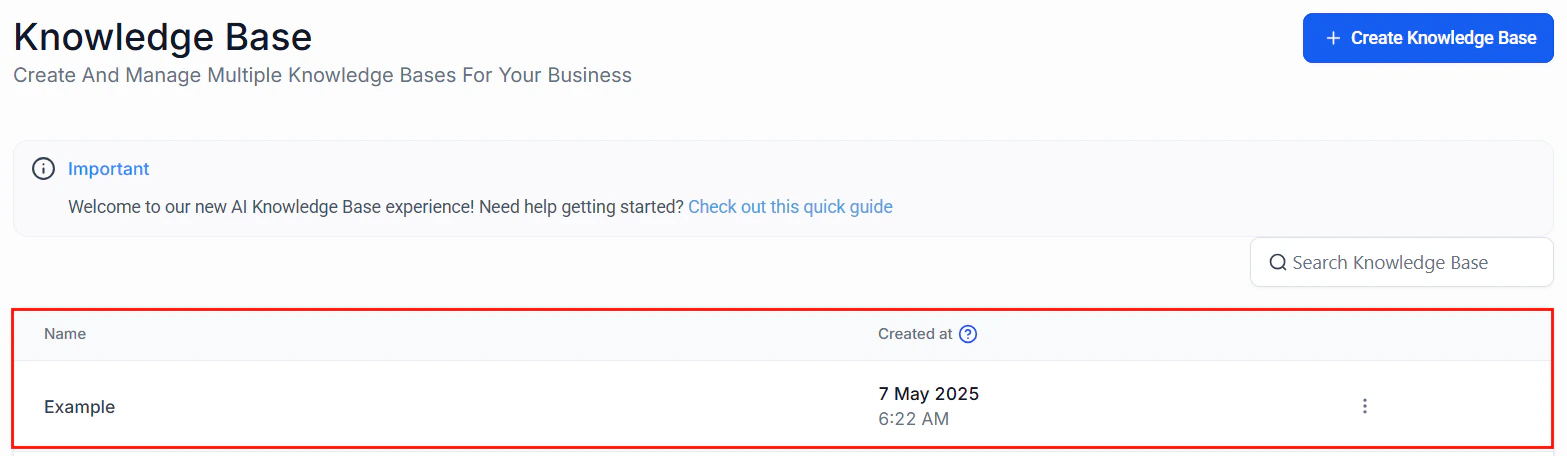
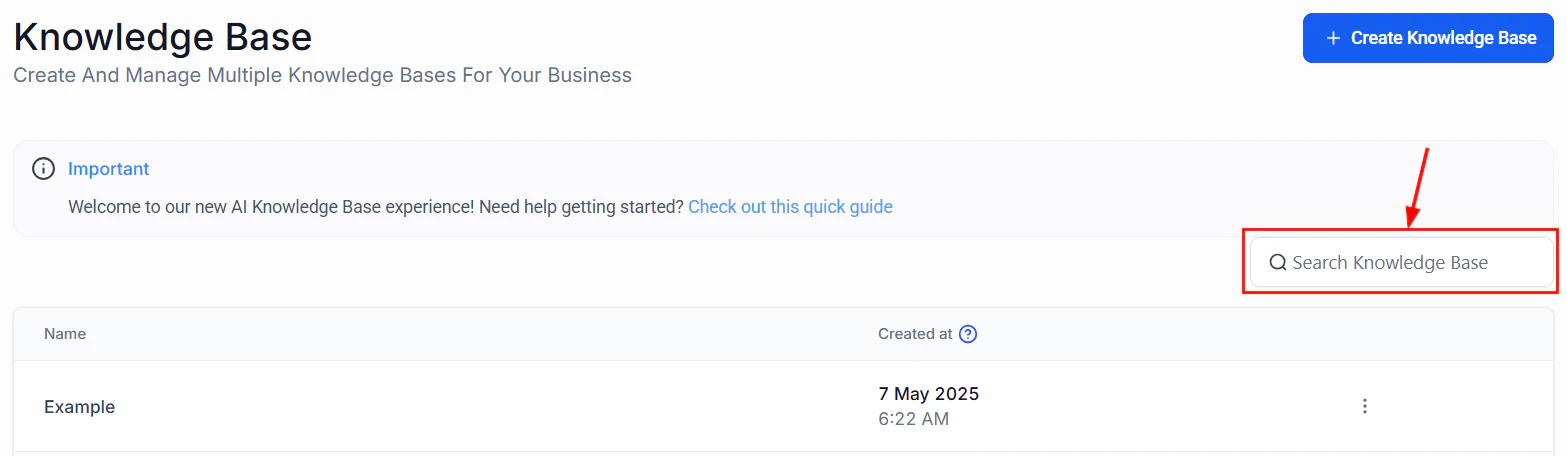
| Knowledge base | Centralized repository of business information that AI agents reference | AI Agents > Knowledge Base | All plans | [Manage knowledge base](/ai-agents/knowledge-base) |
| Voice AI | AI-powered phone agent that handles inbound and outbound calls | AI Agents > Voice AI | Pro and above | [Set up Voice AI](/ai-agents/voice-ai) |
| Voice AI agent creation | Step-by-step wizard for building and configuring voice agents | AI Agents > Voice AI > Create Agent | Pro and above | [Create an agent](/ai/voice-ai/creating-agents) |
| Voice AI phone setup | Assign and configure phone numbers for voice agents | AI Agents > Voice AI > Phone Numbers | Pro and above | [Phone setup](/ai/voice-ai/phone-setup) |
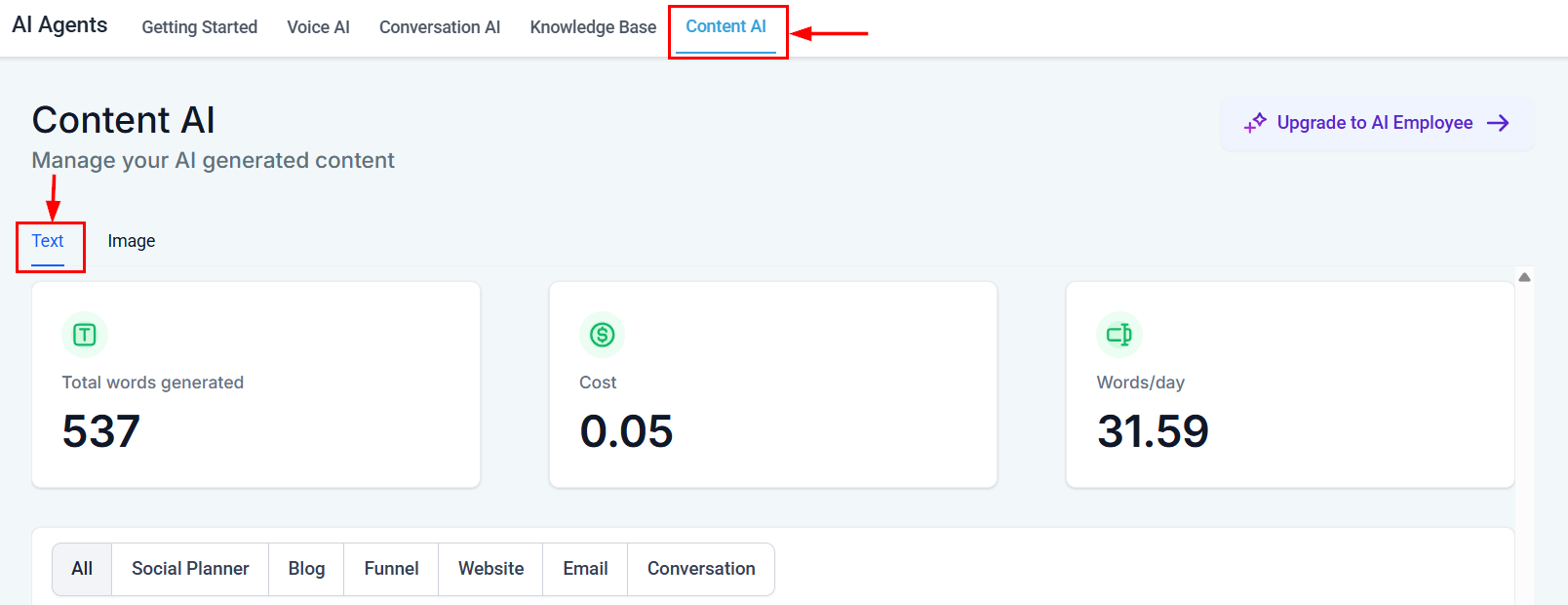
| Content AI | Generate blog posts, social media captions, emails, and images with AI | Marketing > Content AI | All plans | [Use Content AI](/ai-agents/content-ai) |
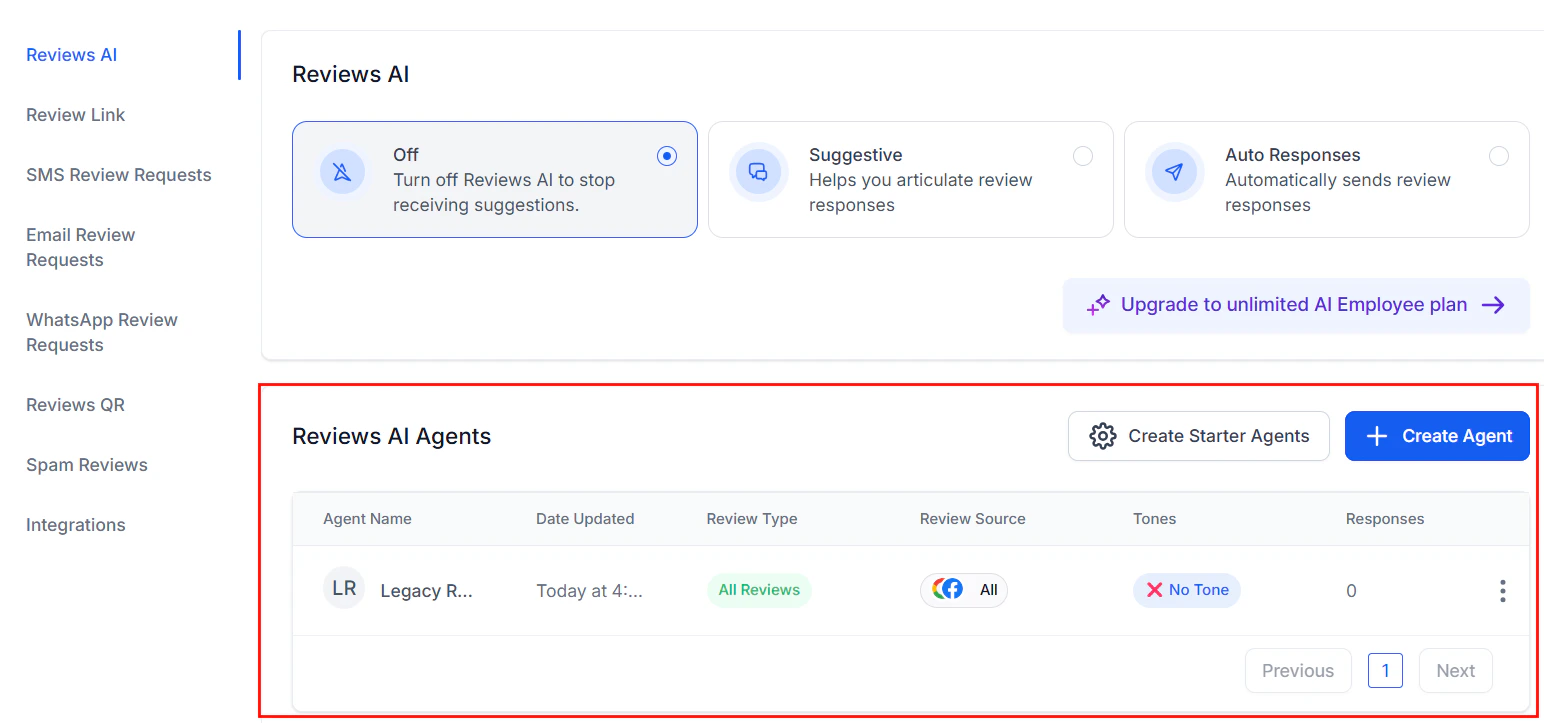
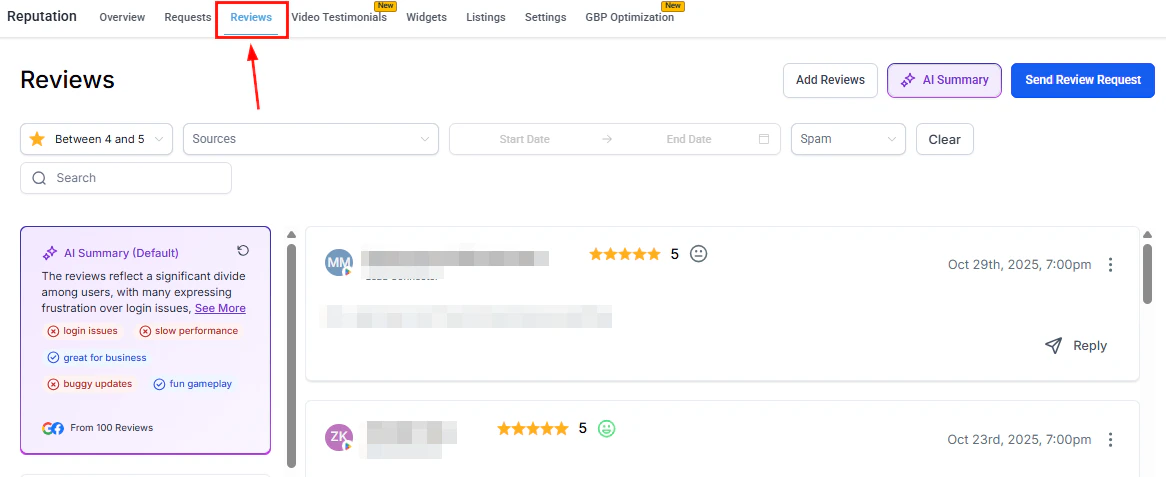
| Reviews AI | Automatically generate and send review responses based on sentiment | Reputation > Reviews AI | All plans | [Set up Reviews AI](/ai-agents/reviews-ai) |
| Workflow AI (GPT actions) | Add AI-powered steps inside automations for data processing, summarization, and decision-making | Automations > Workflow Builder > GPT Action | All plans | [Configure GPT actions](/ai/workflow-ai/gpt-actions) |
| Multi-channel AI | Deploy Conversation AI across SMS, web chat, Facebook Messenger, Instagram, and more | Conversations > Channels | All plans | [Multi-channel setup](/ai/conversation-ai/multi-channel) |
## Feature comparison
Each of HoopAI's five core AI capabilities serves a distinct purpose. The comparison below helps you understand how they differ and where they overlap.
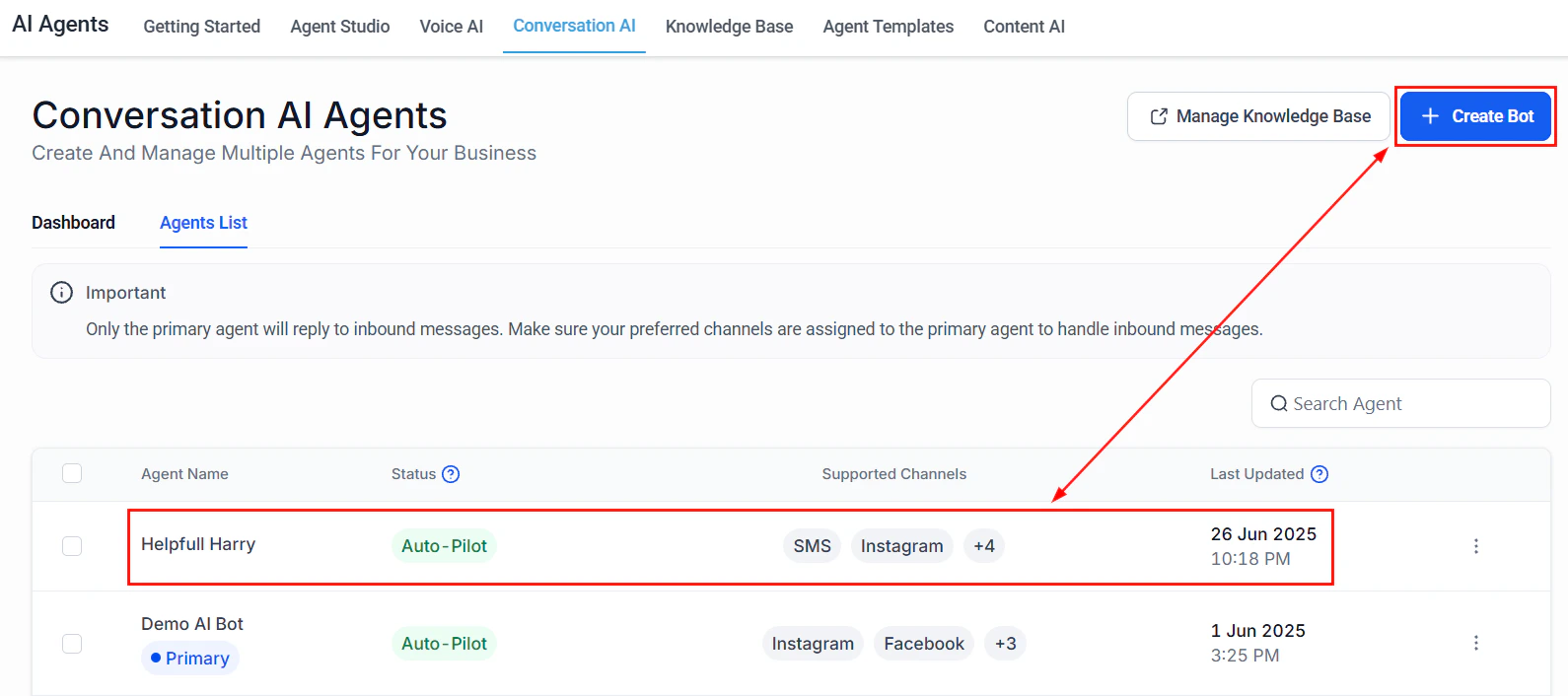 ### Conversation AI vs Voice AI
| Dimension | Conversation AI | Voice AI |
| ------------------------- | -------------------------------------------------------------- | ------------------------------------------------------------ |
| **Communication channel** | Text-based (SMS, web chat, social DMs, email) | Phone calls (inbound and outbound) |
| **Response format** | Written messages | Spoken audio with natural-sounding voices |
| **Real-time requirement** | Near real-time (1 -- 4 second response) | Real-time streaming (sub-second latency) |
| **Best for** | Lead qualification, appointment booking, FAQ handling via chat | Reception, phone support, appointment reminders, surveys |
| **Setup complexity** | Low — configure prompt, train knowledge base, deploy widget | Medium — configure prompt, select voice, assign phone number |
| **Customer experience** | Asynchronous; customers can respond at their own pace | Synchronous; live phone conversation |
### Conversation AI vs Voice AI
| Dimension | Conversation AI | Voice AI |
| ------------------------- | -------------------------------------------------------------- | ------------------------------------------------------------ |
| **Communication channel** | Text-based (SMS, web chat, social DMs, email) | Phone calls (inbound and outbound) |
| **Response format** | Written messages | Spoken audio with natural-sounding voices |
| **Real-time requirement** | Near real-time (1 -- 4 second response) | Real-time streaming (sub-second latency) |
| **Best for** | Lead qualification, appointment booking, FAQ handling via chat | Reception, phone support, appointment reminders, surveys |
| **Setup complexity** | Low — configure prompt, train knowledge base, deploy widget | Medium — configure prompt, select voice, assign phone number |
| **Customer experience** | Asynchronous; customers can respond at their own pace | Synchronous; live phone conversation |
 ### Content AI vs Reviews AI
| Dimension | Content AI | Reviews AI |
| -------------------- | ---------------------------------------------------------- | ------------------------------------------- |
| **Primary purpose** | Generate marketing content (posts, emails, images) | Respond to customer reviews |
| **Input** | Topic, keywords, tone preferences | Customer review text and star rating |
| **Output** | Blog articles, social captions, email copy, images | Personalized review responses |
| **Automation level** | On-demand generation with manual review | Semi-automated or fully automated responses |
| **Where used** | Marketing workflows, social media scheduler, email builder | Reputation management dashboard |
### Content AI vs Reviews AI
| Dimension | Content AI | Reviews AI |
| -------------------- | ---------------------------------------------------------- | ------------------------------------------- |
| **Primary purpose** | Generate marketing content (posts, emails, images) | Respond to customer reviews |
| **Input** | Topic, keywords, tone preferences | Customer review text and star rating |
| **Output** | Blog articles, social captions, email copy, images | Personalized review responses |
| **Automation level** | On-demand generation with manual review | Semi-automated or fully automated responses |
| **Where used** | Marketing workflows, social media scheduler, email builder | Reputation management dashboard |
 ### Workflow AI vs other features
| Dimension | Workflow AI | Conversation AI / Voice AI |
| --------------- | ------------------------------------------------------------------------- | ------------------------------------------------- |
| **Trigger** | Automation workflow step | Customer-initiated conversation or scheduled call |
| **Interaction** | Behind the scenes — no direct customer interaction | Customer-facing |
| **Use cases** | Data enrichment, lead scoring, content summarization, conditional routing | Conversations, calls, appointment booking |
| **Output** | Structured data, text summaries, workflow variables | Natural language messages or spoken responses |
### Workflow AI vs other features
| Dimension | Workflow AI | Conversation AI / Voice AI |
| --------------- | ------------------------------------------------------------------------- | ------------------------------------------------- |
| **Trigger** | Automation workflow step | Customer-initiated conversation or scheduled call |
| **Interaction** | Behind the scenes — no direct customer interaction | Customer-facing |
| **Use cases** | Data enrichment, lead scoring, content summarization, conditional routing | Conversations, calls, appointment booking |
| **Output** | Structured data, text summaries, workflow variables | Natural language messages or spoken responses |
 ## When to use which feature
Use the decision matrix below to pick the right AI feature for your use case.
**Use Conversation AI** when you want to:
* Answer customer questions automatically via SMS, web chat, or social media
* Qualify leads and collect contact information before handing off to a human
* Book appointments directly from a chat conversation
* Provide 24/7 support without staffing a live agent
Get started: [Conversation AI setup](/ai-agents/conversation-ai)
**Use Voice AI** when you want to:
* Answer inbound calls with a virtual receptionist
* Make outbound calls for appointment reminders or follow-ups
* Handle after-hours calls without sending to voicemail
* Run phone-based surveys or satisfaction checks
Get started: [Voice AI setup](/ai-agents/voice-ai)
**Use Content AI** when you want to:
* Generate blog posts, social media captions, or email campaigns
* Create marketing images with AI
* Repurpose existing content into new formats
* Overcome writer's block with AI-generated drafts
Get started: [Content AI setup](/ai-agents/content-ai)
**Use Reviews AI** when you want to:
* Respond to Google, Facebook, or Yelp reviews automatically
* Maintain a consistent, professional tone across all review responses
* Save time by generating responses instead of writing each one manually
* Respond faster to improve customer perception
Get started: [Reviews AI setup](/ai-agents/reviews-ai)
**Use Workflow AI** when you want to:
* Add intelligence to existing automations (summarize, classify, extract data)
* Score or enrich leads automatically when they enter your pipeline
* Generate personalized messages within a workflow sequence
* Make conditional routing decisions based on AI analysis
Get started: [GPT actions in workflows](/ai/workflow-ai/gpt-actions)
## Feature availability by plan
Not every AI feature is available on every plan. The table below summarizes availability across HoopAI's plan tiers.
| Feature | Starter | Pro | Premium |
| ------------------------- | -------- | -------- | -------- |
| Conversation AI | Included | Included | Included |
| Flow-based builder | Included | Included | Included |
| Knowledge base | Included | Included | Included |
| Content AI | Included | Included | Included |
| Reviews AI | Included | Included | Included |
| Workflow AI (GPT actions) | Included | Included | Included |
| Voice AI | -- | Included | Included |
| Multi-channel AI | Included | Included | Included |
| Conversation AI dashboard | Included | Included | Included |
| Advanced analytics | -- | -- | Included |
AI features that are marked as "Included" may still consume usage credits depending on volume. See [AI pricing and usage](/ai/overview/pricing) for detailed cost information.
## Quick-reference links
Automated text-based chat agents for lead qualification, support, and booking.
AI-powered phone agents for inbound and outbound calls.
Generate blog posts, social captions, emails, and images.
Automatic, sentiment-aware review responses.
Add GPT-powered steps to your automations.
Train your AI agents with your business data.
Design multi-step chat flows visually.
Upload documents and FAQs to improve accuracy.
Deploy chat AI across SMS, web, social, and more.
## Next steps
Learn which AI models power each feature and how they are evaluated.
Understand costs, usage tracking, and optimization strategies.
Write better prompts for more accurate AI responses.
Definitions of AI terms used throughout HoopAI.
## When to use which feature
Use the decision matrix below to pick the right AI feature for your use case.
**Use Conversation AI** when you want to:
* Answer customer questions automatically via SMS, web chat, or social media
* Qualify leads and collect contact information before handing off to a human
* Book appointments directly from a chat conversation
* Provide 24/7 support without staffing a live agent
Get started: [Conversation AI setup](/ai-agents/conversation-ai)
**Use Voice AI** when you want to:
* Answer inbound calls with a virtual receptionist
* Make outbound calls for appointment reminders or follow-ups
* Handle after-hours calls without sending to voicemail
* Run phone-based surveys or satisfaction checks
Get started: [Voice AI setup](/ai-agents/voice-ai)
**Use Content AI** when you want to:
* Generate blog posts, social media captions, or email campaigns
* Create marketing images with AI
* Repurpose existing content into new formats
* Overcome writer's block with AI-generated drafts
Get started: [Content AI setup](/ai-agents/content-ai)
**Use Reviews AI** when you want to:
* Respond to Google, Facebook, or Yelp reviews automatically
* Maintain a consistent, professional tone across all review responses
* Save time by generating responses instead of writing each one manually
* Respond faster to improve customer perception
Get started: [Reviews AI setup](/ai-agents/reviews-ai)
**Use Workflow AI** when you want to:
* Add intelligence to existing automations (summarize, classify, extract data)
* Score or enrich leads automatically when they enter your pipeline
* Generate personalized messages within a workflow sequence
* Make conditional routing decisions based on AI analysis
Get started: [GPT actions in workflows](/ai/workflow-ai/gpt-actions)
## Feature availability by plan
Not every AI feature is available on every plan. The table below summarizes availability across HoopAI's plan tiers.
| Feature | Starter | Pro | Premium |
| ------------------------- | -------- | -------- | -------- |
| Conversation AI | Included | Included | Included |
| Flow-based builder | Included | Included | Included |
| Knowledge base | Included | Included | Included |
| Content AI | Included | Included | Included |
| Reviews AI | Included | Included | Included |
| Workflow AI (GPT actions) | Included | Included | Included |
| Voice AI | -- | Included | Included |
| Multi-channel AI | Included | Included | Included |
| Conversation AI dashboard | Included | Included | Included |
| Advanced analytics | -- | -- | Included |
AI features that are marked as "Included" may still consume usage credits depending on volume. See [AI pricing and usage](/ai/overview/pricing) for detailed cost information.
## Quick-reference links
Automated text-based chat agents for lead qualification, support, and booking.
AI-powered phone agents for inbound and outbound calls.
Generate blog posts, social captions, emails, and images.
Automatic, sentiment-aware review responses.
Add GPT-powered steps to your automations.
Train your AI agents with your business data.
Design multi-step chat flows visually.
Upload documents and FAQs to improve accuracy.
Deploy chat AI across SMS, web, social, and more.
## Next steps
Learn which AI models power each feature and how they are evaluated.
Understand costs, usage tracking, and optimization strategies.
Write better prompts for more accurate AI responses.
Definitions of AI terms used throughout HoopAI.