> ## Documentation Index
> Fetch the complete documentation index at: https://help.hoopai.com/llms.txt
> Use this file to discover all available pages before exploring further.
# Choosing the right AI feature
> Not sure which HoopAI AI feature is right for you? Use this guide to find the perfect fit.
HoopAI offers five distinct AI capabilities, and choosing the right one (or the right combination) depends on your business goals, customer channels, and the types of tasks you want to automate. This guide walks you through the decision process so you can get started with confidence.
For a high-level overview of all AI features, see [What is HoopAI AI?](/ai/getting-started/overview).
## Start with your goal
The fastest way to find the right AI feature is to identify what you need it to do. Use the cards below to jump directly to the feature that matches your primary goal.
**Voice AI** answers inbound calls, makes outbound calls, books appointments, and transfers to your team. Ideal if your customers prefer calling over texting.
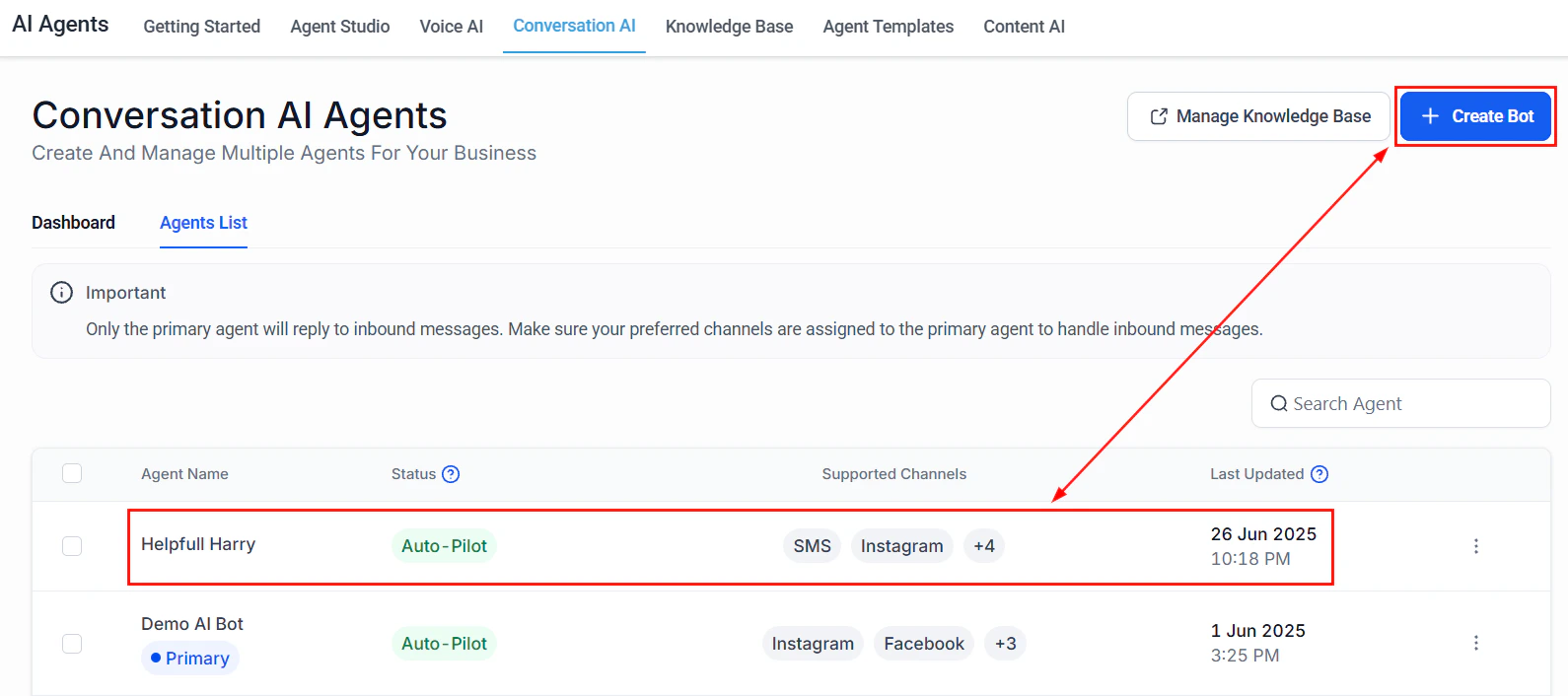
**Conversation AI** automates responses across SMS, web chat, Instagram DMs, Facebook Messenger, WhatsApp, and email. Perfect for businesses that receive high volumes of inbound messages.
**Content AI** creates emails, social media posts, blog articles, and website copy. Built into HoopAI editors so you can generate content right where you write it.
**Reviews AI** generates professional, personalized responses to Google and Facebook reviews automatically. Keeps your online reputation active without manual effort.
**Workflow AI** adds intelligent decision making, text generation, and data extraction to your HoopAI workflows and automations.
Most businesses benefit from combining two or more AI features. Start with **Conversation AI** as your foundation, then add Voice AI, Content AI, or others based on your needs. See the combinations section below.
## Feature comparison matrix
 Use this detailed comparison to understand the differences between each AI feature across key dimensions.
| Dimension | Conversation AI | Voice AI | Content AI | Reviews AI | Workflow AI |
| -------------------------- | --------------------------------------------- | ------------------------------------------------------ | ------------------------------------------- | ---------------------------- | ------------------------------------ |
| **Channel** | SMS, web chat, social DMs, email, WhatsApp | Phone (inbound + outbound) | Email editor, social composer, site builder | Google, Facebook reviews | Automations and workflows |
| **Primary use case** | Customer support, lead qualification, booking | Call handling, appointment booking, outbound campaigns | Marketing content creation | Reputation management | Intelligent routing, data processing |
| **Setup complexity** | Low to moderate | Moderate | Minimal (built-in) | Low | Varies by workflow |
| **Requires custom prompt** | Yes | Yes | Optional | Optional | Yes (per action) |
| **Knowledge base** | Yes | Yes (shared with Conversation AI) | No | No | No (uses inline instructions) |
| **Appointment booking** | Yes | Yes | No | No | Yes (via workflow actions) |
| **Human handoff** | Yes (escalation rules) | Yes (call transfer) | N/A | Yes (approval queue) | Yes (via workflow routing) |
| **Works 24/7** | Yes | Yes | Yes (on-demand) | Yes | Yes (trigger-based) |
| **Typical setup time** | 10 to 30 minutes | 15 to 45 minutes | Instant | 5 to 15 minutes | Varies |
| **Best for** | High-message-volume businesses | Phone-heavy businesses | Marketing teams | Local and service businesses | Complex multi-step processes |
## Industry-specific recommendations
Different industries have different communication patterns. The recommendations below are based on how businesses in each sector typically interact with their customers.
### Service businesses
**Recommended: Voice AI + Conversation AI**
Service businesses such as HVAC, plumbing, electrical, landscaping, and cleaning receive a mix of phone calls and text messages from customers who need to schedule appointments, get quotes, or check on service status.
* **Voice AI** handles inbound calls during and after business hours, booking appointments directly into your calendar and answering common questions about services, pricing, and availability.
* **Conversation AI** handles SMS and web chat inquiries, qualifying leads and collecting job details before a technician follows up.
* Add **Reviews AI** to keep your Google reviews active and responsive, which directly impacts local search rankings.
Start with: [Creating a Voice AI agent](/ai/voice-ai/creating-agents)
### E-commerce
**Recommended: Conversation AI + Content AI**
E-commerce businesses need to handle high volumes of customer questions about orders, returns, and products, and they need a steady stream of marketing content to drive sales.
* **Conversation AI** powers a web chat widget on your store that answers product questions, checks order status, and handles return requests around the clock.
* **Content AI** generates product descriptions, email campaigns, social media posts, and promotional copy at scale, helping you maintain a consistent content cadence without a large writing team.
* Add **Workflow AI** to automatically classify and route customer inquiries based on intent (support, sales, returns).
Start with: [Conversation AI setup](/ai-agents/conversation-ai)
### Healthcare
**Recommended: Voice AI + Conversation AI**
Healthcare practices such as dental offices, clinics, therapy practices, and optometrists handle a high volume of appointment requests and patient questions, often outside office hours.
* **Voice AI** answers calls to schedule, reschedule, or cancel appointments, reducing the burden on front-desk staff.
* **Conversation AI** handles appointment reminders and patient questions via SMS, which many patients prefer.
If your practice handles protected health information (PHI), review [HIPAA compliance](/getting-started/hipaa-compliance) before enabling AI features. Ensure your HoopAI account is configured for HIPAA compliance, and work with your compliance officer to define what information the AI agent should and should not handle.
Start with: [Voice AI phone setup](/ai/voice-ai/phone-setup)
### Real estate
**Recommended: Voice AI + Conversation AI**
Real estate agents and brokerages need to respond to leads instantly. Speed-to-lead is critical in this industry. Missed calls and slow replies cost deals.
* **Voice AI** ensures every inbound call is answered immediately, qualifies the lead (buyer or seller, timeline, budget), and books a showing or consultation on your calendar.
* **Conversation AI** handles web chat on your listings pages and responds to SMS inquiries from portal leads within seconds.
* Add **Reviews AI** to build and maintain your online reputation, which is a key trust factor for prospective clients.
Start with: [Quick start guide](/ai/getting-started/quick-start)
## Recommended combinations
Most businesses get the best results by combining two or more AI features. Here are the most common and effective combinations.
This combination covers both text and phone channels, ensuring every inbound lead gets an instant response regardless of how they reach out. Both features share the same [knowledge base](/ai-agents/knowledge-base), so you only need to train once.
**Setup path:**
1. [Set up Conversation AI](/ai-agents/conversation-ai) and assign it to SMS and web chat
2. [Create a Voice AI agent](/ai/voice-ai/creating-agents) and connect it to your phone number
3. [Build a shared knowledge base](/ai-agents/knowledge-base) with your FAQs, services, and business details
Add Workflow AI to your Conversation AI setup to create intelligent post-conversation actions. When a chatbot qualifies a lead, the workflow can automatically add the contact to a pipeline, send a personalized follow-up email, notify your sales team, or trigger a drip sequence.
**Setup path:**
1. [Set up Conversation AI](/ai-agents/conversation-ai)
2. [Connect bots to workflows](/ai/workflow-ai/connecting-bots)
3. [Add GPT actions](/ai/workflow-ai/gpt-actions) for intelligent content generation within the workflow
Teams and larger organizations often deploy all five features to create a fully AI-powered customer experience. Start with Conversation AI, add Voice AI for phone coverage, enable Content AI for marketing production, turn on Reviews AI for reputation management, and use Workflow AI to tie everything together.
**Recommended order of deployment:**
1. Conversation AI (text channels)
2. Voice AI (phone channels)
3. Reviews AI (reputation)
4. Content AI (marketing)
5. Workflow AI (automation glue)
## Budget considerations
AI features in HoopAI are metered based on usage. Your costs depend on which features you enable and how much they are used. Here are general guidelines for budgeting:
* **Conversation AI** -- Costs are based on the number of AI-generated messages. High-traffic businesses (100+ conversations per day) should monitor usage closely during the first week.
* **Voice AI** -- Costs include per-minute charges for AI call time plus telephony costs. Outbound calling campaigns can scale up usage quickly.
* **Content AI** -- Usage is based on the number of generation requests. Most businesses find Content AI costs negligible compared to the time saved.
* **Reviews AI** -- Minimal cost per response. Even businesses with dozens of daily reviews see modest AI usage charges.
* **Workflow AI** -- Each GPT action in a workflow counts as one AI request. Costs scale with automation volume.
For detailed pricing information, see [AI pricing and usage](/ai/overview/pricing).
Start with one feature, monitor your usage and ROI for one to two weeks, then add additional features. This approach lets you validate value before scaling up.
## Still not sure?
If you are still deciding, start with Conversation AI. It is the most versatile feature, has the fastest setup time, and delivers immediate value by responding to customer messages 24/7. You can always add Voice AI, Content AI, and other features later.
Use the [quick start guide](/ai/getting-started/quick-start) to have your first bot live in under 10 minutes, or review the [AI launch checklist](/ai/getting-started/checklist) to prepare a thorough rollout.
## Next steps
Deploy your first Conversation AI chatbot in under 10 minutes.
A comprehensive pre-launch checklist for going live with confidence.
Learn how to write prompts that get accurate, on-brand responses.
Understand which models power each feature and how they are selected.
Use this detailed comparison to understand the differences between each AI feature across key dimensions.
| Dimension | Conversation AI | Voice AI | Content AI | Reviews AI | Workflow AI |
| -------------------------- | --------------------------------------------- | ------------------------------------------------------ | ------------------------------------------- | ---------------------------- | ------------------------------------ |
| **Channel** | SMS, web chat, social DMs, email, WhatsApp | Phone (inbound + outbound) | Email editor, social composer, site builder | Google, Facebook reviews | Automations and workflows |
| **Primary use case** | Customer support, lead qualification, booking | Call handling, appointment booking, outbound campaigns | Marketing content creation | Reputation management | Intelligent routing, data processing |
| **Setup complexity** | Low to moderate | Moderate | Minimal (built-in) | Low | Varies by workflow |
| **Requires custom prompt** | Yes | Yes | Optional | Optional | Yes (per action) |
| **Knowledge base** | Yes | Yes (shared with Conversation AI) | No | No | No (uses inline instructions) |
| **Appointment booking** | Yes | Yes | No | No | Yes (via workflow actions) |
| **Human handoff** | Yes (escalation rules) | Yes (call transfer) | N/A | Yes (approval queue) | Yes (via workflow routing) |
| **Works 24/7** | Yes | Yes | Yes (on-demand) | Yes | Yes (trigger-based) |
| **Typical setup time** | 10 to 30 minutes | 15 to 45 minutes | Instant | 5 to 15 minutes | Varies |
| **Best for** | High-message-volume businesses | Phone-heavy businesses | Marketing teams | Local and service businesses | Complex multi-step processes |
## Industry-specific recommendations
Different industries have different communication patterns. The recommendations below are based on how businesses in each sector typically interact with their customers.
### Service businesses
**Recommended: Voice AI + Conversation AI**
Service businesses such as HVAC, plumbing, electrical, landscaping, and cleaning receive a mix of phone calls and text messages from customers who need to schedule appointments, get quotes, or check on service status.
* **Voice AI** handles inbound calls during and after business hours, booking appointments directly into your calendar and answering common questions about services, pricing, and availability.
* **Conversation AI** handles SMS and web chat inquiries, qualifying leads and collecting job details before a technician follows up.
* Add **Reviews AI** to keep your Google reviews active and responsive, which directly impacts local search rankings.
Start with: [Creating a Voice AI agent](/ai/voice-ai/creating-agents)
### E-commerce
**Recommended: Conversation AI + Content AI**
E-commerce businesses need to handle high volumes of customer questions about orders, returns, and products, and they need a steady stream of marketing content to drive sales.
* **Conversation AI** powers a web chat widget on your store that answers product questions, checks order status, and handles return requests around the clock.
* **Content AI** generates product descriptions, email campaigns, social media posts, and promotional copy at scale, helping you maintain a consistent content cadence without a large writing team.
* Add **Workflow AI** to automatically classify and route customer inquiries based on intent (support, sales, returns).
Start with: [Conversation AI setup](/ai-agents/conversation-ai)
### Healthcare
**Recommended: Voice AI + Conversation AI**
Healthcare practices such as dental offices, clinics, therapy practices, and optometrists handle a high volume of appointment requests and patient questions, often outside office hours.
* **Voice AI** answers calls to schedule, reschedule, or cancel appointments, reducing the burden on front-desk staff.
* **Conversation AI** handles appointment reminders and patient questions via SMS, which many patients prefer.
If your practice handles protected health information (PHI), review [HIPAA compliance](/getting-started/hipaa-compliance) before enabling AI features. Ensure your HoopAI account is configured for HIPAA compliance, and work with your compliance officer to define what information the AI agent should and should not handle.
Start with: [Voice AI phone setup](/ai/voice-ai/phone-setup)
### Real estate
**Recommended: Voice AI + Conversation AI**
Real estate agents and brokerages need to respond to leads instantly. Speed-to-lead is critical in this industry. Missed calls and slow replies cost deals.
* **Voice AI** ensures every inbound call is answered immediately, qualifies the lead (buyer or seller, timeline, budget), and books a showing or consultation on your calendar.
* **Conversation AI** handles web chat on your listings pages and responds to SMS inquiries from portal leads within seconds.
* Add **Reviews AI** to build and maintain your online reputation, which is a key trust factor for prospective clients.
Start with: [Quick start guide](/ai/getting-started/quick-start)
## Recommended combinations
Most businesses get the best results by combining two or more AI features. Here are the most common and effective combinations.
This combination covers both text and phone channels, ensuring every inbound lead gets an instant response regardless of how they reach out. Both features share the same [knowledge base](/ai-agents/knowledge-base), so you only need to train once.
**Setup path:**
1. [Set up Conversation AI](/ai-agents/conversation-ai) and assign it to SMS and web chat
2. [Create a Voice AI agent](/ai/voice-ai/creating-agents) and connect it to your phone number
3. [Build a shared knowledge base](/ai-agents/knowledge-base) with your FAQs, services, and business details
Add Workflow AI to your Conversation AI setup to create intelligent post-conversation actions. When a chatbot qualifies a lead, the workflow can automatically add the contact to a pipeline, send a personalized follow-up email, notify your sales team, or trigger a drip sequence.
**Setup path:**
1. [Set up Conversation AI](/ai-agents/conversation-ai)
2. [Connect bots to workflows](/ai/workflow-ai/connecting-bots)
3. [Add GPT actions](/ai/workflow-ai/gpt-actions) for intelligent content generation within the workflow
Teams and larger organizations often deploy all five features to create a fully AI-powered customer experience. Start with Conversation AI, add Voice AI for phone coverage, enable Content AI for marketing production, turn on Reviews AI for reputation management, and use Workflow AI to tie everything together.
**Recommended order of deployment:**
1. Conversation AI (text channels)
2. Voice AI (phone channels)
3. Reviews AI (reputation)
4. Content AI (marketing)
5. Workflow AI (automation glue)
## Budget considerations
AI features in HoopAI are metered based on usage. Your costs depend on which features you enable and how much they are used. Here are general guidelines for budgeting:
* **Conversation AI** -- Costs are based on the number of AI-generated messages. High-traffic businesses (100+ conversations per day) should monitor usage closely during the first week.
* **Voice AI** -- Costs include per-minute charges for AI call time plus telephony costs. Outbound calling campaigns can scale up usage quickly.
* **Content AI** -- Usage is based on the number of generation requests. Most businesses find Content AI costs negligible compared to the time saved.
* **Reviews AI** -- Minimal cost per response. Even businesses with dozens of daily reviews see modest AI usage charges.
* **Workflow AI** -- Each GPT action in a workflow counts as one AI request. Costs scale with automation volume.
For detailed pricing information, see [AI pricing and usage](/ai/overview/pricing).
Start with one feature, monitor your usage and ROI for one to two weeks, then add additional features. This approach lets you validate value before scaling up.
## Still not sure?
If you are still deciding, start with Conversation AI. It is the most versatile feature, has the fastest setup time, and delivers immediate value by responding to customer messages 24/7. You can always add Voice AI, Content AI, and other features later.
Use the [quick start guide](/ai/getting-started/quick-start) to have your first bot live in under 10 minutes, or review the [AI launch checklist](/ai/getting-started/checklist) to prepare a thorough rollout.
## Next steps
Deploy your first Conversation AI chatbot in under 10 minutes.
A comprehensive pre-launch checklist for going live with confidence.
Learn how to write prompts that get accurate, on-brand responses.
Understand which models power each feature and how they are selected.