> ## Documentation Index
> Fetch the complete documentation index at: https://help.hoopai.com/llms.txt
> Use this file to discover all available pages before exploring further.

# Conversation AI knowledge base

> Train your Conversation AI bot with business-specific information using the knowledge base.

The knowledge base gives your Conversation AI bot access to business-specific information that goes beyond what fits in a system prompt. Upload documents, FAQs, product details, and policies so your bot can answer detailed customer questions accurately.

For the complete setup guide, see [Knowledge base setup](/ai-agents/knowledge-base).
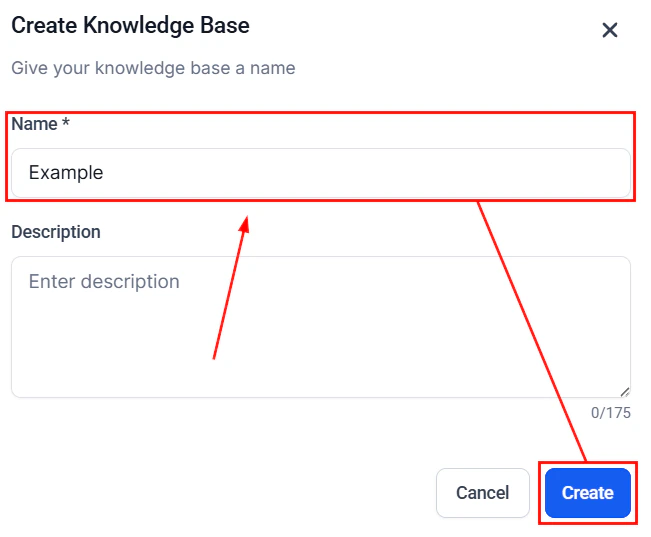
<Frame caption="Knowledge base main page with the Create Knowledge Base button">
  <img src="https://mintcdn.com/hoopai-84ec0cdc/raSBdykIpAsjl8-5/images/convo-ai-kb-create-new.png?fit=max&auto=format&n=raSBdykIpAsjl8-5&q=85&s=c96a184660d0f4cdc8d033f52316e088" alt="Knowledge base page showing the Create Knowledge Base button" width="651" height="537" data-path="images/convo-ai-kb-create-new.png" />
</Frame>

## What to include in your knowledge base

* **FAQs** with answers to common customer questions
* **Product or service descriptions** with pricing and features
* **Business policies** for returns, shipping, cancellations
* **Troubleshooting guides** for common issues
* **Team information** like hours, locations, and contact details

## Managing your knowledge base

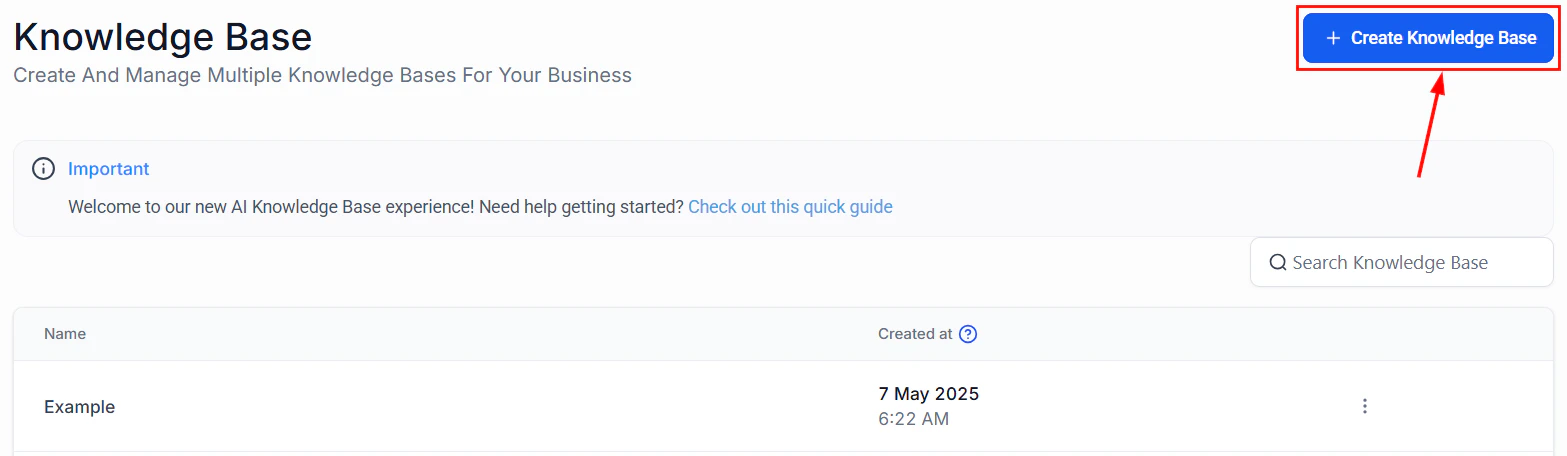
The knowledge base list view lets you see all your knowledge bases at a glance, create new ones, and manage existing entries.
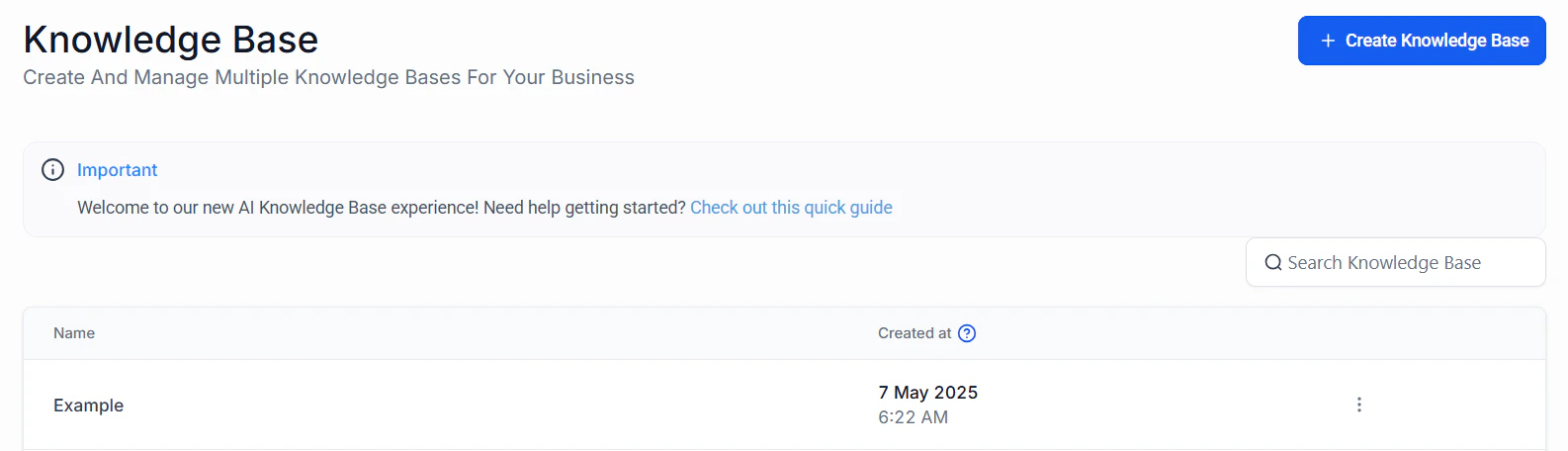
<Frame caption="Knowledge base list view with management options">
  <img src="https://mintcdn.com/hoopai-84ec0cdc/pMRqsx_Tmg1Lacem/images/ai-agents-knowledge-base-overview-0-knowledge-20base.png?fit=max&auto=format&n=pMRqsx_Tmg1Lacem&q=85&s=3588902b19dcd4810252f6f951e89377" alt="Knowledge base list showing all available knowledge bases" width="1586" height="456" data-path="images/ai-agents-knowledge-base-overview-0-knowledge-20base.png" />
</Frame>

<Frame caption="Creating a new knowledge base">
  <img src="https://mintcdn.com/hoopai-84ec0cdc/pMRqsx_Tmg1Lacem/images/ai-agents-knowledge-base-overview-1-create.png?fit=max&auto=format&n=pMRqsx_Tmg1Lacem&q=85&s=7c2b5eabc63041a92da177bce3c4510c" alt="Create knowledge base dialog" width="1567" height="456" data-path="images/ai-agents-knowledge-base-overview-1-create.png" />
</Frame>

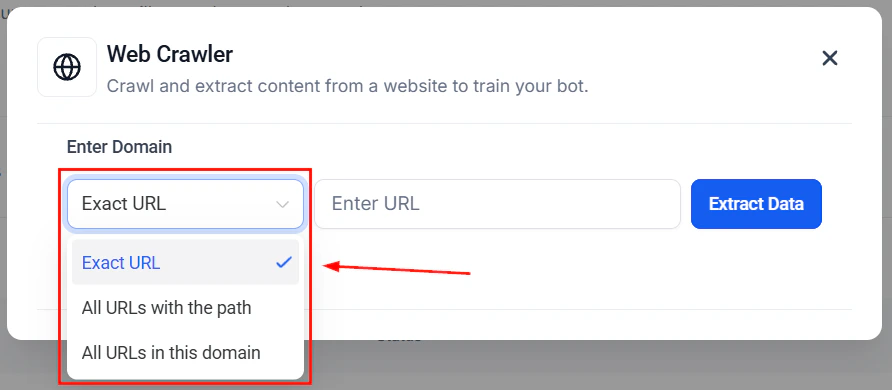
<Frame caption="Adding content sources to your knowledge base">
  <img src="https://mintcdn.com/hoopai-84ec0cdc/raSBdykIpAsjl8-5/images/convo-ai-kb-create-url-source.png?fit=max&auto=format&n=raSBdykIpAsjl8-5&q=85&s=4ee3c8e429cffb7890dc6039ab7021b8" alt="Knowledge base URL source configuration for importing website content" width="892" height="390" data-path="images/convo-ai-kb-create-url-source.png" />
</Frame>

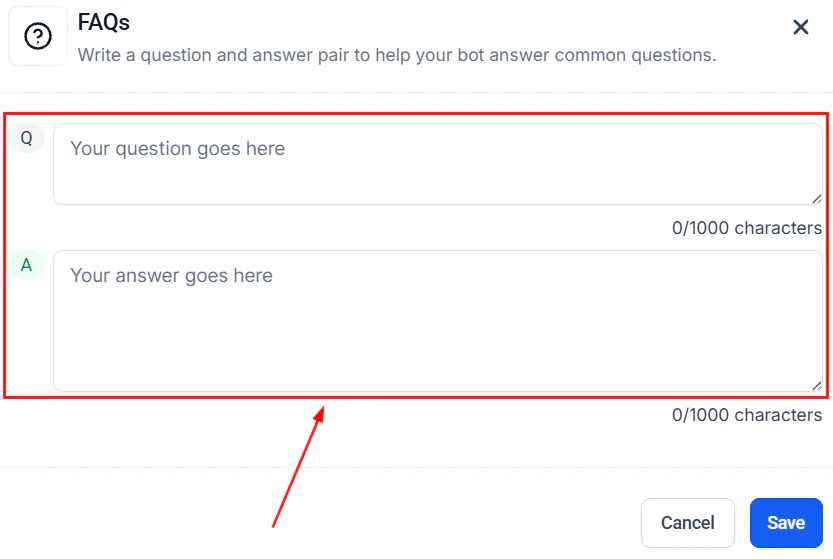
<Frame caption="Adding Q&A pairs to your knowledge base">
  <img src="https://mintcdn.com/hoopai-84ec0cdc/raSBdykIpAsjl8-5/images/convo-ai-kb-create-qa-pairs.png?fit=max&auto=format&n=raSBdykIpAsjl8-5&q=85&s=a0be42f583afceb83f31001b241b4b89" alt="Q&A pair editor for adding specific question and answer combinations" width="833" height="559" data-path="images/convo-ai-kb-create-qa-pairs.png" />
</Frame>

## Training your bot

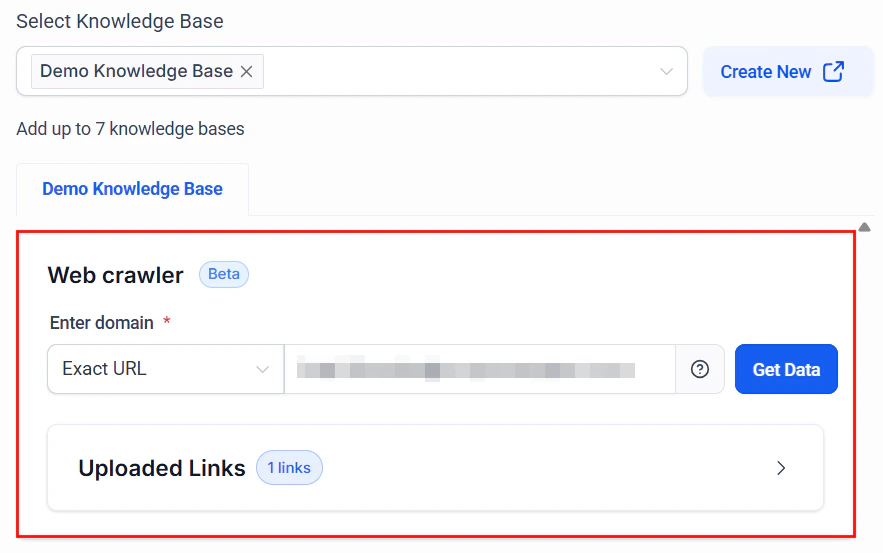
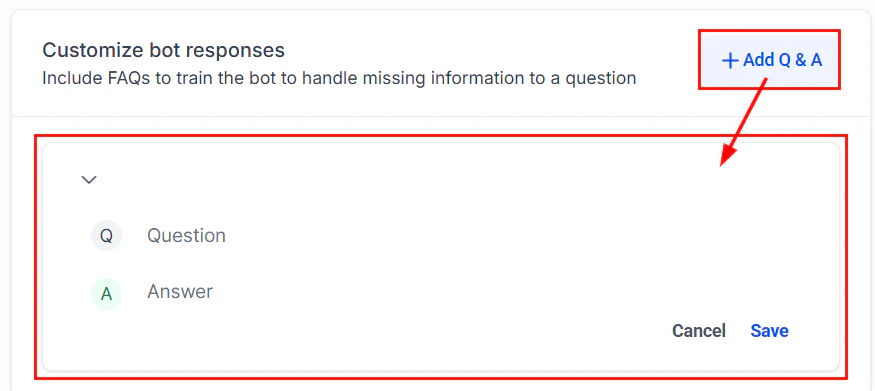
Use the Training tab to add content via the web crawler, manual Q\&A pairs, and other sources. After adding content, use the test bot panel to verify your bot responds accurately.
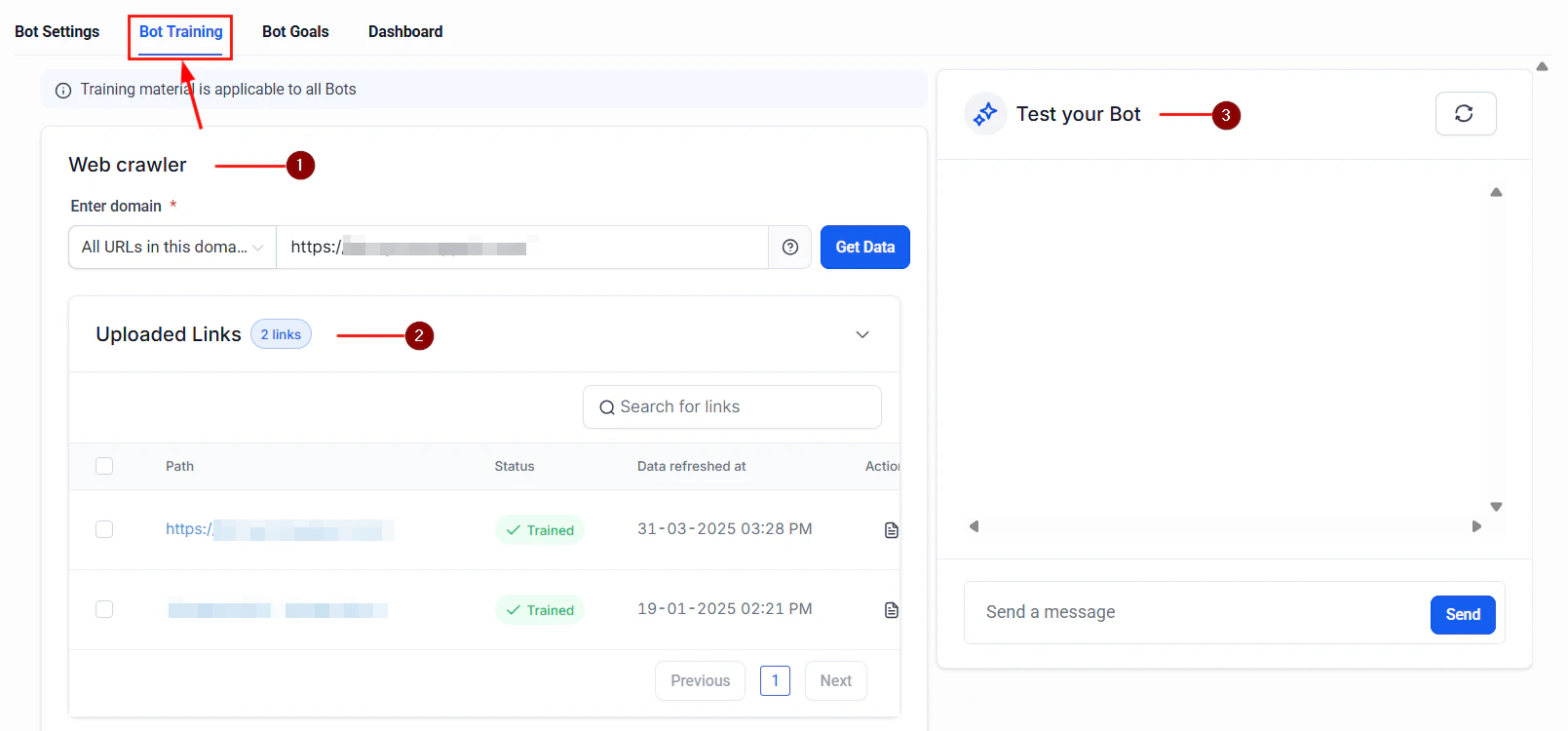
<Frame caption="Bot Training tab with web crawler and test bot panel">
  <img src="https://mintcdn.com/hoopai-84ec0cdc/c_IPTSnbNy09cl5O/images/ai-agents-conversation-ai-9-training.png?fit=max&auto=format&n=c_IPTSnbNy09cl5O&q=85&s=ec13d8455f9c96ec2b40160f90345d45" alt="Training tab showing web crawler configuration and the test bot panel" width="1609" height="750" data-path="images/ai-agents-conversation-ai-9-training.png" />
</Frame>

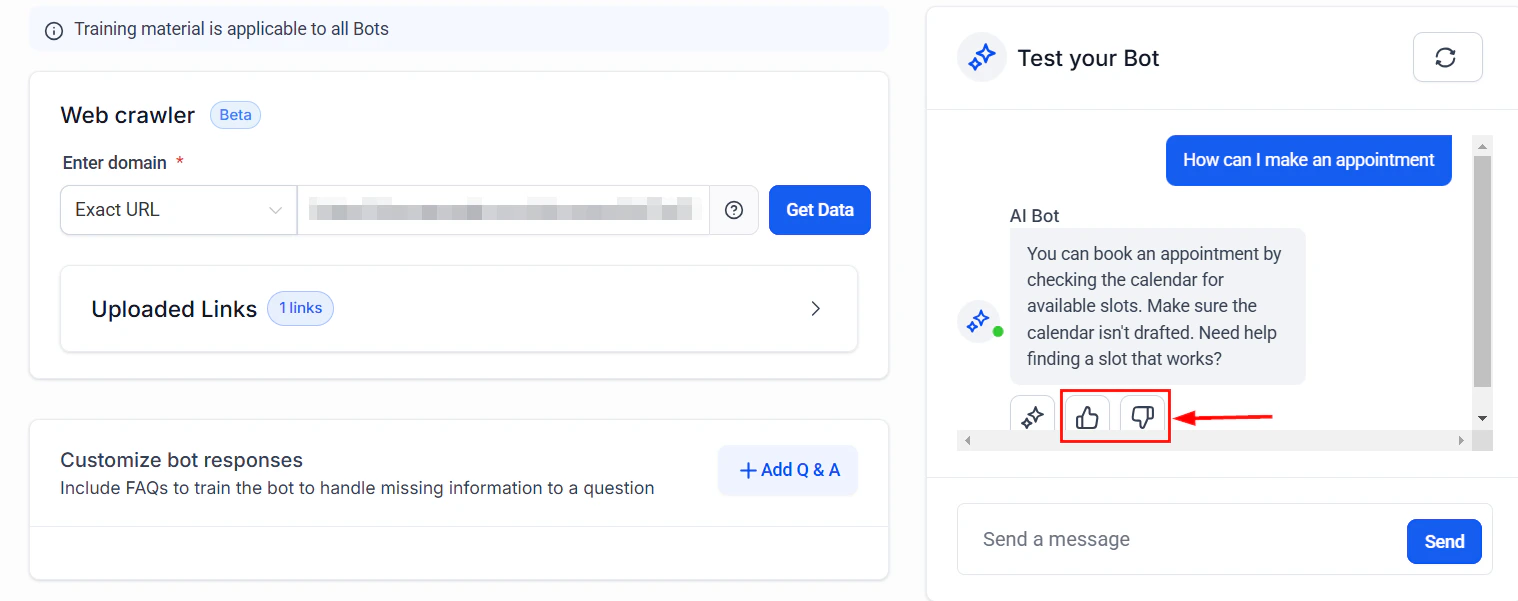
<Frame caption="Training workflow with feedback loop">
  <img src="https://mintcdn.com/hoopai-84ec0cdc/pMRqsx_Tmg1Lacem/images/ai-agents-how-to-train-your-conversation-8-feedback.png?fit=max&auto=format&n=pMRqsx_Tmg1Lacem&q=85&s=97d4374c86086f0db28739f6a2d77e34" alt="Training feedback screen for reviewing and improving bot responses" width="1518" height="601" data-path="images/ai-agents-how-to-train-your-conversation-8-feedback.png" />
</Frame>

<Frame caption="Web crawler configuration for importing content from your website">
  <img src="https://mintcdn.com/hoopai-84ec0cdc/dht56IwcqyExEAfq/images/convo-ai-train-bot-web-crawler.png?fit=max&auto=format&n=dht56IwcqyExEAfq&q=85&s=73378cdda9b5f4f725b2d56943b3be2a" alt="Web crawler configuration for importing content from your website" width="883" height="553" data-path="images/convo-ai-train-bot-web-crawler.png" />
</Frame>

<Frame caption="Q&A pairs for training your bot with specific question-answer combinations">
  <img src="https://mintcdn.com/hoopai-84ec0cdc/dht56IwcqyExEAfq/images/convo-ai-train-bot-qa.png?fit=max&auto=format&n=dht56IwcqyExEAfq&q=85&s=5f508164869e562a270712a710149394" alt="Q&A training interface for adding manual question and answer pairs" width="875" height="391" data-path="images/convo-ai-train-bot-qa.png" />
</Frame>

## Best practices

* Keep entries concise and factual
* Update the knowledge base regularly as your business changes
* Test your bot after adding new entries to verify accuracy
* Use clear headings and structure in uploaded documents

## Next steps

<CardGroup cols={2}>
  <Card title="Knowledge base setup" icon="book" href="/ai-agents/knowledge-base">
    Full guide to setting up and managing your knowledge base
  </Card>

  <Card title="Conversation AI overview" icon="message" href="/ai/conversation-ai/overview">
    Learn about all Conversation AI capabilities
  </Card>
</CardGroup>