> ## Documentation Index
> Fetch the complete documentation index at: https://help.hoopai.com/llms.txt
> Use this file to discover all available pages before exploring further.
# Content AI in the page builder
> Use AI to generate headlines, copy, and SEO-optimized content for your landing pages and websites.
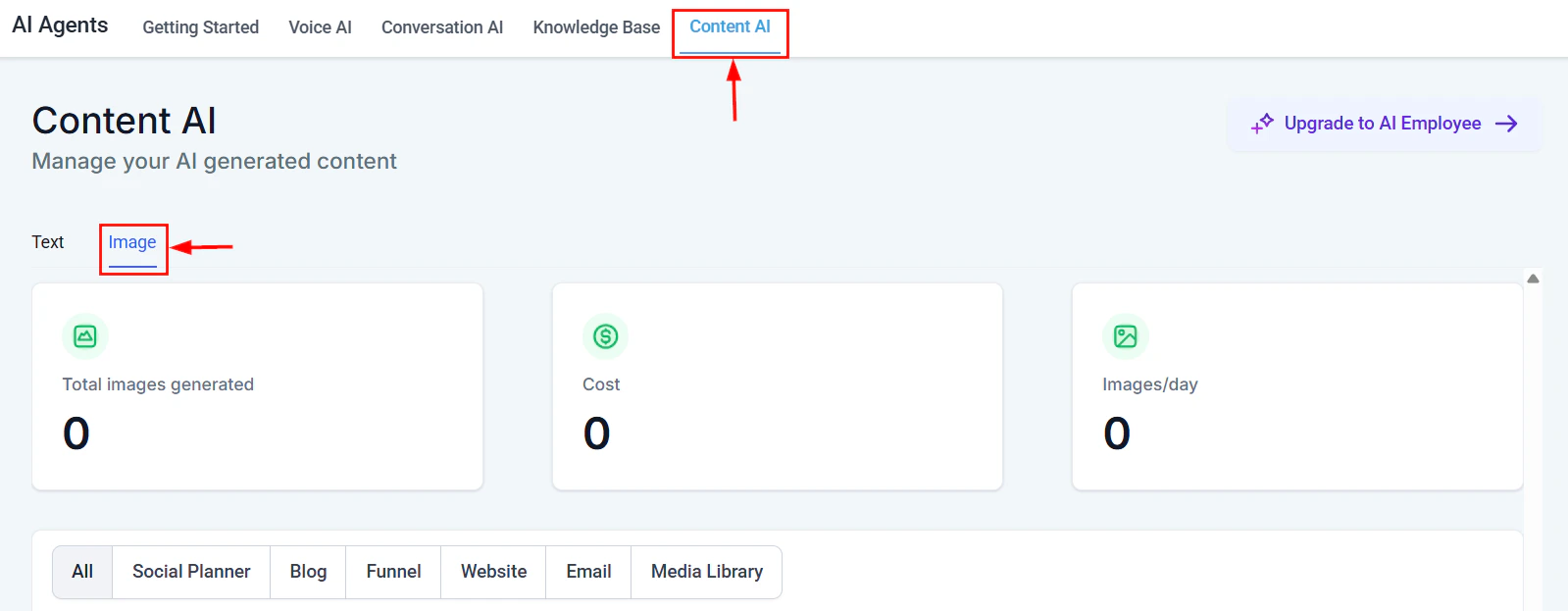
The HoopAI platform's page builder includes built-in **Content AI** tools that help you generate headlines, body copy, blog posts, and SEO-optimized content directly within the editor. Instead of staring at a blank page, use AI to draft content in seconds and refine it to match your brand voice.
Content AI is available in the **Sites** and **Funnels** page builders. The AI writing tools appear in the text editor toolbar and in element settings panels.
 ***
## AI headline and copy generation
Generate compelling headlines and body copy for any section of your landing page or website without leaving the builder.
Navigate to **Sites** or **Funnels** and open the page you want to edit. Click on any text element (headline, paragraph, or button) to select it.
In the text editor toolbar, click the **AI** icon or right-click the element and select **Generate with AI**. A prompt panel will appear.
Enter a brief description of the content you want. For example:
* "Write a compelling headline for a fitness coaching landing page"
* "Create a 2-sentence value proposition for a SaaS project management tool"
* "Write a call-to-action for a free consultation offer"
Select from tone options like **Professional**, **Friendly**, **Urgent**, or **Witty**. Choose a content length -- short (1 sentence), medium (2-3 sentences), or long (full paragraph).
Click **Generate**. The AI will produce multiple options. Preview each, then click **Insert** to add your favorite to the page. You can regenerate for more options or edit the output directly.
***
## AI headline and copy generation
Generate compelling headlines and body copy for any section of your landing page or website without leaving the builder.
Navigate to **Sites** or **Funnels** and open the page you want to edit. Click on any text element (headline, paragraph, or button) to select it.
In the text editor toolbar, click the **AI** icon or right-click the element and select **Generate with AI**. A prompt panel will appear.
Enter a brief description of the content you want. For example:
* "Write a compelling headline for a fitness coaching landing page"
* "Create a 2-sentence value proposition for a SaaS project management tool"
* "Write a call-to-action for a free consultation offer"
Select from tone options like **Professional**, **Friendly**, **Urgent**, or **Witty**. Choose a content length -- short (1 sentence), medium (2-3 sentences), or long (full paragraph).
Click **Generate**. The AI will produce multiple options. Preview each, then click **Insert** to add your favorite to the page. You can regenerate for more options or edit the output directly.
 **Pro tip:** Generate 3-4 headline variations and A/B test them using the built-in split testing feature in funnels. Let real traffic data tell you which AI-generated headline converts best.
***
**Pro tip:** Generate 3-4 headline variations and A/B test them using the built-in split testing feature in funnels. Let real traffic data tell you which AI-generated headline converts best.
***
 ## SEO content generation
Content AI can help you create search-engine-optimized content for your pages, including meta titles, meta descriptions, and keyword-rich body copy.
### Meta titles and descriptions
In the page builder, click **Settings** (gear icon) and navigate to the **SEO** tab.
Click **Generate with AI** next to the meta title or meta description field. Enter your target keyword and page topic. The AI will create optimized meta content within recommended character limits (60 characters for titles, 160 for descriptions).
Review the generated meta content. Make sure your primary keyword appears naturally. Click **Save** to apply.
### SEO body copy
When generating body copy for your pages, include SEO context in your AI prompt for better results:
* "Write a 200-word section about the benefits of cloud-based CRM software. Target keyword: 'best CRM for small business.' Include the keyword naturally 2-3 times."
* "Create an FAQ section with 5 questions about email marketing automation. Target keywords: 'email automation,' 'drip campaigns,' 'email sequences.'"
* "Write an introduction paragraph for a blog post about social media marketing trends in 2026. Include the keyword 'social media strategy' in the first sentence."
Content AI generates SEO-friendly drafts, but always review for accuracy and natural readability. Search engines prioritize content written for humans, not just keyword density.
***
## Landing page best practices with AI
Use Content AI strategically across your landing page sections for maximum impact.
### Hero section
The hero section is the most important part of your landing page. Use AI to generate:
* **A primary headline** that communicates your core value proposition in under 10 words
* **A supporting subheadline** that adds detail or addresses a pain point
* **A CTA button** with action-oriented text (e.g., "Start my free trial" instead of "Submit")
"Write a hero section for a landing page selling an AI-powered scheduling tool for service businesses. Include a headline (under 10 words), a subheadline (1-2 sentences explaining the benefit), and a CTA button text. Tone: confident and modern."
### Social proof section
Generate testimonial frameworks and case study summaries:
* Ask the AI to create testimonial templates you can fill with real customer quotes
* Generate "Results" or "By the numbers" section copy based on your metrics
### Feature and benefit sections
For each feature block, prompt the AI with:
* The feature name
* What problem it solves
* Who benefits from it
The AI will generate benefit-focused copy that speaks to the reader's pain points rather than just listing features.
Never publish AI-generated testimonials as real customer quotes. Use AI to draft the structure, then replace with authentic customer feedback.
***
## Blog content generation
The HoopAI page builder supports blog posts as part of your website. Use Content AI to accelerate your blog workflow.
Navigate to **Sites** > **Blog** and click **New Post**. Enter your topic or working title.
Use Content AI to create a blog post outline. Prompt example: "Create an outline for a 1,200-word blog post about 5 ways to reduce appointment no-shows. Include an introduction, 5 main sections with subheadings, and a conclusion with a CTA."
Work through the outline section by section. For each section, use Content AI to generate a draft, then edit for accuracy, brand voice, and specifics to your business.
After drafting, use the SEO settings to generate a meta title and description. Review the content to ensure your target keyword appears in the title, first paragraph, at least one subheading, and the conclusion.
Break up long text sections with images, screenshots, or embedded videos. Use the page builder's media library to add visuals between content blocks.
## SEO content generation
Content AI can help you create search-engine-optimized content for your pages, including meta titles, meta descriptions, and keyword-rich body copy.
### Meta titles and descriptions
In the page builder, click **Settings** (gear icon) and navigate to the **SEO** tab.
Click **Generate with AI** next to the meta title or meta description field. Enter your target keyword and page topic. The AI will create optimized meta content within recommended character limits (60 characters for titles, 160 for descriptions).
Review the generated meta content. Make sure your primary keyword appears naturally. Click **Save** to apply.
### SEO body copy
When generating body copy for your pages, include SEO context in your AI prompt for better results:
* "Write a 200-word section about the benefits of cloud-based CRM software. Target keyword: 'best CRM for small business.' Include the keyword naturally 2-3 times."
* "Create an FAQ section with 5 questions about email marketing automation. Target keywords: 'email automation,' 'drip campaigns,' 'email sequences.'"
* "Write an introduction paragraph for a blog post about social media marketing trends in 2026. Include the keyword 'social media strategy' in the first sentence."
Content AI generates SEO-friendly drafts, but always review for accuracy and natural readability. Search engines prioritize content written for humans, not just keyword density.
***
## Landing page best practices with AI
Use Content AI strategically across your landing page sections for maximum impact.
### Hero section
The hero section is the most important part of your landing page. Use AI to generate:
* **A primary headline** that communicates your core value proposition in under 10 words
* **A supporting subheadline** that adds detail or addresses a pain point
* **A CTA button** with action-oriented text (e.g., "Start my free trial" instead of "Submit")
"Write a hero section for a landing page selling an AI-powered scheduling tool for service businesses. Include a headline (under 10 words), a subheadline (1-2 sentences explaining the benefit), and a CTA button text. Tone: confident and modern."
### Social proof section
Generate testimonial frameworks and case study summaries:
* Ask the AI to create testimonial templates you can fill with real customer quotes
* Generate "Results" or "By the numbers" section copy based on your metrics
### Feature and benefit sections
For each feature block, prompt the AI with:
* The feature name
* What problem it solves
* Who benefits from it
The AI will generate benefit-focused copy that speaks to the reader's pain points rather than just listing features.
Never publish AI-generated testimonials as real customer quotes. Use AI to draft the structure, then replace with authentic customer feedback.
***
## Blog content generation
The HoopAI page builder supports blog posts as part of your website. Use Content AI to accelerate your blog workflow.
Navigate to **Sites** > **Blog** and click **New Post**. Enter your topic or working title.
Use Content AI to create a blog post outline. Prompt example: "Create an outline for a 1,200-word blog post about 5 ways to reduce appointment no-shows. Include an introduction, 5 main sections with subheadings, and a conclusion with a CTA."
Work through the outline section by section. For each section, use Content AI to generate a draft, then edit for accuracy, brand voice, and specifics to your business.
After drafting, use the SEO settings to generate a meta title and description. Review the content to ensure your target keyword appears in the title, first paragraph, at least one subheading, and the conclusion.
Break up long text sections with images, screenshots, or embedded videos. Use the page builder's media library to add visuals between content blocks.
 **Content calendar tip:** Batch-generate outlines for a month's worth of blog posts in one sitting, then spend subsequent sessions fleshing out each post. This is faster than starting from scratch each time.
***
**Content calendar tip:** Batch-generate outlines for a month's worth of blog posts in one sitting, then spend subsequent sessions fleshing out each post. This is faster than starting from scratch each time.
***
 ## Funnel page optimization
For multi-step funnels, each page has a specific job. Use Content AI to optimize copy for every stage.
| Funnel stage | Page goal | AI prompt strategy |
| ------------------ | ---------------------------- | ---------------------------------------------------------------------------------------------- |
| **Opt-in page** | Capture email/phone | Generate a compelling headline and 2-3 bullet points explaining what they will get |
| **Sales page** | Drive the purchase decision | Generate benefit-driven sections, objection-handling copy, and urgency elements |
| **Order form** | Reduce cart abandonment | Generate trust-building copy (guarantees, security reassurances, testimonial placements) |
| **Thank you page** | Confirm and upsell | Generate confirmation copy and a one-time offer or next-step CTA |
| **Upsell page** | Increase average order value | Generate scarcity-driven copy and a clear value comparison between the base and upgraded offer |
**Opt-in page:** "Write 3 bullet points explaining the benefits of downloading a free guide on 'How to Double Your Leads in 30 Days.' Make them specific and outcome-focused."
**Sales page:** "Write an objection-handling section for a \$297 online course about social media marketing. Address these objections: 'I do not have time,' 'I have tried other courses,' and 'Will this work for my industry?'"
**Thank you page:** "Write a thank you page message that confirms their purchase of the Social Media Mastery course, tells them where to access it, and introduces a one-time offer for a private coaching session at 50% off."
***
## Tips for getting the best results
Instead of "Write a headline," try "Write a headline for a dental practice targeting families in Austin, Texas. Emphasize same-day appointments and friendly staff." More context produces better output.
Generate 3-5 options for any piece of copy. Mix and match elements from different generations. The best result is often a combination of AI output and your own edits.
If your brand is casual and fun, tell the AI. If it is formal and authoritative, say so. Include examples of your existing copy in the prompt for the AI to match.
Content AI excels at getting you past the blank page. Always review, fact-check, and personalize the output before publishing. Your unique expertise and brand details make the content real.
***
## Funnel page optimization
For multi-step funnels, each page has a specific job. Use Content AI to optimize copy for every stage.
| Funnel stage | Page goal | AI prompt strategy |
| ------------------ | ---------------------------- | ---------------------------------------------------------------------------------------------- |
| **Opt-in page** | Capture email/phone | Generate a compelling headline and 2-3 bullet points explaining what they will get |
| **Sales page** | Drive the purchase decision | Generate benefit-driven sections, objection-handling copy, and urgency elements |
| **Order form** | Reduce cart abandonment | Generate trust-building copy (guarantees, security reassurances, testimonial placements) |
| **Thank you page** | Confirm and upsell | Generate confirmation copy and a one-time offer or next-step CTA |
| **Upsell page** | Increase average order value | Generate scarcity-driven copy and a clear value comparison between the base and upgraded offer |
**Opt-in page:** "Write 3 bullet points explaining the benefits of downloading a free guide on 'How to Double Your Leads in 30 Days.' Make them specific and outcome-focused."
**Sales page:** "Write an objection-handling section for a \$297 online course about social media marketing. Address these objections: 'I do not have time,' 'I have tried other courses,' and 'Will this work for my industry?'"
**Thank you page:** "Write a thank you page message that confirms their purchase of the Social Media Mastery course, tells them where to access it, and introduces a one-time offer for a private coaching session at 50% off."
***
## Tips for getting the best results
Instead of "Write a headline," try "Write a headline for a dental practice targeting families in Austin, Texas. Emphasize same-day appointments and friendly staff." More context produces better output.
Generate 3-5 options for any piece of copy. Mix and match elements from different generations. The best result is often a combination of AI output and your own edits.
If your brand is casual and fun, tell the AI. If it is formal and authoritative, say so. Include examples of your existing copy in the prompt for the AI to match.
Content AI excels at getting you past the blank page. Always review, fact-check, and personalize the output before publishing. Your unique expertise and brand details make the content real.
***
 ## Next steps
Learn about all Content AI capabilities across the HoopAI platform.
Automate customer conversations with AI-powered chat and SMS.
Browse ready-made prompt templates for common use cases.
Trigger AI content generation as part of your automated workflows.
## Next steps
Learn about all Content AI capabilities across the HoopAI platform.
Automate customer conversations with AI-powered chat and SMS.
Browse ready-made prompt templates for common use cases.
Trigger AI content generation as part of your automated workflows.