> ## Documentation Index
> Fetch the complete documentation index at: https://help.hoopai.com/llms.txt
> Use this file to discover all available pages before exploring further.
# AI cost optimization
> Reduce your AI costs without sacrificing quality using these proven optimization strategies.
AI features in HoopAI deliver tremendous value, but without thoughtful configuration they can also generate unexpected costs. This guide breaks down what drives AI spending, how to reduce it strategically, and how to measure whether your AI investment is paying off.
 ## Understanding AI usage costs
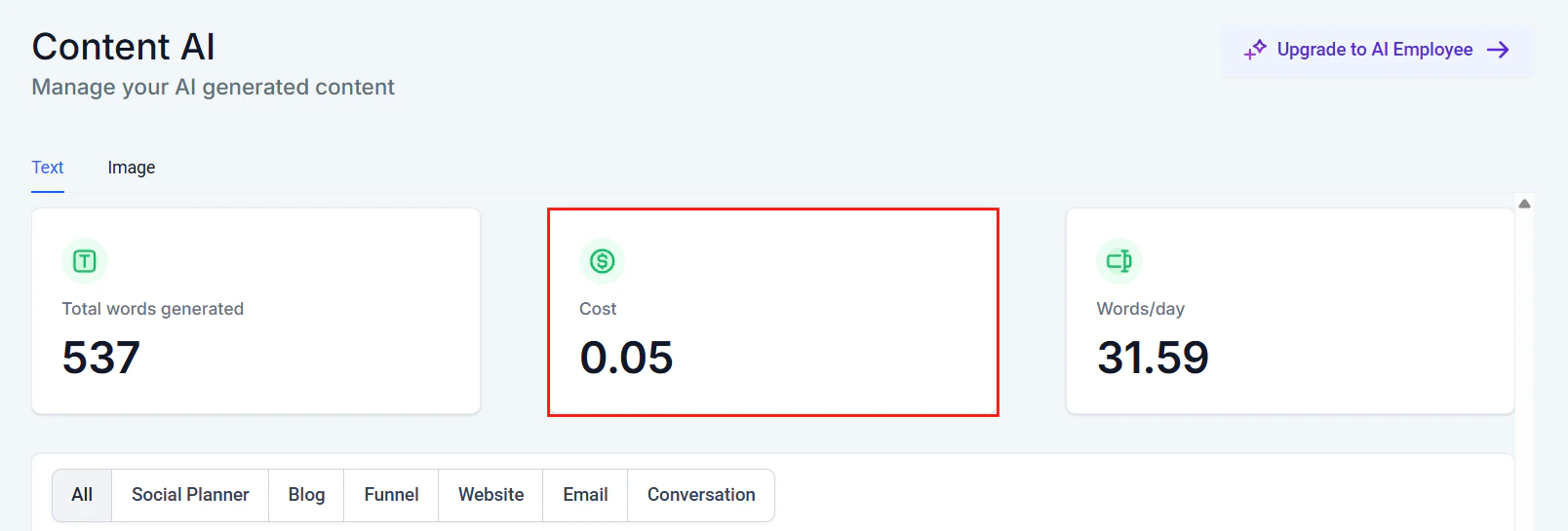
Every AI interaction in HoopAI consumes resources that translate to cost. Understanding what drives those costs is the first step toward optimizing them.
### What generates AI cost
Text-based AI (Conversation AI, workflow AI actions) charges based on tokens — the units of text processed. Both input (your prompt + knowledge base + conversation history) and output (the bot's response) count.
Voice AI charges based on call duration. Longer calls with more back-and-forth consume more minutes.
AI-generated images in workflows or content tools are charged per image generated.
### Cost breakdown by feature
| Feature | Cost driver | Relative cost | Usage pattern |
| ---------------------- | --------------------- | ------------- | -------------------------------------------- |
| Conversation AI (text) | Tokens per message | Low-medium | High frequency, low cost per interaction |
| Voice AI | Minutes per call | Medium-high | Lower frequency, higher cost per interaction |
| Workflow AI actions | Tokens per execution | Low | Varies by workflow trigger frequency |
| Content AI | Tokens per generation | Low | On-demand, user-initiated |
| Image AI | Per image | Medium | On-demand, user-initiated |
| Reviews AI | Tokens per reply | Low | Tied to review volume |
For current pricing details and your account's usage tiers, see [AI pricing](/ai/overview/pricing).
## Cost reduction strategies
### Knowledge base efficiency
Your [knowledge base](/ai-agents/knowledge-base) content is included as context with every AI response. Inefficient knowledge bases inflate token usage on every single message.
**High-impact optimizations:**
* **Remove redundancy.** If five entries say roughly the same thing in different ways, consolidate them into one clear entry. The AI retrieves the top matches — duplicates waste retrieval slots.
* **Use structured formats.** A table with pricing tiers uses fewer tokens than the same information written as paragraphs.
* **Eliminate filler content.** Marketing language, repetitive disclaimers, and verbose introductions in knowledge base entries all consume tokens without improving answers.
* **Limit retrieval count.** If your bot is configured to retrieve many knowledge base chunks per query, consider reducing this. Three highly relevant chunks outperform eight mediocre ones and cost far less.
```text theme={null}
Title: Pricing plans
| Plan | Price | Contacts | Users |
|------|-------|----------|-------|
| Starter | $97/mo | 2,000 | 1 |
| Growth | $197/mo | 10,000 | 3 |
| Scale | $397/mo | 50,000 | Unlimited |
All plans include CRM, email marketing, and basic automations.
Annual billing saves 20%.
```
*Token count: \~80 tokens*
```text theme={null}
Title: Our Amazing Pricing Plans
At HoopAI, we believe in providing incredible value for businesses
of all sizes. That's why we've created three carefully designed
pricing tiers that cater to different needs and budgets.
Our Starter plan is perfect for small businesses just getting
started with their digital marketing journey. For just $97 per
month, you get access to our powerful CRM, email marketing tools,
and basic automation features. This plan supports up to 2,000
contacts and 1 user account.
For growing businesses that need more power, our Growth plan at
$197 per month is the ideal choice. With support for up to 10,000
contacts and 3 user accounts, you'll have everything you need to
scale your operations...
[continues for 500 more words]
```
*Token count: \~350+ tokens*
The efficient version conveys identical information at roughly one-quarter the token cost — and that saving occurs on every message where pricing is retrieved.
### Prompt efficiency
Your system prompt is processed with every message in a conversation. Even small reductions compound over thousands of interactions.
Copy your system prompt into a word counter. If it exceeds 300 words, look for opportunities to trim.
Statements like "Be helpful and professional" and "Always try to assist the user" say the same thing. Keep one.
Instead of "When a customer asks about refunds, you should always direct them to speak with a human agent by escalating the conversation," write: "Escalate: refund requests."
If your prompt includes many example conversations, move them to the knowledge base instead. The AI will retrieve them when relevant rather than processing them every time.
After each reduction, test your bot with common queries to ensure behavior has not degraded.
For detailed prompt writing strategies, see [Prompt optimization](/ai/prompt-engineering/optimization).
### Smart escalation
Every message your AI agent handles costs tokens. But every unnecessary escalation costs human agent time, which is far more expensive. The goal is to find the right balance.
**Escalation rules that save money:**
* **Escalate on intent, not confusion.** Configure your bot to escalate when a contact explicitly requests a human, not just when the bot is uncertain. Uncertain bots can be taught with better knowledge base content.
* **Use confidence thresholds.** Set your bot to attempt an answer unless confidence is very low. A partially helpful answer followed by a clarifying question is cheaper than an immediate escalation.
* **Handle complaints with AI first.** Many complaints can be acknowledged and triaged by the bot before routing to a human, saving agent time on initial data collection.
* **Automate data collection.** Before escalating, have the bot collect name, issue description, and account details. This saves 2-3 minutes of human agent time per escalation.
A well-optimized escalation strategy typically results in AI handling 75-85% of conversations end-to-end, with only 15-25% requiring human intervention.
### Channel optimization
Different channels have different cost profiles. Optimize your AI behavior for each.
| Channel | Optimization strategy | Estimated savings |
| ------------------ | ---------------------------------------------------------------------------------------------------------- | ---------------------- |
| SMS | Keep responses under 160 characters. Use abbreviations and direct language. Avoid multi-paragraph replies. | 30-50% token reduction |
| Web chat | Moderate length is fine. Use quick-reply buttons to reduce back-and-forth. | 10-20% fewer messages |
| Email | Longer responses are expected. Batch information into single comprehensive replies. | Fewer total exchanges |
| Voice AI | Optimize for concise spoken responses. Avoid filler phrases. Use direct questions. | 15-25% shorter calls |
| Instagram/Facebook | Short, conversational replies. Use images and links rather than long text. | 20-30% token reduction |
Configure channel-specific prompts rather than one universal prompt. An SMS bot should behave differently than an email bot. This ensures each channel uses only the tokens it needs.
### Workflow AI: batch vs real-time processing
When using AI actions within [workflows](/automation/overview), choose the right processing approach:
**Real-time AI processing** — Triggers immediately when an event occurs. Best for:
* Responding to incoming messages
* Qualifying leads as they come in
* Urgent routing decisions
**Batch processing** — Processes multiple items on a schedule. Best for:
* Summarizing daily conversations
* Generating reports
* Bulk content creation
* Review responses (once per day rather than immediately)
Batch processing is typically 20-40% cheaper because it reduces the overhead of individual API calls and allows for more efficient prompt reuse.
## Usage monitoring and alerts
HoopAI provides tools to track your AI spending in real time.
### Where to monitor usage
* **Settings > AI Configuration** — View current month's usage by feature type
* **Billing section** — See AI costs broken down by category on your invoice
* **AI agent dashboard** — Monitor per-bot usage to identify which agents consume the most resources
* **Workflow logs** — Track AI action costs within specific workflows
### Setting up usage alerts
Go to **Settings > Company Billing** in your HoopAI account.
Scroll to the AI usage area where current consumption is displayed.
Set notification thresholds (e.g., alert at 80% of monthly budget). Notifications can be sent via email or in-app.
Make it a habit to check AI usage weekly. Catch unexpected spikes early before they become expensive.
If you notice a sudden spike in AI usage, check for:
* Workflow loops that repeatedly trigger AI actions
* Bots stuck in circular conversations
* Campaign launches that triggered unexpected volume
## Cost comparison across AI features
Understanding relative costs helps you allocate your AI budget effectively.
| Feature | Avg. cost per interaction | Monthly volume (typical) | Monthly cost estimate |
| ------------------------- | ------------------------- | ------------------------ | --------------------- |
| Conversation AI message | \$0.01-0.03 | 2,000-10,000 | \$20-300 |
| Voice AI call (3 min avg) | \$0.15-0.45 | 100-500 | \$15-225 |
| Workflow AI action | \$0.005-0.02 | 500-5,000 | \$2.50-100 |
| Content AI generation | \$0.02-0.10 | 50-200 | \$1-20 |
| Reviews AI reply | \$0.01-0.03 | 20-100 | \$0.20-3 |
These are estimates based on typical usage patterns. Your actual costs depend on prompt length, response length, knowledge base size, and AI model used. Check [AI pricing](/ai/overview/pricing) for current rates.
## ROI calculation framework
The true measure of AI cost optimization is not minimizing spend — it is maximizing return on that spend.
### Calculating AI ROI
Use this framework to determine whether your AI investment is paying off:
```text theme={null}
Monthly AI Cost Savings = (Human Agent Hours Saved x Hourly Cost) - Monthly AI Spend
Example:
- AI handles 3,000 conversations/month
- Average conversation takes 5 minutes of human time = 250 hours
- Human agent cost: $20/hour
- Human cost without AI: 250 x $20 = $5,000
- Monthly AI spend: $200
- Net savings: $5,000 - $200 = $4,800/month
```
### Beyond direct cost savings
AI agents also deliver value that is harder to quantify:
* **24/7 availability** — No overtime or shift differentials
* **Instant response** — Higher conversion rates from immediate engagement
* **Consistency** — Every contact gets the same quality of service
* **Scalability** — Handle volume spikes without hiring
* **Data capture** — Every conversation is logged and searchable
Track: Appointments booked by AI, conversion rate of AI-booked vs manually booked appointments, revenue attributed to AI-initiated conversations.
Track: Tickets resolved without human intervention, average resolution time, customer satisfaction scores for AI vs human interactions.
Track: Calls handled without transfer, appointment show rates from AI calls, cost per call vs human receptionist cost.
## Budget planning tips
**For new AI deployments:**
* Start with a conservative budget and scale up as you optimize
* Begin with text-based AI before adding Voice AI (lower cost, easier to optimize)
* Set a 90-day optimization window before evaluating ROI
**For established deployments:**
* Review costs monthly and benchmark against previous months
* Identify your top 3 cost drivers and focus optimization there
* Allocate 10-15% of AI budget for testing and experimentation
**Seasonal considerations:**
* Plan for higher volumes during your business's peak seasons
* Pre-optimize knowledge bases and prompts before anticipated spikes
* Consider temporarily increasing escalation thresholds during ultra-high-volume periods to manage costs
## Cost optimization checklist
* [ ] Knowledge base entries are concise and free of redundancy
* [ ] System prompt is under 300 words
* [ ] Channel-specific prompts are configured
* [ ] Escalation rules balance AI handling with human handoff
* [ ] Usage alerts are configured at 80% of monthly budget
* [ ] Weekly usage reviews are scheduled
* [ ] ROI is calculated and tracked monthly
* [ ] Batch processing is used for non-urgent AI workflows
* [ ] Common queries are handled by workflows instead of AI where possible
## Next steps
Review current pricing tiers and understand your account's AI cost structure.
Write leaner prompts that reduce token usage without sacrificing quality.
Speed up your AI agents alongside reducing costs.
Build an efficient knowledge base that minimizes token consumption.
## Understanding AI usage costs
Every AI interaction in HoopAI consumes resources that translate to cost. Understanding what drives those costs is the first step toward optimizing them.
### What generates AI cost
Text-based AI (Conversation AI, workflow AI actions) charges based on tokens — the units of text processed. Both input (your prompt + knowledge base + conversation history) and output (the bot's response) count.
Voice AI charges based on call duration. Longer calls with more back-and-forth consume more minutes.
AI-generated images in workflows or content tools are charged per image generated.
### Cost breakdown by feature
| Feature | Cost driver | Relative cost | Usage pattern |
| ---------------------- | --------------------- | ------------- | -------------------------------------------- |
| Conversation AI (text) | Tokens per message | Low-medium | High frequency, low cost per interaction |
| Voice AI | Minutes per call | Medium-high | Lower frequency, higher cost per interaction |
| Workflow AI actions | Tokens per execution | Low | Varies by workflow trigger frequency |
| Content AI | Tokens per generation | Low | On-demand, user-initiated |
| Image AI | Per image | Medium | On-demand, user-initiated |
| Reviews AI | Tokens per reply | Low | Tied to review volume |
For current pricing details and your account's usage tiers, see [AI pricing](/ai/overview/pricing).
## Cost reduction strategies
### Knowledge base efficiency
Your [knowledge base](/ai-agents/knowledge-base) content is included as context with every AI response. Inefficient knowledge bases inflate token usage on every single message.
**High-impact optimizations:**
* **Remove redundancy.** If five entries say roughly the same thing in different ways, consolidate them into one clear entry. The AI retrieves the top matches — duplicates waste retrieval slots.
* **Use structured formats.** A table with pricing tiers uses fewer tokens than the same information written as paragraphs.
* **Eliminate filler content.** Marketing language, repetitive disclaimers, and verbose introductions in knowledge base entries all consume tokens without improving answers.
* **Limit retrieval count.** If your bot is configured to retrieve many knowledge base chunks per query, consider reducing this. Three highly relevant chunks outperform eight mediocre ones and cost far less.
```text theme={null}
Title: Pricing plans
| Plan | Price | Contacts | Users |
|------|-------|----------|-------|
| Starter | $97/mo | 2,000 | 1 |
| Growth | $197/mo | 10,000 | 3 |
| Scale | $397/mo | 50,000 | Unlimited |
All plans include CRM, email marketing, and basic automations.
Annual billing saves 20%.
```
*Token count: \~80 tokens*
```text theme={null}
Title: Our Amazing Pricing Plans
At HoopAI, we believe in providing incredible value for businesses
of all sizes. That's why we've created three carefully designed
pricing tiers that cater to different needs and budgets.
Our Starter plan is perfect for small businesses just getting
started with their digital marketing journey. For just $97 per
month, you get access to our powerful CRM, email marketing tools,
and basic automation features. This plan supports up to 2,000
contacts and 1 user account.
For growing businesses that need more power, our Growth plan at
$197 per month is the ideal choice. With support for up to 10,000
contacts and 3 user accounts, you'll have everything you need to
scale your operations...
[continues for 500 more words]
```
*Token count: \~350+ tokens*
The efficient version conveys identical information at roughly one-quarter the token cost — and that saving occurs on every message where pricing is retrieved.
### Prompt efficiency
Your system prompt is processed with every message in a conversation. Even small reductions compound over thousands of interactions.
Copy your system prompt into a word counter. If it exceeds 300 words, look for opportunities to trim.
Statements like "Be helpful and professional" and "Always try to assist the user" say the same thing. Keep one.
Instead of "When a customer asks about refunds, you should always direct them to speak with a human agent by escalating the conversation," write: "Escalate: refund requests."
If your prompt includes many example conversations, move them to the knowledge base instead. The AI will retrieve them when relevant rather than processing them every time.
After each reduction, test your bot with common queries to ensure behavior has not degraded.
For detailed prompt writing strategies, see [Prompt optimization](/ai/prompt-engineering/optimization).
### Smart escalation
Every message your AI agent handles costs tokens. But every unnecessary escalation costs human agent time, which is far more expensive. The goal is to find the right balance.
**Escalation rules that save money:**
* **Escalate on intent, not confusion.** Configure your bot to escalate when a contact explicitly requests a human, not just when the bot is uncertain. Uncertain bots can be taught with better knowledge base content.
* **Use confidence thresholds.** Set your bot to attempt an answer unless confidence is very low. A partially helpful answer followed by a clarifying question is cheaper than an immediate escalation.
* **Handle complaints with AI first.** Many complaints can be acknowledged and triaged by the bot before routing to a human, saving agent time on initial data collection.
* **Automate data collection.** Before escalating, have the bot collect name, issue description, and account details. This saves 2-3 minutes of human agent time per escalation.
A well-optimized escalation strategy typically results in AI handling 75-85% of conversations end-to-end, with only 15-25% requiring human intervention.
### Channel optimization
Different channels have different cost profiles. Optimize your AI behavior for each.
| Channel | Optimization strategy | Estimated savings |
| ------------------ | ---------------------------------------------------------------------------------------------------------- | ---------------------- |
| SMS | Keep responses under 160 characters. Use abbreviations and direct language. Avoid multi-paragraph replies. | 30-50% token reduction |
| Web chat | Moderate length is fine. Use quick-reply buttons to reduce back-and-forth. | 10-20% fewer messages |
| Email | Longer responses are expected. Batch information into single comprehensive replies. | Fewer total exchanges |
| Voice AI | Optimize for concise spoken responses. Avoid filler phrases. Use direct questions. | 15-25% shorter calls |
| Instagram/Facebook | Short, conversational replies. Use images and links rather than long text. | 20-30% token reduction |
Configure channel-specific prompts rather than one universal prompt. An SMS bot should behave differently than an email bot. This ensures each channel uses only the tokens it needs.
### Workflow AI: batch vs real-time processing
When using AI actions within [workflows](/automation/overview), choose the right processing approach:
**Real-time AI processing** — Triggers immediately when an event occurs. Best for:
* Responding to incoming messages
* Qualifying leads as they come in
* Urgent routing decisions
**Batch processing** — Processes multiple items on a schedule. Best for:
* Summarizing daily conversations
* Generating reports
* Bulk content creation
* Review responses (once per day rather than immediately)
Batch processing is typically 20-40% cheaper because it reduces the overhead of individual API calls and allows for more efficient prompt reuse.
## Usage monitoring and alerts
HoopAI provides tools to track your AI spending in real time.
### Where to monitor usage
* **Settings > AI Configuration** — View current month's usage by feature type
* **Billing section** — See AI costs broken down by category on your invoice
* **AI agent dashboard** — Monitor per-bot usage to identify which agents consume the most resources
* **Workflow logs** — Track AI action costs within specific workflows
### Setting up usage alerts
Go to **Settings > Company Billing** in your HoopAI account.
Scroll to the AI usage area where current consumption is displayed.
Set notification thresholds (e.g., alert at 80% of monthly budget). Notifications can be sent via email or in-app.
Make it a habit to check AI usage weekly. Catch unexpected spikes early before they become expensive.
If you notice a sudden spike in AI usage, check for:
* Workflow loops that repeatedly trigger AI actions
* Bots stuck in circular conversations
* Campaign launches that triggered unexpected volume
## Cost comparison across AI features
Understanding relative costs helps you allocate your AI budget effectively.
| Feature | Avg. cost per interaction | Monthly volume (typical) | Monthly cost estimate |
| ------------------------- | ------------------------- | ------------------------ | --------------------- |
| Conversation AI message | \$0.01-0.03 | 2,000-10,000 | \$20-300 |
| Voice AI call (3 min avg) | \$0.15-0.45 | 100-500 | \$15-225 |
| Workflow AI action | \$0.005-0.02 | 500-5,000 | \$2.50-100 |
| Content AI generation | \$0.02-0.10 | 50-200 | \$1-20 |
| Reviews AI reply | \$0.01-0.03 | 20-100 | \$0.20-3 |
These are estimates based on typical usage patterns. Your actual costs depend on prompt length, response length, knowledge base size, and AI model used. Check [AI pricing](/ai/overview/pricing) for current rates.
## ROI calculation framework
The true measure of AI cost optimization is not minimizing spend — it is maximizing return on that spend.
### Calculating AI ROI
Use this framework to determine whether your AI investment is paying off:
```text theme={null}
Monthly AI Cost Savings = (Human Agent Hours Saved x Hourly Cost) - Monthly AI Spend
Example:
- AI handles 3,000 conversations/month
- Average conversation takes 5 minutes of human time = 250 hours
- Human agent cost: $20/hour
- Human cost without AI: 250 x $20 = $5,000
- Monthly AI spend: $200
- Net savings: $5,000 - $200 = $4,800/month
```
### Beyond direct cost savings
AI agents also deliver value that is harder to quantify:
* **24/7 availability** — No overtime or shift differentials
* **Instant response** — Higher conversion rates from immediate engagement
* **Consistency** — Every contact gets the same quality of service
* **Scalability** — Handle volume spikes without hiring
* **Data capture** — Every conversation is logged and searchable
Track: Appointments booked by AI, conversion rate of AI-booked vs manually booked appointments, revenue attributed to AI-initiated conversations.
Track: Tickets resolved without human intervention, average resolution time, customer satisfaction scores for AI vs human interactions.
Track: Calls handled without transfer, appointment show rates from AI calls, cost per call vs human receptionist cost.
## Budget planning tips
**For new AI deployments:**
* Start with a conservative budget and scale up as you optimize
* Begin with text-based AI before adding Voice AI (lower cost, easier to optimize)
* Set a 90-day optimization window before evaluating ROI
**For established deployments:**
* Review costs monthly and benchmark against previous months
* Identify your top 3 cost drivers and focus optimization there
* Allocate 10-15% of AI budget for testing and experimentation
**Seasonal considerations:**
* Plan for higher volumes during your business's peak seasons
* Pre-optimize knowledge bases and prompts before anticipated spikes
* Consider temporarily increasing escalation thresholds during ultra-high-volume periods to manage costs
## Cost optimization checklist
* [ ] Knowledge base entries are concise and free of redundancy
* [ ] System prompt is under 300 words
* [ ] Channel-specific prompts are configured
* [ ] Escalation rules balance AI handling with human handoff
* [ ] Usage alerts are configured at 80% of monthly budget
* [ ] Weekly usage reviews are scheduled
* [ ] ROI is calculated and tracked monthly
* [ ] Batch processing is used for non-urgent AI workflows
* [ ] Common queries are handled by workflows instead of AI where possible
## Next steps
Review current pricing tiers and understand your account's AI cost structure.
Write leaner prompts that reduce token usage without sacrificing quality.
Speed up your AI agents alongside reducing costs.
Build an efficient knowledge base that minimizes token consumption.