> ## Documentation Index
> Fetch the complete documentation index at: https://help.hoopai.com/llms.txt
> Use this file to discover all available pages before exploring further.

# Send an email blast to your contact list

> Send a single email to a large group of contacts at once — with targeting, scheduling, and performance tracking built in.

export const CourseTracker = ({courseId, lessonId, videoId}) => {
  const [progress, setProgress] = useState({});
  const [expanded, setExpanded] = useState(false);
  useEffect(() => {
    setProgress(loadProgress());
    document.body.setAttribute("data-academy", "true");
    return () => document.body.removeAttribute("data-academy");
  }, []);
  const course = COURSES[courseId];
  if (!course) return null;
  const lessons = course.lessons;
  const currentIndex = lessons.findIndex(l => l.id === lessonId);
  const completedCount = lessons.filter(l => !!progress[courseId + "/" + l.id]).length;
  const percent = lessons.length > 0 ? Math.round(completedCount / lessons.length * 100) : 0;
  const isCurrentDone = !!progress[courseId + "/" + lessonId];
  const prev = currentIndex > 0 ? lessons[currentIndex - 1] : null;
  const next = currentIndex < lessons.length - 1 ? lessons[currentIndex + 1] : null;
  const totalDuration = formatTotalDuration(lessons);
  const handleToggle = () => {
    const key = courseId + "/" + lessonId;
    const updated = {
      ...progress
    };
    if (updated[key]) {
      delete updated[key];
    } else {
      updated[key] = Date.now();
    }
    setProgress(updated);
    persistProgress(updated);
  };
  const lessonPath = lesson => "/academy/" + course.dir + "/" + lesson.id;
  const videoEmbed = videoId ? <div style={{
    position: "relative",
    width: "100%",
    paddingBottom: "56.25%",
    borderRadius: "var(--ds-radius-lg)",
    overflow: "hidden",
    marginBottom: "24px",
    background: "#000"
  }}>
      <iframe src={"https://www.youtube-nocookie.com/embed/" + videoId + "?rel=0"} title="Lesson video" allow="accelerometer; autoplay; clipboard-write; encrypted-media; gyroscope; picture-in-picture" allowFullScreen style={{
    position: "absolute",
    top: 0,
    left: 0,
    width: "100%",
    height: "100%",
    border: "none"
  }} />
    </div> : null;
  const lessonList = lessons.map(lesson => {
    const isActive = lesson.id === lessonId;
    const isDone = !!progress[courseId + "/" + lesson.id];
    const itemStyle = {
      display: "flex",
      alignItems: "center",
      gap: "8px",
      padding: "10px 16px",
      borderTop: "1px solid var(--academy-border-subtle, #f3f4f6)",
      background: isActive ? "var(--academy-active-bg, #f9fafb)" : "transparent",
      textDecoration: "none",
      cursor: isActive ? "default" : "pointer",
      color: "inherit",
      transition: "background 0.15s"
    };
    const titleStyle = {
      flex: 1,
      fontSize: "13px",
      fontWeight: isActive ? 600 : 400,
      color: isActive ? "var(--academy-text, #111827)" : "var(--academy-text-secondary, #6b7280)",
      overflow: "hidden",
      textOverflow: "ellipsis",
      whiteSpace: "nowrap",
      lineHeight: "1.4"
    };
    const durationStyle = {
      fontSize: "12px",
      color: "var(--academy-text-muted, #9ca3af)",
      whiteSpace: "nowrap"
    };
    const inner = <>
        {isDone ? <CheckCircle /> : <VideoIcon />}
        <span style={titleStyle}>{lesson.title}</span>
        <span style={durationStyle}>{lesson.duration}</span>
      </>;
    if (isActive) {
      return <div key={lesson.id} style={itemStyle}>
          {inner}
        </div>;
    }
    return <a key={lesson.id} href={lessonPath(lesson)} style={itemStyle}>
        {inner}
      </a>;
  });
  return <div className="not-prose" id="academy-course-tracker">
      {videoEmbed}
      <div className="academy-tracker" style={{
    fontFamily: "Inter, -apple-system, BlinkMacSystemFont, sans-serif",
    borderRadius: "var(--ds-radius-lg)",
    border: "1px solid var(--academy-border, #e5e7eb)",
    background: "var(--academy-bg, #ffffff)",
    overflow: "hidden",
    marginBottom: "24px"
  }}>
        {}
        <div style={{
    padding: "16px 16px 0"
  }}>
          <h3 style={{
    margin: 0,
    fontSize: "16px",
    fontWeight: 600,
    lineHeight: "1.4",
    color: "var(--academy-text, #111827)"
  }}>
            {course.title}
          </h3>
          <div style={{
    display: "flex",
    gap: "12px",
    marginTop: "8px"
  }}>
            <span style={{
    display: "flex",
    alignItems: "center",
    gap: "5px",
    fontSize: "12px",
    color: "var(--academy-text-secondary, #6b7280)",
    padding: "3px 8px 3px 6px",
    borderRadius: "var(--ds-radius-sm)",
    border: "1px solid var(--academy-border, #e5e7eb)"
  }}>
              <BookIcon /> {lessons.length} lessons
            </span>
            <span style={{
    display: "flex",
    alignItems: "center",
    gap: "5px",
    fontSize: "12px",
    color: "var(--academy-text-secondary, #6b7280)",
    padding: "3px 8px 3px 6px",
    borderRadius: "var(--ds-radius-sm)",
    border: "1px solid var(--academy-border, #e5e7eb)"
  }}>
              <ClockIcon /> Approx. {totalDuration}
            </span>
          </div>
        </div>

        {}
        <div style={{
    padding: "14px 16px 16px"
  }}>
          <div style={{
    display: "flex",
    justifyContent: "space-between",
    fontSize: "12px",
    color: "var(--academy-text-secondary, #6b7280)"
  }}>
            <span>Your progress</span>
            <span style={{
    fontWeight: 500,
    color: "var(--academy-text, #111827)"
  }}>
              {percent}%
            </span>
          </div>
          <div style={{
    height: "6px",
    borderRadius: "var(--ds-radius-full)",
    background: "var(--academy-track, #f3f4f6)",
    marginTop: "8px",
    overflow: "hidden"
  }}>
            <div style={{
    height: "100%",
    borderRadius: "var(--ds-radius-full)",
    background: "var(--academy-progress, #3b82f6)",
    transition: "width 0.5s cubic-bezier(0.4, 0, 0.2, 1)",
    width: percent + "%"
  }} />
          </div>
        </div>

        {}
        <div className="academy-lessons-desktop">{lessonList}</div>

        {}
        <div className="academy-lessons-mobile">
          <button onClick={() => setExpanded(!expanded)} aria-expanded={expanded} style={{
    display: "flex",
    alignItems: "center",
    justifyContent: "space-between",
    padding: "12px 16px",
    cursor: "pointer",
    borderTop: "1px solid var(--academy-border-subtle, #f3f4f6)",
    background: "transparent",
    border: "none",
    borderTopStyle: "solid",
    borderTopWidth: "1px",
    borderTopColor: "var(--academy-border-subtle, #f3f4f6)",
    width: "100%",
    textAlign: "left",
    color: "var(--academy-text-secondary, #6b7280)",
    fontSize: "13px",
    fontWeight: 500,
    fontFamily: "inherit"
  }}>
            <span>
              {expanded ? "Hide lessons" : "Show all " + lessons.length + " lessons"}
            </span>
            <ChevronDown open={expanded} />
          </button>
          {expanded && lessonList}
        </div>

        {}
        <div style={{
    display: "flex",
    alignItems: "center",
    justifyContent: "space-between",
    borderTop: "1px solid var(--academy-border, #e5e7eb)",
    padding: "10px 16px"
  }}>
          {prev ? <a href={lessonPath(prev)} style={{
    fontSize: "13px",
    color: "var(--academy-text-secondary, #6b7280)",
    textDecoration: "none",
    display: "flex",
    alignItems: "center",
    gap: "4px"
  }}>
              ‹ Previous
            </a> : <div />}
          <button onClick={handleToggle} style={{
    fontSize: "13px",
    fontWeight: 500,
    cursor: "pointer",
    padding: "6px 14px",
    borderRadius: "var(--ds-radius-md)",
    border: isCurrentDone ? "1px solid var(--academy-border, #e5e7eb)" : "none",
    background: isCurrentDone ? "var(--academy-bg, #ffffff)" : "var(--academy-btn-bg, #111827)",
    color: isCurrentDone ? "var(--academy-complete, #10b981)" : "var(--academy-btn-text, #ffffff)",
    display: "flex",
    alignItems: "center",
    gap: "6px",
    transition: "all 0.2s",
    lineHeight: "1.4",
    fontFamily: "inherit"
  }}>
            {isCurrentDone ? <>
                <CheckCircle /> Completed
              </> : "Mark as completed"}
          </button>
          {next ? <a href={lessonPath(next)} style={{
    fontSize: "13px",
    color: "var(--academy-text-secondary, #6b7280)",
    textDecoration: "none",
    display: "flex",
    alignItems: "center",
    gap: "4px"
  }}>
              Next ›
            </a> : <div />}
        </div>
      </div>
    </div>;
};

<CourseTracker courseId="quick-start" lessonId="send-an-email-blast-to-your-contact-list" />

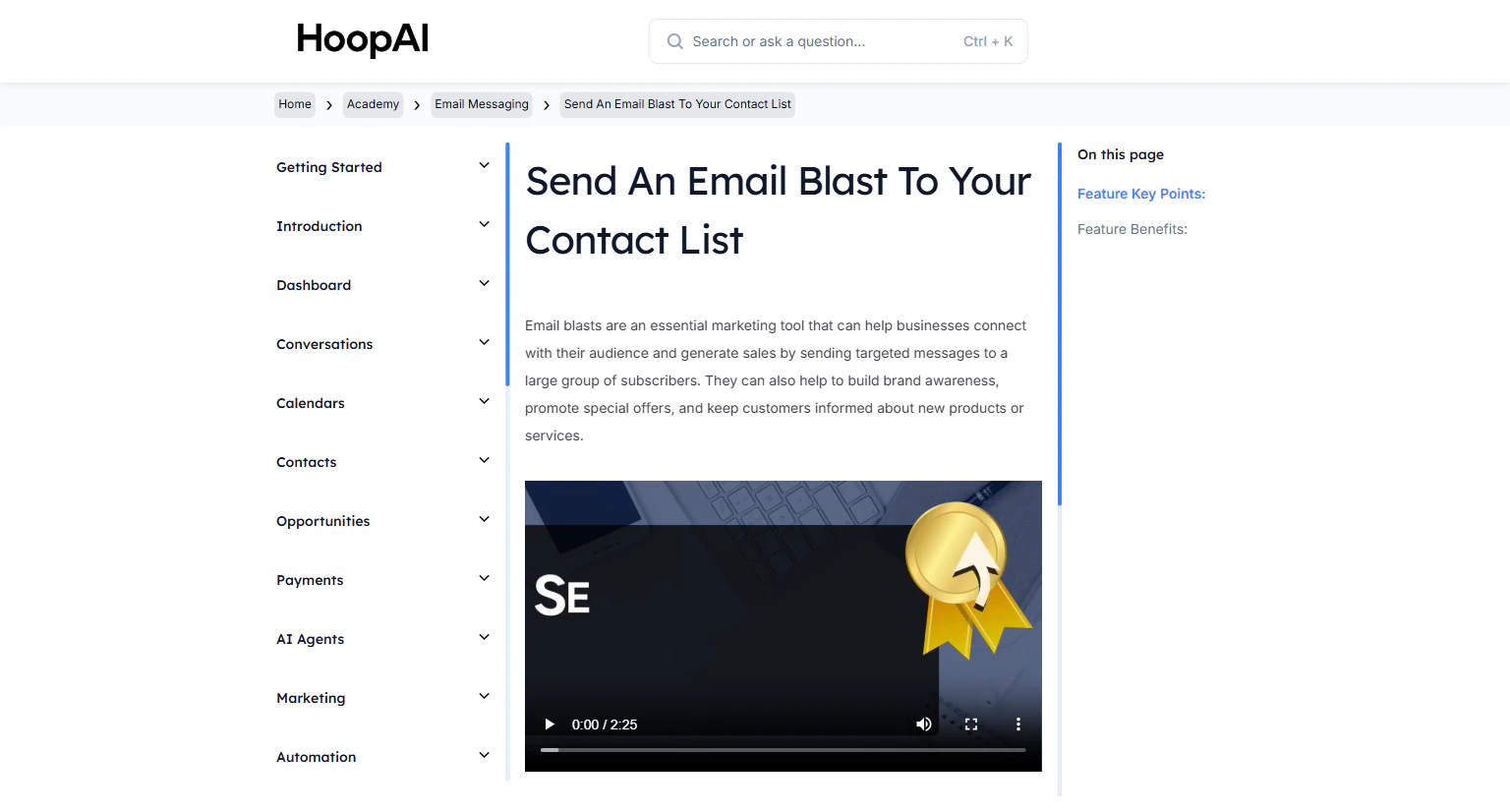
An email blast lets you reach your entire list — or a targeted segment of it — with a single send. Use it for announcements, promotions, newsletters, event invitations, or any message you want to deliver at scale. No ad spend required.

<Frame caption="The Send an Email Blast lesson in the HoopAI Academy Quick Start">
  <img src="https://mintcdn.com/hoopai-84ec0cdc/gyU98wGhFXcTdqFf/images/academy-email-blast.png?fit=max&auto=format&n=gyU98wGhFXcTdqFf&q=85&s=dc2697390856b15ce7e4f80c20f922df" alt="Send an email blast to your contact list" width="1536" height="826" data-path="images/academy-email-blast.png" />
</Frame>

## Why this matters

Every email blast you send is a direct line to your audience. No algorithm decides who sees it. No ad budget determines how many people receive it. Email marketing consistently delivers one of the highest returns on investment of any marketing channel — and your contact list gets more valuable with every contact you add.

## How to send an email blast

<Steps>
  <Step title="Go to Email Marketing">
    Navigate to **Marketing** > **Emails** > **Campaigns** and click **New Campaign**.

    <Frame caption="The Email Campaigns section in the HoopAI Platform Marketing tab">
      <img src="https://mintcdn.com/hoopai-84ec0cdc/gyU98wGhFXcTdqFf/images/academy-email-blast.png?fit=max&auto=format&n=gyU98wGhFXcTdqFf&q=85&s=dc2697390856b15ce7e4f80c20f922df" alt="Email campaigns section" width="1536" height="826" data-path="images/academy-email-blast.png" />
    </Frame>
  </Step>

  <Step title="Name your campaign">
    Give your campaign a clear internal name — for example, "March Promo — Email Blast" — so you can identify it in your reporting history later.
  </Step>

  <Step title="Choose your recipients">
    Select who receives this email:

    * **Entire list:** Send to all contacts in a contact list
    * **Smart list:** Target a filtered segment based on contact properties (e.g., all contacts tagged "customer" who opened your last email)
    * **Specific contacts:** Manually select individual recipients

    <Frame caption="Selecting recipients — entire list, smart list, or individual contacts">
      <img src="https://mintcdn.com/hoopai-84ec0cdc/gyU98wGhFXcTdqFf/images/academy-onboarding-import-contacts.png?fit=max&auto=format&n=gyU98wGhFXcTdqFf&q=85&s=02abfd10adb996867d3c6e9fb874b771" alt="Email recipient selection" width="1536" height="826" data-path="images/academy-onboarding-import-contacts.png" />
    </Frame>
  </Step>

  <Step title="Design your email">
    Build your email using the drag-and-drop editor or HTML editor. Best practices:

    * Write a compelling subject line (under 50 characters, personalized when possible)
    * Personalize using custom field merge tags — `{{contact.first_name}}` is the minimum
    * Include a clear, single call to action
    * Add trigger links if you want to track clicks and trigger automated follow-up workflows

    <Tip>
      Emails with personalized subject lines get 20-50% higher open rates. Use `{{contact.first_name}}` in your subject line — "Hey \[Name], we have something for you" outperforms a generic subject every time.
    </Tip>
  </Step>

  <Step title="Choose your send timing">
    Select how and when to send:

    * **Send immediately:** Delivers as soon as you confirm
    * **Schedule:** Set a specific date and time for delivery
    * **Drip send:** Spread the send over a period of time in batches (best for large lists and deliverability)

    <Frame caption="Send timing options — immediate, scheduled, or drip delivery">
      <img src="https://mintcdn.com/hoopai-84ec0cdc/gyU98wGhFXcTdqFf/images/academy-email-cc-bcc.png?fit=max&auto=format&n=gyU98wGhFXcTdqFf&q=85&s=8745ae04a64cea6b9408446867b607a0" alt="Email send timing settings" width="1536" height="826" data-path="images/academy-email-cc-bcc.png" />
    </Frame>
  </Step>

  <Step title="Send or schedule">
    Review your email one final time, then click **Send** or **Schedule**. Your campaign will appear in the Campaigns list with its current status.
  </Step>

  <Step title="Track performance">
    After sending, return to the campaign to view statistics:

    * **Open rate:** Percentage of recipients who opened the email
    * **Click-through rate:** Percentage who clicked a link
    * **Unsubscribes:** Contacts who opted out
    * **Complaint rate:** Spam reports

    Replies from contacts appear automatically in the **Conversations** inbox.
  </Step>
</Steps>

## Key points

<AccordionGroup>
  <Accordion title="Targeting the right contacts">
    Smart Lists are the most powerful targeting option. Build a Smart List filtered by tags, custom fields, engagement history, or any combination of contact data. The more targeted your list, the higher your engagement rates.
  </Accordion>

  <Accordion title="Trigger links for advanced tracking">
    Include trigger links in your email to track which contacts clicked specific links — and automatically enroll them in follow-up workflows. A click on "Book a call" can instantly add a tag and start a booking follow-up sequence.
  </Accordion>

  <Accordion title="Drip send for deliverability">
    Drip sending spreads your blast out over time instead of sending all at once. This reduces the risk of being flagged as spam and is especially important for large lists or recently warmed domains.
  </Accordion>

  <Accordion title="Replies go to Conversations">
    Any contacts who reply to your email blast have their replies appear in the **Conversations** area, where you or a team member can respond directly.
  </Accordion>

  <Accordion title="Email sending requirements">
    To send email blasts with strong deliverability, ensure your dedicated email domain is verified. See the [Dedicated Email Domain](/academy/email-messaging/dedicated-email-domain) guide for setup instructions.
  </Accordion>
</AccordionGroup>

## Key benefits

<AccordionGroup>
  <Accordion title="Reach at scale">
    Send a single message to hundreds or thousands of contacts instantly.
  </Accordion>

  <Accordion title="No ad spend">
    Email marketing delivers one of the highest ROIs of any marketing channel.
  </Accordion>

  <Accordion title="Precise targeting">
    Smart Lists ensure your message goes to exactly the right contacts.
  </Accordion>

  <Accordion title="Flexible timing">
    Send now, schedule later, or drip-deliver for maximum deliverability.
  </Accordion>

  <Accordion title="Performance tracking">
    Open rates, click-through rates, and unsubscribe data help you improve every campaign.
  </Accordion>

  <Accordion title="Automated follow-up">
    Trigger links connect email blasts to workflow automation for hands-free follow-up.
  </Accordion>
</AccordionGroup>