> ## Documentation Index
> Fetch the complete documentation index at: https://help.hoopai.com/llms.txt
> Use this file to discover all available pages before exploring further.

# Conversation management

> Manage messages from all channels — email, SMS, Facebook, Instagram, calls, and more — from a single unified inbox in the HoopAI Platform.

export const CourseTracker = ({courseId, lessonId, videoId}) => {
  const [progress, setProgress] = useState({});
  const [expanded, setExpanded] = useState(false);
  useEffect(() => {
    setProgress(loadProgress());
    document.body.setAttribute("data-academy", "true");
    return () => document.body.removeAttribute("data-academy");
  }, []);
  const course = COURSES[courseId];
  if (!course) return null;
  const lessons = course.lessons;
  const currentIndex = lessons.findIndex(l => l.id === lessonId);
  const completedCount = lessons.filter(l => !!progress[courseId + "/" + l.id]).length;
  const percent = lessons.length > 0 ? Math.round(completedCount / lessons.length * 100) : 0;
  const isCurrentDone = !!progress[courseId + "/" + lessonId];
  const prev = currentIndex > 0 ? lessons[currentIndex - 1] : null;
  const next = currentIndex < lessons.length - 1 ? lessons[currentIndex + 1] : null;
  const totalDuration = formatTotalDuration(lessons);
  const handleToggle = () => {
    const key = courseId + "/" + lessonId;
    const updated = {
      ...progress
    };
    if (updated[key]) {
      delete updated[key];
    } else {
      updated[key] = Date.now();
    }
    setProgress(updated);
    persistProgress(updated);
  };
  const lessonPath = lesson => "/academy/" + course.dir + "/" + lesson.id;
  const videoEmbed = videoId ? <div style={{
    position: "relative",
    width: "100%",
    paddingBottom: "56.25%",
    borderRadius: "var(--ds-radius-lg)",
    overflow: "hidden",
    marginBottom: "24px",
    background: "#000"
  }}>
      <iframe src={"https://www.youtube-nocookie.com/embed/" + videoId + "?rel=0"} title="Lesson video" allow="accelerometer; autoplay; clipboard-write; encrypted-media; gyroscope; picture-in-picture" allowFullScreen style={{
    position: "absolute",
    top: 0,
    left: 0,
    width: "100%",
    height: "100%",
    border: "none"
  }} />
    </div> : null;
  const lessonList = lessons.map(lesson => {
    const isActive = lesson.id === lessonId;
    const isDone = !!progress[courseId + "/" + lesson.id];
    const itemStyle = {
      display: "flex",
      alignItems: "center",
      gap: "8px",
      padding: "10px 16px",
      borderTop: "1px solid var(--academy-border-subtle, #f3f4f6)",
      background: isActive ? "var(--academy-active-bg, #f9fafb)" : "transparent",
      textDecoration: "none",
      cursor: isActive ? "default" : "pointer",
      color: "inherit",
      transition: "background 0.15s"
    };
    const titleStyle = {
      flex: 1,
      fontSize: "13px",
      fontWeight: isActive ? 600 : 400,
      color: isActive ? "var(--academy-text, #111827)" : "var(--academy-text-secondary, #6b7280)",
      overflow: "hidden",
      textOverflow: "ellipsis",
      whiteSpace: "nowrap",
      lineHeight: "1.4"
    };
    const durationStyle = {
      fontSize: "12px",
      color: "var(--academy-text-muted, #9ca3af)",
      whiteSpace: "nowrap"
    };
    const inner = <>
        {isDone ? <CheckCircle /> : <VideoIcon />}
        <span style={titleStyle}>{lesson.title}</span>
        <span style={durationStyle}>{lesson.duration}</span>
      </>;
    if (isActive) {
      return <div key={lesson.id} style={itemStyle}>
          {inner}
        </div>;
    }
    return <a key={lesson.id} href={lessonPath(lesson)} style={itemStyle}>
        {inner}
      </a>;
  });
  return <div className="not-prose" id="academy-course-tracker">
      {videoEmbed}
      <div className="academy-tracker" style={{
    fontFamily: "Inter, -apple-system, BlinkMacSystemFont, sans-serif",
    borderRadius: "var(--ds-radius-lg)",
    border: "1px solid var(--academy-border, #e5e7eb)",
    background: "var(--academy-bg, #ffffff)",
    overflow: "hidden",
    marginBottom: "24px"
  }}>
        {}
        <div style={{
    padding: "16px 16px 0"
  }}>
          <h3 style={{
    margin: 0,
    fontSize: "16px",
    fontWeight: 600,
    lineHeight: "1.4",
    color: "var(--academy-text, #111827)"
  }}>
            {course.title}
          </h3>
          <div style={{
    display: "flex",
    gap: "12px",
    marginTop: "8px"
  }}>
            <span style={{
    display: "flex",
    alignItems: "center",
    gap: "5px",
    fontSize: "12px",
    color: "var(--academy-text-secondary, #6b7280)",
    padding: "3px 8px 3px 6px",
    borderRadius: "var(--ds-radius-sm)",
    border: "1px solid var(--academy-border, #e5e7eb)"
  }}>
              <BookIcon /> {lessons.length} lessons
            </span>
            <span style={{
    display: "flex",
    alignItems: "center",
    gap: "5px",
    fontSize: "12px",
    color: "var(--academy-text-secondary, #6b7280)",
    padding: "3px 8px 3px 6px",
    borderRadius: "var(--ds-radius-sm)",
    border: "1px solid var(--academy-border, #e5e7eb)"
  }}>
              <ClockIcon /> Approx. {totalDuration}
            </span>
          </div>
        </div>

        {}
        <div style={{
    padding: "14px 16px 16px"
  }}>
          <div style={{
    display: "flex",
    justifyContent: "space-between",
    fontSize: "12px",
    color: "var(--academy-text-secondary, #6b7280)"
  }}>
            <span>Your progress</span>
            <span style={{
    fontWeight: 500,
    color: "var(--academy-text, #111827)"
  }}>
              {percent}%
            </span>
          </div>
          <div style={{
    height: "6px",
    borderRadius: "var(--ds-radius-full)",
    background: "var(--academy-track, #f3f4f6)",
    marginTop: "8px",
    overflow: "hidden"
  }}>
            <div style={{
    height: "100%",
    borderRadius: "var(--ds-radius-full)",
    background: "var(--academy-progress, #3b82f6)",
    transition: "width 0.5s cubic-bezier(0.4, 0, 0.2, 1)",
    width: percent + "%"
  }} />
          </div>
        </div>

        {}
        <div className="academy-lessons-desktop">{lessonList}</div>

        {}
        <div className="academy-lessons-mobile">
          <button onClick={() => setExpanded(!expanded)} aria-expanded={expanded} style={{
    display: "flex",
    alignItems: "center",
    justifyContent: "space-between",
    padding: "12px 16px",
    cursor: "pointer",
    borderTop: "1px solid var(--academy-border-subtle, #f3f4f6)",
    background: "transparent",
    border: "none",
    borderTopStyle: "solid",
    borderTopWidth: "1px",
    borderTopColor: "var(--academy-border-subtle, #f3f4f6)",
    width: "100%",
    textAlign: "left",
    color: "var(--academy-text-secondary, #6b7280)",
    fontSize: "13px",
    fontWeight: 500,
    fontFamily: "inherit"
  }}>
            <span>
              {expanded ? "Hide lessons" : "Show all " + lessons.length + " lessons"}
            </span>
            <ChevronDown open={expanded} />
          </button>
          {expanded && lessonList}
        </div>

        {}
        <div style={{
    display: "flex",
    alignItems: "center",
    justifyContent: "space-between",
    borderTop: "1px solid var(--academy-border, #e5e7eb)",
    padding: "10px 16px"
  }}>
          {prev ? <a href={lessonPath(prev)} style={{
    fontSize: "13px",
    color: "var(--academy-text-secondary, #6b7280)",
    textDecoration: "none",
    display: "flex",
    alignItems: "center",
    gap: "4px"
  }}>
              ‹ Previous
            </a> : <div />}
          <button onClick={handleToggle} style={{
    fontSize: "13px",
    fontWeight: 500,
    cursor: "pointer",
    padding: "6px 14px",
    borderRadius: "var(--ds-radius-md)",
    border: isCurrentDone ? "1px solid var(--academy-border, #e5e7eb)" : "none",
    background: isCurrentDone ? "var(--academy-bg, #ffffff)" : "var(--academy-btn-bg, #111827)",
    color: isCurrentDone ? "var(--academy-complete, #10b981)" : "var(--academy-btn-text, #ffffff)",
    display: "flex",
    alignItems: "center",
    gap: "6px",
    transition: "all 0.2s",
    lineHeight: "1.4",
    fontFamily: "inherit"
  }}>
            {isCurrentDone ? <>
                <CheckCircle /> Completed
              </> : "Mark as completed"}
          </button>
          {next ? <a href={lessonPath(next)} style={{
    fontSize: "13px",
    color: "var(--academy-text-secondary, #6b7280)",
    textDecoration: "none",
    display: "flex",
    alignItems: "center",
    gap: "4px"
  }}>
              Next ›
            </a> : <div />}
        </div>
      </div>
    </div>;
};

<CourseTracker courseId="quick-start" lessonId="conversation-management" />

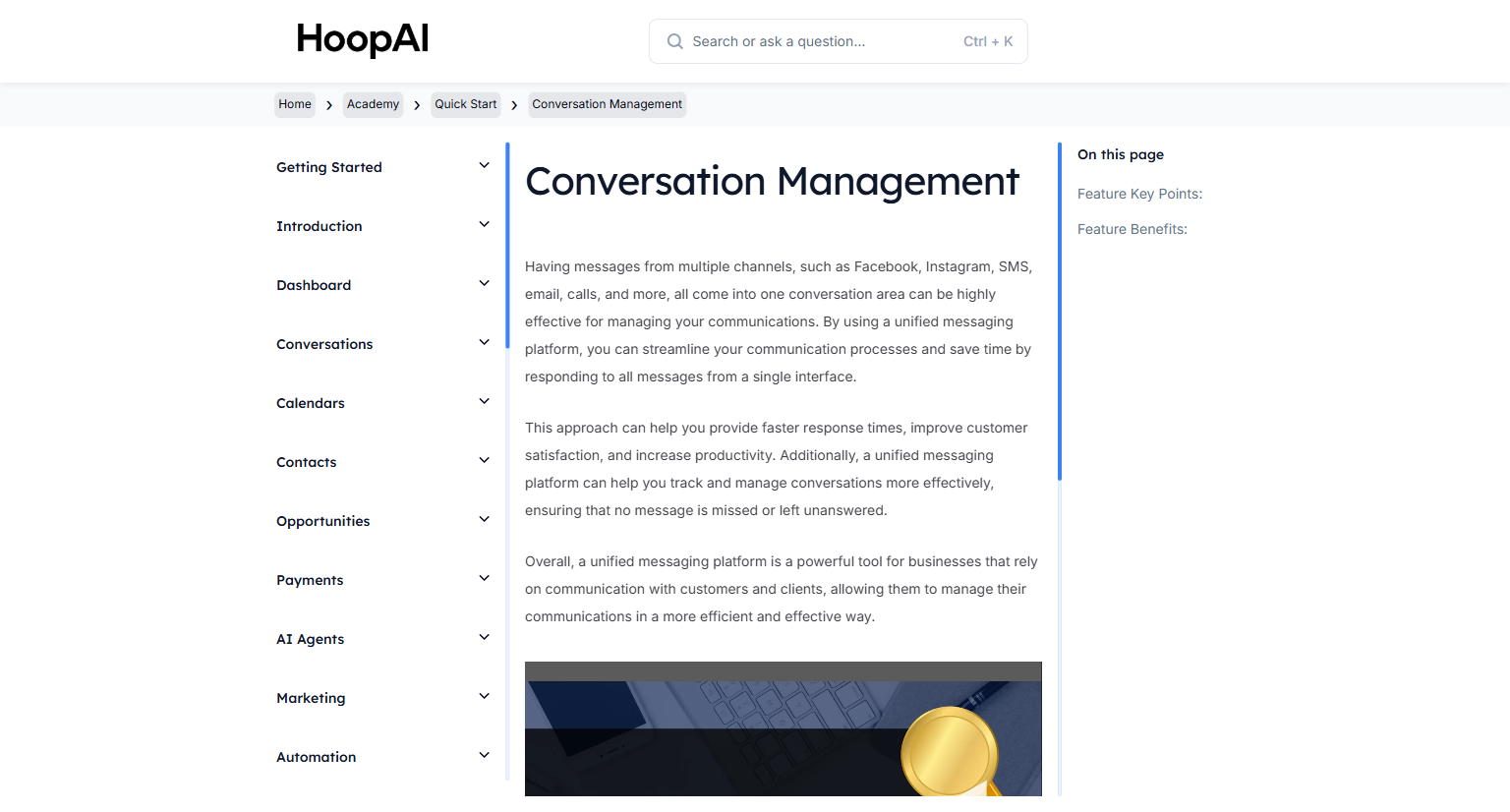
The Conversations area in the HoopAI Platform is your unified inbox for every communication channel. Instead of logging into multiple platforms to check messages, everything — SMS, email, Facebook Messenger, Instagram DMs, Google My Business chat, voicemails, and more — flows into one place.

<Frame caption="The Conversation Management lesson in the HoopAI Academy Quick Start">
  <img src="https://mintcdn.com/hoopai-84ec0cdc/gyU98wGhFXcTdqFf/images/academy-quick-start-conversation-mgmt.png?fit=max&auto=format&n=gyU98wGhFXcTdqFf&q=85&s=2f9cad5ea98c54c36739dfa84986f941" alt="Conversation management article" width="1536" height="826" data-path="images/academy-quick-start-conversation-mgmt.png" />
</Frame>

## Why this matters

Most businesses lose leads because they check too many inboxes. A contact sends an SMS, an email, and a Facebook message — all in different places — and none of them get answered in time. The Conversations inbox eliminates that problem entirely. Every message from every channel is in one thread per contact, organized and ready to respond to.

## How to manage conversations

<Steps>
  <Step title="Navigate to Conversations">
    Click **Conversations** in the left sidebar. This is your unified messaging center for all incoming communications.

    <Frame caption="The Conversations unified inbox in the HoopAI Platform">
      <img src="https://mintcdn.com/hoopai-84ec0cdc/gyU98wGhFXcTdqFf/images/academy-quick-start-conversations.png?fit=max&auto=format&n=gyU98wGhFXcTdqFf&q=85&s=b35ece2a2ead2ac8c92820a62c044b70" alt="Conversations unified inbox" width="1536" height="826" data-path="images/academy-quick-start-conversations.png" />
    </Frame>
  </Step>

  <Step title="Explore the inbox tabs">
    The Conversations area has several tabs to help you stay organized:

    * **Unread:** Shows only conversations with unread messages
    * **Recent:** Conversations sorted by most recent activity
    * **All:** Every conversation regardless of read status
    * **Starred:** Conversations you have flagged as important

    Switch between tabs to focus on what needs your attention most.
  </Step>

  <Step title="Open a conversation">
    Click any conversation to open the full message thread. You will see the complete history of all messages with that contact across all channels in a single view.

    <Frame caption="A contact's full conversation history across all channels in one thread">
      <img src="https://mintcdn.com/hoopai-84ec0cdc/gyU98wGhFXcTdqFf/images/academy-quick-start-conversation-mgmt.png?fit=max&auto=format&n=gyU98wGhFXcTdqFf&q=85&s=2f9cad5ea98c54c36739dfa84986f941" alt="Full conversation thread" width="1536" height="826" data-path="images/academy-quick-start-conversation-mgmt.png" />
    </Frame>
  </Step>

  <Step title="Reply to a message">
    Select the channel you want to respond through — SMS, email, Facebook Messenger, and others — from the message composer dropdown. Write your reply and click **Send**.

    You can switch channels mid-conversation. For example, receive an SMS and follow up by email — all within the same conversation thread.

    <Tip>
      Responding within the first 5 minutes of an inbound message increases conversion rates by up to 80%. With everything in one inbox, fast responses become the default — not the exception.
    </Tip>
  </Step>

  <Step title="Mark messages as read, starred, or done">
    Use the action buttons to stay organized:

    * **Mark as read:** Removes the unread indicator
    * **Star:** Flag important conversations for easy access later
    * **Mark as done:** Moves the conversation out of your active inbox when fully resolved
  </Step>

  <Step title="Track on mobile">
    Enable push notifications in the HoopAI mobile app to receive alerts the moment a new message arrives. Full Conversations functionality — including sending and receiving — is available on mobile.

    <Frame caption="Managing Conversations on mobile with the HoopAI app">
      <img src="https://mintcdn.com/hoopai-84ec0cdc/gyU98wGhFXcTdqFf/images/academy-quick-start-conversation-mgmt.png?fit=max&auto=format&n=gyU98wGhFXcTdqFf&q=85&s=2f9cad5ea98c54c36739dfa84986f941" alt="Conversations mobile view" width="1536" height="826" data-path="images/academy-quick-start-conversation-mgmt.png" />
    </Frame>
  </Step>
</Steps>

## Key points

<AccordionGroup>
  <Accordion title="Channels supported in Conversations">
    The unified inbox receives messages from: SMS, email, Facebook Messenger, Instagram DMs, Google My Business Chat, live chat (webchat widget), voicemails, and calls. All channels appear in the same thread for each contact.
  </Accordion>

  <Accordion title="Switching channels in a conversation">
    You are not locked into responding on the same channel a contact used. Receive an SMS and reply by email, or receive an Instagram DM and follow up by text — all within the same conversation thread without any confusion.
  </Accordion>

  <Accordion title="Assigning conversations to team members">
    In multi-user accounts, you can assign conversations to specific team members. The assigned user sees the conversation in their queue and receives notifications for new messages in that thread.
  </Accordion>

  <Accordion title="Using Conversations on mobile">
    The HoopAI mobile app provides full Conversations functionality. Enable push notifications to get alerted the moment a new message arrives, ensuring fast response times from anywhere.
  </Accordion>
</AccordionGroup>

## Key benefits

<AccordionGroup>
  <Accordion title="Single inbox">
    Check one place instead of multiple platforms, eliminating missed messages.
  </Accordion>

  <Accordion title="Faster response times">
    Centralized messaging makes it easy to respond quickly to every incoming message.
  </Accordion>

  <Accordion title="Complete contact history">
    Every conversation across all channels is visible in one thread per contact.
  </Accordion>

  <Accordion title="Mobile access">
    Manage conversations from anywhere using the HoopAI mobile app.
  </Accordion>

  <Accordion title="Reduced lost leads">
    With all messages in one place, no lead slips through the cracks.
  </Accordion>
</AccordionGroup>