> ## Documentation Index
> Fetch the complete documentation index at: https://help.hoopai.com/llms.txt
> Use this file to discover all available pages before exploring further.

# Buy a phone number

> Learn how to purchase and configure a phone number in the HoopAI Platform for SMS, calls, and business communication.

export const CourseTracker = ({courseId, lessonId, videoId}) => {
  const [progress, setProgress] = useState({});
  const [expanded, setExpanded] = useState(false);
  useEffect(() => {
    setProgress(loadProgress());
    document.body.setAttribute("data-academy", "true");
    return () => document.body.removeAttribute("data-academy");
  }, []);
  const course = COURSES[courseId];
  if (!course) return null;
  const lessons = course.lessons;
  const currentIndex = lessons.findIndex(l => l.id === lessonId);
  const completedCount = lessons.filter(l => !!progress[courseId + "/" + l.id]).length;
  const percent = lessons.length > 0 ? Math.round(completedCount / lessons.length * 100) : 0;
  const isCurrentDone = !!progress[courseId + "/" + lessonId];
  const prev = currentIndex > 0 ? lessons[currentIndex - 1] : null;
  const next = currentIndex < lessons.length - 1 ? lessons[currentIndex + 1] : null;
  const totalDuration = formatTotalDuration(lessons);
  const handleToggle = () => {
    const key = courseId + "/" + lessonId;
    const updated = {
      ...progress
    };
    if (updated[key]) {
      delete updated[key];
    } else {
      updated[key] = Date.now();
    }
    setProgress(updated);
    persistProgress(updated);
  };
  const lessonPath = lesson => "/academy/" + course.dir + "/" + lesson.id;
  const videoEmbed = videoId ? <div style={{
    position: "relative",
    width: "100%",
    paddingBottom: "56.25%",
    borderRadius: "var(--ds-radius-lg)",
    overflow: "hidden",
    marginBottom: "24px",
    background: "#000"
  }}>
      <iframe src={"https://www.youtube-nocookie.com/embed/" + videoId + "?rel=0"} title="Lesson video" allow="accelerometer; autoplay; clipboard-write; encrypted-media; gyroscope; picture-in-picture" allowFullScreen style={{
    position: "absolute",
    top: 0,
    left: 0,
    width: "100%",
    height: "100%",
    border: "none"
  }} />
    </div> : null;
  const lessonList = lessons.map(lesson => {
    const isActive = lesson.id === lessonId;
    const isDone = !!progress[courseId + "/" + lesson.id];
    const itemStyle = {
      display: "flex",
      alignItems: "center",
      gap: "8px",
      padding: "10px 16px",
      borderTop: "1px solid var(--academy-border-subtle, #f3f4f6)",
      background: isActive ? "var(--academy-active-bg, #f9fafb)" : "transparent",
      textDecoration: "none",
      cursor: isActive ? "default" : "pointer",
      color: "inherit",
      transition: "background 0.15s"
    };
    const titleStyle = {
      flex: 1,
      fontSize: "13px",
      fontWeight: isActive ? 600 : 400,
      color: isActive ? "var(--academy-text, #111827)" : "var(--academy-text-secondary, #6b7280)",
      overflow: "hidden",
      textOverflow: "ellipsis",
      whiteSpace: "nowrap",
      lineHeight: "1.4"
    };
    const durationStyle = {
      fontSize: "12px",
      color: "var(--academy-text-muted, #9ca3af)",
      whiteSpace: "nowrap"
    };
    const inner = <>
        {isDone ? <CheckCircle /> : <VideoIcon />}
        <span style={titleStyle}>{lesson.title}</span>
        <span style={durationStyle}>{lesson.duration}</span>
      </>;
    if (isActive) {
      return <div key={lesson.id} style={itemStyle}>
          {inner}
        </div>;
    }
    return <a key={lesson.id} href={lessonPath(lesson)} style={itemStyle}>
        {inner}
      </a>;
  });
  return <div className="not-prose" id="academy-course-tracker">
      {videoEmbed}
      <div className="academy-tracker" style={{
    fontFamily: "Inter, -apple-system, BlinkMacSystemFont, sans-serif",
    borderRadius: "var(--ds-radius-lg)",
    border: "1px solid var(--academy-border, #e5e7eb)",
    background: "var(--academy-bg, #ffffff)",
    overflow: "hidden",
    marginBottom: "24px"
  }}>
        {}
        <div style={{
    padding: "16px 16px 0"
  }}>
          <h3 style={{
    margin: 0,
    fontSize: "16px",
    fontWeight: 600,
    lineHeight: "1.4",
    color: "var(--academy-text, #111827)"
  }}>
            {course.title}
          </h3>
          <div style={{
    display: "flex",
    gap: "12px",
    marginTop: "8px"
  }}>
            <span style={{
    display: "flex",
    alignItems: "center",
    gap: "5px",
    fontSize: "12px",
    color: "var(--academy-text-secondary, #6b7280)",
    padding: "3px 8px 3px 6px",
    borderRadius: "var(--ds-radius-sm)",
    border: "1px solid var(--academy-border, #e5e7eb)"
  }}>
              <BookIcon /> {lessons.length} lessons
            </span>
            <span style={{
    display: "flex",
    alignItems: "center",
    gap: "5px",
    fontSize: "12px",
    color: "var(--academy-text-secondary, #6b7280)",
    padding: "3px 8px 3px 6px",
    borderRadius: "var(--ds-radius-sm)",
    border: "1px solid var(--academy-border, #e5e7eb)"
  }}>
              <ClockIcon /> Approx. {totalDuration}
            </span>
          </div>
        </div>

        {}
        <div style={{
    padding: "14px 16px 16px"
  }}>
          <div style={{
    display: "flex",
    justifyContent: "space-between",
    fontSize: "12px",
    color: "var(--academy-text-secondary, #6b7280)"
  }}>
            <span>Your progress</span>
            <span style={{
    fontWeight: 500,
    color: "var(--academy-text, #111827)"
  }}>
              {percent}%
            </span>
          </div>
          <div style={{
    height: "6px",
    borderRadius: "var(--ds-radius-full)",
    background: "var(--academy-track, #f3f4f6)",
    marginTop: "8px",
    overflow: "hidden"
  }}>
            <div style={{
    height: "100%",
    borderRadius: "var(--ds-radius-full)",
    background: "var(--academy-progress, #3b82f6)",
    transition: "width 0.5s cubic-bezier(0.4, 0, 0.2, 1)",
    width: percent + "%"
  }} />
          </div>
        </div>

        {}
        <div className="academy-lessons-desktop">{lessonList}</div>

        {}
        <div className="academy-lessons-mobile">
          <button onClick={() => setExpanded(!expanded)} aria-expanded={expanded} style={{
    display: "flex",
    alignItems: "center",
    justifyContent: "space-between",
    padding: "12px 16px",
    cursor: "pointer",
    borderTop: "1px solid var(--academy-border-subtle, #f3f4f6)",
    background: "transparent",
    border: "none",
    borderTopStyle: "solid",
    borderTopWidth: "1px",
    borderTopColor: "var(--academy-border-subtle, #f3f4f6)",
    width: "100%",
    textAlign: "left",
    color: "var(--academy-text-secondary, #6b7280)",
    fontSize: "13px",
    fontWeight: 500,
    fontFamily: "inherit"
  }}>
            <span>
              {expanded ? "Hide lessons" : "Show all " + lessons.length + " lessons"}
            </span>
            <ChevronDown open={expanded} />
          </button>
          {expanded && lessonList}
        </div>

        {}
        <div style={{
    display: "flex",
    alignItems: "center",
    justifyContent: "space-between",
    borderTop: "1px solid var(--academy-border, #e5e7eb)",
    padding: "10px 16px"
  }}>
          {prev ? <a href={lessonPath(prev)} style={{
    fontSize: "13px",
    color: "var(--academy-text-secondary, #6b7280)",
    textDecoration: "none",
    display: "flex",
    alignItems: "center",
    gap: "4px"
  }}>
              ‹ Previous
            </a> : <div />}
          <button onClick={handleToggle} style={{
    fontSize: "13px",
    fontWeight: 500,
    cursor: "pointer",
    padding: "6px 14px",
    borderRadius: "var(--ds-radius-md)",
    border: isCurrentDone ? "1px solid var(--academy-border, #e5e7eb)" : "none",
    background: isCurrentDone ? "var(--academy-bg, #ffffff)" : "var(--academy-btn-bg, #111827)",
    color: isCurrentDone ? "var(--academy-complete, #10b981)" : "var(--academy-btn-text, #ffffff)",
    display: "flex",
    alignItems: "center",
    gap: "6px",
    transition: "all 0.2s",
    lineHeight: "1.4",
    fontFamily: "inherit"
  }}>
            {isCurrentDone ? <>
                <CheckCircle /> Completed
              </> : "Mark as completed"}
          </button>
          {next ? <a href={lessonPath(next)} style={{
    fontSize: "13px",
    color: "var(--academy-text-secondary, #6b7280)",
    textDecoration: "none",
    display: "flex",
    alignItems: "center",
    gap: "4px"
  }}>
              Next ›
            </a> : <div />}
        </div>
      </div>
    </div>;
};

<CourseTracker courseId="onboarding" lessonId="buy-a-phone-number" />

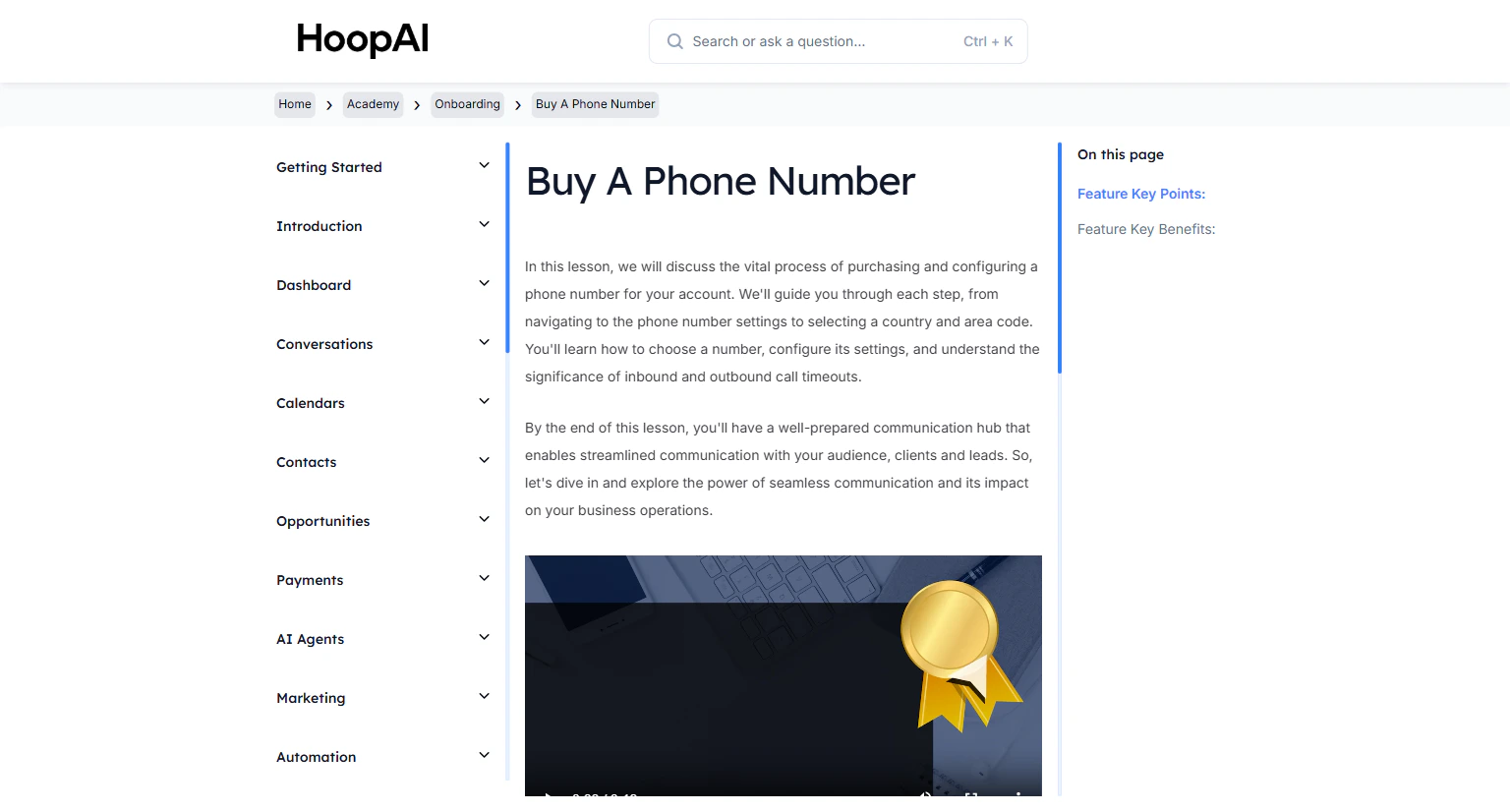
Purchasing and configuring a dedicated phone number is a critical step in establishing seamless communication with your audience. This lesson guides you from selecting a number to configuring call settings, forwarding, call recording, and timeout behavior.

<Frame caption="The Buy A Phone Number lesson in the HoopAI Academy">
  <img src="https://mintcdn.com/hoopai-84ec0cdc/gyU98wGhFXcTdqFf/images/academy-onboarding-buy-phone-number.png?fit=max&auto=format&n=gyU98wGhFXcTdqFf&q=85&s=ef2b18bc4019dd33e411f28c4cf5e1c5" alt="Buy a phone number article" width="1536" height="826" data-path="images/academy-onboarding-buy-phone-number.png" />
</Frame>

## Why this matters

Your HoopAI Platform phone number is what your contacts see when you call or text them. It is also the number that receives inbound calls and SMS messages, which flow directly into your Conversations inbox. Without a dedicated number, you cannot send or receive business communications through the platform.

<Note>
  If you plan to send SMS, complete your A2P 10DLC registration before or immediately after purchasing your phone number. You will need to link your number to your registered brand.
</Note>

## How to buy and configure a phone number

<Steps>
  <Step title="Navigate to Phone Number settings">
    Go to **Settings** in the left sidebar and select **Phone Numbers**.

    <Frame caption="Phone Numbers settings in the HoopAI Platform">
      <img src="https://mintcdn.com/hoopai-84ec0cdc/gyU98wGhFXcTdqFf/images/academy-onboarding-buy-phone-number.png?fit=max&auto=format&n=gyU98wGhFXcTdqFf&q=85&s=ef2b18bc4019dd33e411f28c4cf5e1c5" alt="Phone numbers navigation" width="1536" height="826" data-path="images/academy-onboarding-buy-phone-number.png" />
    </Frame>
  </Step>

  <Step title="Click Add Number">
    Click **Add Number** or the **+** button to begin the purchase process.
  </Step>

  <Step title="Select your country and area code">
    Choose your country from the dropdown. Then enter the area code you want — ideally one that matches your local service area to build familiarity with local contacts.

    <Tip>
      Local numbers (with a regional area code) typically have higher answer rates from local contacts compared to toll-free numbers.
    </Tip>
  </Step>

  <Step title="Choose a number and purchase">
    The platform will display available numbers matching your criteria. Select the one that fits your business and click **Buy** or **Purchase**.

    <Frame caption="Selecting and purchasing your business phone number">
      <img src="https://mintcdn.com/hoopai-84ec0cdc/gyU98wGhFXcTdqFf/images/academy-onboarding-a2p-10dlc.png?fit=max&auto=format&n=gyU98wGhFXcTdqFf&q=85&s=e9d800110fd3b96107b165c4468d9298" alt="Number selection screen" width="1536" height="826" data-path="images/academy-onboarding-a2p-10dlc.png" />
    </Frame>
  </Step>

  <Step title="Configure your phone number settings">
    After purchasing, click on the number to access its settings. Configure:

    * **Name:** Give the number a descriptive label (e.g., "Main Business Line" or "Sales Line")
    * **Forwarding number:** Enter a phone number to forward incoming calls to when needed
    * **Caller ID pass:** Enable to display your business number — not your personal number — when making outbound calls
    * **Call connect:** Require a keypress before connecting an incoming forwarded call, reducing robocall connections
    * **Whisper message:** Play a brief message to you before connecting a forwarded call (e.g., "Incoming call from HoopAI")
    * **Call recording:** Enable to automatically record all calls on this number

    <Frame caption="Configuring call settings for your new phone number">
      <img src="https://mintlify.s3.us-west-1.amazonaws.com/hoopai-84ec0cdc/images/academy-sms-call-tracking.png" alt="Phone number configuration" />
    </Frame>
  </Step>

  <Step title="Set inbound and outbound call timeouts">
    Configure how long the system rings before sending to voicemail:

    * **Inbound call timeout:** How long an incoming call rings before timing out
    * **Outbound call timeout:** How long an outgoing call rings before the system stops trying

    Set these based on your typical availability and response time.
  </Step>

  <Step title="Associate with your A2P registration">
    If you have completed A2P 10DLC registration, link this phone number to your approved brand and campaign. This ensures your SMS messages are sent from a compliant, registered number.
  </Step>
</Steps>

## Key points

<AccordionGroup>
  <Accordion title="Local vs. toll-free numbers">
    Local numbers (with a regional area code) tend to have higher answer rates from local contacts. Toll-free numbers project a national presence. Choose based on your business type and target audience.
  </Accordion>

  <Accordion title="Call forwarding and caller ID">
    Forwarding routes incoming calls to your personal or team phone. Enabling Caller ID Pass ensures contacts see your business number, not your personal number, when you call them back.
  </Accordion>

  <Accordion title="Call recording compliance">
    Before enabling call recording, ensure you are compliant with applicable recording consent laws in your state or country. Some states require two-party consent before recording a call.
  </Accordion>

  <Accordion title="Whisper messages">
    A whisper message plays to you — not the caller — before connecting a forwarded call. This is useful for identifying which campaign or number the caller came from so you can greet them appropriately.
  </Accordion>
</AccordionGroup>

## Key benefits

<AccordionGroup>
  <Accordion title="Seamless communication">
    A dedicated business number provides a reliable contact method for leads, clients, and prospects.
  </Accordion>

  <Accordion title="Professional image">
    A dedicated phone number separates business from personal communications entirely.
  </Accordion>

  <Accordion title="Call management">
    Forwarding, caller ID, and whisper messages improve how you handle every incoming call.
  </Accordion>

  <Accordion title="Call tracking">
    Recording and reporting on calls gives you visibility into team performance and conversation quality.
  </Accordion>

  <Accordion title="SMS capabilities">
    Your purchased number can also send and receive SMS messages through the platform.
  </Accordion>
</AccordionGroup>